Location :
Orlando, FL, USA
Location :
Orlando, FL, USA +1 (407) 714-1616
 info@biz4group.com


















Imagine a digital system that doesn’t wait for instructions but instead, understands your business goals, learns from real-time feedback, and takes independent actions to get the job done.
Read More

 AI Summary Powered by Biz4AI
AI lead response software for real estate can take a lot of the repetitive work off your team's plate, but the useful stuff happens when it connects to the CRM you already use. It can pick up missed calls and texts, ask a few qualifying questions, capture things like budget, location, timeline, and property interest, update the lead record, and book an appointment when the lead is ready.
The part worth thinking about is what happens between those steps.
A 2026 Delta Media survey of more than 100 brokerage leaders found that 55% planned to adopt or expand AI for CRM enhancement and workflow automation. The same survey found that 45% planned to expand AI for automated client communications.
That matters because real estate AI works best when the conversation, CRM data, property information, scheduling, routing, and human handoff are connected. It is the kind of integration work Biz4Group handles when building AI products for real estate.
The same thinking applies when you're looking at AI lead nurturing tools for real estate CRM workflows. We'll break down how the pieces fit together, what AI can realistically handle, how it compares with an ISA, which integrations matter, what to look for when evaluating platforms, and how long implementation actually takes.
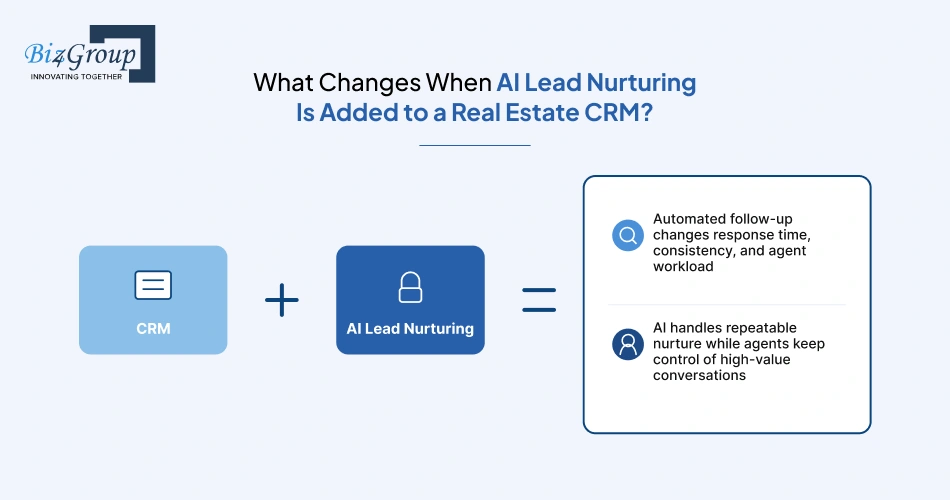
The main change is simple: your CRM can start and manage follow-up without waiting for an agent to do it manually. It can trigger messages from lead activity, continue nurture sequences, and alert or hand off leads when they show buying intent.
New leads can enter a sequence automatically, while replies, inactivity, or other CRM events can trigger the next action. That means fewer leads sitting untouched and less time spent deciding who needs a follow-up next.
AI can qualify leads, answer routine questions, and re-engage inactive prospects. What about the lead who suddenly says, "I'm ready to see this property"? The workflow should hand that conversation to an agent with the relevant context already in the CRM.
AI lead nurturing uses CRM data and lead activity to decide when to follow up, what action to take next, and when an agent should step in. The basic flow looks like this:
CRM event → AI decision → follow-up action → engagement signal → next action or agent handoff
The trigger comes from something that happens to the lead, not just from a calendar.
AI can choose the next channel based on the workflow rather than sending the same message repeatedly.
For example:
New lead → text → no response → email → follow-up call → response → agent handoff
The exact sequence depends on the CRM, channels available, lead type, and rules you configure.
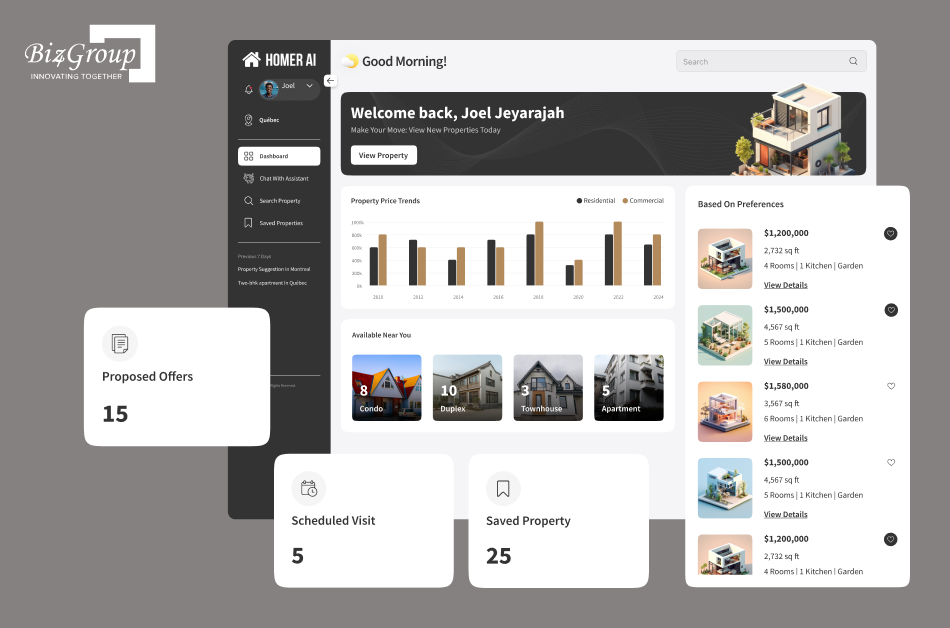
The conversation layer also needs to understand the real estate context around the lead. That principle is visible in projects such as Homer AI, a conversational real estate application designed around buyers and sellers. It is a useful reminder that AI follow-up sits within a broader property conversation, where the user's intent and context can shape what happens next.
Rather than treating every lead the same, the system can use signals such as:
|
Signal |
Possible workflow response |
|---|---|
|
Replies to messages |
Increase engagement priority |
|
Repeated property activity |
Flag for agent attention |
|
Requests pricing or availability |
Trigger qualification or handoff |
|
No engagement |
Continue slower nurture |
|
Appointment booked |
Stop automated nurture |
The important point is that lead scoring should affect what happens next, not just create another score that nobody uses.
A lead who says, "We're probably buying next year" does not need the same cadence as someone ready to tour this weekend. AI can keep the first lead in a lower-frequency nurture path and change the workflow when new engagement suggests their timeline has moved forward.
That is where months-long nurture becomes practical: the system keeps watching for a reason to change course instead of simply sending the same drip sequence until it ends.
A common question among real estate teams is what happens to leads who are interested but still months away from making a move.
"I keep losing long-term buyers because we only follow up two or three times and then give up, so I want to understand how AI can keep nurturing leads over several months without extra work from my team."
AI can move these leads into a lower-frequency nurture sequence that continues over time and adjusts when the lead shows new activity, without requiring agents to manually schedule every follow-up.
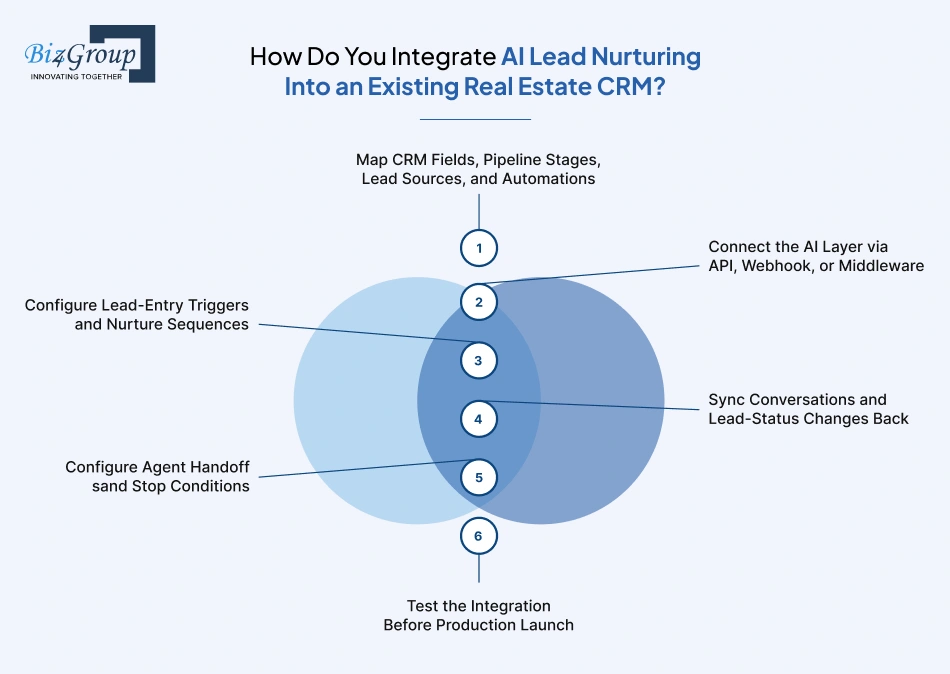
The integration should fit into the CRM workflow you already use. Map the data first, connect the systems, define when AI should act, write activity back to the CRM, and set clear rules for agent takeover and testing.
Start with the CRM, not the AI tool. Identify which fields the AI needs, how leads move through your pipeline, where each lead comes from, and which automations already run.
Pay particular attention to custom fields, lead ownership, existing drip campaigns, routing rules, and duplicate-contact logic. If these are not mapped first, the AI can trigger the wrong sequence or overwrite information agents already rely on.
Choose the connection based on how much control the workflow requires.
Native integration works when the available actions and data are enough. API or webhook integration makes more sense when you need custom events, deeper data access, or two-way updates. Middleware can help when data needs to be transformed or routed between systems.
The important part is verifying what the connection actually supports. A tool being "integrated" with a CRM does not necessarily mean it can read every field, respond to every event, or write every activity back.
Once the connection works, define what causes a lead to enter AI nurture.
A simple setup might look like:
New lead created → identify source → assign nurture sequence → send first message → wait for response → continue, change sequence, or hand off
You can then create different paths for portal leads, website inquiries, open-house leads, seller leads, or older database contacts instead of putting everyone into one generic sequence.
The CRM should remain useful even when AI is doing most of the follow-up.
A lead record might show:
|
CRM activity |
What gets recorded |
|---|---|
|
AI conversation |
Messages, replies, and conversation outcome |
|
Engagement |
Opens, clicks, replies, property activity, or other available signals |
|
Qualification |
Budget, timeline, location, and property interest |
|
Status change |
New stage, intent change, appointment, or handoff |
|
Sequence activity |
Started, paused, changed, or stopped |
If an agent opens a lead record, can they immediately tell what the AI has already said and what the lead wants? If not, the integration is missing an important part of the workflow.
Don't leave the AI's "when should I stop?" decision undefined.
Set explicit rules for events such as a showing request, strong buying intent, appointment booking, agent reply, opt-out, or a change in lead status.
For example:
Lead asks to see a property → AI captures the request → CRM records the details → agent is alerted → automated nurture stops.
That last step matters. A handoff is incomplete if the AI keeps messaging after the agent has taken over.
Test the actual workflow, not just whether the connection works.
What happens if a lead replies immediately, changes stages, opts out, or gets contacted by an agent halfway through the sequence? Those edge cases should be tested before real leads enter the workflow.
Use test leads to check:
Lead creation → correct trigger → correct AI sequence → CRM activity sync → agent handoff → automation stops
Start with one lead source or a small team if possible. Once the workflow behaves correctly in production, expand it to additional sources, sequences, and teams.
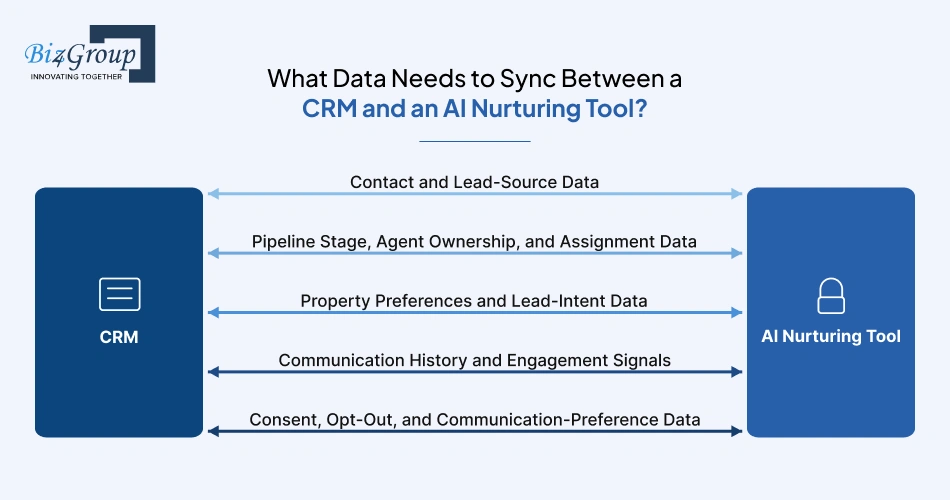
The AI needs the right CRM context to decide who to contact, what to say, and when to stop. At the same time, important AI activity needs to flow back into the CRM so agents are not working from incomplete information.
At minimum, sync the fields that identify the lead and explain where they came from:
Name + phone/email + lead source + campaign + date created
Source matters because the context of the inquiry can shape the first follow-up. A buyer who asked about a specific listing has a different starting point from someone who submitted a general home-search form.
Think of these fields as workflow controls, not just contact information.
If a lead moves from New to Working, changes from one agent to another, or becomes an active client, the AI needs to know. Otherwise, it may continue a sequence that no longer fits the lead's status.
The more useful property and intent information the CRM has, the less the AI has to start from scratch.
Capture things like:
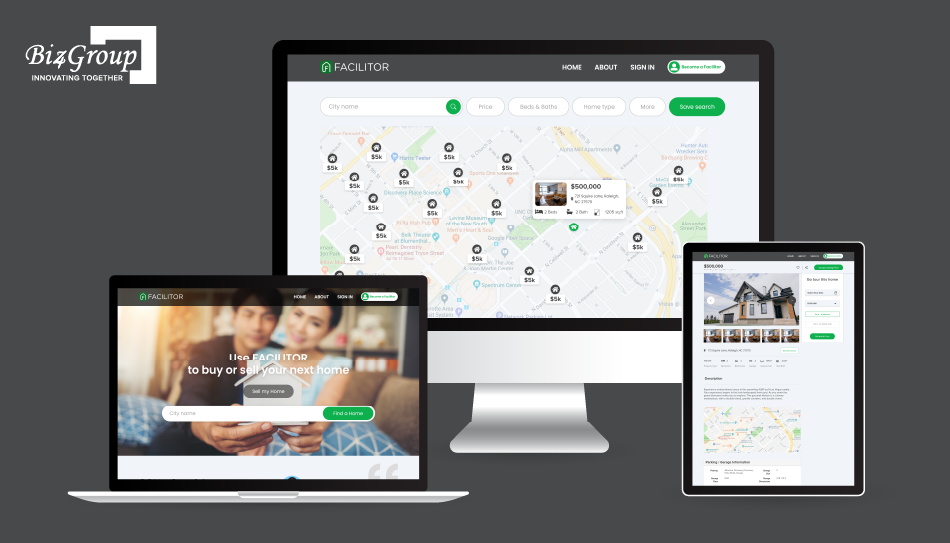
Property context is especially important in real estate conversations. An AI response becomes much more useful when it knows what type of property a lead is exploring, where they are looking, and what stage they are at in the buying journey. This is also something that comes up in real estate AI product work. Biz4Group worked on a project called Facilitator, which was built around property exploration and guidance through the home-buying journey, showing how real estate context can sit alongside the conversational experience.
Would you want the AI to ask a lead for their budget again when your CRM already has the answer? Keeping these fields synchronized avoids that kind of repetitive conversation.
This data gives the AI memory of the interaction without requiring an agent to manually explain the conversation.
|
Signal |
What it can tell the AI |
|---|---|
|
Previous texts or emails |
What has already been discussed |
|
Call activity and outcomes |
Whether a conversation already happened |
|
Replies |
Whether the lead is actively engaging |
|
Property activity |
Which listings or markets interest them |
|
Appointment activity |
Whether intent has increased |
|
Sequence history |
Which nurture actions have already been sent |
The AI can then use those signals to determine whether to continue, change, slow down, or stop the follow-up.
These fields should be treated as hard rules in the integration.
Sync the lead's consent status, opt-out requests, preferred communication channels, and any relevant communication restrictions. When those values change in the CRM, the AI system should receive the update before sending another message.
That prevents the nurture tool from operating with older communication preferences than the CRM.
Build the workflow around lead behavior. A CRM event should trigger an action, and the lead's next behavior should determine whether that action continues, changes, slows down, or stops.
When teams connect several lead sources to the same CRM, a practical question comes up:
"We have leads coming from multiple sources like Zillow, our website, and Facebook ads, and I want them to automatically enter a nurturing sequence in our CRM the moment they arrive, so what should I look for in an AI integration."
Look for an integration that can identify the lead source, trigger the appropriate CRM workflow, pass the relevant lead data to the AI, and start the correct nurture sequence automatically.
The first trigger is usually straightforward: a new lead enters the CRM, so AI starts the appropriate follow-up sequence.
But the trigger should also identify the lead's source and context. A Zillow inquiry about one property, a website buyer form, and a seller valuation request should not automatically receive the same opening conversation.
This is where behavioral automation becomes more useful than a fixed drip campaign.
A reply, property inquiry, renewed website activity, or request for availability can change what happens next. If a lead starts showing real interest, why keep sending the same message that was scheduled before they replied?
The AI should use the new signal to adjust the conversation, change the sequence, increase follow-up priority, or route the lead to an agent.
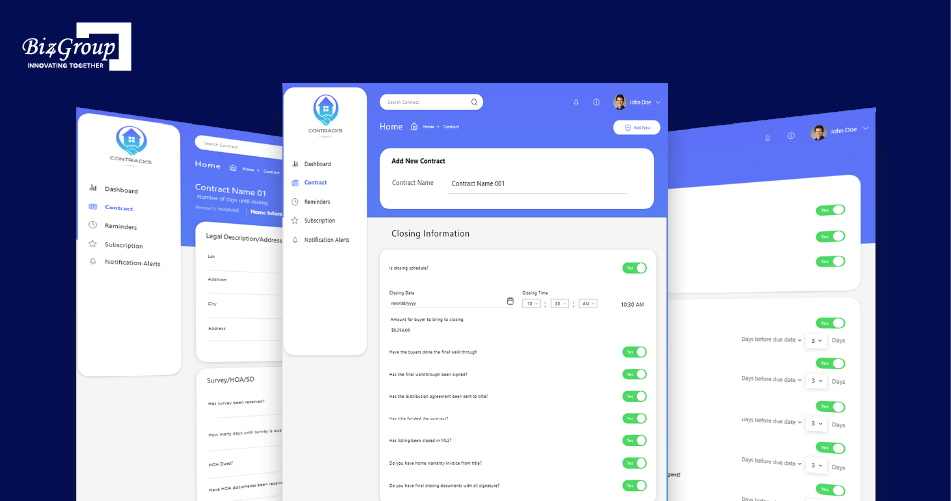
Event-driven workflows are common across real estate technology because a change in status often needs a corresponding action. Biz4Group's project Contracks, for instance, centers on property contract progress tracking and event alerts. The same workflow principle applies to AI nurturing: a lead reply, appointment, status change, or other meaningful event can become the signal that changes what the system does next.
When engagement drops, reduce the intensity instead of treating the lead as permanently lost.
A practical workflow might move someone from an active sequence into longer-term nurture after a defined period of inactivity. If they later reply, revisit a property, or submit another inquiry, the system can move them back into a more active path.
Active → inactive → long-term nurture → renewed activity → active
Some behaviors should not lead to another automated message at all.
A lead saying they want to tour tomorrow, asking an agent to call, requesting a listing appointment, or indicating they are ready to make an offer should trigger a handoff.
The AI's role at that point is to capture the context and get the right person involved, not keep trying to nurture the lead automatically.
Every sequence needs clear exit rules. Automation should pause when an agent takes over, an appointment is booked, a lead opts out, or the CRM moves the contact into a stage controlled by another workflow.
What happens when an agent jumps into a conversation while the AI sequence is still running? The system should know to pause or stop automated outreach immediately.
This also prevents an AI sequence from competing with an existing CRM campaign or another automated workflow.
There is a big difference between "send the next message in three days" and "send the next message when the lead needs another touch."
Active conversation may call for a faster response. No engagement may justify a longer gap. A sudden return to property activity may move the lead back into an active sequence.
The result is a nurture workflow that responds to what the lead actually does instead of mechanically following Day 1 → Day 3 → Day 7 → Day 14.
The simplest setup is to make the CRM the place where lead records, ownership, stages, and outcomes live, while AI operates within that workflow. Agents should be able to work normally without maintaining a second lead database.
A common concern when adding AI to an established CRM is:
"I am worried that adding an AI nurturing tool on top of our CRM will create a mess of duplicate systems and confused agents, so I need to know how to integrate it properly so my team actually adopts it."
Keep the CRM as the system of record, connect the AI through the CRM's available integration methods, and sync conversations, status changes, and handoffs back into the same lead record agents already use.
Don't move the core lead record into the AI platform.
CRM: contact, owner, stage, source, property details, appointments, status
AI layer: conversation, qualification, follow-up decisions, nurture actions
The AI reads what it needs from the CRM and sends relevant updates back. That keeps the CRM authoritative when information changes.
The CRM should retain enough of the AI interaction for an agent to pick up where the conversation left off.
That can include the conversation itself, qualification answers, appointment details, sequence status, and meaningful engagement events. You don't necessarily need to copy every internal AI event into the CRM. The useful rule is: if an agent or CRM workflow needs the information later, sync it back.
This is an integration design problem, not an agent training problem.
Before going live, establish:
For example, a new portal lead should not create a second contact just because the AI tool receives the same lead through another integration path.
Agents don't need to open the AI platform just to understand what happened.
A CRM record should make the important context obvious: what the lead said, what the AI captured, what changed, and why an agent now needs to act.
For a handoff, something as simple as "Buyer wants to tour the property Saturday and confirmed financing" is far more useful than a generic notification saying "Lead requires attention."
Define agent takeover as a workflow event.
If the agent replies directly, changes the lead stage, books an appointment, or marks the lead as actively handled, the AI sequence should pause or stop according to the rules you've configured.
The important part is avoiding the awkward situation where the agent thinks they are having a one-to-one conversation while the AI keeps sending messages in the background.
If promising leads are going cold after a few follow-ups, Biz4Group can help you build an AI nurturing workflow that responds to lead behavior and keeps conversations moving over time.
Explore AI Lead NurturingThe basic setup is the same: let the CRM stay in charge of the lead, and let AI handle the conversations and follow-up. What changes from one platform to another is how easily you can connect the two and how much data you can move between them.
|
CRM |
What to look at |
|---|---|
|
Follow Up Boss |
APIs, Events API, and webhooks for bringing in leads and syncing activity with existing workflows. |
|
kvCORE / Lofty |
Available APIs, native automations, and what lead and activity data the integration can access. |
|
Custom CRM |
Your own APIs, webhooks, data structure, triggers, and rules for handing leads between AI and agents. |
With Follow Up Boss, for example, the way you send a new lead into the CRM matters. Its documentation recommends using the Events API for new leads because it can trigger the appropriate FUB automations, rather than simply creating a contact through the People API.
For kvCORE or Lofty, start by checking what the available integration can actually read and write. You want the AI to see the lead's relevant CRM context and push useful activity back to the same record, rather than creating a second version of the lead somewhere else.
And what about a custom-built CRM? The same architecture still works. You just have more control over how leads enter the system, which events trigger AI, what gets written back, and when an agent takes over.
The goal in every case is simple: one lead record, one clear workflow, and no guessing about what the AI or agent did last.
Don't choose based on who has the longest AI feature list. Look at how well the tool fits the CRM you already use, how much control you get over follow-up, and what it will actually cost to run.
Start here because a great AI tool is not much use if it cannot work with the data sitting in your CRM.
|
What to check |
Native AI |
Third-party tool |
|---|---|---|
|
CRM data |
Usually has direct access |
Depends on the integration |
|
Activity sync |
Typically built in |
May need API, webhooks, or middleware |
|
Existing workflows |
Usually easier to fit in |
Needs more careful setup |
|
Flexibility |
Depends on the CRM |
Often offers more customization |
The real question is: Can the AI see the lead information it needs and put the important activity back where your agents already work?
This is where you should look past the feature names.
Check whether you can trigger follow-up from actual lead behavior, build different nurture paths, change sequences when intent changes, and use lead scoring to decide what happens next.
For a team with simple follow-up needs, native AI may cover enough. If you need more complicated branching, custom scoring, or specific workflows, a third-party tool may give you more control.
Having three communication channels does not automatically mean the tool handles them well.
Look at how those channels work together. Can a conversation move from text to email? Can AI respond to an actual reply instead of continuing a scheduled sequence? Does a voice conversation get captured in the CRM?
If your team mainly follows up by text today, do you really need a tool whose biggest selling point is an elaborate voice workflow? Match the channels to how your agents actually work.
The handoff matters just as much as the automation.
You want agents to know when AI has spoken to a lead, what the lead said, why the conversation was flagged, and what needs to happen next. You also want simple controls for pausing sequences, stopping automation, changing ownership, and reviewing outcomes.
A useful test is simple: Could an agent open the CRM and take over the conversation without asking, "What happened here?"
Don't compare subscription prices and stop there.
Work out the likely total cost of:
Software + AI usage + messaging/voice + integration + setup + ongoing maintenance
A native feature may cost less to implement because it is already part of the CRM. A third-party tool may require more setup but give you capabilities that the native option does not.
The fairest comparison is based on your actual lead volume, number of agents, channels, and how long leads stay in nurture, not just the advertised monthly price.
For most real estate teams, the cost comes down to three things: the AI platform, the integration work, and ongoing usage. A simple connector-based setup can stay in the low thousands, while a custom two-way integration can reach $20,000-$40,000+ depending on what needs to be built.
The monthly software price is only part of the bill.
|
Cost |
Typical planning range |
|---|---|
|
AI nurturing platform |
$250-$1,000+/month |
|
CRM |
$50-$1,000+/month |
|
Messaging and voice |
Usage-based |
|
Middleware / connector |
$0-$300+/month |
|
Custom integration |
$3,000-$40,000+ one-time |
Current vendor pricing gives some context. Ylopo lists AI text at $250/month and AI text plus voice at $500/month, while Structurely's Team plan is listed at $499/month plus usage credits. Follow Up Boss starts at $69/user/month on its monthly Grow plan, while Lofty uses custom pricing.
Messaging adds another variable. Twilio, for example, currently lists U.S. SMS starting at $0.0083 per message before carrier fees and other applicable charges.
So the better question is not "How much does the AI tool cost?" but "How much will our actual lead volume cost to run through it?"
This is where projects can get surprisingly different in price.
If the AI tool already connects to your CRM and handles the fields you need, setup may be relatively straightforward. If someone has to map custom fields, build triggers, connect lead sources, sync activity, and test handoffs, the implementation bill grows quickly.
A reasonable 2026 planning range for a straightforward API integration is around $3,000-$8,000. More involved CRM integrations can reach $20,000-$40,000+.
How much of your current CRM workflow would actually need to change? If the answer is "almost none," you probably don't need a large custom integration project.
If your CRM and AI tool already have a good connector, use it unless you have a specific reason not to.
Custom development starts making more sense when you need two-way data sync, custom lead scoring, unusual CRM fields, multiple lead sources, complex routing, or connections to your own systems.
|
Setup |
Typical integration effort |
|---|---|
|
Existing connector |
Lowest |
|
Connector + custom configuration |
Low to moderate |
|
API / webhook integration |
Moderate |
|
Custom two-way integration |
High |
The tradeoff is straightforward: pay more upfront for control, or accept more of the workflow the existing connector gives you.
A pilot should answer one question: Does this workflow actually work with our leads and our CRM?
You might start with one lead source, one nurture sequence, and a small group of agents. For a connector-based pilot, planning around $1,000-$5,000 in implementation work, plus software and usage costs, is a reasonable starting range.
A full rollout can be much higher once you add multiple lead sources, custom workflows, data cleanup, agent routing, reporting, and deeper CRM integration. That's where projects can move into the $10,000-$40,000+ range.
Don't spend $30,000 building the perfect integration before you've proved that the first workflow works.
With a ready-made CRM connector, the basic setup can often be configured in a few days, not months. The longer timelines usually come from custom API work, complicated CRM workflows, multiple systems, or the decision to run a longer pilot before rolling AI out across the team.
Start with one workflow you can get working quickly.
New website lead → AI responds → qualifies the lead → updates the CRM → hands off when needed
With an existing integration, connecting the tools, mapping the necessary fields, setting the trigger, and configuring the first sequence can often happen within 1-2 days.
The goal isn't to build the entire AI nurturing system upfront. Get one workflow working, then see what needs improving.
Once the basic workflow is configured, spend the next few days testing the parts that matter.
Try real-world scenarios: a lead replies immediately, ignores several messages, asks for a showing, opts out, changes stage, or gets contacted by an agent.
What happens when the real-world conversation doesn't follow the sequence you designed? That's what your testing should uncover.
For a straightforward setup, 2-5 days of testing and refinement may be enough before opening it up to a larger group. Custom integrations will take longer because the development work itself adds time.
Once the first workflow works, adding another sequence or lead source is often much faster than building the initial integration.
A practical rollout could look like:
|
Stage |
Typical timeframe |
|---|---|
|
Connect and configure |
1-2 days |
|
Test and refine |
2-5 days |
|
Controlled pilot |
1-2 weeks |
|
Custom integration / complex rollout |
Several weeks+ |
Do you actually need weeks of development, or do you need a few days to configure and test what already exists? With today's AI and CRM connectors, that distinction matters.
The time-consuming part is usually not getting AI to send a message. It's making sure the right lead gets the right message, the CRM stays updated, and the AI knows when to get out of the way.
Biz4Group can help you design an AI-powered real estate workflow around your existing CRM, data, and team processes.
Plan Your AI Integration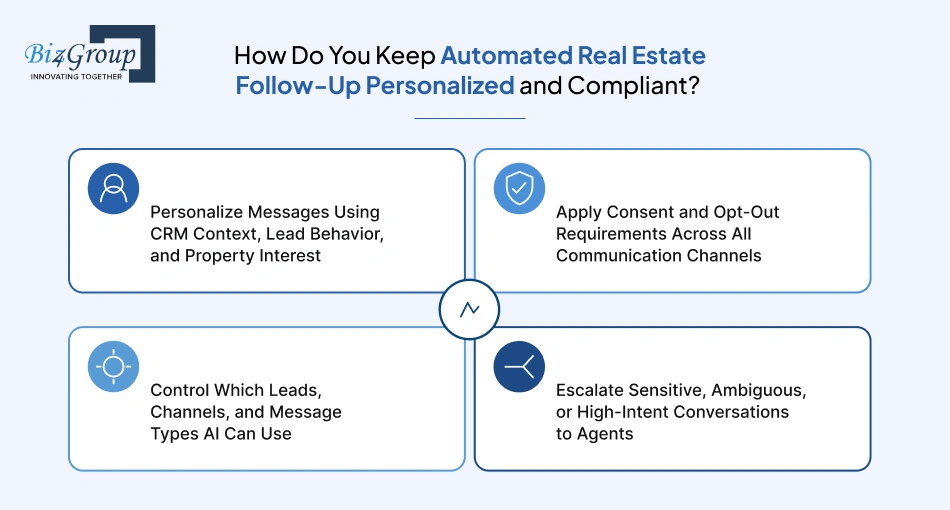
Keep AI follow-up grounded in information the lead has actually provided, and put clear boundaries around what the system can send, to whom, and through which channel. Personalization should make the conversation more relevant, while the rules determine where AI stops.
Use: the lead's stated preferences, previous conversation, property activity, source, and pipeline context.
Avoid: making up preferences, repeating questions the lead has already answered, or pretending the AI knows something it doesn't.
For example, if a buyer has already said they're looking in Scottsdale under $800,000 and has asked about a particular listing, the next message can use that context. It shouldn't start another generic "Are you still looking to buy?" Conversation.
Treat consent as part of the workflow, not something to check after the message has been sent.
The exact requirements vary by channel, message type, jurisdiction, and how consent was obtained, so the integration should be designed around the legal requirements that apply to the brokerage rather than assuming one rule covers every AI interaction.
Not every lead needs access to every AI capability.
A brokerage can define boundaries such as:
These controls are especially useful when the same CRM contains prospects, clients, past clients, vendors, and other contacts.
AI should have a clear exit when the conversation moves beyond its role.
If the lead is ready to transact, asks for advice that requires professional judgment, becomes upset, raises a sensitive issue, or asks something the AI cannot confidently answer, hand it to an agent.
The AI should pass along the relevant conversation and context rather than simply sending an "agent will contact you" message and leaving the agent to figure out what happened.
That gives automation a useful boundary: AI handles the repeatable conversation, while the agent takes over when judgment matters.
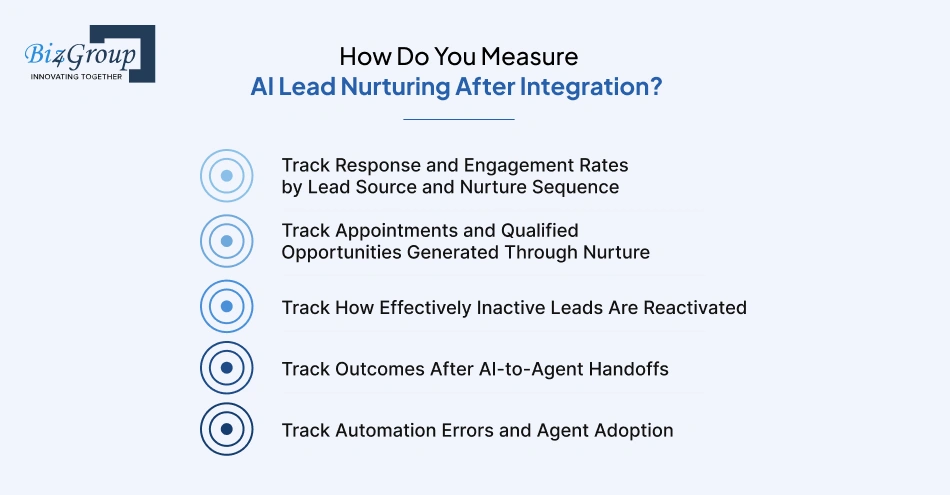
Look at whether AI is moving leads forward, not how many messages it sends. The useful numbers are response and engagement, appointments, reactivated leads, agent handoffs, and the health of the automation itself.
Don't lump every lead into one number.
Break performance down by lead source, lead type, and nurture sequence so you can see where the workflow is actually working.
|
Metric |
What to look for |
|---|---|
|
Response rate |
Which sources and sequences get replies |
|
Engagement rate |
Which leads continue interacting |
|
Conversation rate |
How often AI turns an inquiry into a real conversation |
|
Sequence performance |
Which nurture paths outperform others |
A 15% response rate might look fine in isolation, but what if one lead source is producing 30% and another is producing 3%? That's the kind of difference worth investigating.
This is where you connect the AI activity to something the sales team actually cares about.
Track the number of leads that move from nurture into qualified conversations, showing requests, listing consultations, appointments, and active opportunities.
The useful comparison is not "AI sent 10,000 messages." It's "AI helped move X leads from the database into an active sales conversation."
Long-term nurture needs a different yardstick.
Take the leads who had gone quiet and measure how many become active again after entering the nurture workflow.
For example:
Inactive lead → replies → re-engages with property → books appointment
You can also compare reactivation rates by sequence to see which messages and timing are actually bringing older leads back.
Are your old leads becoming active again, or are you simply getting better at sending messages to people who still aren't responding?
A handoff is only the start of the human part of the process.
Follow what happens next:
Handoff → agent response → continued conversation → appointment → qualified opportunity
This shows whether AI is sending agents useful conversations or simply passing along leads that aren't ready.
It also helps identify problems with the handoff itself. If agents receive strong leads but response times remain slow, the next improvement may be in routing or agent workflow rather than AI.
Some of the most important metrics won't show up in a conversion report.
Keep an eye on:
Then look at whether agents are actually using the workflow.
If AI is doing its job but agents aren't picking up the conversations, where is the breakdown? That question can reveal an adoption or workflow problem that a simple conversion report won't show.
AI lead nurturing gets interesting once you start looking at the plumbing: CRM fields, event triggers, sequence logic, activity sync, agent handoffs, and the little stop conditions that keep everything from colliding. AI lead response software for real estate can fit neatly into that setup when those pieces are mapped properly. A few days of configuration can be enough for a focused workflow; larger custom builds need a different plan.
That implementation nuance comes up often in real estate AI work, where existing CRMs, property data, communication channels, and agent workflows all have to coexist. Biz4Group's experience in real estate AI product development reflects that practical side of the problem. So, where will your AI sit in the workflow? What happens when a lead changes course? Those answers will tell you more than another feature list ever will.

Our website require some cookies to function properly. Read our privacy policy to know more.