 Location :
Orlando, FL, USA
Location :
Orlando, FL, USA +1 (407) 714-1616
 info@biz4group.com

 AI Summary Powered by Biz4AI
- Understand the key differences between Hotjar and Microsoft Clarity, including where they overlap and where they solve different problems.
- Compare heatmaps, session recordings, AI features, security, pricing, and UX research tools to see what each platform actually offers.
- Learn why Microsoft Clarity is a popular choice for free behavioral analytics, while businesses still invest in Hotjar for surveys, feedback, and user interviews.
- Find out which platform is better suited for startups, SaaS products, ecommerce stores, marketing teams, and enterprise workflows.
- Discover the limitations of both tools, when using them together makes sense, and which alternatives are worth considering.
You're looking at a landing page that's attracting plenty of visitors but not enough conversions, and you don't know why.
That's exactly what behavioral analytics tools are built for. They reveal how people interact with your website, helping you uncover friction points that traditional analytics can't explain. Hotjar and Microsoft Clarity are two of the most popular platforms in this category, but they take different approaches to pricing, UX research, AI-powered insights, and long-term scalability.
That decision has become even more important as behavioral analytics becomes a core part of digital optimization. The global behavior analytics market, valued at USD 1.5 billion, is projected to reach USD 7.63 billion by 2034, growing at a 17.81% CAGR. At the same time, Microsoft Clarity powers more than 2 million websites and apps, while Hotjar is trusted by over 1.3 million websites worldwide, reinforcing how organizations increasingly rely on user behavior analytics to optimize user experiences and drive conversions.
At Biz4Group, we've worked with startups, growing SaaS companies, and enterprises building digital products where analytics isn't just a reporting tool, it's a product decision engine. One pattern consistently emerges, that the right behavior analytics platform depends less on feature count and more on your business goals, team workflows, and optimization strategy.
The interesting part isn't what Hotjar and Clarity have in common. It's where they start pulling in different directions. If you're wondering, "What are the key differences between Hotjar and Microsoft Clarity?", you're in the right place. Let's begin by understanding what they are in the first place.
What Are Hotjar and Microsoft Clarity, and How Do They Work?
Hotjar and Microsoft Clarity are user behavior analytics tools that help you understand how visitors interact with your website. Instead of just showing traffic numbers, they reveal what people actually do on your pages, making it easier to identify friction, improve user experience, and increase conversions.
They do this using a few core features:
- Heatmaps: Visual reports that show where visitors click, move their mouse, and how far they scroll on a page.
- Session recordings: Playbacks of real user visits that let you watch how people navigate your website and where they run into issues.
- Behavioral insights: Patterns and trends in user behavior that help you spot confusing pages, broken user journeys, and missed conversion opportunities.
While both tools offer these core capabilities, they differ in their pricing, feature set, and the type of teams they're best suited for.
What Is Hotjar?
Hotjar is a user behavior analytics platform that helps you understand how visitors experience your website. It started as a heatmap tool but has grown into a complete UX research platform with features like session recordings, surveys, feedback widgets, and user interviews.
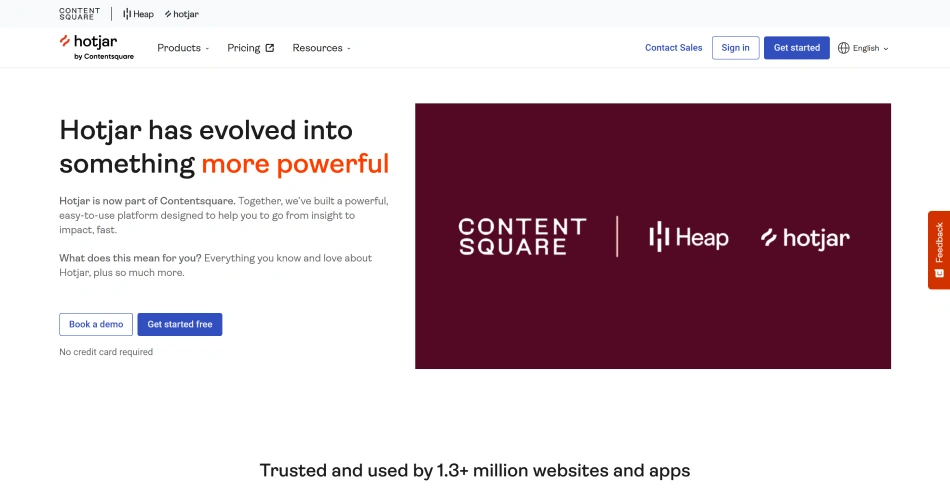
Instead of relying only on numbers, Hotjar helps you see where users click, how far they scroll, and where they struggle. You can then ask visitors for feedback directly, which gives you both quantitative and qualitative insights in one place.
Because of this, Hotjar is often used by product teams, marketers, UX researchers, and CRO specialists who want to identify friction, validate design decisions, and improve conversion rates based on real user behavior.
Hotjar offers both free and paid plans. Its paid tiers start at $39/month and scale based on session limits and advanced capabilities such as collaboration, funnels, and AI-powered insights.
What Is Microsoft Clarity?
Microsoft Clarity is a free user behavior analytics platform that focuses on making website behavior data accessible to everyone. It provides heatmaps, session recordings, and behavioral analytics without imposing traffic limits or charging based on usage.
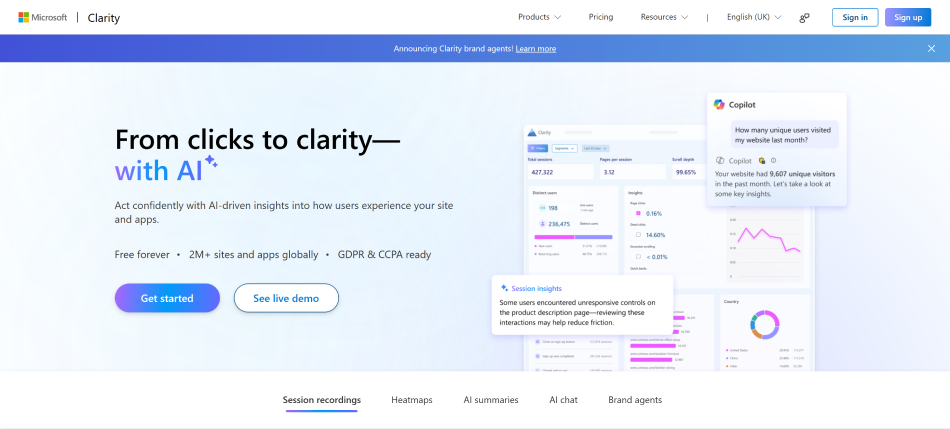
One of Clarity's biggest strengths is its simplicity. You can install it in minutes, start collecting user behavior data right away, and integrate it with tools like Google Analytics and Microsoft Advertising for deeper analysis.
Rather than offering built-in research features like surveys or user interviews, Clarity focuses on giving you reliable behavioral data at no cost. That makes it a popular choice for startups, small businesses, and growing teams that want actionable insights without adding another subscription to their tech stack.
Why Does This Matter?
Website analytics can tell you that a page isn't performing well, but they rarely explain why.
For example, your analytics might show that visitors leave a pricing page quickly. A session recording can reveal where they got stuck, while a heatmap can show whether they ignored an important call-to-action or never scrolled far enough to see it.
This extra context helps you identify usability issues, prioritize improvements, and make decisions based on actual user behavior instead of assumptions.
With the basics covered, let's break down where Hotjar and Microsoft Clarity differ.
Still stuck between Hotjar and Clarity?
The right tool isn't the one with the most features, it's the one that fits your goals. Let's figure it out together.
Talk to Our ExpertsHotjar vs Clarity: Where Do the Differences Really Show?
At first glance, Hotjar and Microsoft Clarity seem remarkably similar. Both are user behavior analytics tools that offer website heatmaps and session recordings. The difference becomes clear after implementation. One platform is designed to help teams investigate user behavior in greater depth, while the other helps teams uncover issues quickly with minimal effort.
To start, here's a quick side-by-side comparison of Hotjar and Microsoft Clarity so you can see where they differ and where each one stands out.
|
Feature |
Hotjar |
Microsoft Clarity |
|---|---|---|
|
Heatmaps |
Click, Scroll, and Device-specific Heatmaps |
Click and Scroll Heatmaps |
|
Session Recordings |
Advanced recording filters, AI recording summaries |
AI Copilot, Session Highlights, Rage Clicks, Dead Clicks, Quickbacks |
|
User Feedback |
Surveys, Feedback Widgets, and User Interviews |
Not Available |
|
Behavioral Insights |
Clicks, scroll depth, and engagement analysis |
Rage Clicks, Dead Clicks, Quickbacks, Excessive Scrolling |
|
Journey Analysis |
Journey analysis through integrations and research workflows |
User Journeys, Entry & Exit Analysis |
|
AI Capabilities |
AI-generated recording summaries and insights |
Copilot AI, Smart Insights, and Frustration Signals |
|
Filtering & Segmentation |
URL, device, browser, country, event, and user filters |
Page, browser, device, operating system, and country filters |
|
Integrations |
Google Analytics 4, Mixpanel, Segment, HubSpot, Zapier, and more |
Google Analytics 4, Google Tag Manager, Microsoft Ads, Azure |
|
Security & Privacy |
GDPR & CCPA compliant, role-based access, data masking, respects browser Do Not Track (DNT) requests, states it does not sell customer data |
GDPR & CCPA compliant, role-based access, data masking, Microsoft Azure-backed security, data processed under Microsoft's privacy policy |
|
Data Retention |
Free plan: 30 days; Paid plans: up to 365 days (plan dependent) |
90 days |
|
Cost |
Free plan available; paid plans start at $39/month |
Completely free |
|
Traffic Limits |
Session capture depends on your subscription plan |
No traffic-based session limits |
|
Best For |
UX research, product teams, CRO, and SaaS businesses |
Behavioral analytics, startups, SMBs, and marketing teams |
|
Biggest Strength |
Combines behavioral analytics with qualitative user research |
Enterprise-scale behavioral analytics at no cost |
The next part of the evaluation shifts from capabilities to investment, because even the strongest feature set has to justify its cost over the long term.
If Microsoft Clarity Is Free, Why Do Businesses Still Pay for Hotjar?
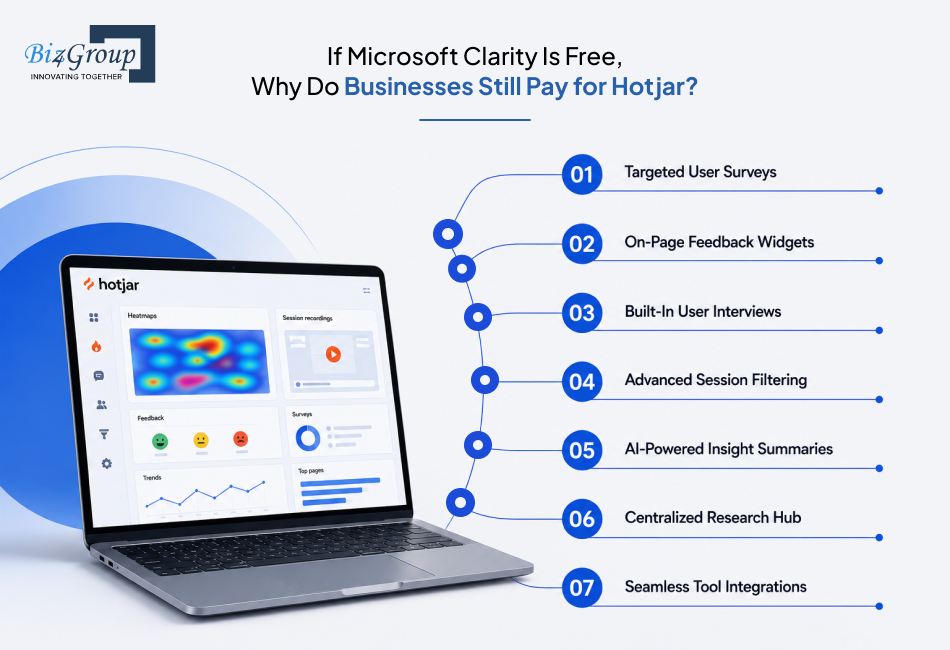
A free tool is hard to argue against, at least until you start asking what it doesn't include. Microsoft Clarity covers the fundamentals of behavioral analytics well. Hotjar goes a step further by adding research capabilities that help teams validate and act on those insights without relying on multiple tools. Here are the features businesses pay for:
- Surveys: Launch targeted surveys to collect feedback from visitors at specific moments in their journey, helping you understand the reasons behind user behavior.
- Feedback Widgets: Add on-page feedback buttons or ratings so users can share their thoughts while interacting with your website, making it easier to identify usability issues.
- User Interviews: Recruit participants and conduct interviews directly through Hotjar to gather qualitative insights before making product or design decisions.
- Advanced Session Recordings: Filter recordings by user attributes, events, pages, or devices to investigate specific behaviors instead of reviewing sessions manually.
- AI-Powered Summaries: Use AI to summarize session recordings and feedback, allowing teams to identify patterns and key takeaways more quickly.
- Research Hub: Keep recordings, surveys, feedback, and interview findings in one place, making it easier for product, marketing, and design teams to collaborate.
- Integrations: Connect Hotjar with tools like Google Analytics 4, Microsoft Clarity, HubSpot, Mixpanel, Segment, Zapier, and Slack to combine behavioral insights with analytics, marketing, and product data without disrupting your existing workflow.
For businesses that only need heatmaps and session recordings, Microsoft Clarity is often enough. But if your team regularly collects customer feedback, validates design decisions, and runs ongoing UX research, Hotjar's additional capabilities can justify the investment.
Now that we've looked at why businesses choose one over the other, let's see which tool makes the most sense for different types of teams and goals.
Which Tool Fits Your Business Goals Better, Hotjar or Microsoft Clarity?
By now, you know what each platform offers. The better choice depends on how your team works and what you're trying to achieve.
Choose Microsoft Clarity if you...
- Need reliable behavioral analytics without adding another software subscription.
- Want to identify friction using heatmaps and session recordings.
- Run a small team with a limited software budget.
- Are just getting started with UX optimization.
- Need an always-on analytics tool that scales with your website traffic.
- Are comfortable with Microsoft's data handling policies and ecosystem.
Choose Hotjar if you...
- Want to understand not just what users do, but why they do it.
- Regularly run UX research or conversion rate optimization (CRO) initiatives.
- Collect user feedback through surveys, interviews, or feedback widgets.
- Need product, marketing, and design teams to collaborate from the same insights.
- Prefer an all-in-one research workflow instead of managing multiple tools.
- Prioritize a privacy-first approach, including support for browser Do Not Track (DNT) requests and a stated policy of not selling customer data.
Consider Using Both if...
Some businesses don't choose one over the other. They use Microsoft Clarity for continuous behavioral analytics and Hotjar when they need deeper UX research or direct user feedback.
This setup works well if:
- You want always-on behavioral monitoring without increasing ongoing costs.
- UX or product teams occasionally need deeper customer research.
- Different teams have different research requirements.
Running both platforms can be effective, but only if each one fills a different role in your workflow.
Ready to stop guessing and start optimizing?
Great user experiences don't happen by accident. They come from the right insights, the right tools, and the right strategy.
Let's Build Your StrategyWhich Tool Should You Use Based on the Problem You're Trying to Solve?
Hotjar and Microsoft Clarity often solve the same problem in different ways. Clarity is designed to help you quickly identify where users experience friction, while Hotjar goes a step further by helping you investigate why that friction exists. Here's how they compare across common optimization scenarios.
1. To Increase Conversions
When conversion rates drop, the first step is identifying where users abandon the journey. Once you've found the problem, you need to understand what's causing it.
Microsoft Clarity is a better fit when you want to:
- Spot drop-off points across landing pages or checkout flows.
- Identify rage clicks, dead clicks, or excessive scrolling.
- Monitor conversion trends across large volumes of traffic.
Hotjar is a better fit when you want to:
- Understand why visitors hesitate before converting.
- Validate pricing, messaging, or checkout changes with user feedback.
- Support ongoing conversion rate optimization (CRO) with qualitative research.
2. To Redesign Part of Your Website
A redesign is about more than changing layouts. You need confidence that the new experience actually solves the problems users faced before.
Microsoft Clarity helps you:
- Compare user behavior before and after the redesign.
- Confirm whether navigation and usability issues have improved.
Hotjar helps you:
- Collect feedback during testing.
- Validate design decisions before rolling them out to all users.
3. To Improve Product Onboarding
If users aren't completing onboarding or adopting key features, behavioral data can show where they stop progressing.
Microsoft Clarity helps you:
- Identify friction across onboarding flows.
- Monitor how users move between key product screens.
Hotjar helps you:
- Understand why users abandon the journey.
- Collect feedback that explains confusing steps or missing expectations.
4. To Investigate a Sudden Drop in Performance
Sometimes a page that used to perform well suddenly stops converting. The priority is finding the cause as quickly as possible.
Microsoft Clarity is useful for:
- Detecting behavioral changes after a product release or campaign launch.
- Reviewing recordings to identify new friction points.
Hotjar becomes valuable when:
- The cause isn't obvious from behavior alone.
- You need direct customer feedback before making changes.
5. To Build a Long-Term UX Research Process
Some teams don't just fix isolated issues, they continuously test, learn, and improve.
Microsoft Clarity works well if:
- Behavioral analytics is your primary source of insight.
- Existing research tools already fit your workflow.
Hotjar works well if:
- User research is an ongoing part of product development.
- Your team wants surveys, interviews, feedback, and behavioral analytics in one platform.
The best choice depends on where you are in the decision-making process. If you're trying to identify where users struggle, Microsoft Clarity often gets you there faster. If you've already found the problem and need to understand why it's happening, Hotjar provides the additional research tools to help you validate your next steps.
Next, let's look at where Hotjar and Microsoft Clarity have their limitations.
What Are the Biggest Limitations of Hotjar and Microsoft Clarity?
The biggest limitation of Hotjar is that its advanced capabilities come with usage limits and a steeper learning curve, especially for growing teams. Microsoft Clarity, on the other hand, is excellent for behavioral analytics but lacks built-in user research features, making it less suitable for teams that need qualitative insights alongside behavioral data.
|
Area |
Hotjar |
Microsoft Clarity |
|---|---|---|
|
Data retention |
Retention periods vary by plan, which can limit long-term analysis. |
Data retention is limited, making it less suitable for historical analysis. |
|
Traffic volume |
Session recording limits on lower-tier plans can restrict analysis for high-traffic websites. |
High traffic isn't an issue, but reviewing a large number of recordings can become time-consuming. |
|
Behavioral insights |
Doesn't replace a full web analytics platform like Google Analytics. |
Explains what users did, but often not why they behaved that way. |
|
User research |
Surveys and feedback tools depend on user participation, so response rates can vary. |
Doesn't include built-in surveys, feedback widgets, or user interviews. |
|
Ease of adoption |
Broader functionality means more setup and onboarding. |
Simple to deploy, but advanced research workflows usually require additional tools. |
Hotjar trades simplicity for a broader research workflow, while Microsoft Clarity prioritizes accessibility and ease of use over advanced research capabilities. Understanding these trade-offs will help you choose the platform that best fits your team's workflow.
Choosing between Hotjar and Clarity shouldn't feel like a coin toss.
Tell us what you're trying to improve, and we'll help you choose the right analytics stack for your business.
Connect With Our TeamWhat Should You Know Before Installing Hotjar or Microsoft Clarity?
Both Hotjar and Microsoft Clarity are easy to install and have little impact on website performance when configured correctly. The bigger differences lie in what happens after installation, especially around data collection, privacy, and ongoing maintenance.
1. Setup & Installation
Both tools can be installed using:
- A JavaScript tracking snippet.
- Google Tag Manager (GTM).
- Popular CMS and ecommerce platforms through integrations or plugins.
For most websites, installation takes only a few minutes. If you're already using Google Tag Manager, adding either tool is usually a straightforward process.
2. Website Performance
Both Hotjar and Microsoft Clarity use lightweight tracking scripts designed to minimize their impact on page load times.
To avoid unnecessary overhead:
- Load tracking scripts asynchronously whenever possible.
- Remove duplicate tracking implementations.
- Test your site after installation to confirm recordings and heatmaps are working as expected.
For most websites, performance differences between the two platforms are negligible.
3. Privacy & Compliance
Both platforms provide features to help organizations comply with privacy regulations such as GDPR and CCPA, including:
- Consent management support.
- Automatic masking of sensitive information.
- Controls to exclude specific pages or elements from recording.
- Administrative controls for managing access to collected data.
If your website operates in regulated markets, configuring consent and masking sensitive fields is more important than choosing one platform over the other.
Regardless of which platform you choose:
- Verify that consent banners block tracking until permission is granted, where required.
- Exclude pages containing sensitive information, such as payment or account settings.
- Review user permissions regularly.
- Re-test tracking after major website updates or redesigns.
From an implementation standpoint, there's very little separating Hotjar and Microsoft Clarity. Your decision is far more likely to be influenced by research capabilities, pricing, and workflow than by setup or performance.
If neither platform checks every box, there are several strong alternatives worth exploring.
Beyond the Comparison: What are Common Misconceptions and When You Need More Than Hotjar or Clarity?
Choosing between Hotjar and Microsoft Clarity is only part of the decision. It's equally important to understand what these tools can and can't do, so you can set the right expectations from the start.
Common Misconceptions About Hotjar and Microsoft Clarity

A lot of buying decisions are influenced by assumptions rather than actual product capabilities. Clearing up a few common misconceptions can help you evaluate both tools more objectively.
|
Misconception |
Reality |
|---|---|
|
Microsoft Clarity is too basic because it's free. |
Clarity includes powerful behavioral analytics features like heatmaps, session recordings, rage clicks, and dead clicks. For many businesses, its free plan is more than sufficient. |
|
Hotjar is only useful for UX designers. |
Hotjar is widely used by marketers, product managers, CRO specialists, and ecommerce teams to understand user behavior and validate optimization decisions. |
|
One of these tools can replace Google Analytics. |
Neither platform is designed for traffic attribution, campaign reporting, or conversion analytics. They complement traditional analytics by explaining user behavior. |
|
Watching more session recordings leads to better insights. |
The goal isn't to watch every session. It's to identify recurring patterns and investigate the interactions that matter most. |
|
Paying for Hotjar always delivers better results. |
Hotjar's paid plans deliver the most value when your team actively uses surveys, feedback widgets, and UX research workflows. Otherwise, Microsoft Clarity may cover everything you need. |
When Neither Tool Is Enough?
Hotjar and Microsoft Clarity are excellent for understanding user behavior, but they're only one part of a modern analytics stack. As your business grows, you may need additional tools to answer questions they aren't designed to solve.
|
If your goal is to... |
Consider adding... |
Why |
|---|---|---|
|
Measure traffic sources and campaign performance |
Google Analytics 4 |
Provides acquisition, attribution, and conversion reporting that behavioral analytics tools don't offer. |
|
Analyze product usage and feature adoption |
Mixpanel, Amplitude, or PostHog |
Tracks user events, funnels, retention, and feature adoption across the product lifecycle. |
|
Run A/B tests and experiments |
Optimizely, VWO, or AB Tasty |
Helps validate design and product changes through controlled experiments. |
|
Create executive dashboards |
Looker Studio or Power BI |
Combines data from multiple sources into a single reporting view for stakeholders. |
|
Collect customer support insights |
Zendesk, Intercom, or similar support platforms |
Adds customer conversations and support trends to behavioral analytics for a more complete picture. |
If your requirements extend beyond what these platforms offer, it's worth exploring a few alternatives.
What Are the Best Alternatives to Hotjar and Microsoft Clarity?
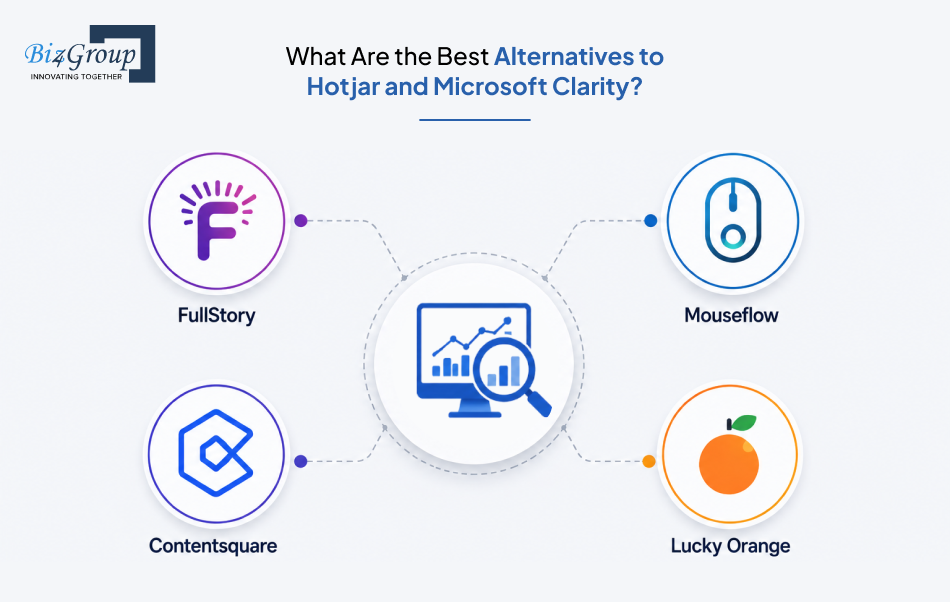
Hotjar and Microsoft Clarity cover the needs of most businesses. If your requirements extend beyond behavioral analytics and UX research, these alternatives are worth considering.
|
Tool |
Best For |
Why Choose It Instead? |
Potential Drawback |
|---|---|---|---|
|
FullStory |
Enterprise product and engineering teams |
AI-powered session replay, automatic issue detection, and advanced debugging for complex web applications. |
Higher pricing and a steeper learning curve than Hotjar or Clarity. |
|
Contentsquare |
Large enterprises |
Deep digital experience analytics, customer journey analysis, and AI-driven optimization insights. |
Designed for enterprise organizations, making it more expensive and complex for smaller teams. |
|
Mouseflow |
SMBs and growing businesses |
A balanced mix of heatmaps, session recordings, form analytics, and funnels in one platform. |
Smaller ecosystem and fewer advanced research capabilities than Hotjar. |
|
Lucky Orange |
Ecommerce stores and agencies |
Combines behavioral analytics with live chat, visitor profiles, and real-time visitor monitoring. |
Better suited to ecommerce than product-led SaaS or enterprise workflows. |
Each of these tools addresses a different need. If your primary need is behavioral analytics, Microsoft Clarity remains one of the strongest free options. If you also need built-in UX research, Hotjar continues to offer one of the most complete feature sets.
Heatmaps are great. Revenue is better.
Let's build an analytics strategy that doesn't just show you where users click, but helps you understand what to improve next.
Let's TalkFinal Verdict: Should You Choose Hotjar or Clarity?
Choosing between Hotjar and Microsoft Clarity is about selecting the platform that aligns with your team's goals, budget, and approach to improving digital experiences.
If you need free, always-on behavioral analytics to identify friction and understand how visitors interact with your website, Microsoft Clarity is a compelling choice. If your team relies on continuous UX research, customer feedback, and collaboration to validate decisions, Hotjar offers capabilities that go well beyond behavioral analytics.
As your business grows, your analytics needs may evolve too. What works for a startup or a small marketing team today may not be enough for a product-led company running ongoing optimization initiatives tomorrow. The best choice is the one that fits the way your team works today while giving you the flexibility to adapt as your requirements change.
Ultimately, the value of any analytics platform comes from what you do with the insights it provides. Identifying friction is just the beginning. Consistently acting on those insights is what leads to better user experiences, stronger conversions, and long-term business growth.
Frequently Asked Questions (FAQs)
1. Which is better: Hotjar or Microsoft Clarity for website analytics?
Microsoft Clarity is better if you need free behavioral analytics with heatmaps and session recordings. Hotjar is a stronger choice if your team also relies on surveys, feedback widgets, and user interviews to understand why visitors behave the way they do.
2. Is Microsoft Clarity a good free alternative to Hotjar?
Yes. Microsoft Clarity is one of the best free alternatives to Hotjar for behavioral analytics. It covers heatmaps, session recordings, and behavioral insights but doesn't include built-in surveys, feedback widgets, or user interviews available with Hotjar.
3. Should I choose Hotjar or Clarity for UX research and heatmaps?
Choose Microsoft Clarity if your focus is understanding user behavior through heatmaps and session recordings. Choose Hotjar if your UX research also involves collecting user feedback, running surveys, and validating design decisions with qualitative insights.
4. What are the key differences between Hotjar and Microsoft Clarity?
Microsoft Clarity focuses on behavioral analytics and is completely free. Hotjar combines behavioral analytics with UX research tools like surveys, feedback widgets, and interviews, making it better suited for teams running continuous user research and optimization.
5. Hotjar vs. Clarity: Which tool is best for improving conversions?
Both tools help improve conversions differently. Clarity identifies where users encounter friction, while Hotjar helps explain why it happens through qualitative research. The better choice depends on whether you need behavioral analytics alone or a broader optimization workflow.
6. Can I Use Hotjar and Microsoft Clarity Together With Google Analytics 4?
Yes. Many businesses use all three together. Google Analytics 4 measures traffic and conversions, Microsoft Clarity explains user behavior, and Hotjar adds surveys and user feedback to uncover why visitors behave the way they do.
7. How Much Does the Hotjar Paid Plan Cost Compared to Microsoft Clarity?
Microsoft Clarity is completely free, while Hotjar offers free and paid plans starting at around $39/month. If you only need behavioral analytics, Clarity is more cost-effective. Hotjar is worth considering when your team needs advanced UX research features.
8. Do Hotjar and Microsoft Clarity Affect Website Performance?
Both tools use lightweight tracking scripts and have minimal impact on website performance when implemented correctly. Proper configuration, script management, and consent settings generally have a greater impact on performance than the choice of platform.
9. Which UX Analytics Software Is Better for SaaS Products?
Hotjar is generally better for SaaS teams running continuous UX research, onboarding optimization, and feature validation. Microsoft Clarity is a strong choice for monitoring user behavior and identifying friction without adding subscription costs.
10. Which Website Optimization Software Delivers Better Long-Term ROI?
Microsoft Clarity offers better ROI if your priority is free behavioral analytics. Hotjar delivers stronger long-term value for teams that regularly invest in UX research, customer feedback, and continuous conversion rate optimization.
