 Location :
Orlando, FL, USA
Location :
Orlando, FL, USA +1 (407) 714-1616
 info@biz4group.com

 AI Summary Powered by Biz4AI
- AI homebuyer engagement platforms bring together buyer intent tracking, lead scoring, personalized property recommendations, and automated follow-ups across the buyer journey.
- Clear handoff rules, dormant-lead re-engagement, and human oversight help keep conversations relevant and route buyers to agents when needed.
- Track response time, engagement, appointments, showings, and closed deals to measure ROI and identify where AI lead nurturing for real estate adds value.
- AI homebuyer engagement platform development typically costs $30,000 to $250,000+, depending on feature complexity, integrations, AI capabilities, and ongoing support needs.
- Biz4Group's Homer AI and Facilitor projects provide real estate examples involving AI conversations, property data, recommendations, scheduling, and MLS integration.
A buyer fills out a property inquiry form late in the evening. By the time an agent follows up, the buyer has already viewed more homes, asked questions elsewhere, and narrowed down their options. An AI homebuyer engagement platform keeps that conversation moving.
With AI homebuyer engagement platform development, your team can set up automated responses, qualify buyers, capture their preferences, sync details with the CRM, and book appointments for agents.
But what does it take to make that workflow work in a real estate business? How to build an AI homebuyer engagement platform for a real estate business? Which systems need to connect so buyers aren't asked the same questions twice? And what separates a useful AI lead nurturing platform for real estate from a chatbot that simply replies to messages?
Biz4Group LLC, a U.S.-based AI product development company, approaches these projects with the full workflow in mind. Property data, CRM updates, scheduling, lead routing, and human handoff all shape the buyer's experience.
Ready to stop chasing leads and start nurturing them?
Map out an AI homebuyer engagement platform that handles follow-ups, buyer intent, and agent handoffs while your team focuses on closing.
Plan Your AI PlatformAI Homebuyer Engagement Platform vs. Traditional Real Estate CRM: What Actually Changes?
A traditional real estate CRM organizes buyer information, tracks the sales pipeline, and helps agents manage follow-ups. An AI homebuyer engagement platform adds capabilities such as automated conversations, behavior-based lead scoring, personalized property recommendations, and workflow-driven handoffs.
If you're exploring how to use AI for real estate, start by identifying which CRM tasks need automation, which buyer interactions benefit from personalization, and where an agent still needs to make the call.
|
Capability |
Traditional Real Estate CRM |
AI Homebuyer Engagement Platform |
|---|---|---|
|
Lead and contact management |
Stores buyer details, contact information, lead sources, budgets, and property interests. |
Combines CRM records with conversation and activity data to personalize engagement. |
|
Sales pipeline |
Tracks lead stages, tasks, appointments, and deal progress. |
Uses configured workflows and buyer signals to trigger follow-ups or suggest next steps. |
|
Communication history |
Records calls, emails, notes, and agent activity. |
Supports automated conversations and makes interaction details available to agents. |
|
Lead prioritization |
Organizes leads using assigned stages, filters, or rules. |
Applies AI-based lead scoring to help agents prioritize buyers using available data and activity. |
|
Personalized follow-up |
Supports agent-written messages, templates, reminders, and configured campaigns. |
Tailors follow-up messages and property recommendations to buyer preferences and interaction history. |
|
Routine inquiries |
Relies on agents, forms, or configured responses, depending on the CRM. |
Handles selected routine conversations, gathers qualification details, and routes more complex requests according to its setup. |
|
Appointment booking |
Helps agents manage calendars, tasks, and scheduled appointments. |
Connects conversations with scheduling workflows to assist with appointment booking. |
|
Agent handoff |
Gives agents access to lead records and logged activity. |
Routes conversations to agents with relevant buyer details and interaction context, when supported by the workflow. |
Some platforms combine AI real estate lead generation with nurturing. When comparing them, check whether they also manage leads after capture through qualification, follow-up, and agent handoff.
How an AI Engagement Platform Works with Your Existing CRM
An AI engagement platform does not always need to replace the CRM. In many cases, it works as an additional layer that uses CRM records, property data, communication channels, and scheduling tools to carry out specific engagement workflows.
For example, when a buyer asks about a listing, the platform retrieves relevant property information, answers approved questions, collects details about the buyer's requirements, and records the interaction in the CRM.
If the buyer requests a viewing or asks for something that requires an agent, the workflow can route the conversation to the appropriate team member with its context.
What to check when comparing platforms:
- Which tasks happen automatically, and which require agent approval?
- Does the platform update your existing CRM, or does it maintain a separate record?
- Which features work out of the box, and which require configuration or additional integrations?
- Can agents review conversation history, correct buyer preferences, and take over at any point?
The practical distinction comes down to the work the platform actually performs. Compare the available workflows and integrations rather than relying on whether a product is simply labelled "AI-powered."
Can the Platform Track Buyer Behavior Across Property Searches, Emails, and Website Visits to Gauge Intent?
Yes. Buyer intent data in real estate comes from actions such as listing views, saved homes, email replies, and viewing requests. An AI lead nurturing platform for real estate brings these signals together to help agents understand buyer interests, prioritize follow-ups, and choose relevant next steps. A lead score offers guidance, not a guarantee that someone is ready to buy.
Property Search and Website Activity
Personalized property recommendations AI starts with understanding what buyers are looking for. The system tracks activity such as:
- Listings viewed or saved
- Search filters, including budget, location, and property type
- Repeat visits to listings or neighborhood pages
- Changes to search preferences
For example, when a buyer repeatedly views homes in one area and saves several listings, the system updates their preferences and suggests relevant properties or follow-up questions.
Email and Communication Engagement
Connected email, SMS, and chat tools add context to browsing activity. Replies, property questions, viewing requests, and details about a buyer's budget or timeline help build a clearer picture of their needs.
Email opens alone are weak evidence of interest because privacy features and email clients affect tracking. Direct replies and specific requests provide more useful signals.
Buyer Intent Signals and Lead Scoring
Real estate marketing directors and team leads often ask:
"I have a lot of website traffic and inquiries coming in, but I do not have a system to track what buyers actually want or when they are ready to move forward, so what AI powered platforms can help me understand buyer intent and personalize my follow up."
Choose a platform that combines listing views, saved properties, search filters, communication history, and CRM records. It can use these signals to update buyer profiles and prioritize relevant follow-ups, while treating browsing activity as an indication of interest rather than a confirmed buying decision.
AI for real estate lead scoring combines buyer activity and stated preferences into a score or readiness category. Agents use that information to prioritize their next actions.
|
Buyer signal |
Suggested next step |
|---|---|
|
Saves or revisits several listings |
Send matching properties |
|
Asks about price or availability |
Share details or route the question to an agent |
|
Shares a budget or move-in timeline |
Update the buyer profile |
|
Requests a viewing |
Alert an agent and start the booking workflow |
Keep scoring rules simple and explainable, so agents understand what triggered each score. Incomplete tracking and mismatched records also need attention. When signals are unclear, ask the buyer for clarification or send the lead to an agent for review rather than relying on an uncertain score.
How Does AI Decide When a Lead Is Ready to Be Handed Off to a Live Agent?
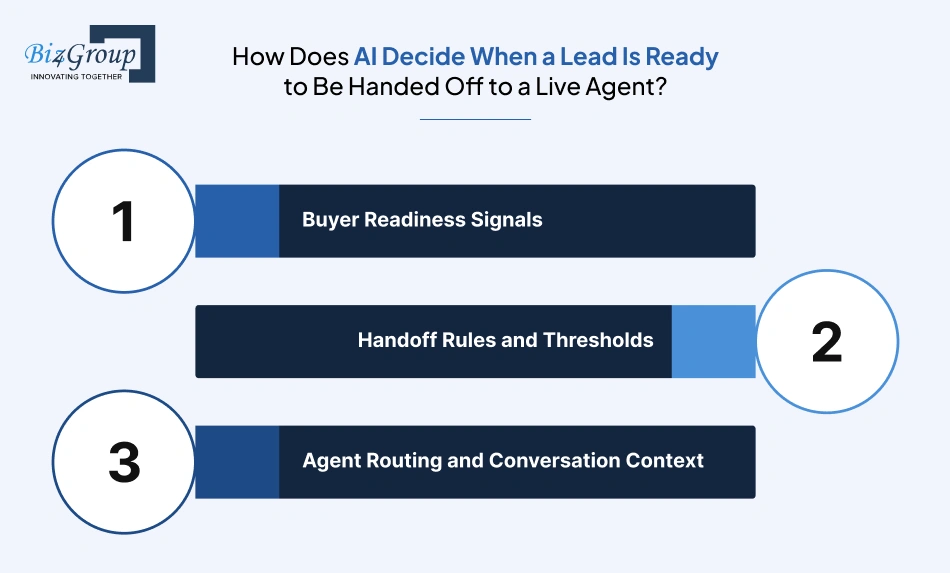
AI passes a buyer to an agent when their actions or questions show they need personal help. A request to view a home triggers a handoff right away. Browsing several listings, on the other hand, helps AI lead scoring rank the lead for follow-up without assuming they're ready to buy.
Buyer Readiness Signals
A few clear signals help the AI decide what to do next:
- Asks to see a property: Send the request to an agent who handles that listing or area.
- Shares a budget or buying timeline: Flag the lead for a personal follow-up.
- Asks about an offer or negotiation: Bring in an agent instead of letting the AI handle it alone.
- Keeps returning to similar listings: Raise the lead's priority, but don't treat browsing as a firm buying decision.
Handoff Rules and Thresholds
Set simple rules for the AI assistant for real estate leads. Routine questions stay automated, promising leads get prioritized, and viewing requests or complex questions go straight to an agent. This helps the team avoid treating every high score as a ready-to-buy signal.
Agent Routing and Conversation Context
An AI conversation app needs to pass the right context to the right person. Route buyers by property, location, team assignment, and agent availability, then include the buyer's question, relevant listing, preferences, and recent conversation in the CRM.
Can the System Automatically Send Personalized Property Recommendations Based on Buyer Preferences and Search History?
Yes. Personalized property recommendations AI matches homes to a buyer's stated needs and search activity. Here's how the process works in practice.
Matching Properties to Buyer Preferences
The system starts with the buyer's budget, preferred location, property type, bedroom count, and must-have features. It checks those details against available listings and filters out homes that miss key requirements.
Refining Recommendations with Search History
Buyer saves a listing: Similar homes receive more attention in the next round of recommendations.
Buyer changes search filters: New budget or location preferences shape the next set of matches.
Buyer responds to a suggestion: Their feedback helps refine future recommendations. Browsing activity alone doesn't confirm a change in requirements.
Delivering Recommendations Across Channels
Once suitable listings are identified, an AI real estate lead nurturing platform sends them through the buyer's preferred channel, such as email, SMS, or chat. Each message highlights why the property matches and gives the buyer a clear next step, like asking a question or requesting a tour.
Updating Recommendations as Needs Change
Keep recommendations current by removing unavailable listings, refreshing property details, and allowing buyers to correct their preferences. Agents also need access to the latest search activity and recommendation history, so they can follow up with relevant information instead of repeating questions.
How Does the Platform Re-Engage Cold or Dormant Leads Without Manual Outreach?
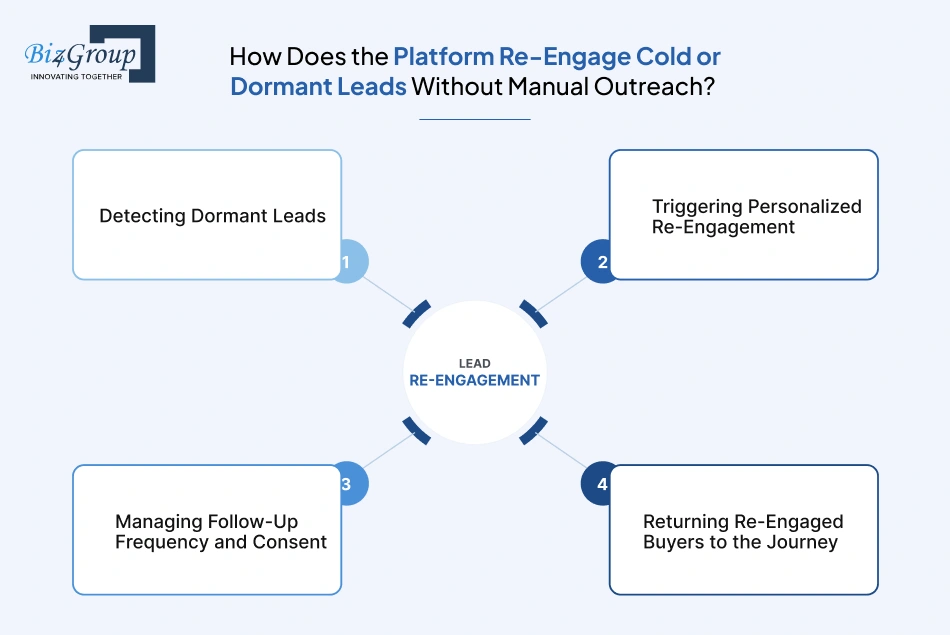
An automated homebuyer follow up system re-engages dormant leads by spotting inactivity, choosing a relevant reason to reach out, and sending a personalized message at the right time. The workflow uses the buyer's previous interests and communication preferences, then alerts an agent when the buyer responds or shows renewed interest.
Detecting Dormant Leads
Set inactivity rules that fit your sales cycle.
For example, a lead enters the re-engagement workflow after a defined period without a reply, new search activity, or an appointment. Exclude buyers who already have an active conversation or have asked to stop receiving messages.
Triggering Personalized Re-Engagement
Skip the generic "Just checking in" message. Use the buyer's previous activity to make the outreach relevant.
Example re-engagement message:
Hi Alex, you were looking at two-bedroom homes around Vaishali Nagar earlier. A few new listings matching your search have come up. Would you like me to send them over?
The message gives the buyer a clear reason to respond. Conversational AI for real estate also helps handle replies, answer approved questions, and pass interested buyers to an agent.
Managing Follow-Up Frequency and Consent
Respect each buyer's communication preferences and consent. Set a limit on how often messages go out, stop the sequence after a reply or opt-out, and avoid sending the same reminder across several channels.
Example: A buyer who went quiet after viewing two-bedroom apartments receives a message when a new home matches their budget and preferred area. If they reply that they're interested, the system updates their CRM record and routes them to an agent for follow-up.
Returning Re-Engaged Buyers to the Journey
When a buyer responds, shows renewed interest, or requests a viewing, update their CRM record and move them into the right workflow. Track which message brought them back so your team can see what's generating meaningful conversations.
Example: A dormant lead replies, "Yes, please send me the new listings." The system records the response, shares homes that match the buyer's saved preferences, and assigns the lead to an agent if they ask to schedule a tour.
What Happens When AI Misreads Buyer Intent or Sends an Irrelevant Recommendation?
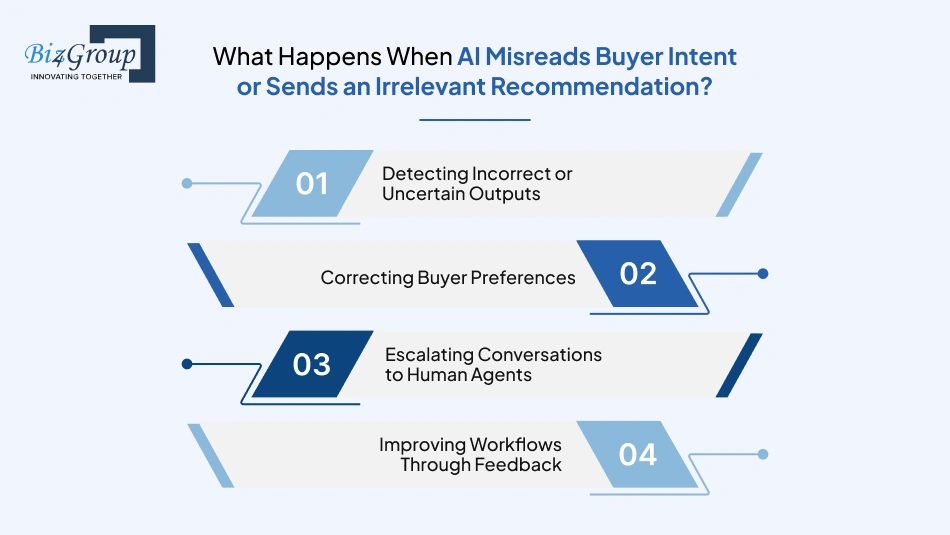
When AI gets buyer intent wrong, the response needs to be quick and clear. Personalized property recommendations AI relies on accurate buyer preferences and listing details, so the workflow needs to catch mistakes, correct the record, and prevent the same mismatch from repeating.
Detecting Incorrect or Uncertain Outputs
Use clear signals to decide what happens next:
|
What happens |
System response |
|---|---|
|
Buyer rejects a property as too expensive |
Flag the price mismatch |
|
Buyer corrects their location or property type |
Mark the saved preference for an update |
|
Listing information is missing or outdated |
Hold the recommendation for verification |
|
AI is unsure how to answer a question |
Pause the response and refer it for review |
Correcting Buyer Preferences
Make the correction part of the conversation, not a separate task for the buyer.
For example, if a buyer says, "I'm only interested in gated communities now," update their preferences and apply that requirement to future property matches. Keep the original details available in the activity history so agents can see what changed.
Escalating Conversations to Human Agents
An AI assistant for real estate leads needs a clear route to human support when a buyer's question requires verified information or personal guidance.
Example:
An unanswered property question
A buyer asks whether a home allows pets, but the listing doesn't confirm it.
What happens next
The AI avoids guessing, sends the question to the listing agent, and keeps the buyer informed that the detail is being checked.
Improving Workflows Through Feedback
Treat each correction as useful feedback. Review rejected recommendations and agent edits to find patterns, then fix the matching rules, listing data, or conversation instructions behind them. Test the changes against similar cases before putting them back into use.
How Can Real Estate Businesses Measure ROI Through Response Time, Engagement Rate, Lead-to-Showing Conversion, and Closed Deals?
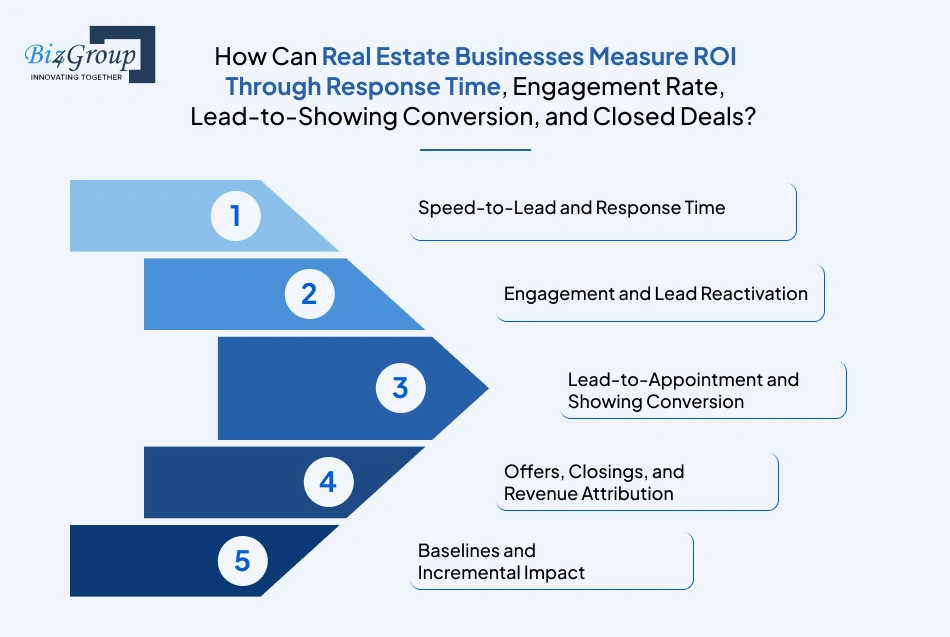
Measure ROI by tracking whether AI-supported nurturing helps more buyers move from inquiry to showing and closing, and whether those gains justify the cost. Start with response time and engagement, then follow leads through appointments, showings, offers, and completed sales.
Speed-to-Lead and Response Time
Track how quickly buyers receive their first response, including after-hours inquiries. Compare response times before and after introducing real estate marketing automation, and measure how long agent handoffs take too.
For example, an instant AI reply looks useful on paper, but if a viewing request sits in the agent queue for hours, the workflow still needs attention.
Engagement and Lead Reactivation
Measure whether buyers respond to follow-ups and return to the buying journey. Useful metrics include:
- Reply rate across email, SMS, and chat
- Clicks on property recommendations
- Dormant leads who re-engage
- Re-engaged buyers who book appointments
Focus on meaningful actions rather than email opens alone. This helps show whether an AI lead nurturing platform for real estate is creating conversations that move buyers forward.
Lead-to-Appointment and Showing Conversion
Track how many leads progress through each stage. Separating booked appointments from completed showings gives your team a clearer view of where buyers are moving forward or dropping out.
Measure each step:
Engaged leads → Appointments booked → Showings completed → Offers submitted → Closed deals
Calculate each conversion rate by dividing the number of leads reaching a stage by the number entering it. This shows where follow-up workflows are helping buyers progress and where scheduling or agent response needs improvement.
Offers, Closings, and Revenue Attribution
Connect CRM activity with transaction outcomes. Track offers submitted, deals closed, revenue generated, and time from first inquiry to closing.
Record which leads entered an AI workflow and compare their outcomes with a suitable group that didn't. This gives you a more useful view of the platform's contribution than crediting it for every sale involving an AI interaction.
Baselines and Incremental Impact
Before launch, record your existing response times, engagement, appointments, showings, and closed deals. Review the same measures after launch, while accounting for lead sources, seasonality, and team capacity.
Use this formula to estimate ROI:
ROI (%) = [(Incremental benefit - Total platform cost) / Total platform cost] x 100
Include development or subscription fees, integrations, messaging, AI usage, maintenance, and staff review time in the cost. Focus on incremental gains rather than total sales revenue to understand whether the investment is paying off.
Build vs. Buy: Which Approach Fits Your Real Estate Business?
Buying an AI-enabled CRM makes sense when its existing features cover your team's follow-up and buyer engagement needs. Custom AI homebuyer engagement platform development fits when your workflows, integrations, or data requirements go beyond ready-made tools support. The decision comes down to how much flexibility you need, what you already use, and the cost of maintaining the system over time.
When an AI-Enabled CRM May Be Enough
An AI-enabled CRM is enough when AI for real estate agents means handling standard tasks such as lead scoring, automated follow-ups, property alerts, and basic handoffs, and the platform already connects to your CRM, listing data, and communication channels.
Before buying, check whether it:
- Connects with your current CRM records, listing data, and communication tools.
- Supports your lead stages and follow-up rules without extensive workarounds.
- Gives agents control over AI conversations and handoffs.
- Provides reporting for engagement, appointments, and conversions.
If the product handles these tasks with a manageable setup, buying avoids the time and expense of building a separate system.
When Custom Platform Development Makes Sense
Custom development makes sense when your workflows, integrations, or data needs go beyond what ready-made tools support. If you're considering real estate AI apps ideas, begin with a specific gap, such as routing leads across multiple offices or combining proprietary buyer data with listing recommendations. For example:
- You manage leads across multiple brokerages, brands, or regions with different routing rules.
- Your buyer journey relies on proprietary property data or specialized integrations.
- You need a tailored AI assistant that follows your qualification process and escalation rules.
- You want greater control over the product roadmap, data model, and user experience.
A custom AI homebuyer engagement platform also takes ongoing ownership: your team needs a plan for maintenance, security, model updates, integration changes, and support. For larger brokerages with several teams, regions, or connected systems, enterprise AI solutions also need clear access rules, shared data standards, and workflows that work across locations.
Comparing Customization, Ownership, and Scalability
Here is the common query of brokerage owners and PropTech managers:
"We are trying to decide whether to buy an existing real estate CRM or build our own AI powered platform for lead nurturing, so can you walk me through the pros and cons and maybe suggest some companies that already do this well so we can compare."
An existing CRM usually offers a quicker start with established features, while custom development gives you more control over workflows, integrations, and product direction. Compare options using the same requirements, including implementation costs, data ownership, customization limits, and ongoing support.
Use this comparison to weigh the trade-offs before committing:
|
Factor |
Buy an AI-enabled CRM |
Build a custom platform |
|---|---|---|
|
Time to launch |
Typically faster when existing features meet your needs |
Requires discovery, design, development, and testing |
|
Customization |
Limited to available settings, extensions, and vendor options |
Workflows and features are designed around your requirements |
|
Integrations |
Depends on supported connectors and APIs |
Integrations are built around your systems, subject to data access and API limits |
|
Ownership |
Vendor controls the core product and release schedule |
Your agreement defines ownership of code, data, and deliverables |
|
Scaling |
Depends on vendor plans, limits, and capabilities |
Architecture is tailored to expected growth, with ongoing engineering responsibility |
|
Cost structure |
Subscription, setup, add-ons, and possible customization fees |
Upfront development plus hosting, maintenance, and continued improvements |
A practical way to decide: List the workflows your team needs, then test them against existing products. If the gaps are small and manageable, buying or customizing a CRM is a sensible route. If those gaps affect core buyer experiences or require extensive workarounds, compare the long-term cost and control of custom development.
What Integrations Does an AI Homebuyer Engagement Platform Need?
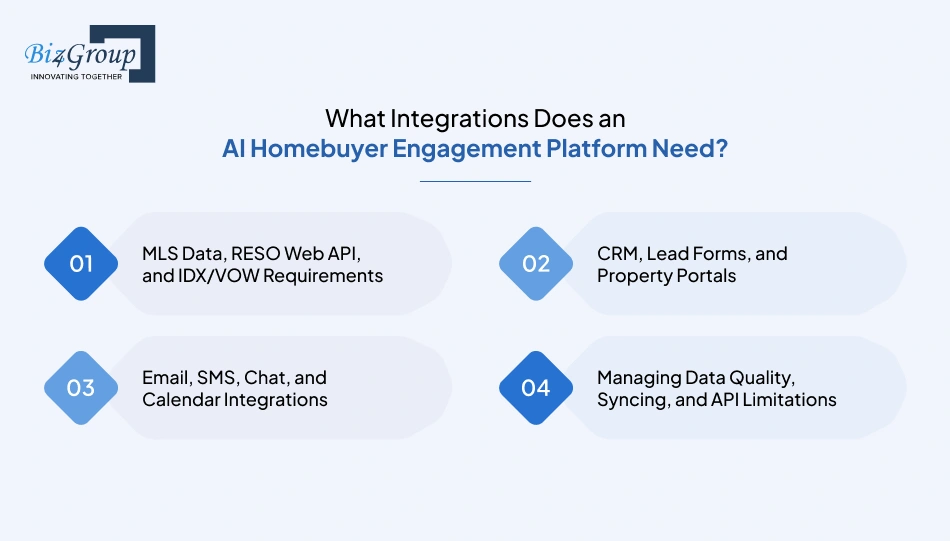
An AI homebuyer engagement platform needs reliable connections to property listings, your CRM, lead capture sources, communication channels, and agent calendars. AI integration services help connect these systems, but the key decision is still which system owns each piece of information, when updates happen, and what the AI does when data is missing or out of date.
MLS Data, RESO Web API, and IDX/VOW Requirements
Treat listing data as a live dependency, not a static dataset the AI can rely on indefinitely. A recommendation that was accurate yesterday becomes misleading if the property goes under contract today.
Before connecting an MLS or listing provider, document:
|
Decision |
What to establish |
|---|---|
|
Data access |
Which MLS or approved provider supplies listings, and what access permissions apply? |
|
Fields required |
Which fields support matching, such as price, location, property type, bedrooms, status, and listing features? |
|
Update timing |
How often do listing changes arrive, and which fields require a fresh check before being shared? |
|
Permitted use |
Which data can the platform store, display, send to buyers, or use for internal matching? |
|
Failure behavior |
What happens when listing status is unavailable, delayed, or inconsistent? |
RESO Web API provides a standard approach for accessing real estate data, while IDX and VOW rules affect how listing information is displayed and shared. Confirm the applicable MLS rules and permissions before designing the data flow.
Implementation example: A buyer asks whether a saved home is still available. The assistant checks the latest permitted listing data before answering. If the status cannot be verified, it tells the buyer that an agent will confirm rather than presenting an old status as current.
CRM, Lead Forms, and Property Portals
Your CRM should remain the main record for agent ownership, pipeline stage, and relationship history unless your business has deliberately chosen another system of record. The engagement platform then reads the fields it needs and writes back agreed updates.
A lead arriving from a property portal, for example, should follow a defined sequence:
1. Receive the inquiry
Capture the source, property ID, buyer's message, contact details, and timestamp.
2. Match or create the CRM record
Check for an existing contact using approved identifiers. If a likely duplicate appears, follow a merge or review rule rather than automatically creating another lead.
3. Update the buyer profile
Store confirmed preferences separately from inferred interests. Keep the source and date of each meaningful update.
4. Start the appropriate workflow
Send the approved response, ask a relevant qualification question, or route the inquiry to an agent based on the lead's request and assignment rules.
5. Write the outcome back
Record the message, response status, preference changes, appointment details, and handoff outcome in the agreed CRM fields.
For real estate marketing automation, this means coordinating follow-up around the buyer's existing record and activity. It also means checking whether another CRM workflow has already sent a message, so the buyer doesn't receive duplicate outreach.
Email, SMS, Chat, and Calendar Integrations
Each channel needs its own rules for consent, message history, delivery status, and agent takeover. A shared conversation view helps, but the underlying channel-specific records still matter.
|
Integration |
Define before launch |
|---|---|
|
|
Approved templates, reply capture, bounce handling, and how email threads attach to the buyer record |
|
SMS |
Consent records, opt-outs, delivery failures, and limits on automated messages |
|
Website chat |
Conversation persistence, identity matching, and the point at which a live agent joins |
|
Calendar |
Agent availability, appointment duration, time zone, booking confirmation and cancellation handling |
Calendar example: The assistant offers a viewing only after checking the agent's available slots and the property's viewing requirements. Once the buyer confirms, the platform creates the appointment, records it in the CRM, and sends the appropriate confirmation. If the calendar connection fails, it avoids claiming that the viewing is booked.
Managing Data Quality, Syncing, and API Limitations
Integration reliability depends on how the platform handles incomplete records, delayed updates, and failed requests. Define these behaviors as part of the workflow rather than leaving them for agents to work around.
- Set a source of truth for every field. For example, listing status comes from the approved listing feed, agent assignment comes from the CRM, and appointment availability comes from the calendar system. Avoid letting conflicting systems overwrite each other without a rule.
- Choose sync timing by business impact. A viewing request needs prompt processing. A non-urgent preference update can follow a different sync schedule. Record when data was last refreshed so the platform can recognize stale information.
- Plan for API errors and limits. Use retry rules for temporary failures, prevent duplicate actions when requests are repeated, and send unresolved errors to a monitoring queue. Do not let a failed sync silently appear successful.
- Validate records before the AI acts. Check required fields, normalize values such as budgets and locations, and distinguish buyer-confirmed details from inferred preferences. Missing or contradictory data should trigger a clarification or review step.
A practical acceptance test: Change a listing's status in the source system, then verify that the platform stops recommending it according to your defined update policy. Submit a duplicate inquiry and confirm the CRM record is handled correctly. Finally, simulate a calendar or messaging failure and check that the buyer receives an accurate response and the team sees the unresolved task.
These tests show whether the integrations support the actual buyer journey, rather than merely confirming that the APIs connect.
How to Build an AI Homebuyer Engagement Platform?
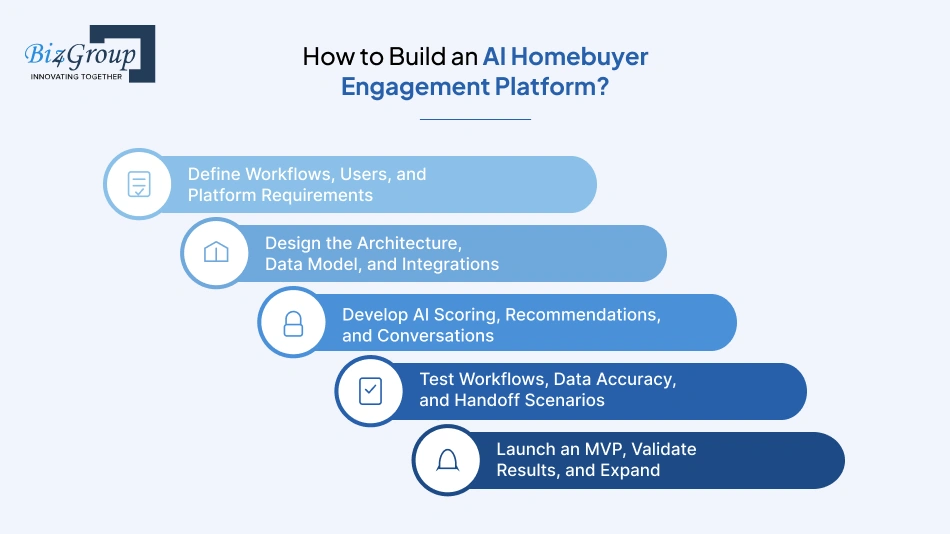
To build AI platform for homebuyer engagement, start with the tasks your team wants help with, connect the tools and data it already uses, and train AI models where it makes follow-up easier. Begin with a few useful workflows, test them properly, and expand from there.
Define Workflows, Users, and Platform Requirements
For AI in real estate development, map the buyer journey before choosing features. Decide which steps AI handles, which stay with an agent, and what information the platform needs to record. Real estate operations managers and agents have queries like:
"I am spending too much time manually emailing and texting buyers at different stages of their home search and I am worried leads are slipping through the cracks, so can you suggest AI platforms or companies built specifically for real estate that automate this kind of buyer engagement."
Look for real estate-focused platforms with automated email and SMS follow-ups, buyer-stage workflows, CRM updates, and agent handoffs. For a custom build, define these workflows first, then select the integrations and AI features needed to support them.
Walk through what happens when a buyer contacts your business. Decide which steps the AI handles, which ones stay with an agent, and what information needs to be saved along the way. This gives your automated homebuyer follow up system a clear job to do.
- New inquiries: Match incoming leads to existing CRM records, save the property they asked about, and start the right response.
- Buyer qualification: Choose a few useful questions about budget, location, and timing instead of making every buyer complete a long questionnaire.
- Agent handoff: Set clear triggers for passing the conversation to an agent, such as a showing request or a question the AI cannot answer reliably.
Design the Architecture, Data Model, and Integrations
Before connecting everything, decide where the platform gets its information and which system keeps each detail up to date. When you build real estate AI platform, this helps prevent outdated listing details or conflicting buyer preferences from entering buyer conversations.
- CRM records: Keep agent assignments, pipeline stages, and relationship notes in the system your team already uses for those details.
- Buyer and property data: Link inquiries, saved homes, preferences, messages, and appointments to the right buyer and listing.
- Integration failures: Decide what happens when a listing feed stops updating or a CRM request fails. The platform needs to flag the problem rather than quietly carrying on with incorrect information.
Develop AI Scoring, Recommendations, and Conversations
Use generative AI for buyer conversations grounded in approved property and brokerage information. Keep business rules outside the model so the application controls consent, listing eligibility, agent assignment, and booking requirements.
- Lead scoring: Use meaningful actions, such as asking for a showing or sharing a purchase timeline. Let agents see what influenced a score instead of giving them a number with no explanation.
- Property matching: Use personalized property recommendations AI to find homes that meet the buyer's essential requirements first, then rank the closest matches using their other preferences.
- AI conversations: Give the assistant access to approved listing and brokerage information. If it cannot verify an answer, have it ask for help rather than guess.
Keep important business rules, such as consent checks, listing eligibility, and appointment confirmation, under the platform's control. To implement generative AI in real estate responsibly, test it against real buyer questions, incomplete listing records, and requests that require agent judgment before enabling it in live conversations.
Test Workflows, Data Accuracy, and Handoff Scenarios
Test the platform with situations your agents actually deal with, including mistakes, missing information, and changes of plan. Check what the system does behind the scenes as well as what the buyer sees.
- Changed preferences: A buyer raises their budget or changes neighborhoods. Check that future recommendations reflect the update.
- Outdated listing: A property becomes unavailable. Make sure the assistant doesn't continue presenting it as available.
- Unclear question: A buyer asks something the platform cannot verify. Confirm that the conversation reaches an agent with the relevant context.
- Failed booking: The calendar connection stops working. The buyer must not receive a booking confirmation unless the appointment was actually created.
Ask agents to review test conversations and CRM updates. They'll spot missing context and awkward handoffs that a technical test alone might miss.
Launch an MVP, Validate Results, and Expand
Start with a small version of the platform that handles a complete, useful part of the buyer journey. For example, MVP development might cover inquiries from one portal, initial responses, basic qualification, CRM updates, and agent handoff.
- Run a controlled pilot: Choose a team or lead source, agree on the workflows being tested, and give agents a way to pause automation when needed.
- Review what happens: Look at incorrect recommendations, missed handoffs, duplicate messages, agent corrections, and how buyers progress through the funnel.
- Expand based on evidence: Add more lead sources, channels, or dormant-lead workflows after the first set works reliably and agents are comfortable using it.
You'll get a much clearer picture of what to build next when the first release is being used in real conversations. That feedback helps keep development focused on features your team and buyers actually need.
How Much Does AI Homebuyer Engagement Platform Development Cost?
Developing an AI homebuyer engagement platform typically costs $30,000 to $250,000+, depending on the features, integrations, AI capabilities, and level of customization.
|
Development scope |
Estimated cost |
What's included |
|---|---|---|
|
Basic MVP |
$30,000-$60,000 |
Lead capture, basic AI responses, CRM integration, simple follow-up workflows, and agent handoff. |
|
Mid-level platform |
$60,000-$120,000 |
AI lead scoring, personalized property recommendations, omnichannel messaging, appointment scheduling, and reporting. |
|
Advanced custom platform |
$120,000-$250,000+ |
Advanced AI conversations, multiple MLS/CRM integrations, complex automation, custom dashboards, detailed analytics, and scalable architecture. |
|
Ongoing costs |
Varies by usage and support needs |
Hosting, AI model usage, messaging fees, data access, monitoring, maintenance, and feature updates. |
Cost Factors That Affect Development
- Feature complexity: Basic lead follow-up takes less development time than advanced scoring, property matching, multi-step conversations, and automated agent routing.
- Integrations: Connecting one CRM is generally simpler than coordinating multiple CRMs, MLS feeds, property portals, messaging providers, and calendars.
- AI capabilities: Costs depend on the models used, the amount of property and buyer data involved, personalization requirements, and whether the platform needs custom AI components.
- Data preparation and quality: Cleaning duplicate contacts, mapping inconsistent fields, and handling outdated listing information adds work before the AI can use that data reliably.
- User experience and dashboards: Custom buyer interfaces, agent workspaces, management dashboards, and reporting increase design and development effort.
- Security and compliance: Access controls, consent tracking, audit logs, data protection, and fair housing safeguards need to be included in the project scope.
- Testing and maintenance: Integration testing, conversation reviews, deployment, monitoring, bug fixes, and ongoing updates add to the total cost of ownership.
- AI model development: Costs vary based on the model approach, personalization needs, data preparation, and whether you use existing AI models or require custom components.
Bottom line: A focused MVP keeps the initial investment closer to the lower end of the range. More complex workflows, extensive integrations, and custom AI capabilities push the project toward the higher end.
What Safeguards Should an AI Homebuyer Engagement Platform Include?
An AI homebuyer engagement platform needs safeguards that work during real buyer interactions. From protecting CRM records to checking property details before sending recommendations, each safeguard needs a clear rule for how the system responds when something goes wrong.
Data Access, Privacy, and Secure Handling
An AI assistant for real estate leads only needs access to the information required to answer questions, understand preferences, and manage follow-ups. Keep sensitive records out of its context unless the task genuinely requires them.
- Limit CRM access: Restrict the assistant to relevant buyer details, property information, and conversation history. Keep private agent notes separate.
- Control data sharing: Check what information is sent to AI providers and connected services, including their retention and deletion practices.
- Manage stored records: Define how long conversations and activity data are kept, and how deletion requests affect connected systems.
Consent, Communication Preferences, and Opt-Outs
For omnichannel communication for real estate leads, consent and contact preferences need to follow the buyer across email, SMS, chat, and other connected channels.
- Check permission before sending: Verify that the buyer has the required permission for the channel and type of message.
- Sync opt-outs: If a buyer opts out of texts, make sure other connected follow-up workflows don't continue sending them.
- Pause overlapping outreach: Stop scheduled nudges when an agent is actively handling the conversation or the buyer has replied.
Fair Housing and Responsible Personalization
Personalized property recommendations AI should use the buyer's stated housing needs and property details. It must not use protected characteristics or demographic assumptions to limit the homes shown.
- Match using relevant criteria: Use budget, preferred location, property type, and requested features.
- Avoid sensitive inferences: Don't infer housing preferences from a buyer's name, photo, or presumed background.
- Review matching rules: Test whether filters or ranking logic unfairly exclude eligible properties.
Accurate Responses and Human Oversight
Conversational AI for real estate needs clear boundaries around what it can answer and which actions require an agent. When listing data is missing or uncertain, the assistant must avoid making promises.
- Verify before answering: Check current listing information before confirming price, status, or availability.
- Escalate complex questions: Route questions about unverified property details or situations outside approved guidance to an agent.
- Preserve conversation context: Include the buyer's question, relevant property, and previous messages in the handoff.
Audit Trails, Feedback, and Ongoing Monitoring
For AI for real estate lead scoring and automated follow-up, agents need to understand why the system took an action and have a way to flag errors.
- Log important decisions: Record score changes, recommendation actions, message triggers, and agent handoffs.
- Use corrections to improve testing: Turn recurring agent feedback into test cases before updating prompts or matching rules.
- Monitor recurring issues: Track stale listing data, duplicate messages, incorrect routing, and unsupported answers.
The goal is to make every important AI action traceable, correctable, and easy for the team to review.
How to Choose an AI Homebuyer Engagement Platform Development Company?
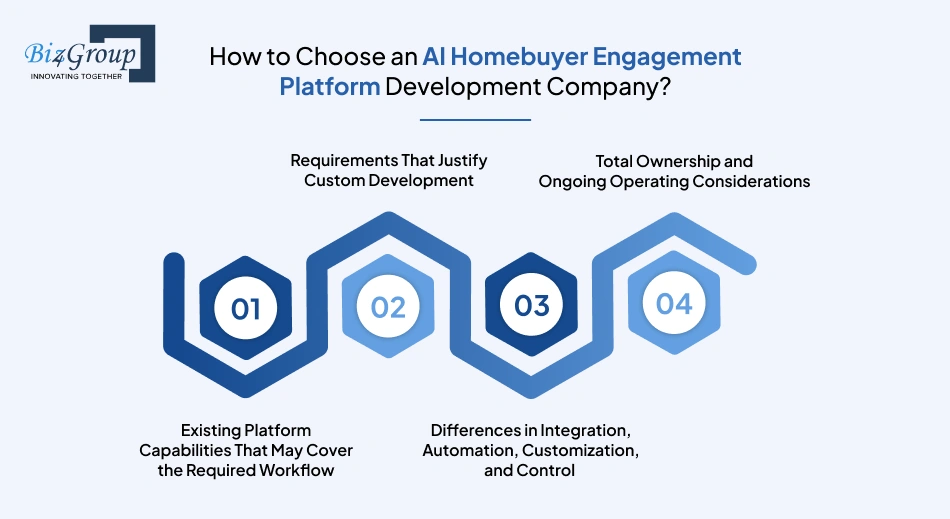
Choose a development company that understands how property data, buyer conversations, CRM records, and agent schedules work together. If you plan to hire AI developers, ask for relevant project examples, how the team handles unreliable AI responses, and exactly what it will deliver.
Evaluate Real Estate and AI Development Experience
A common question among real estate business owners is:
"I am running a real estate business and most of my leads go cold after the first week because my team cannot follow up fast enough, so can you suggest companies or AI platforms that can automatically nurture buyers from the moment they inquire until they are ready to close."
Look for an AI development company with experience that matches the product you're planning. A property listing website and a buyer engagement platform share some features, but engagement also involves qualification, follow-up timing, routing, and handing conversations to agents.
- Ask to see projects involving property search, recommendation logic, conversational AI, or viewing coordination.
- Ask what the development team actually built and which parts relied on third-party services.
- Check whether the team can explain how it handles outdated listings, changing buyer preferences, and uncertain answers.
For example, Biz4Group's Homer AI and Facilitor projects cover conversational property search, recommendations, scheduling, and MLS integration. When reviewing this experience, ask how those features were implemented and whether they match your own CRM, follow-up, and agent-handoff requirements.
Review Integration, Architecture, and Security Capabilities
Ask the team to walk you through how the platform will connect to your current systems. You want to understand what happens when data changes, a sync fails, or the AI doesn't have enough information to answer a buyer.
- Ask for a proposed data flow covering your CRM, listing provider, messaging tools, and calendar.
- Find out how the team handles duplicate leads, stale listing details, failed API calls, and permission limits.
- Review its approach to access controls, consent records, audit logs, and human review.
Confirm Scope, Deliverables, Milestones, and Costs
Get the project scope in writing before development starts. A clear proposal makes it easier to compare vendors and avoid discovering later that essential integrations or workflows were treated as extra work.
- Request a feature list that separates the MVP from later releases.
- Confirm deliverables such as architecture, source code, integrations, test plans, documentation, and deployment.
- Ask what drives the estimate, what counts as a change request, and which third-party charges sit outside the development fee.
Assess Testing, Support, Ownership, and Maintainability
Find out how the company will support the platform after launch. AI workflows need ongoing attention as listing feeds, connected services, buyer behavior, and business rules change.
- Ask how the team tests recommendation accuracy, agent handoffs, messaging rules, and integration failures.
- Confirm who owns the source code, accounts, data, and technical documentation.
- Agree on post-launch support, issue response times, monitoring responsibilities, and how future updates will be handled.
A useful final step: Ask shortlisted companies to explain how they would handle one real inquiry from your business, from the first message through CRM updates and agent handoff. Their walkthrough will help you compare their understanding of your workflow, technical approach, and assumptions before committing.
Still deciding whether to build or buy?
Compare your CRM, automation needs, integrations, and budget to find the right path for your AI lead nurturing platform for real estate.
Talk to the ExpertFinal Thought!
An AI homebuyer engagement platform development is about making every step of the buyer journey feel more connected. Let AI manage timely follow-ups, relevant recommendations, and routine questions, while agents focus on the conversations that need a personal touch. Smart automation should feel helpful, not like a bot that never gets the hint. When evaluating AI automation services, ask for relevant project examples, how the team handles unreliable AI responses, and exactly what it will deliver.
Biz4Group with its AI consulting services brings experience relevant to connecting AI interactions with property data and business workflows. Ready to shape a platform around how your team actually works? Book an appointment with Biz4Group and turn the buyer journey into a plan your team can actually use.
Frequently Asked Questions
1. What buyer data does the platform need to personalize follow-ups effectively?
An AI lead nurturing platform for real estate works with details such as a buyer's budget, preferred locations, property type, saved listings, search activity, and communication preferences. It also uses conversation history and the buyer's stated timeline to tailor follow-ups. Keep confirmed preferences separate from AI-inferred interests, and give buyers and agents a way to correct outdated information.
2. Can agents review or edit AI-generated messages before they are sent?
Yes. Set approval rules based on the type of message. Routine updates, such as confirming a saved search, can follow approved templates. Messages involving negotiations, financing, property claims, or unusual buyer requests can be held for agent review. A Conversational AI for real estate workflow also needs a clear way for agents to take over a conversation and see what the buyer has already been told.
3. How do you train a real estate team to use an AI engagement platform?
Start with the workflows agents use every day: reviewing prioritized leads, correcting buyer preferences, handling handoffs, and updating CRM records. Use short practice scenarios based on real inquiries, then explain when to trust an AI suggestion, when to edit it, and when to step in. Include a simple process for reporting mistakes so the team helps improve the platform over time.
4. Can the platform support buyers at different stages of the homebuying journey?
Yes. A homebuyer journey automation platform can use different workflows for buyers who are exploring neighborhoods, comparing properties, arranging showings, or preparing to make an offer. For example, someone still researching receives useful property matches, while a buyer requesting a viewing gets a prompt agent handoff. The platform needs to update the buyer's stage as their needs and actions change.
5. How do you prevent multiple agents or systems from contacting the same buyer?
Set a clear owner for each lead and make the CRM or agreed system of record the place where ownership and contact activity are checked. Before sending a message, the workflow checks whether an agent is already handling the conversation, another automation recently contacted the buyer, or the buyer has opted out. Shared activity records and duplicate-lead checks help prevent overlapping outreach.
6. Can an AI engagement platform support multiple brokerage locations and teams?
Yes. Configure team-specific rules for service areas, lead assignment, listing access, business hours, and communication templates. A multi-location platform also needs shared standards for reporting and data handling, while allowing each office to manage its own workflows. Test how leads move when a buyer searches across locations or an agent changes teams.
7. How do you keep the platform's property knowledge and responses up to date?
Connect the platform to approved, regularly updated listing sources and define how it responds when data is missing, delayed, or conflicting. Listing status, price, and availability need particular care. The AI should verify time-sensitive details before presenting them as current, and route questions to an agent when reliable information isn't available.
8. What happens to buyer data and conversation history if we change platforms?
Plan for data portability before launch. Confirm which records your business owns, how they can be exported, and whether exports include contact details, preferences, consent records, conversation history, lead scores, and workflow activity. Also agree on the format, transfer process, and deletion of data held by the outgoing provider, subject to applicable retention requirements.
