Location :
Orlando, FL, USA
Location :
Orlando, FL, USA +1 (407) 714-1616
 info@biz4group.com


















Imagine a digital system that doesn’t wait for instructions but instead, understands your business goals, learns from real-time feedback, and takes independent actions to get the job done.
Read More

 AI Summary Powered by Biz4AI
Client reporting can take up a lot of time for advisory teams. Portfolio data has to be pulled together, performance figures checked, client details added, and the commentary written before a report is ready to go. As the client list grows, doing all of that for every household gets harder. How much of that work could your team realistically hand over to AI without losing the personal touch? That is where AI client reporting for financial advisors can help.
While developing WorthOne Plan with Worth Advisors, Biz4Group came across a practical distinction that matters here: portfolio numbers can be checked against structured source data, while the written part of a report needs client context and advisor judgment. Treating those two parts differently helps decide where automation makes sense and where an advisor should stay involved.
With AI Client Reporting for Advisory Firms, that distinction can shape the whole reporting process. AI can take care of repetitive data-heavy work and help prepare personalized content, while advisors review the parts that need their knowledge of the client.
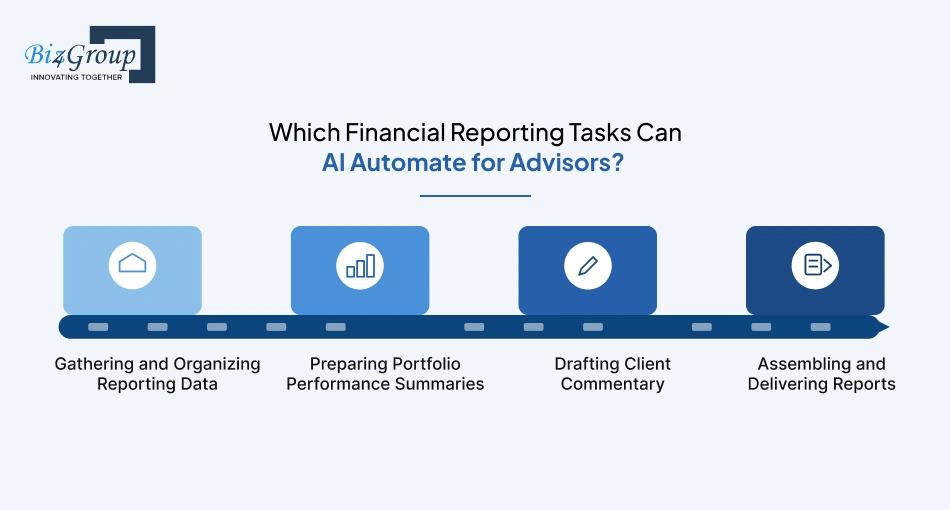
With AI Client Reporting for Advisory Firms, the biggest automation opportunities are the repetitive steps that happen across almost every reporting cycle: pulling data together, turning portfolio activity into a summary, drafting commentary, and getting the finished report ready for delivery. That can take a lot of manual work out of financial advisor report automation while leaving advisors to review the parts that need their judgment.
Instead of having someone pull figures from the portfolio system, check the CRM for client details, and gather supporting information from other sources, AI can help bring the required data into one reporting workflow. How much time does your team lose each quarter just moving information between systems?
Once the data is together, AI can turn raw performance information into a summary that a client can actually understand. It can highlight meaningful changes without asking an advisor to start every report from a blank page.
Client commentary can take even longer when every report needs a different message. AI can use approved portfolio information and available client context to prepare a first draft, giving the advisor something to work from.
The final step can also involve a surprising amount of repetitive work. AI can help place approved sections into the right template, apply the firm's preferred format, and prepare reports according to the delivery schedule.
What could your advisors do with the hours saved when these small tasks no longer have to be repeated for every client?
To automate client reports, you need the same information your team already uses to prepare them. That usually means portfolio data, client details from the CRM, and documents that provide extra context. Automated client reporting for advisory firms works best when these sources can feed into the same workflow.
|
Data Source |
What It Provides |
|---|---|
|
Portfolio and Investment Data |
Holdings, returns, transactions, valuations, allocation, and account activity |
|
Client and Household Information |
Client details, household relationships, goals, preferences, and CRM records |
|
Financial Documents and Supporting Data |
Statements, planning documents, notes, and other files that add client context |
For AI portfolio reporting automation, the platform should also keep track of where each important figure or detail came from. That gives advisors something concrete to check before a report goes out.
AI Client Reporting for Advisory Firms should personalize reports using each client's portfolio, goals, recent activity, and relevant client information. The platform can use those details to shape the content and focus of the report while leaving the advisor to decide what the client actually needs to see.
A report becomes more useful when the AI has the right context around the numbers. Holdings, performance, transactions, goals, and CRM details can help it understand what deserves attention for a specific client.
A useful lesson from building WorthOne Plan with Worth Advisors was that client context had to influence the report while it was being prepared, rather than being added after the AI had already created the narrative. Biz4Group had to account for which financial details should shape the draft and where the advisor's knowledge of the client needed to take over.
Clients with similar portfolios can still need very different explanations. Personalized client reporting automation should let firms adjust the tone, level of detail, and topics covered for different client segments or individual households.
AI can prepare the first version, but the advisor should decide what stays in the report. They should be able to add context, remove irrelevant points, and change the wording before anything is sent.
The result should be a report that feels specific to the client without requiring the advisor to write every section from scratch.
AI client reporting can pull client, portfolio, and account information from the systems your team already uses. APIs, file imports, and other data feeds can bring that information into the reporting workflow, so advisors aren't stuck copying numbers from one system into another.
|
Integration |
What the Platform Can Pull In |
|---|---|
|
CRM and Client Data |
Client details, household information, goals, preferences, and advisor notes |
|
Portfolio, Accounting, and Custodial Data |
Holdings, returns, transactions, valuations, allocations, and account activity |
|
APIs, File Imports, and Other Data Feeds |
Data from connected platforms, CSV or Excel files, scheduled exports, and other supported sources |
Once the information is in one place, the platform can use it to build the right report for each client. That also makes updates easier when portfolio values or client details change.
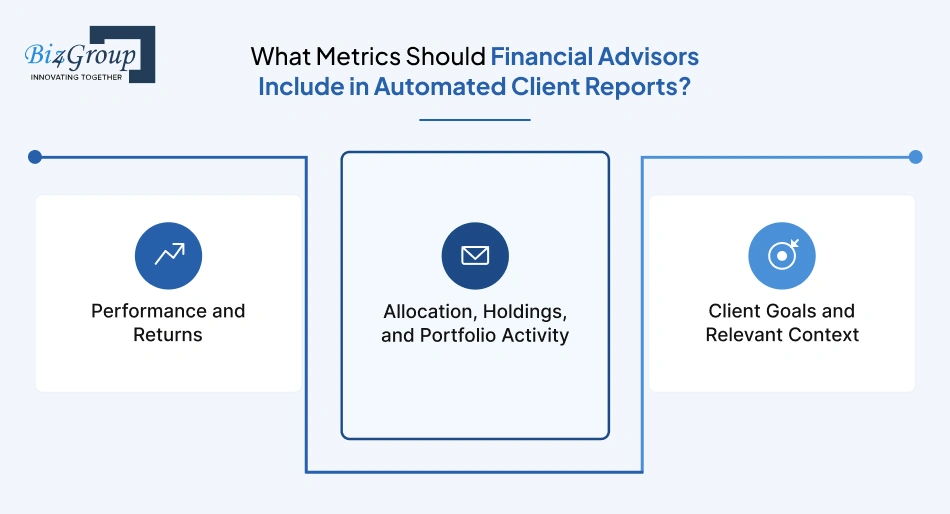
Automated reports should give clients enough information to understand what happened, why it happened, and what it means for their portfolio. For most advisory firms, that means showing performance, allocation, holdings, activity, and a few client-specific measures instead of filling the page with every number available.
Start with the figures that show how the portfolio performed during the reporting period. Depending on the firm's reporting approach, this can include total return, time-weighted or money-weighted return, gains and losses, benchmark comparison, and performance by asset class. The report should also make the period being measured obvious.
Clients usually need to see what they own and what changed. Current allocation, major holdings, cash levels, contributions, withdrawals, trades, and meaningful allocation shifts can explain why performance moved during the period. For an AI-generated portfolio performance report, these figures also give the system concrete facts to work from when preparing the narrative.
A useful metric here is often the one that explains a change.
For example: if a portfolio's equity exposure moved from 55% to 70%, showing that shift alongside the period's return tells the client far more than listing dozens of individual holdings.
The final layer should connect portfolio activity to the reason the client invested in the first place. Depending on the client, that could include progress toward a retirement target, income generation, savings milestones, or a change in risk position.
This was a practical consideration in the development of WorthOne Plan with Worth Advisors. Biz4Group LLC had to account for the fact that advisors may have plenty of financial information available, while only some of it belongs in a client's report. The useful metric was often the one that helped explain the client's current position, rather than another number simply because the system had access to it.
|
Metric Area |
Examples to Include |
|---|---|
|
Performance |
Returns, gains/losses, benchmarks, asset-class performance |
|
Portfolio Position |
Allocation, major holdings, cash, portfolio changes |
|
Activity |
Contributions, withdrawals, trades, major transactions |
|
Client Progress |
Retirement targets, income needs, savings or investment goals |
A good test is: if a client asks "why is this in my report?", does the metric help answer that question? If it doesn't, it may not need to be there.
Still spending hours pulling data together and building reports? Biz4Group can help you map the reporting workflow and identify where AI can take over the repetitive work.
Discuss Your Reporting NeedsFor an advisory firm, the useful features are pretty straightforward: pull in the right data, build the report, personalize it, let the advisor review it, and get it to the client on time. An AI Client Reporting for Advisory Firms platform should make those steps faster without making the process harder to control.
The platform should take the available client and portfolio data and create a first draft. That saves the team from rebuilding the same report sections every reporting cycle.
Reports should change based on the client. The platform can use portfolio details, goals, recent activity, and other client information to decide what to highlight.
Have two clients with similar portfolios but very different priorities? Their reports shouldn't read the same.
Advisors should be able to read the draft, change what they need to, add their own context, and approve the final version. That keeps the advisor involved before anything reaches the client.
WorthOne Plan made this especially clear during its development. Biz4Group and Worth Advisors had to account for the handoff between AI-generated content and advisor input so the report could be shaped around the client before delivery.
The firm should be able to use its own branding, layouts, sections, and report styles. Different client groups may also need different versions.
Once the advisor signs off, the platform should handle the repeat work around delivery. That can include scheduled reporting, assigning the right clients, and preparing approved reports for release.
The goal is simple: less report-building work for the team, with the advisor still deciding what the client sees.
Build checks into the reporting process before the AI generates a report, while it is being created, and before it reaches the client. Compliant AI reporting software for financial advisors should validate source data, check AI output, protect client information, keep advisors involved, and retain the records the firm needs.
|
Area |
What to Check |
|---|---|
|
Source Data |
Confirm portfolio and client information is complete and comes from approved sources |
|
AI-Generated Content |
Check figures, statements, and summaries against the underlying data |
|
Client Data Protection |
Control access and protect financial and personal information during storage and transfer |
|
Advisor Review |
Give advisors a clear chance to edit and approve the report |
|
Reporting Records |
Keep report versions, approvals, and key changes available for later review |
These financial reporting compliance controls are most useful when they are part of the normal reporting flow. When something looks wrong, the team should be able to see the issue, trace it back to the source, and fix it before delivery.
AI client reporting for advisory firms can take a lot of the repetitive reporting work off an advisor's plate. Instead of spending hours pulling numbers together and writing the first draft, advisors can spend more time reviewing reports, helping clients, and handling the work that needs their attention.
Financial advisor report automation can handle the routine parts of a report, such as pulling data together, filling in sections, and preparing draft commentary. The advisor can then focus on checking the report and adding anything specific to the client.
When reports take less time to prepare, advisors can get useful information to clients sooner. That can be especially helpful when there has been a meaningful change in a portfolio or account.
The time saved can give advisors more room for actual client work, especially during busy reporting periods.
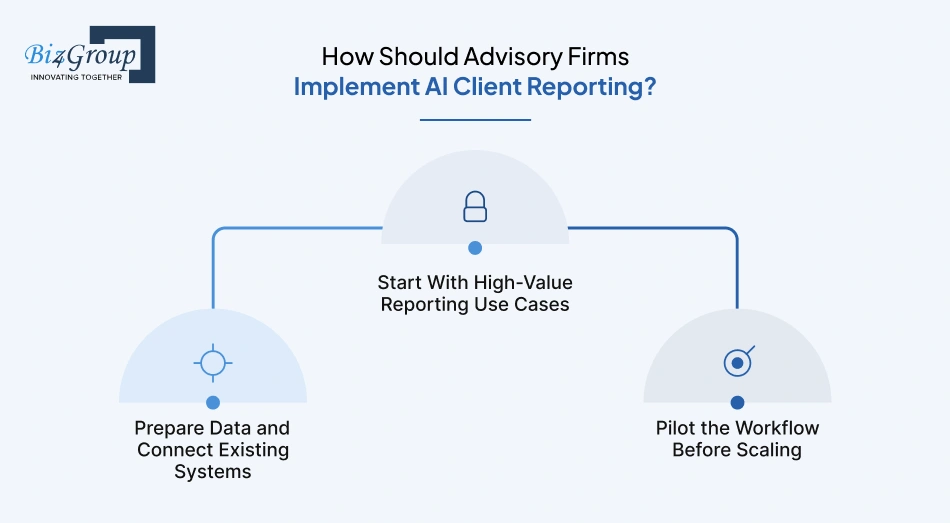
Start with the reporting tasks that take the most time, make sure the platform can access the right data, and test the workflow with a smaller group before expanding it across the firm. This gives your team a chance to fix reporting gaps before they affect every client.
|
Implementation Stage |
What to Do |
|---|---|
|
Start With High-Value Reporting Use Cases |
Begin with repetitive work such as quarterly reports, portfolio summaries, and draft client commentary. |
|
Prepare Data and Connect Existing Systems |
Connect CRM, portfolio, custodial, and other data sources, then clean up mismatched or incomplete information. |
|
Pilot the Workflow Before Scaling |
Test the process with a smaller client group, review the reports, adjust the workflow, and expand once the results are consistent. |
A focused rollout gives advisors and operations teams a chance to shape the process before it becomes part of the firm's everyday reporting routine.
Start by deciding exactly what you want AI to handle, what information it needs, and where advisors remain involved. Then work out the integrations, security controls, and capacity the system will need as reporting volume grows. Good AI client reporting system development starts with those decisions rather than the AI model itself.
Decide which parts of reporting actually need AI and which should stay rule-based. Report drafting, performance summaries, and content personalization may benefit from AI, while calculations, data checks, approvals, and other fixed processes may need more predictable logic.
The system needs to work with the firm's existing data sources and protect that information at every step. It should also have enough capacity for more clients, reports, and connected systems later, so security and scalability decisions need to be made early.
WorthOne Plan offered a useful lesson here. Because the product works with financial information used in advisor reports, Biz4Group and Worth Advisors had to think about controlled access to that information and cloud-based security measures around the reporting workflow. That meant considering who could access financial data and where it could move as part of the product design.
You don't need to solve every future requirement on day one. You do need an architecture that won't make the next stage of the product unnecessarily difficult.
From portfolio data and CRM integrations to report generation and advisor review, Biz4Group can help you work through the technical side of your reporting requirements.
Talk to Our Team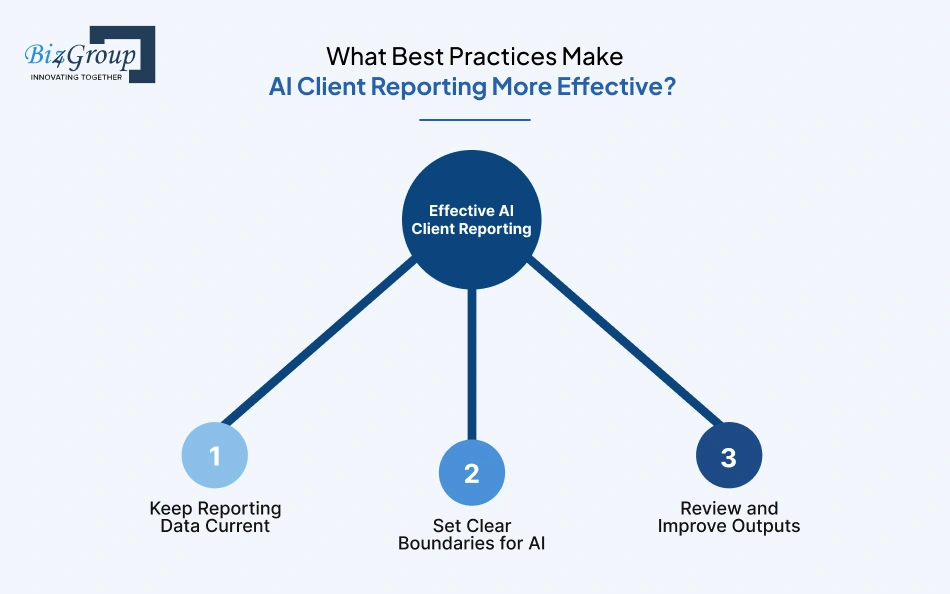
Keep the data current, give AI a clear job, and keep checking the reports it produces. These simple practices help AI-driven client reporting stay useful as portfolios, clients, and reporting needs change.
AI needs up-to-date information to produce a useful report. Portfolio values, transactions, client details, and other inputs should be refreshed before each reporting cycle.
What good is a polished report if the portfolio data behind it is a month old?
Decide where AI should step in and where it should stop. Drafting commentary and summarizing performance can be handled by AI, while calculations, approvals, and decisions that need advisor judgment can stay under tighter controls.
Would you let AI change a portfolio figure on its own? Boundaries like this should be decided before the system goes live.
Check the reports regularly for accuracy, consistency, and usefulness. If the same type of issue keeps appearing, adjust the data inputs, rules, prompts, or templates rather than accepting it as part of the process.
Which parts of the report do advisors keep editing? Those patterns can show you where the workflow still needs work.
The best results come from treating AI reporting as a workflow you keep tuning, not a feature you switch on once.
An AI client reporting for advisory firms setup should handle the repetitive parts of reporting while giving advisors control over the numbers, the wording, and the final report. When the data, automation, and review process work together, the team can spend less time assembling reports and more time using them in client conversations.
Still juggling spreadsheets and rewriting similar reports every quarter? Biz4Group can help you work through what should be automated, where advisor input belongs, and how the reporting system could fit your firm's existing workflow.
AI can automate data gathering, report drafting, performance summaries, formatting, and parts of report delivery. Advisors can keep control of review, edits, and final approval.
Yes. AI can use portfolio data, client details, goals, and reporting preferences to create a personalized first draft that the advisor can refine.
Give advisors a review and approval step where they can edit the report, add context, remove content, and approve the final version before delivery.
The platform should flag missing or conflicting information instead of asking AI to fill the gap or choose between conflicting values automatically.
Yes, provided the platform supports the required APIs, file imports, or other data connections used by those systems.
Check how the platform stores, transfers, and accesses data, what AI services can see, how client records are separated, and whether the provider has clear data-use policies.
Compare reporting time before and after implementation, including data gathering, report preparation, review, and delivery. Also track how many reports the team can complete in the same period.

Our website require some cookies to function properly. Read our privacy policy to know more.