 Location :
Orlando, FL, USA
Location :
Orlando, FL, USA +1 (407) 714-1616
 info@biz4group.com

 AI Summary Powered by Biz4AI
- The majority of brokerages now build AI real estate transaction management platforms around how agents actually work.
- AI-powered transaction management reads contracts, extracts key dates, and flags missing documents. Rules and people still approve anything legal or financial.
- Subscription tools suit smaller brokerages. A custom real estate transaction management platform fits once your workflows, data, or AI plans outgrow them.
- Start with an AI-ready MVP, pilot it with one office, and build in wire-fraud defenses and U.S. compliance from day one.
- Building a transaction management platform for brokerages typically costs $25,000 to $200,000+. AI adds about 15% to 30% to that.
- Biz4Group brings hands-on real estate AI experience, including ConTracks, where AI cut agents’ paperwork time by up to 50%.
Here’s a number that should bug every brokerage owner a little: only 36% of Realtors use transaction management tools. Almost every agent lives in the MLS and signs documents through eSignature. But the actual contract-to-close work, where money and deadlines are on the line, still runs on email threads, spreadsheets, and a group text with the lender.
You know how that ends. A contingency deadline sneaks up. A disclosure never makes it into the file. The broker compliance review happens two days before closing, and suddenly everyone’s scrambling.
And no, agents aren’t anti-tech. 81% say saving time is the main reason they pick up a new tool. Most transaction tools just don’t give them any time back.
That’s why so many brokerages and proptech founders now want to build an AI real estate transaction management platform of their own. Not another place to dump PDFs, but a custom real estate transaction management system that knows what the deal needs next and nudges the right person before anyone has to chase it.
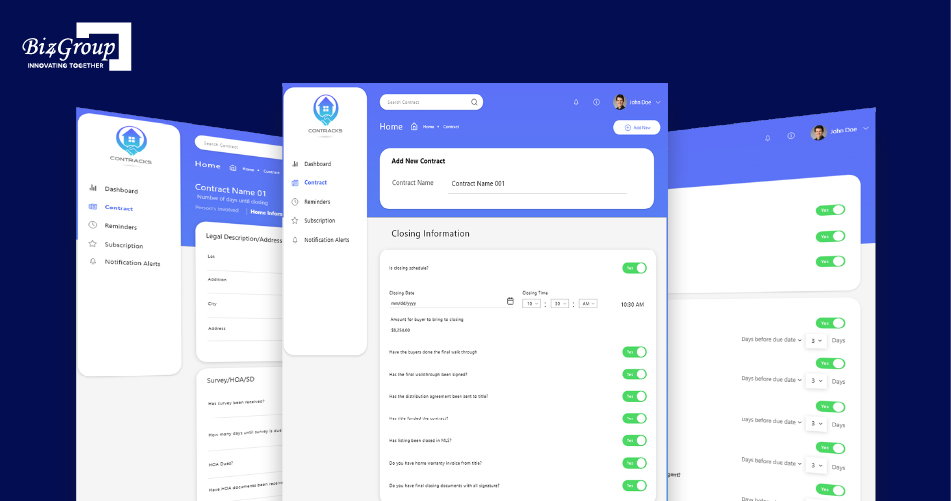
The Biz4Group team saw this up close while building ConTracks, a real estate contract management tool that uses AI to summarize long contracts, pull out key dates and money details, and turn them into reminders before anything slips. Contracts are just one piece of a transaction, but they taught a big lesson: a tool either fits into an agent’s day, or agents quietly stop using it.
This guide shows you how to build a transaction management platform for brokerages that agents actually stick with.
Why Are U.S. Brokerages Rethinking Transaction Management in 2026?
Honestly, three things changed at the same time. Most agents still skip the transaction tools they have, the NAR settlement piled more paperwork onto every deal, and a folder full of PDFs just can’t keep up anymore. Put those together, and it’s no surprise so many owners are thinking about building a real estate transaction management platform that actually fits how they work.
Only 36% of Agents Use Transaction Management Tools: Why That Gap Matters
When only 36% of agents use transaction tools, most deals end up tracked somewhere the brokerage can’t see. That means missed documents, surprise deadlines, closing forecasts that are really just guesses, and per-seat fees for logins nobody uses.
And it’s not because agents hate tech. 96% of Realtors use the MLS and 79% use eSignature. The tools just don’t fit their day. Think about it: if you had ten minutes between showings, would you retype contract details so a transaction coordinator could tick a box later? Or would you just text the lender?
So more training won’t fix this. What fixes it is a transaction management platform for brokerages that saves agents time from the very first tap. And if you’re a proptech founder, that gap is your opening, since about two out of three agents are still waiting for a tool they actually like.
How the NAR Settlement Added New Paperwork to Every Deal
Since August 17, 2024, buyer’s agents have needed a signed written agreement before showing a home, and buyer-agent pay can’t be offered on the MLS anymore. So every deal now starts earlier, and the agent’s pay has to be written down and tracked inside the transaction itself.
If you’re planning real estate transaction management development, here’s what that means for you. The buyer agreement is now step one of the deal, so the platform should track it, including when it expires. The agent’s pay belongs in the deal record too, so it flows right into commission tracking without anyone retyping it at 9 p.m. And since some states have added their own rules on top, the platform needs to adjust state by state.
A lot of older tools just tacked these on as extra checklist items. A custom real estate transaction management platform lets you build them in properly from day one.
Why “Transaction as Data” Is Replacing “Transaction as a PDF Folder”
“Transaction as data” just means the platform actually knows the important stuff, like the closing date, contingency deadlines, earnest money, and who’s involved, instead of leaving it buried inside PDFs. Once it knows those details, it can track deadlines, create tasks, and catch problems all on its own.
Think of a PDF folder as a filing cabinet: somebody has to open it and read everything. Data works more like a GPS. The platform already knows the financing deadline, so if someone moves the closing date past it, you get a heads-up right away. Deadline tracking and back-office numbers simply stay up to date.
That’s a big reason this market is expected to hit $11.58 billion in 2026. And it’s AI-powered transaction management that makes it practical, because AI can turn a messy contract into clean, usable details in seconds.
What Does an AI Real Estate Transaction Management Platform Actually Do?
An AI real estate transaction management platform keeps every deal in one place, from the buyer agreement to the closing table. It holds the contracts, deadlines, tasks, and approvals, while the AI reads documents, pulls out key details, and spots problems early. So everyone always knows what’s due, what’s missing, and who needs to act.
Picture a solid real estate transaction management system with a smart AI layer on top. Skip the system, and the AI has nothing reliable to work with. Skip the AI, and your team is still stuck reading, typing, and chasing.
The Seven Jobs Every Platform Has to Handle
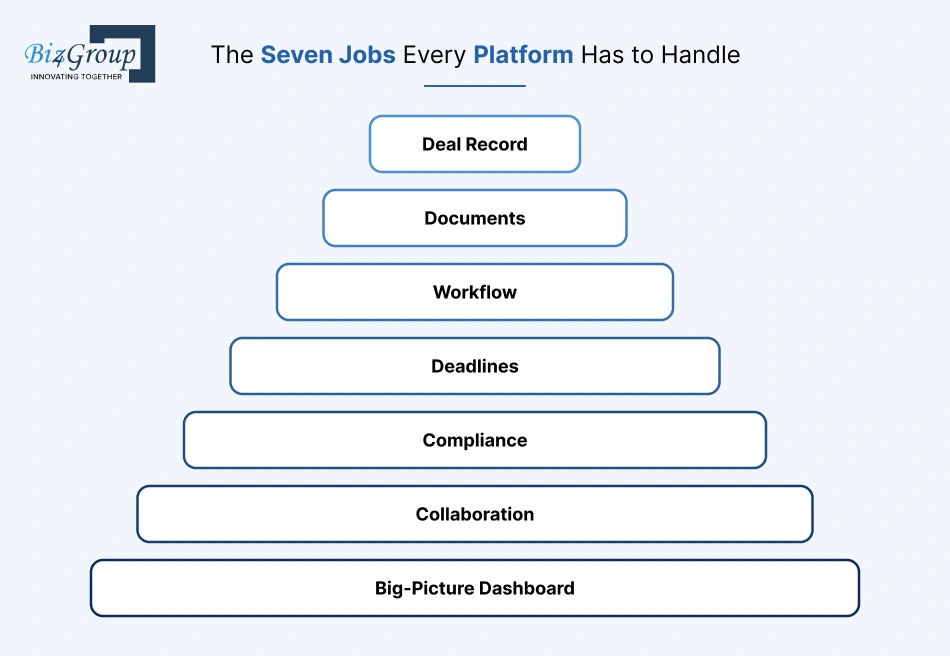
Every platform has seven jobs to do well. If it slips on even one, people quietly drift back to email and spreadsheets:
- Keep the deal record: property, parties, price, earnest money, and contract terms
- Store the documents: contracts, addenda, and disclosures, with every version saved
- Run the workflow: the right task shows up for the right person at the right time
- Watch the clock: inspection, financing, and closing dates, with reminders before they sneak up
- Handle compliance: required documents, broker review, and a clear audit trail
- Keep everyone in sync: agents, clients, lenders, and title each see only what they should
- Show the big picture: active deals, overdue tasks, and commission tracking at a glance
What AI Adds That a Traditional Transaction Platform Can’t
A traditional platform only knows what somebody types into it. AI can actually read. It pulls dates, prices, and parties out of contracts, sorts documents, notices what’s missing or doesn’t match, summarizes long files, and gives you a heads-up when a deal starts drifting.
Say an agent uploads a 14-page purchase agreement. A traditional platform files it and waits. An AI-powered one reads it right away, grabs every contingency date, sets up the tasks, and flags it if a later addendum pushes closing past the financing deadline. That’s AI transaction management for real estate in a nutshell.
Here’s the funny part: agents already use AI, just not for deals. Among agents using AI, 75% use it for listing descriptions and 56% for social posts. Marketing got the AI upgrade first, and the contract-to-close side is still mostly manual. Want the bigger picture? This guide on how to use AI for real estate is a great place to start.
Where Brokerages Usually Feel the Pain First
Most brokerages feel it first with missed contingency deadlines, files that show up incomplete at broker review, and the same deal details typed into three different systems. Right behind those come slow commission payouts, no clear view across offices, and wiring instructions still flying around by email.
You’ve probably lived some of these. The inspection period that ended yesterday. The Friday scramble over a missing disclosure. Typing the same deal into the CRM, the transaction tool, and accounting. Agents asking, again, when they’ll get paid. And closing details sitting in inboxes that fraudsters love.
The good news is that every one of these maps to a feature, and AI can help with most of them. So don’t start with a giant feature list. Start with the two or three headaches costing you the most, and fix those first.
Should You Build a Custom Platform or Keep Using dotloop, SkySlope, or Brokermint?
Stick with dotloop, SkySlope, or Brokermint if you’re a smaller brokerage with a standard workflow. Build a custom real estate transaction management platform once your processes, data, or AI plans no longer fit inside someone else’s product. And if you’re somewhere in between, there’s a middle path that works surprisingly well.
Here’s the quick side-by-side:
|
|
Subscription tool |
Hybrid layer |
Fully custom platform |
|---|---|---|---|
|
Best for |
Smaller brokerages, standard deals |
Growing brokerages with a few unique workflows |
Multi-office brokerages and proptech founders |
|
Upfront cost |
Low |
Medium |
Highest |
|
Ongoing cost |
Per-seat fees that grow with headcount |
Fees plus upkeep |
Hosting and maintenance, no per-seat fees |
|
Your workflow |
You adapt to the tool |
Partly yours |
Fully yours |
|
Data ownership |
Lives with the vendor |
Shared |
Fully yours |
|
AI |
Whatever the vendor ships |
Your AI on top |
Trained around your playbook |
|
Time to launch |
Days |
A few months |
Several months |
Five Signs You’ve Outgrown Subscription Tools and Their Bolt-On AI
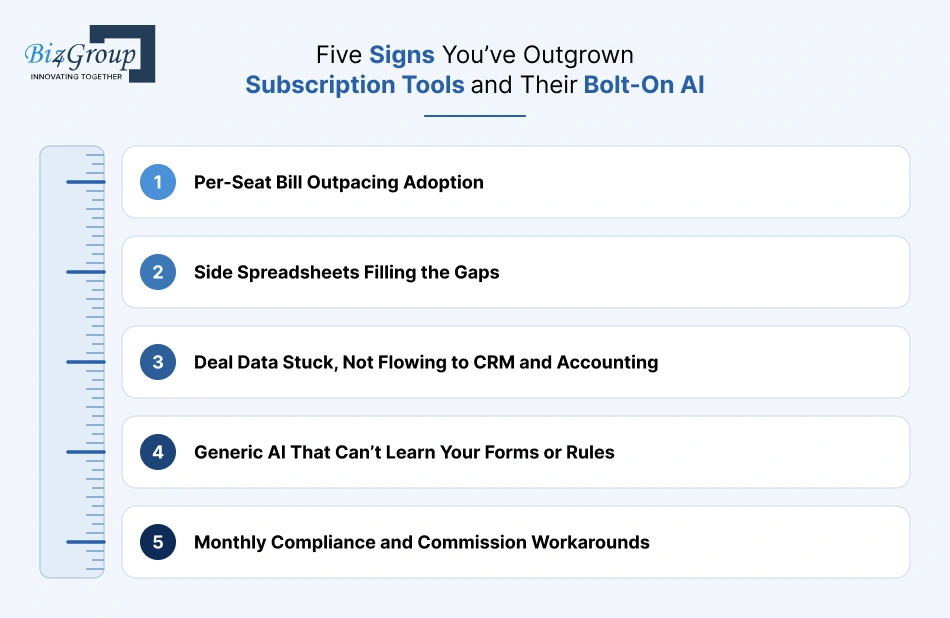
You’ve probably outgrown your subscription tool if any of these sound familiar:
- Your per-seat bill keeps growing faster than agent adoption.
- Your team keeps side spreadsheets to cover what the tool can’t do.
- Deal data is stuck in the tool, so it doesn’t flow cleanly into your CRM and accounting.
- Its AI features are generic and can’t learn your forms, states, or broker review rules.
- Your compliance or commission process needs workarounds every single month.
Hit two or more, and a custom build deserves a serious look.
Why National Brokerages Treat Their Platform as a Recruiting Tool (the ReZen Example)
For big brokerages, the platform isn’t just back-office plumbing. It’s part of the pitch to agents. A smoother deal flow, faster payouts, and better visibility give agents a real reason to join and stay.
The Real Brokerage is a great example. It built its own platform, ReZen, to handle transactions, compliance, commissions, and agent payments in one place. And by September 2025, it had mapped transaction documents for AI-enabled review in about 40% of its markets. When you own the platform, you decide where AI goes next, instead of waiting on a vendor’s roadmap.
The Hybrid Route: A Custom Workflow Layer on Top of Existing Tools
Not ready for a full build? The hybrid route keeps the tools agents already know, like eSignature and forms, and adds your own layer on top for workflows, dashboards, and AI. You get control where it matters most without a risky “rip everything out” move.
For many brokerages, this is the smartest first step. You can always replace more pieces later, once the layer proves its value.
Building to Sell? What Proptech Founders Need to Do Differently
If you’re building to sell to brokerages, design for many customers from day one, not just one. That means each brokerage needs its own data, settings, workflows, and state rules, all running on the same AI real estate transaction management platform.
Founders also need easy onboarding, ready-made integrations, and solid security proof, because brokerage buyers will ask for it during evaluation. And honestly, picking a niche helps. Commercial deals, new construction, or team-based brokerages are easier to win than going head-to-head with the big names on day one.
How Should a Deal Move Through the Platform From Contract to Close?
A deal should move through the platform in clear stages, from the buyer agreement to closing. Each stage automatically brings up its own tasks, documents, and deadlines. AI reads what comes in at each step and kicks off the next action, so nobody has to remember what comes after “inspection scheduled.”
The key idea: the platform shouldn’t just store a deal’s status. It should know what has to happen next.
Mapping the 7 Transaction Stages to Tasks, Deadlines, and AI Triggers
Most U.S. residential deals pass through seven stages. Here’s what the platform should handle at each one, and where AI jumps in:
|
Stage |
What the platform handles |
AI trigger |
|---|---|---|
|
1. Buyer agreement and pre-approval |
Signed agreement, expiration date, lender letter |
Reads agreement terms and flags an expiring agreement |
|
2. Contract executed |
Deal record, parties, price, earnest money |
Extracts key terms and builds the deadline calendar |
|
3. Due diligence |
Inspections, disclosures, HOA documents |
Flags missing disclosures by property type |
|
4. Financing and appraisal |
Loan milestones, appraisal, financing contingency |
Warns when a contingency nears with no lender update |
|
5. Amendments |
Addenda, counteroffers, new versions |
Compares versions and highlights changed dates or price |
|
6. Pre-closing |
Title, final documents, broker review |
Runs a missing-document check before the broker review |
|
7. Closing and post-closing |
Final signatures, commission payout, archive |
Locks the file and kicks off commission processing |
Why Financing Readiness Belongs Before the Offer: Lessons From Facilitor
Financing readiness belongs before the offer because money problems that surface mid-deal are the hardest to recover from. By then, inspections are paid for, other buyers have moved on, and everyone’s frustrated. Checking finances first means agents spend their time on deals that can actually close.
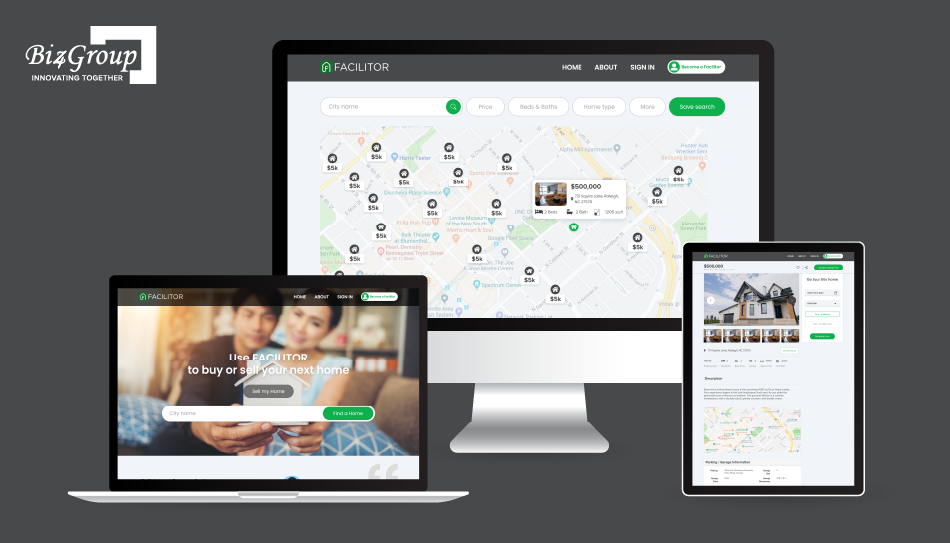
Facilitor dealt with this exact problem. Its buyers were running into financial trouble after settling on a property. So the platform flipped the order: buyers get pre-approved and financially verified first, and only then see homes that match their budget. Late-stage surprises dropped because the risky question got answered at the start.
For a transaction platform, that translates into a simple rule: no pre-approval letter, no offer stage. It’s a small gate that saves a lot of heartbreak later.
Escrow States vs. Attorney-Closing States: Designing for Both
Closings work differently across the U.S. In escrow states like California, a neutral escrow officer handles the money and the paperwork. In attorney-closing states like Georgia and South Carolina, an attorney typically runs the closing.
So your platform needs closing workflows you can swap out. Each one should have its own roles, required documents, and handoffs, rather than assuming every deal closes the same way.
Residential, Commercial, Leases, New Construction: Why One Workflow Won’t Fit
Different deal types need different checklists. Commercial deals bring longer due diligence and more parties. Leases are shorter and often renew. New construction runs on builder contracts, upgrade selections, and much longer timelines.
- The fix is easy: one transaction engine, with a separate workflow template for each deal type. Agents just pick the deal type, and the right stages, documents, and deadlines show up on their own.
Handling Multi-State Rules Without Hard-Coding Them
If you’re working across states, don’t build state rules into the code itself. Store them as settings by state, deal type, and office, so an admin can update a required disclosure or retention period without a developer.
Give each rule an effective date, too. When a state changes its requirements, the new rule applies to new deals, and older deals keep the rules they started with. That keeps your audit trail clean and your compliance team calm.
Which Features Belong in Your First Release, and Which Can Wait?
Your first release should focus on the features that remove the most manual work: deal records, documents, deadlines, tasks, permissions, and AI contract extraction. Back-office extras like commission payouts and advanced reporting can follow once agents are actually using the platform day to day.
Launching small and solid beats launching big and buggy, every time.
The AI-Ready MVP: Features That Remove the Most Manual Work
An AI-ready MVP covers the basics agents touch every day and captures clean data from day one, because AI can only work with what the platform stores. That means:
- Deal records with parties, price, and key terms
- Document upload with version history
- Deadline tracking and automatic reminders
- Stage-based checklists and task assignments
- Role-based permissions for agents, coordinators, and brokers
- AI contract extraction to fill in the deal for you
- A simple broker dashboard showing what’s overdue or missing
Each of these replaces a manual step someone does today. That’s also where AI automation services pay off fastest: turning one uploaded contract into ten tasks nobody has to set up by hand.
Back-Office Features Brokers Ask for Next: Commissions, Payouts, and Reporting
Once agents are on board, brokers almost always ask for three things next: automatic commission splits, faster payouts, and reporting across agents and offices. These features pay off because they run on deal data the MVP already collects.
So when a deal closes, the platform can calculate the split, route it for approval, and update the brokerage’s books, with no spreadsheet in the middle.
Milestone-Based Payments and Photo Verification: What Service Checkmate Taught Us
In new construction and renovation deals, the biggest fights are usually about one question: is the work actually done? Linking each payment to a milestone, with photo proof attached, settles that before money moves.
That question was at the heart of Service Checkmate, a construction-contract app connecting customers with contractors. The fix wasn’t more paperwork. It was clearer evidence. Contractors upload high-quality photos when a milestone is finished, and payment is released automatically through Stripe once it’s confirmed. No chasing, no “he said, she said.”
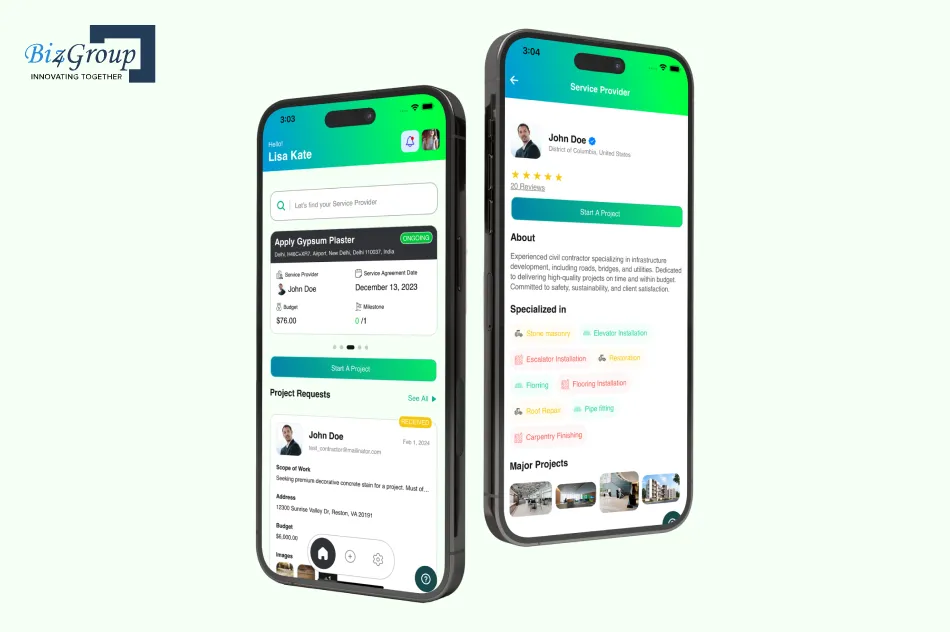
If your platform handles new builds, upgrade selections, or construction draws, borrow that pattern. Don’t release money on a date. Release it on verified progress.
Where Does AI Actually Save Time in a Real Estate Transaction?
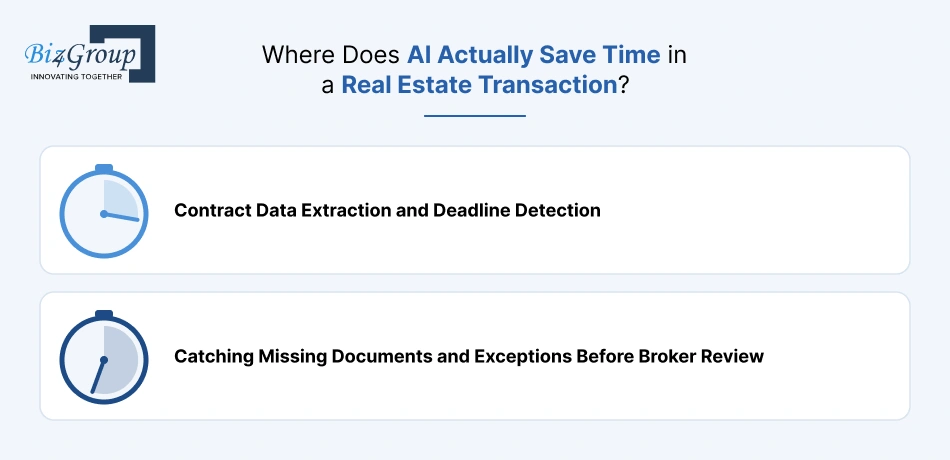
AI saves the most time in the parts of a deal that involve reading and checking: pulling details out of contracts, spotting deadlines, finding missing documents, and answering “what’s the status?” questions. It’s less about flashy features and more about taking the boring, error-prone work off people’s plates.
Contract Data Extraction and Deadline Detection
AI can read a purchase agreement in seconds and pull out the price, parties, earnest money, and every contingency date. Then the platform turns those dates into a deadline calendar and tasks automatically.
That’s a big deal for agents, who’d otherwise retype all of it by hand. And it’s where AI for real estate agents stops being a buzzword and starts giving them real hours back every week.
Catching Missing Documents and Exceptions Before Broker Review
AI can check every file against the required-document list for that deal type and state, then flag what’s missing or doesn’t match before the broker ever opens it. Think of an unsigned addendum, a price that differs between documents, or a closing date that falls after the financing deadline.
Generative AI adds another helpful layer here: it can write a plain-English summary of what’s wrong, so the coordinator knows exactly what to fix.
What ConTracks Showed Us About Realistic AI Gains
Realistic AI gains are meaningful but not magic. In ConTracks, the AI-powered contract tracking tool Biz4Group built for real estate professionals, AI summarization and data extraction helped agents save up to 50% of their paperwork time. They also cut the margin of error by more than 30% and reduced document processing time by more than 20%.
Those numbers are a good reality check. AI won’t run your deals for you, but it can easily take a big chunk out of the reading, retyping, and double-checking.
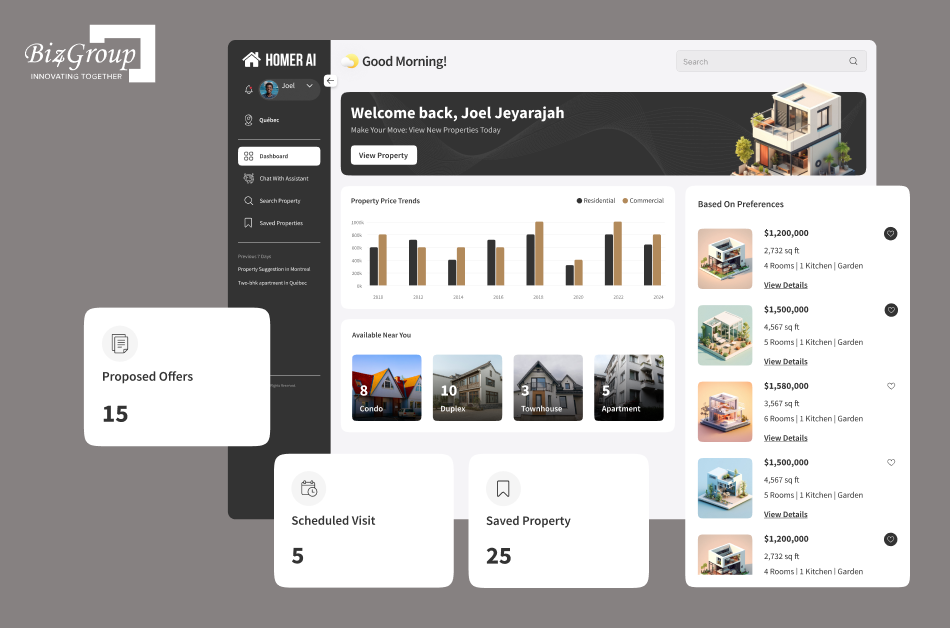
A Client-Facing “Where’s My Deal?” Assistant: Lessons From Homer AI
A client-facing AI assistant can answer the questions agents get all day: “Did the appraisal come back?” “What do I still need to sign?” It pulls answers straight from the deal record, so clients get instant updates and agents get fewer interruptions.
Biz4Group built Homer AI, a conversational AI platform that chats with buyers to understand their budget, location, and must-haves, matches them with properties, and schedules visits. It also walks sellers through listing step by step. The same conversational approach works for deal status. Building that kind of AI conversation app just means connecting it to live transaction data and limiting it to what each client is allowed to see.
Why AI Should Recommend and Rules Should Execute
AI should suggest; your platform’s rules should decide what actually happens. For example, AI can say “the inspection deadline looks like June 18,” but a rule creates the task, and an agent confirms the date. That keeps automation fast without letting a misread date quietly cause problems.
It’s the safest way to implement generative AI in real estate: AI handles the reading, and humans and rules handle anything with legal or financial weight.
Measuring AI Accuracy: Correction Rates, Confidence Scores, and Human Review
You know your AI is working when people rarely have to fix what it extracted. So track how often users correct AI-filled fields, set confidence scores so low-confidence results go to a human, and review a sample of files regularly.
If correction rates stay high on certain forms, that’s your sign to fine-tune the model or train a custom one. Smart AI model development is about steady improvement on your brokerage’s own documents, not chasing perfection on day one.
Is Your Team Still Retyping Every Contract?
Biz4Group can help you add AI that extracts key terms and flags missing documents automatically.
See What AI Can AutomateHow to Build an AI Real Estate Transaction Management Platform: 8-Step Development Process
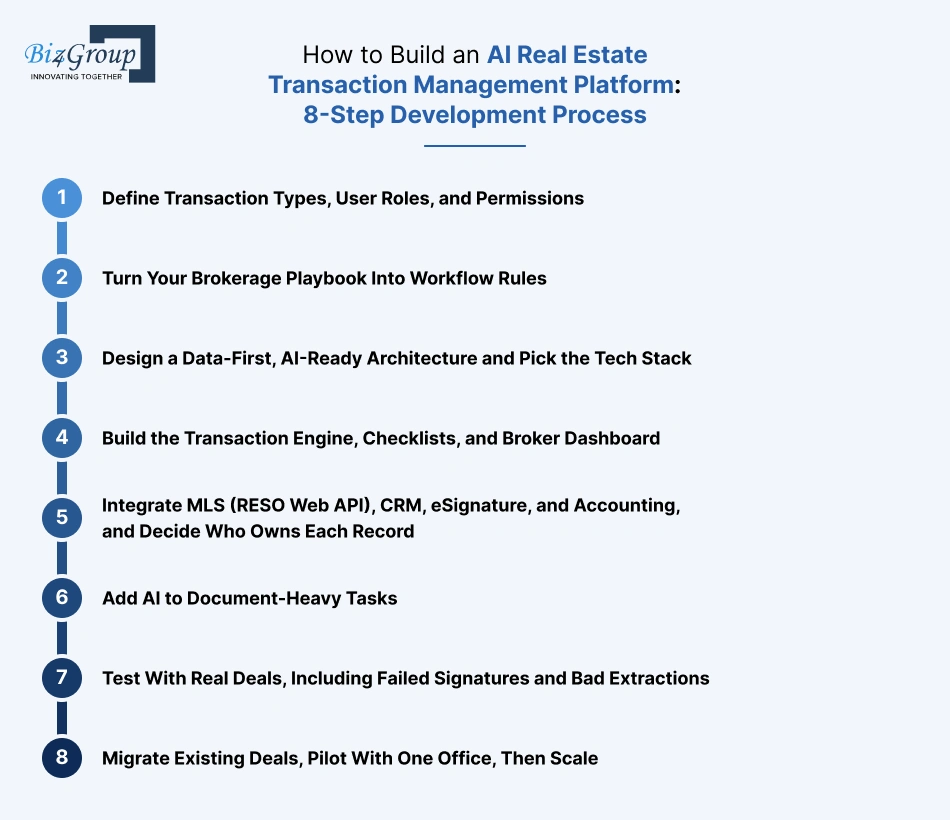
To build an AI real estate transaction management platform, you define your deal types and users, turn your brokerage’s playbook into workflow rules, design a data-first architecture, build the core engine, connect your existing systems, add AI where documents pile up, test with real deals, and roll out one office at a time. Here’s how each step plays out.
Step 1: Define Transaction Types, User Roles, and Permissions
Start by deciding which deals the platform will handle first (residential sales, commercial, leases, or new construction) and who’ll use it. Agents, transaction coordinators, brokers, clients, lenders, and title officers all need different access, so get specific now.
Who can edit a contract? Who approves a file? Who sees commission details?
Keep the first release tight. One or two deal types and the core roles are plenty. Good MVP development services help you draw that line early, so you launch something focused and useful instead of something huge and half-finished.
Step 2: Turn Your Brokerage Playbook Into Workflow Rules
Your best transaction coordinator already knows the rules: when a contract comes in, order the inspection, track the 10-day window, and chase the HOA docs. This step writes that knowledge down as clear “if this, then that” rules.
- For example: if the contract is signed, then calculate every contingency deadline, create the tasks, and alert the agent.
This is also the right moment to sketch the screens each role will use, and to put clickable prototypes in front of real agents before anything gets built. An experienced UI/UX design company makes a big difference here. Fixing a confusing screen in a prototype takes an afternoon. Fixing it after launch costs you adoption.
Step 3: Design a Data-First, AI-Ready Architecture and Pick the Tech Stack
An AI-ready architecture keeps deal details as structured data, stores documents securely, and runs AI as its own service, so you can upgrade models without touching the core workflow. A common stack looks like this:
|
Layer |
Common choices |
|---|---|
|
Frontend |
React or Next.js |
|
Backend and APIs |
Python (FastAPI) or Node.js |
|
Database |
PostgreSQL |
|
Document storage |
AWS S3 or Azure Blob |
|
Real-time updates |
WebSockets |
|
AI layer |
LLM APIs, document AI, vector search |
|
Security |
OAuth, role-based access, encryption |
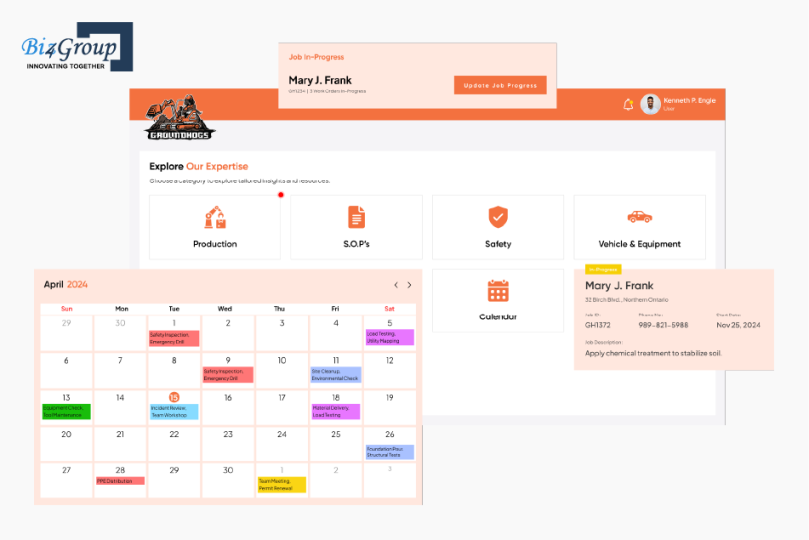
Real-world conditions shape these choices more than trends do. Groundhogs, a construction company, came to Biz4Group because its field crews couldn’t reliably log work from job sites with weak or no signal, and updates were getting lost. The Ground Hogs platform Biz4Group built solved that with offline capture that syncs automatically once a connection returns, plus WebSockets so the admin dashboard updates live. It runs on React, FastAPI, PostgreSQL, and S3, with token-based security. Agents at rural showings and inspections run into the same spotty signal, so plan for it early.
Step 4: Build the Transaction Engine, Checklists, and Broker Dashboard
The transaction engine runs everything: stages, tasks, deadlines, approvals, notifications, and the audit trail. This is where the workflow rules from Step 2 come to life.
Build the broker dashboard alongside it, not as an afterthought. A broker should open it and instantly see which deals are at risk, which files are missing documents, and which approvals are waiting. Agents, meanwhile, get the mobile-friendly to-do view you prototyped in Step 2.
Step 5: Integrate MLS (RESO Web API), CRM, eSignature, and Accounting, and Decide Who Owns Each Record
Connect the systems your brokerage already relies on. Use the RESO Web API standard for MLS data (and secure MLS data licensing early, since approval can take time), then link your CRM, eSignature, and accounting tools.
Before writing any integration code, decide which system owns each record. Typically the CRM owns contacts, the platform owns the deal, and accounting owns the money. Skip this, and you’ll end up with duplicate records nobody trusts. If your team is short on integration experience, AI integration services can help connect the data and the AI layer together.
Step 6: Add AI to Document-Heavy Tasks
Add AI where people spend the most time reading: contract extraction, document classification, missing-document checks, and summaries. Start with your most common forms and expand from there.
Off-the-shelf models handle a lot, but you’ll often need to train AI models on your own state forms and addenda to get reliable accuracy. This guide on how to integrate AI into an app walks through the practical side.
Step 7: Test With Real Deals, Including Failed Signatures and Bad Extractions
Testing the happy path isn’t enough. Run complete deals through the platform, then deliberately break things: a failed eSignature, an expired deadline, a duplicate CRM contact, an MLS sync failure, and an AI extraction that misreads a date.
- The goal is simple: every failure should show up loudly and land with the right person, not vanish silently.
Step 8: Migrate Existing Deals, Pilot With One Office, Then Scale
Move active deals over first so nothing falls through the cracks, then bulk-import archived files, with AI sorting and tagging them along the way. Next, launch with one office or team.
During the pilot, track agent adoption, overdue tasks, AI correction rates, and deal cycle times. Expand to more offices, deal types, and AI features only once those numbers look good. Growth built on proof is a lot cheaper than growth built on hope.
How Do You Protect Deals From Wire Fraud and Stay Compliant in the U.S.?
You protect deals by keeping wiring instructions out of email, verifying every payment change, and letting AI flag anything that looks off. For compliance, you build in strong security basics and design around federal and state rules from day one.
If you’re planning to build a real estate transaction management platform that holds contracts and closing money, this part isn’t optional. It’s the job.
$275M in Real Estate Fraud Losses: Using AI and Verification to Stop Wire Fraud
Real estate fraud is climbing fast. The FBI received 12,368 real estate fraud complaints in 2025, with over $275 million in reported losses.
The classic trick is still the fake “updated wiring instructions” email. That kind of business email compromise caused $3.04 billion in losses on its own.
And fraudsters now use AI, too. The FBI logged 22,364 AI-related complaints tied to $893.3 million in losses. Fake emails and cloned voices are getting harder to catch.
Here’s how an AI real estate transaction management platform fights back:
|
Defense |
How it works |
|---|---|
|
Secure portal only |
Wiring instructions never travel by email |
|
Call-back verification |
Payment details are confirmed by phone, using a known number |
|
Locked instructions |
Verified details can’t be quietly changed |
|
Change alerts |
Everyone on the deal gets notified of any edit attempt |
|
AI red-flag checks |
Lookalike email domains, last-minute changes, and odd timing get flagged |
Security Foundations: Encryption, Role-Based Access, Audit Trails, and SOC 2 Readiness
Every real estate transaction management system needs four security basics:
- Encryption for data in transit and at rest
- Role-based access, so people only see what they should
- A full audit trail of who did what, and when
- SOC 2 readiness, since larger brokerages and partners often ask for it during vendor reviews
Add multi-factor login, secure document storage, API protection, and regular backups, and you’ve got a foundation you can actually defend.
Federal Rules That Shape Your Design: Fair Housing, RESPA/TRID, ESIGN/UETA, GLBA, and FTC
These federal rules directly affect how your platform should work:
|
Rule |
What it means for your platform |
|---|---|
|
Fair Housing Act |
AI recommendations and messages can’t steer or treat people differently based on protected traits |
|
RESPA/TRID |
Closing Disclosure timing affects pre-closing deadlines, and referral features must avoid prohibited kickbacks |
|
ESIGN and UETA |
E-signatures need proper consent, and records must stay retrievable |
|
GLBA |
Applies when you handle certain consumer financial information |
|
FTC Act |
Security promises and AI claims can’t be misleading |
State Disclosure, Record-Retention, and Privacy Requirements
Each state sets its own required disclosures, record-retention periods, and privacy rules, with California’s privacy law leading a growing list.
The easy fix: store these as configurable rules by state, as covered in the deal-flow section. That way, a rule change means a settings update, not new code.
Guardrails for AI-Driven Decisions
Keep AI in a supporting role. AI-powered transaction management should follow one simple chain: AI suggests, rules validate, an authorized person approves, and only then does the system act.
A few hard lines:
- AI never changes payment details
- AI never approves a file on its own
- AI never sends legal documents without a human sign-off
- Every AI action gets logged and checked regularly for fair housing issues
Before launch, have qualified U.S. legal and compliance professionals review the setup, especially if you operate across multiple states.
How Much Does It Cost to Build an AI Real Estate Transaction Management Platform?
It usually costs $25,000 to $200,000+ to build a real estate transaction management platform with AI. Where you land depends on how many deal types, integrations, offices, and AI features you need. Most brokerages start with a focused MVP and grow from there.
Cost Breakdown: MVP vs. Custom Platform vs. Enterprise
Here’s a quick planning guide. These are ballpark ranges, not quotes:
|
Scope |
Planning range |
Timeline |
What you get |
|---|---|---|---|
|
MVP |
$25K–$50K |
3–4 months |
Deal records, documents, deadlines, tasks, roles, basic AI extraction |
|
Custom platform |
$50K–$100K |
4–7 months |
Workflow automation, eSignature, CRM and MLS integrations, broker dashboards |
|
Enterprise |
$100K–$200K+ |
8–12+ months |
Multi-office workflows, advanced AI, commission automation, SOC 2-ready security |
How Much Does the AI Layer Add to the Budget?
The AI layer typically adds about 15% to 30% to the build cost. Basic contract extraction and summaries sit at the lower end. Custom-trained models for your state forms, exception detection, and a client-facing assistant sit at the higher end.
Remember that AI also has a running cost. You pay per document processed, so budget for it as usage grows.
Build vs. Subscription: A Simple Break-Even Check
Here’s a simple way to run the numbers. Say you have 300 agents on a subscription tool at around $30 per agent per month. That’s roughly $108K a year, and it rises every time you hire.
A $120K custom AI real estate transaction management platform might cost around $45K a year to run, covering hosting, AI usage, MLS fees, and maintenance at 15% to 20% of the build cost. That saves roughly $63K a year, so the build pays for itself in about two years. After that, the savings keep growing with every agent you add.
Your own numbers will differ, but if your per-seat bill is climbing fast, the math often favors building sooner than you’d think.
Paying More Per Seat Every Time You Hire?
Biz4Group can help you scope an AI-ready MVP that pays for itself as you grow.
Get a Custom Build EstimateWhat Should You Look for in an AI Development Partner?
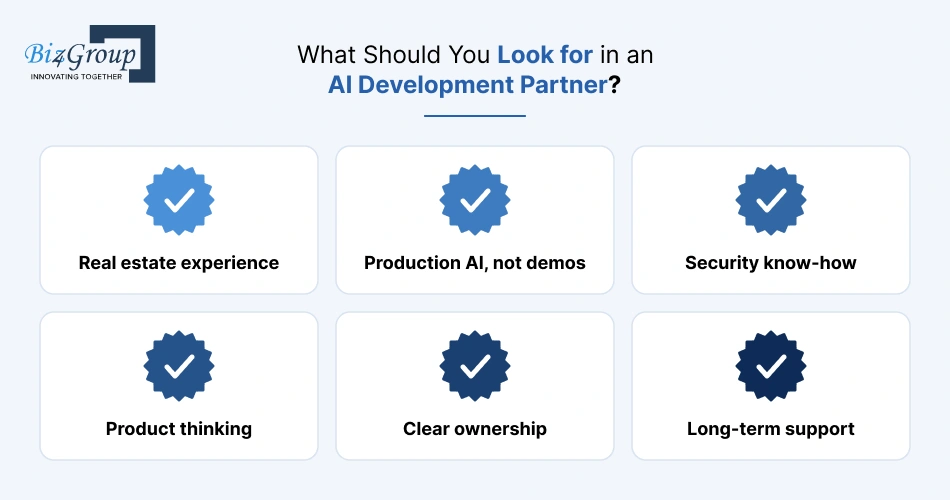
Look for a partner that understands real estate workflows, has shipped working AI in production (not just demos), takes security seriously, and gives you full ownership of the code and data. The right partner will question your requirements instead of just building whatever’s on the list.
Here’s a quick checklist to use when comparing options:
|
Look for |
Ask them |
|---|---|
|
Real estate experience |
“Show me a platform you’ve built with contracts, deadlines, or MLS data.” |
|
Production AI, not demos |
“How do you measure and improve extraction accuracy after launch?” |
|
Security know-how |
“How do you handle role-based access, audit trails, and SOC 2 readiness?” |
|
Product thinking |
“What would you cut from our first release, and why?” |
|
Clear ownership |
“Do we own the code, the data, and any trained models?” |
|
Long-term support |
“Could another team take over this platform next year without a rebuild?” |
- One easy test: give every shortlisted partner the same sample deal and ask them to walk you through how it would flow through the platform. The strong ones will spot missing rules, risky handoffs, and good AI opportunities before writing a single line of code.
If you’re a proptech founder building to sell, also ask about multi-brokerage setups and how they’ve helped products scale beyond the first customer.
And if you’d rather grow an in-house team alongside a partner, you can hire AI developers to work directly with your product team, so the knowledge stays inside your company.
Final Thoughts
Real estate agents don’t avoid transaction tools because they hate technology. They avoid them because most tools add work instead of taking it away.
A well-built AI real estate transaction management platform flips that. It reads the contract so nobody has to retype it, catches the missing disclosure before the broker does, keeps closing money safe from fraudsters, and gives everyone a clear view of what’s next.
The smartest way to get there isn’t to build everything at once. Start with the two or three problems costing your brokerage the most, get the workflow and data right, and then let AI take on the reading, checking, and chasing.
As Biz4Group CEO Sanjeev Verma puts it, “We are building systems that not only analyze data but take action across workflows.” That’s the real goal: a platform that doesn’t just store your deals but actually helps move them to the closing table.
If you’re planning to build an AI real estate transaction management platform, or to replace one your agents have quietly stopped using, book a conversation with the Biz4Group team to talk through your workflow first.
Frequently Asked Questions
1. Will our client data be used to train public AI models?
It shouldn’t be. Choose AI providers whose business or enterprise plans don’t train on your data, sign a data processing agreement, and keep sensitive fields like Social Security numbers and bank details masked before anything reaches the model.
2. Who’s responsible if the AI misreads a deadline?
The brokerage is, just as it would be with a human error. That’s why AI-extracted dates should always be confirmed by an agent or coordinator, with every confirmation logged in the audit trail.
3. Can AI read scanned or handwritten documents?
Yes. Modern document AI can read scanned PDFs and photos, and it does reasonably well with clear handwriting. Messy initials and margin notes are less reliable, so route low-confidence results to a human for review.
4. Do we need a separate mobile app, or is a mobile-friendly web platform enough?
A mobile-friendly web platform is usually enough for the first release. Add a native app later if agents need offline access, push notifications, or quick document scanning with the phone camera.
5. Can the platform connect with title, escrow, and lender portals?
Yes, if those partners offer APIs. Where they don’t, a secure shared portal with document uploads and status updates still beats chasing everyone by email.
6. Can the platform support remote online notarization (RON)?
Yes. Most states now allow RON, so the platform can integrate with a RON provider and store the notarized documents and session records right in the deal file.
7. Can AI agents run a transaction end to end on their own?
Not yet, and they shouldn’t. Agentic AI can already handle routine follow-ups, like chasing a missing document or nudging a signer, within set limits. Anything legal or financial should still go through human approval.
8. Can clients get updates in Spanish or other languages?
Yes. AI can translate status updates and plain-English summaries for clients. The legal documents themselves should still use official, state-approved versions rather than AI translations.
9. How do we get agents to switch from the tool they already use?
Make the new platform save them time from day one. Pre-load their active deals, let AI fill in the contract details, and start with a small group of respected agents whose success will convince the rest.
