 Location :
Orlando, FL, USA
Location :
Orlando, FL, USA +1 (407) 714-1616
 info@biz4group.com

- Top virtual staging AI tools for architects help turn empty interiors into furnished visuals quickly, making design presentations and project discussions easier to understand.
- Many virtual staging AI tools for architects work by analyzing room images and automatically placing furniture, decor, and lighting to create realistic interior scenes.
- These tools are often used to create faster visuals for proposals, property marketing, and architectural presentations without building full 3D render scenes.
- Pricing models usually include subscriptions, pay-per-image, or credit systems depending on how often staging visuals are generated.
- Choosing the right tool depends on image quality, ease of use, pricing structure, and how well the platform fits into existing design workflows.
- As the technology evolves, AI tools for architectural staging and design are expected to support deeper integration with design software and automated layout generation.
Architects often need visuals to help clients understand a design idea. While drawings and 3D models explain structure, people usually understand a space better when they can see it furnished. This is why the top virtual staging AI tools for architects are gaining attention. These tools use AI to add furniture, decor, and interior elements to room images or architectural renders, making it easier to present how a space could look after completion.
Most virtual staging AI tools for architects work in a simple way. An image of a room or interior render is uploaded, the system analyzes the space, and then furniture and design elements are added automatically. This process helps architects generate clear visuals quickly without spending hours building staged scenes manually.
The interest in these tools is also connected to broader changes in property technology. Many new platforms are emerging from advances in real estate AI software development, where artificial intelligence is used to automate tasks such as image creation, property visualization, and digital marketing materials.
For architecture firms, the main benefit is speed and clarity. AI staging tools allow teams to test interior styles, create presentation visuals, and explain design concepts more easily during meetings or project proposals. As a result, many firms are now exploring the best AI virtual staging software for architects to see how these tools can support their design and presentation workflows. Some of these solutions are built by specialized proptech companies, while others are developed by an AI development company working on computer vision and generative imaging technologies.
Understanding Virtual Staging AI Tools for Architects
The top virtual staging AI tools for architects are software tools that take an image of an empty room or interior render and automatically add furniture, decor, and layout elements to show how the space could look when furnished.
Virtual Staging Software for Architectural Visualization vs Traditional Rendering
Architects often use visual images to explain a design idea. Two common ways to create these visuals are AI staging and traditional rendering. While both help present a space, they work differently and are used at different stages of a project. Many modern staging platforms use computer vision and generative AI to understand the room layout before adding interior elements.
|
Aspect |
Virtual Staging Software for Architectural Visualization |
Traditional Architectural Rendering |
|---|---|---|
|
Purpose |
Quickly show how a space could look with furniture and interior design |
Create highly detailed and realistic architectural images |
|
Input |
Empty room photos or simple interior renders |
3D models created in CAD, BIM, or modeling software |
|
Time Required |
Usually a few minutes per image |
Can take several hours or more depending on scene complexity |
|
Workflow |
Upload an image and generate a staged version automatically |
Build the scene, apply materials, set lighting, and render |
|
Level of Detail |
Good for quick visual concepts |
High realism with accurate lighting and materials |
|
Design Control |
Limited control over exact object placement |
Full control over furniture, materials, and lighting |
|
Typical Use |
Early design discussions or property presentations |
Final design presentations and marketing visuals |
In many architecture projects, both approaches are used together. AI staging tools help create quick visuals for discussions or proposals, while traditional rendering is used later for more detailed images. Because of this, many firms are now exploring AI powered virtual staging tools for architecture firms to support faster visual communication during design and presentation stages.
How Virtual Staging AI Tools for Architects Actually Work?
Architects often need quick visuals to show how an empty space could look once it is furnished. The top virtual staging AI tools for architects help with this by turning a simple room image or render into a staged interior scene. The software studies the image, understands the room layout, and then adds furniture and decor in positions that look natural.
How the process usually works:
- Upload the room image: The process begins when a user uploads a photo of an empty room or an interior render. The system scans the image to understand the basic structure of the space.
- Identify surfaces and room layout: The software detects walls, floors, windows, and open areas in the room. This helps the system understand where furniture can realistically be placed.
- Add furniture and interior elements: Once the layout is clear, the platform places furniture such as sofas, tables, lighting, and decor into the scene. Many AI tools for architectural staging and design rely on trained models to place these elements in positions that match the room perspective.
- Apply design styles: Users can usually choose a style such as modern, minimal, or contemporary. The system then adjusts the furniture and decor to match the chosen style.
- Generate the final staged image: The tool produces a new image showing the furnished room. This image can then be used in presentations, design discussions, or property marketing materials.
Many of these systems are built using technologies that come from broader efforts to implement generative AI in real estate, where AI is used to create visual content for design and property presentations. Because of this capability, many firms now explore virtual staging AI platforms for real estate projects to quickly create interior visuals for proposals, marketing assets, and client discussions.
Bring Architectural Visuals to Life with AI
Build intelligent platforms powered by top virtual staging AI tools for architects to generate faster property visuals and design presentations.
Launch My AI Visualization PlatformBusiness Benefits of Virtual Staging AI Platforms for Real Estate Projects
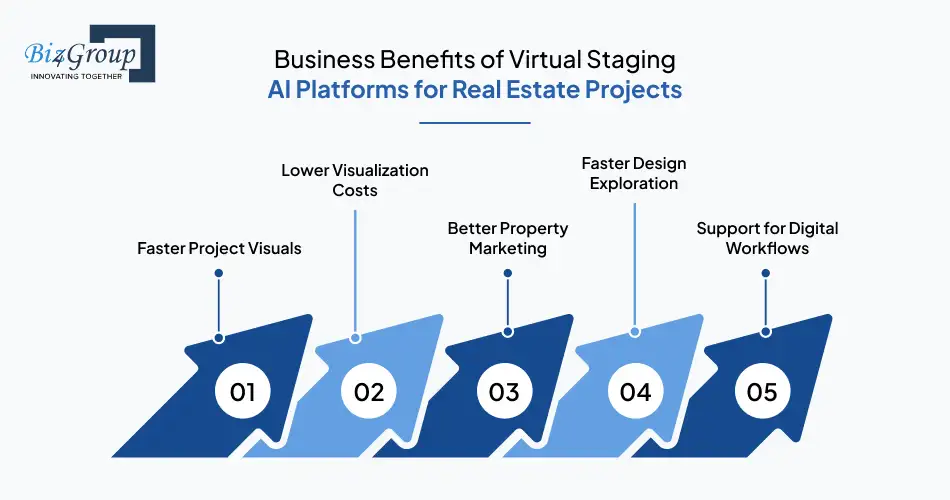
Visual presentation plays an important role in architecture and real estate. Empty rooms or unfinished interiors can be difficult for clients or buyers to imagine as finished spaces. This is where the top virtual staging AI tools for architects are becoming useful. These tools help teams quickly create furnished visuals that show how a space could look after completion.
1. Faster Project Visuals
AI staging tools can create furnished room images in minutes. This helps architects and property teams prepare visuals quickly for meetings or project discussions. Many AI based staging tools for architects are used when teams need quick concept visuals without spending time building detailed render scenes.
2. Lower Visualization Costs
Creating staged visuals using traditional methods can take time and resources. AI staging tools reduce this effort by generating interior scenes automatically. This allows teams to create multiple visuals while exploring design ideas or preparing property presentations.
3. Better Property Marketing
Furnished visuals make it easier for buyers or investors to understand a property. AI staged images help present empty spaces in a more realistic way. This approach is becoming common in projects that involve AI in real estate development, where digital tools help present and market properties.
4. Faster Design Exploration
Architects often want to test different interior styles before finalizing a design. AI staging tools make this easier by generating multiple versions of the same room with different furniture or layouts. Many architectural visualization AI tools support this kind of quick design exploration.
5. Support for Digital Workflows
Many property platforms now use digital tools to manage design assets and marketing visuals. Some staging systems are part of larger platforms built through AI automation services, where artificial intelligence helps generate images and other visual content automatically.
These benefits help architecture firms and property teams communicate design ideas more clearly. As digital tools become more common in design and property workflows, many teams continue exploring how architectural visualization AI tools can support faster visual presentations and project communication.
Portfolio Spotlight

One example of AI transforming real estate workflows is Facilitor, an AI-powered property platform built by Biz4Group. It connects buyers and sellers while guiding users through property discovery, financing, and safe property visits. Platforms like Facilitor show how AI-driven property ecosystems are evolving alongside technologies such as virtual staging and automated property visualization.
Top Features to Look for in AI Tools for Architectural Staging and Design
When architects explore staging platforms, they usually look for tools that can quickly create clear and realistic interior visuals. The top virtual staging AI tools for architects help teams turn empty room images or basic renders into furnished spaces that are easier to present and explain. The right tool should be simple to use, generate realistic results, and fit smoothly into design or presentation workflows.
|
Feature |
Why It Matters |
|---|---|
|
Room Detection |
The tool should understand the basic layout of a room, including walls, floors, and windows. This helps furniture appear in the right position and perspective. |
|
Furniture and Decor Options |
A variety of furniture and decor items allows architects to show different interior styles and layouts when presenting design ideas. |
|
Style Selection |
Many tools allow users to choose design styles such as modern or minimal. This helps create visuals that match the design concept. |
|
Realistic Lighting and Shadows |
Good staging tools adjust lighting and object placement so the added furniture blends naturally with the original image. |
|
Fast Image Generation |
Quick processing allows teams to create visuals during meetings or early design discussions without long waiting times. |
|
Image Export Options |
The ability to download images in different sizes or resolutions makes it easier to use them in presentations, proposals, or marketing materials. |
|
Workflow Compatibility |
Some platforms are built through AI model development, which helps them work with other digital tools used in design or property projects. |
|
Scalability for Teams |
Larger firms may need tools that support multiple users or large numbers of images. In some cases, these systems are part of broader enterprise AI solutions designed for bigger projects. |
These features help architects decide whether a staging platform can support their daily work. As visual communication becomes more important in design presentations, many firms are exploring virtual staging solutions for architects and designers to create clear and quick interior visuals.
Build Smarter Property Visualization Tools
Create platforms powered by AI powered virtual staging tools for architecture firms to generate interior visuals, automate staging, and improve property presentations.
Start My AI Real Estate PlatformTop Virtual Staging AI Tools for Architects in 2026
Architects and property teams often need clear visuals to show how an empty space could look after furnishing. The top virtual staging AI tools for architects help create these visuals by adding furniture and interior elements to room images or architectural renders. These tools are widely used in proposals, design discussions, and marketing materials because they generate staged interiors quickly without building complex 3D scenes. The platforms below are commonly discussed when evaluating the top virtual staging AI tools for architects in 2026.
|
Tool |
Best For |
Pricing Model |
Output Speed |
Architecture Use Case |
|---|---|---|---|---|
|
Virtual Staging AI |
Fast automated staging |
Subscription or per image |
Very fast |
Quick proposal visuals |
|
Apply Design |
Interior layout visualization |
Credit based pricing |
Fast |
Concept design visuals |
|
Styldod |
Marketing and listing visuals |
Per image |
Moderate |
Property presentations |
|
Collov AI |
AI assisted design layouts |
Subscription |
Fast |
Interior layout exploration |
|
Homestyler |
Interior design and staging |
Freemium + paid plans |
Moderate |
Design concept visuals |
|
VisualStager |
Simple staging workflows |
Per image |
Fast |
Small project visuals |
|
BoxBrownie |
Professional staging services |
Service pricing |
Moderate |
Listing visuals |
|
DecorMatters |
Style exploration |
Freemium |
Fast |
Design inspiration |
|
ReimagineHome |
Automated interior redesign |
Subscription |
Very fast |
Quick design concepts |
|
RoomGPT |
Interior style generation |
Freemium |
Very fast |
Early visualization ideas |
1. Virtual Staging AI
Virtual Staging AI focuses on automatic staging for empty rooms and interior renders. Users upload an image and select a style, and the system generates a furnished version of the room. Some development teams studying how to build real estate AI software examine tools like this to understand automated staging workflows.
Best For: Quick staging for proposals and listing visuals.
Strengths:
- Automatic furniture placement
- Multiple design style options
- Fast image generation
Limitations:
- Limited control over exact furniture placement
- Designed mainly for staging rather than full interior editing
Price:
|
Plan |
Photos per Month |
Monthly Price |
Cost per Image |
|---|---|---|---|
|
Standard |
20 photos |
$25 / month |
$1.25 / image |
|
Plus |
40 photos |
$39 / month |
$0.97 / image |
|
Premium |
100 photos |
$85 / month |
$0.85 / image |
|
Professional |
500 photos |
$220 / month |
$0.44 / image |
2. Apply Design
Apply Design generates staged interiors using design libraries and layout suggestions. The platform is often used when architects need quick visuals for client discussions. Some architecture teams consider platforms like this among the AI virtual staging tools for architectural project presentations because they support fast interior visualization.
Best For: Interior layout exploration and concept visuals.
Strengths:
- Interior design style libraries
- Automatic layout generation
- Multiple design variations
Limitations:
- Less control than full rendering software
- Furniture customization can be limited
Price:
|
Item Type |
Cost (Apply Coins) |
|---|---|
|
2D Image |
1.5 Apply Coins |
|
360 Image |
2.5 Apply Coins |
Apply Coin Pricing
|
Coin Purchase Range |
Price per Apply Coin |
|---|---|
|
20+ Coins |
$7 per coin |
|
10–19 Coins |
$8 per coin |
|
Up to 9 Coins |
$10 per coin |
3. Styldod
Styldod provides AI staging and property image enhancement services. It is commonly used to generate visuals for listings and marketing materials. Many companies exploring how to use AI for real estate review platforms like Styldod to understand how AI can generate property visuals.
Best For: Property marketing and presentation visuals.
Strengths:
- Image enhancement tools
- Multiple interior style options
- Export ready visuals
Limitations:
- Some services rely on manual processing
- Less flexibility for design experimentation
Price:
|
Service |
Price |
Turnaround Time |
Notes |
|---|---|---|---|
|
Virtual Staging |
$16–$23 per image |
24–48 hours |
Price varies based on order size; unlimited revisions included |
|
Day to Dusk Conversion |
Starting at $4 per image |
Standard delivery |
Converts daytime property photos into evening scenes |
|
Object Removal |
Starting at $8 per image |
Standard delivery |
Removes unwanted objects from property photos |
|
360° Virtual Tours |
$1.50 per image |
Standard delivery |
Creates interactive panoramic property views |
|
Rush Delivery |
Additional fee |
As fast as 12 hours |
Optional faster turnaround for urgent projects |
|
Guarantee |
— |
— |
100% money-back guarantee offered |
4. Collov AI
Collov AI combines staging with AI assisted interior design. The system analyzes a room image and generates furniture layouts automatically.
Best For: Interior design exploration and layout suggestions.
Strengths:
- AI generated furniture layouts
- Design style recommendations
- Fast visual generation
Limitations:
- Some layouts may require manual adjustment
- Feature availability varies by plan
Price:
|
Plan |
Photo Credits / Month |
Monthly Price |
Best For |
Billing |
|---|---|---|---|---|
|
Standard |
60 |
$19 / month |
Agents who need fast staging for a few listings |
Billed $228 yearly |
|
Advanced |
150 |
$49 / month |
Top producers who need more customization |
Billed $588 yearly |
|
Premium |
263 |
$79 / month |
Teams and brokerages needing AI staging at scale |
Billed $948 yearly |
|
Enterprise |
526 |
$127 / month |
Companies needing custom solutions and integration |
Custom enterprise billing |
5. Homestyler
Homestyler combines interior design tools with staging features. Architects and designers use it to explore layouts and visualize furniture placement.
Best For: Interior design experimentation.
Strengths:
- Large furniture catalog
- 3D design features
- Scene editing tools
Limitations:
- Learning curve for beginners
- Advanced features require paid plans
Price:
|
Plan |
Price |
Best For |
|---|---|---|
|
Basic |
Free |
Individuals getting started |
|
Pro+ |
Starts from $6.8 / month |
For faster and higher-quality rendering |
|
Master+ |
Starts from $11.8 / month |
Users needing unlimited rendering |
|
Team |
Starts from $19.6 / seat / month |
Design teams and collaborative workflows |
|
Enterprise |
Custom pricing |
Organizations needing custom solutions |
Rendering Credit Pricing
|
Render Type |
Quantity |
Price |
|---|---|---|
|
2K Image |
1 render |
$0.99 |
|
2K Image |
5 renders |
$3.99 |
|
2K Image |
10 renders |
$5.99 |
|
4K Image |
1 render |
$1.99 |
|
4K Image |
5 renders |
$5.99 |
|
4K Image |
10 renders |
$9.99 |
|
12K Panorama |
1 render |
$3.99 |
|
12K Panorama |
5 renders |
$11.99 |
|
12K Panorama |
10 renders |
$19.99 |
Launch Advanced Visualization Tools for Architects
Develop products using AI tools for architectural staging and design that help teams generate staging visuals, explore layouts, and present projects faster.
Build My AI Architecture App6. VisualStager
VisualStager is a browser based tool that allows users to stage interiors by placing furniture in room images.
Best For: Quick staging for smaller projects.
Strengths:
- Simple interface
- Drag and drop staging
- Fast exports
Limitations:
- Smaller furniture library
- Limited automation compared with newer AI tools
Price:
|
Prepaid Amount |
Credits Included |
Cost per Photo |
|---|---|---|
|
$15 |
10 credits |
$15.00 |
|
$59 |
50 credits |
$11.80 |
|
$99 |
100 credits |
$9.90 |
|
$269 |
300 credits |
$8.97 |
|
$399 |
500 credits |
$7.98 |
|
$699 |
1000 credits |
$6.99 |
Furniture Removal Credit Requirements
|
Furniture Situation |
Credits Required |
|---|---|
|
1–2 furniture items |
8 credits |
|
Slightly furnished room |
12 credits |
|
Moderately furnished room |
16 credits |
|
Noticeable clutter or medium furnishings |
20 credits |
|
Heavily cluttered or fully furnished room |
Not available |
7. BoxBrownie
BoxBrownie provides virtual staging along with image editing and enhancement tools. It is widely used to prepare visuals for real estate listings and marketing materials.
Best For: Listing images and property marketing visuals.
Strengths:
- High quality staging output
- Image editing tools
- Marketing focused visuals
Limitations:
- Service based workflow
- Turnaround time can vary
Price: Around $24 per staged image.
8. DecorMatters
DecorMatters combines AI interior design ideas with staging features. The platform helps users explore furniture styles and layouts visually. Some teams use tools like this as AI staging software for property presentation when experimenting with interior concepts before final renders.
Best For: Design inspiration and concept exploration.
Strengths:
- AI design suggestions
- Furniture libraries
- Style experimentation tools
Limitations:
- Focused more on design inspiration than professional staging
- Limited high resolution export options
Price:
|
Service |
Price (USD) |
Description |
|---|---|---|
|
Virtual Staging |
$24 per image |
Adds furniture and decor to empty property photos to create staged interiors. |
|
Image Enhancement |
$1.60 per image |
Improves lighting, color, and overall quality of property photos. |
|
Day to Dusk Conversion |
$4 per image |
Converts daytime exterior photos into evening or twilight scenes. |
|
Item Removal / Virtual Cleaning |
$4–$8 per image |
Removes unwanted objects or clutter from images. |
|
Floor Plan Redraws |
$24–$36 |
Converts rough plans into clean digital floor plans. |
|
360° Image Enhancement |
$4 per image |
Enhances 360° images to improve clarity and color. |
|
360° Virtual Staging |
$48 per image |
Adds virtual furniture to 360° property images. |
|
Virtual Renovations |
$24–$176 |
Digitally redesigns or remodels interiors in photos. |
|
Development Site Plans |
From $24 |
Creates visual plans for undeveloped property sites. |
|
Renders |
From $280 |
Produces photorealistic architectural renders. |
Note: BoxBrownie uses a pay-per-service pricing model instead of subscriptions.
9. ReimagineHome
ReimagineHome transforms interior images by applying new furniture styles and layouts automatically. The platform is often considered among affordable virtual staging AI tools for architects because it can generate multiple design concepts quickly.
Best For: Rapid interior redesign concepts.
Strengths:
- Automated room transformation
- Multiple design styles
- Fast generation speed
Limitations:
- Limited manual editing options
- Some layouts may require adjustment
Price:
|
Plan |
Monthly Price |
Credits (First Month) |
Credits (After First Month) |
Cost per Credit |
|---|---|---|---|---|
|
Essential |
$14 / month |
30 credits |
20 credits / month |
$0.47 |
|
Pro |
$29 / month |
200 credits |
150 credits / month |
$0.15 |
|
Advanced |
$49 / month |
500 credits |
400 credits / month |
$0.10 |
|
Agency |
$99 / month |
1200 credits |
1000 credits / month |
$0.08 |
10. RoomGPT
RoomGPT generates interior design concepts from room images using AI models. Some architecture teams review tools like this when researching the best virtual staging AI software for architectural firms that support quick interior concept visuals.
Best For: Early interior design ideas and visual inspiration.
Strengths:
- Fast interior generation
- Multiple style options
- Simple workflow
Limitations:
- Limited customization features
- Better suited for concepts than final visuals
Price:
|
Plan |
Monthly Price (Approx.) |
Rendering Capacity |
Key Features |
|---|---|---|---|
|
Pro |
~$15 / month |
Up to 2 renders at a time |
Unlimited renders, faster rendering speed, higher-quality output |
|
Business |
~$30 / month |
Up to 4 renders at a time |
Includes all Pro features, higher-quality renders, priority support, increased parallel rendering capacity |
These platforms show how AI is changing the way interior visuals are produced in architecture and property projects. When teams compare virtual staging AI tools with pricing comparison for architects, they usually review staging realism, generation speed, design flexibility, and pricing models before selecting a tool for their workflow.
Understanding Pricing Models for AI Virtual Staging Software for Real Estate
The cost of virtual staging tools can vary depending on how the platform charges for image generation. Many of the top virtual staging AI tools for architects use different pricing approaches, such as paying per image, buying credits, or using a monthly subscription. Knowing how these pricing models work helps architecture firms and property teams estimate how much they might spend when using AI virtual staging software for real estate and architecture.
|
Pricing Model |
How It Works |
Typical Cost Range |
Common Use Case |
|---|---|---|---|
|
Per-Image Pricing |
Users pay for each staged image they generate. |
About $10–$25 per image |
Often used for property listings or occasional staging tasks. |
|
Credit-Based Pricing |
Users buy credits and spend them when creating staged images or editing photos. |
Around $0.10–$10 per credit depending on volume |
Used by platforms that offer multiple AI design or editing tools. |
|
Monthly Subscription |
Users pay a fixed monthly fee and receive a set number of images or credits. |
Roughly $15–$100 per month |
Suitable for teams that regularly create staging visuals. |
|
Freemium Model |
Basic tools are free, while advanced features require paid plans. |
Free with optional paid upgrades |
Often used for experimentation or smaller projects. |
|
Enterprise Pricing |
Custom pricing designed for larger organizations or integrated systems. |
Custom pricing |
Used by companies that want staging tools integrated into broader platforms. |
Different teams prefer different pricing models. For example, a small design studio might choose a pay-per-image option, while a large architecture firm may prefer a subscription plan that supports frequent image generation. In some cases, staging tools are also used inside larger property platforms or products built through business app development using AI, where image generation becomes part of a broader digital workflow.
How to Choose Virtual Staging AI Tools for Architects?
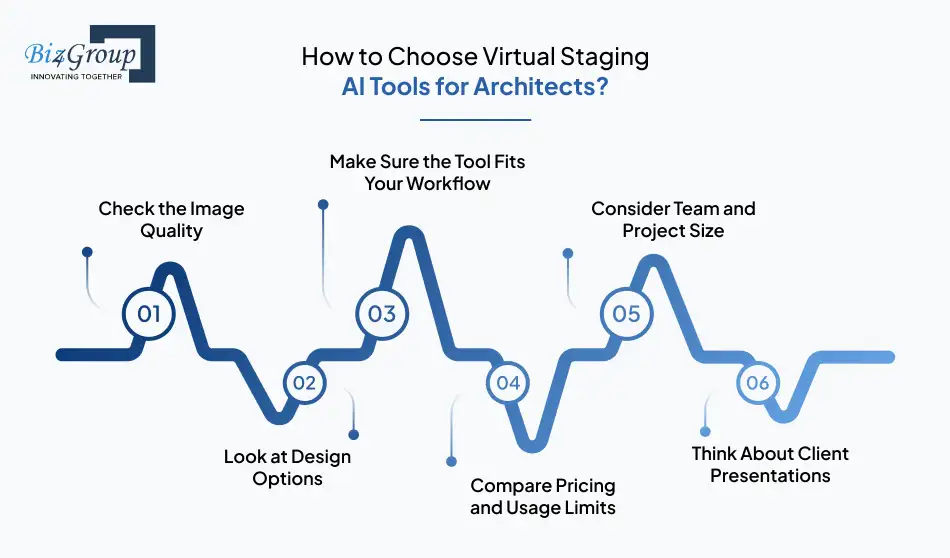
Architects usually review several options before selecting a staging platform. The top virtual staging AI tools for architects differ in how realistic the images look, how easy the tools are to use, and how well they fit into everyday design workflows. Choosing the right platform depends on how often staging images are needed and how the visuals will be used in design presentations or property projects.
Here’s how to choose virtual staging AI tools for architects:
1. Check the Image Quality
Start by looking at the quality of the staged images. Furniture placement, lighting, and scale should look natural inside the room. Clear and realistic images help clients understand how a finished space might look.
2. Look at Design Options
Some tools allow users to test different furniture styles or interior layouts. This can help architects show multiple design ideas without creating several full renders.
3. Make Sure the Tool Fits Your Workflow
A staging tool should work smoothly with the design tools your team already uses. Some companies also explore these platforms while planning to integrate AI into an app that supports design or property visualization workflows.
4. Compare Pricing and Usage Limits
Different tools use different pricing systems. Some charge per image, while others use subscriptions or credit plans. Understanding these differences helps teams estimate the cost before choosing a platform.
5. Consider Team and Project Size
Large firms often need tools that support multiple users and larger volumes of staged images. In these situations, enterprise virtual staging AI tools for large architecture firms may provide better support for team workflows.
6. Think About Client Presentations
Many architecture teams use staging visuals during meetings or proposals. Platforms that generate clear visuals quickly can help teams use virtual staging AI tools to improve client proposals and explain design ideas more easily.
|
Decision Factor |
What to Check |
Why It Matters for Architects |
|---|---|---|
|
Image Realism |
Look at furniture placement, lighting, and room proportions |
Realistic visuals help clients better understand the final design concept |
|
Design Flexibility |
Check if the tool allows different styles and layout variations |
Helps architects present multiple design ideas quickly |
|
Ease of Use |
Review how simple the staging process is (upload, style selection, generation) |
Faster workflows make it easier to create visuals during project discussions |
|
Pricing Model |
Understand whether the platform charges per image, credits, or subscription |
Helps estimate costs for frequent or large-scale staging work |
|
Team Collaboration |
See if the platform supports multiple users or shared workspaces |
Important for large firms working on multiple projects |
|
Export Quality |
Check image resolution and download options |
High-quality images are needed for proposals and marketing materials |
In many cases, the right platform depends on the type of projects a firm works on and how often staging visuals are needed. Some teams also review these tools while exploring AI for real estate agents, where staged visuals are used in property marketing and digital property platforms.
Turn Architectural Designs into Instant Visual Experiences
Build platforms powered by virtual staging AI tools for architects that help teams create realistic interior visuals for proposals and property marketing.
Create My AI Visualization SolutionLimitations of Current Virtual Staging AI Tools for Architects
Virtual staging tools can help create quick interior visuals, but they still have several limitations. Even the top virtual staging AI tools for architects are designed mainly for fast image generation rather than detailed architectural design. Because of this, architects often combine them with traditional visualization tools.
- Furniture placement is usually automatic, which makes precise layout control difficult.
- Many virtual staging AI tools for architects struggle with complex room shapes or unusual architectural layouts.
- Furniture libraries can be limited, making it hard to match specific design styles or materials.
- Generated images sometimes show unrealistic lighting, shadows, or object proportions.
- AI staging tools often work only with images and cannot directly use CAD or BIM models.
- Editing staged elements after generation can be difficult without recreating the entire image.
- Most tools are built for real estate marketing rather than architectural design workflows.
- Large firms may need enterprise virtual staging AI tools for large architecture firms, since many tools are designed for individual users.
- Some projects may require advanced virtual staging AI tools for architectural visualization because basic staging tools cannot produce highly detailed presentation visuals.
As AI technology improves, many of these limitations may gradually be addressed. Some companies also explore custom solutions where teams hire AI developers to build AI software tailored to their architectural visualization workflows.
Power Your PropTech Platform with AI Staging
Design scalable products using AI virtual staging software for real estate and architecture to automate property visualization and staging workflows.
Start Building My AI PlatformEmerging Capabilities in Architectural Visualization AI Tools
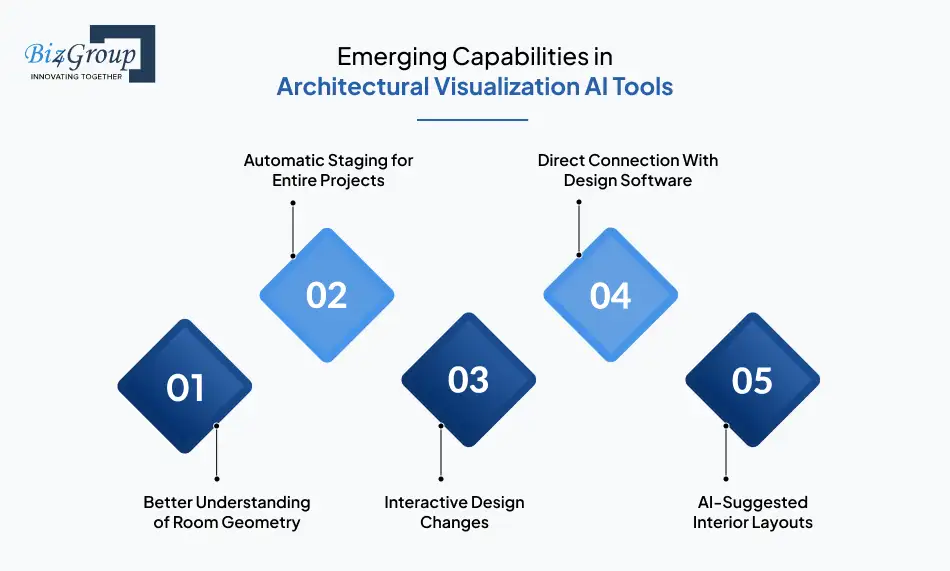
The top virtual staging AI tools for architects may soon do more than add furniture to images. Future tools could better understand spaces, generate designs automatically, and connect directly with architectural workflows.
1. Better Understanding of Room Geometry
Future AI tools for architectural staging and design may understand the full shape of a room instead of only analyzing flat images. This could help the software place furniture and objects more accurately. The staged results may look closer to real architectural spaces.
2. Automatic Staging for Entire Projects
Instead of staging one room at a time, future tools may stage many rooms automatically. Architects may upload several images and receive a full set of staged interiors for a property. Some companies exploring real estate AI apps ideas are studying how this could help visualize large projects faster.
3. Interactive Design Changes
Future systems may allow architects to adjust layouts, furniture, and styles while looking at the same visual scene. This means design changes could appear instantly instead of generating a new image each time. It may make design discussions easier during meetings.
4. Direct Connection With Design Software
Future visualization tools may connect directly with architectural software such as BIM or modeling platforms. This could allow staging visuals to update when the design model changes. Some companies working on AI integration services are researching ways to link visualization tools with design workflows.
5. AI-Suggested Interior Layouts
Future virtual staging software for architectural visualization may suggest furniture layouts based on room size and purpose. Architects could review several layout options generated automatically. This may help teams explore design ideas more quickly in early project stages.
As these technologies develop, visualization tools may become more useful during design planning and presentations. Architects may use AI tools for architectural staging and design to test ideas faster and communicate design concepts more clearly.
Portfolio Spotlight
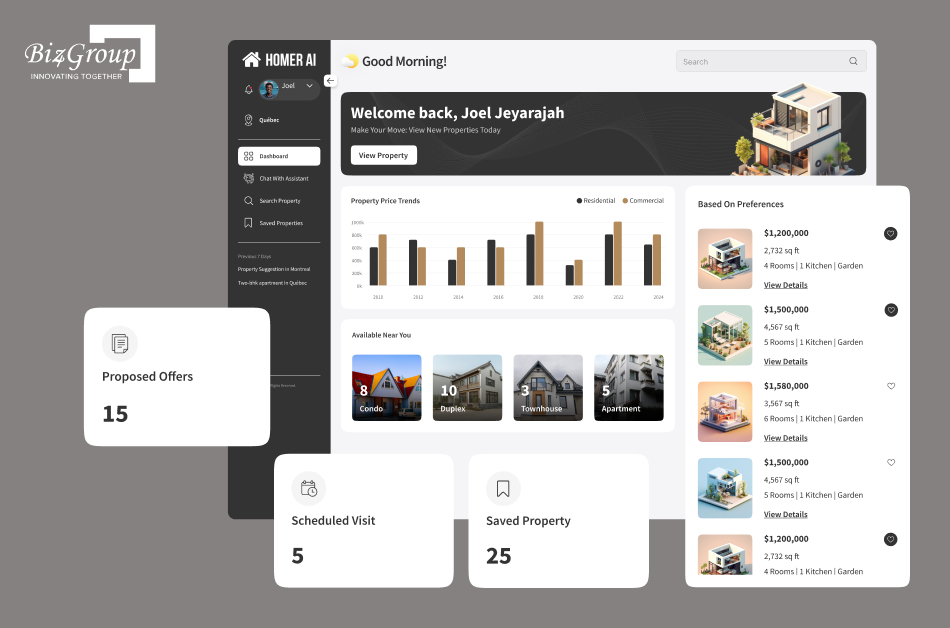
Homer AI is a conversational AI property platform developed by Biz4Group. It helps buyers discover properties, ask questions, and schedule visits through an intelligent chat interface. Platforms like Homer AI highlight how AI is shaping digital property experiences alongside tools used for staging, visualization, and property presentation.
Why Choose Biz4Group LLC to develop Virtual Staging Tools for Architects?
Biz4Group LLC is a custom software development company that builds AI-powered platforms across industries such as real estate, architecture, and proptech. Our focus is on creating practical AI solutions that solve real workflow problems, whether that means property discovery, automation, or intelligent visualization tools.
Projects like Facilitor, an AI-driven property platform, and Homer AI, a conversational property assistant, show how AI can improve digital property experiences. These platforms demonstrate how AI systems can support everything from property discovery to intelligent user interaction, alongside technologies such as staging and visualization.
As an AI app development company, Biz4Group LLC designs and builds AI-powered solutions tailored to the platforms and workflows of real estate businesses.
What we help organizations build:
- AI-powered real estate and proptech platforms
- Intelligent property discovery and recommendation systems
- AI-driven visualization and staging solutions
- Conversational AI assistants for property platforms
- Scalable AI products built for web and mobile environments
If you’re exploring how AI can enhance real estate, architecture, or property technology platforms, Biz4Group LLC helps turn those ideas into working AI products.
Create the Next Generation of Property Visualization Tools
Develop solutions using advanced virtual staging AI tools for architectural visualization to support architects, designers, and property teams.
Build My AI Staging PlatformConclusion
Showing how a space will look after it is furnished can make architectural ideas much easier to understand. Floor plans and renders are useful, but clients often connect better with visuals that look closer to real spaces. This is why the top virtual staging AI tools for architects are becoming helpful during design presentations and project proposals.
These tools allow architects to quickly turn empty interiors into furnished visuals. Instead of asking clients to imagine the final look of a space, architects can show clear examples with furniture, layout ideas, and interior styles. This helps clients understand the design concept faster and makes discussions more productive.
Virtual staging AI is not meant to replace traditional rendering or design software. It simply adds another layer of visual communication during early project stages. Many companies are now exploring new possibilities through AI consulting services and building specialized solutions with product development services to improve how architectural visuals are created and presented.
In simple terms, these tools help architects move from “imagine the space” to “see the space.” And when clients can see the idea clearly, decisions often become much easier.
Want to explore AI for architectural visualization or property technology? Talk to our team about building custom AI solutions.
FAQs
1. What types of images work best with virtual staging AI tools?
Virtual staging AI tools usually work best with clear images of empty or lightly furnished rooms. High-resolution photos or clean architectural renders allow the AI system to detect walls, floors, and room layout more accurately. This helps the software place furniture and decor in realistic positions.
2. Can virtual staging AI tools work with 3D architectural models?
Most current virtual staging tools are designed for 2D images rather than full 3D models. Architects usually export a rendered image from CAD or BIM software and then apply staging to that image. Some newer tools are starting to explore deeper integration with 3D design environments.
3. How long does it usually take to generate a staged interior using AI?
In most cases, AI staging tools can generate a furnished interior image within a few seconds to a few minutes. The exact time depends on the platform, image size, and processing method. Cloud-based tools typically produce results faster than manual staging services.
4. Are AI-generated staged images suitable for property marketing?
Yes, AI-generated staged visuals are commonly used in property listings, marketing brochures, and project presentations. They help buyers and investors understand how a space could look once furnished. However, many platforms recommend adding a disclosure that the image is virtually staged.
5. What file formats are commonly supported by virtual staging AI tools?
Most staging platforms support common image formats such as JPEG and PNG. Architects often upload room photos or exported render images from design software. Some tools also support high-resolution files to produce better staging results for presentations and marketing materials.
6. Do virtual staging AI tools require technical design skills to use?
Most virtual staging platforms are designed to be easy to use. The typical process involves uploading an image, choosing a room type or design style, and generating a staged version automatically. Because of this simple workflow, architects, designers, and real estate teams can use the tools without advanced technical training.
