Location :
Orlando, FL, USA
Location :
Orlando, FL, USA +1 (407) 714-1616
 info@biz4group.com

















Imagine a digital system that doesn’t wait for instructions but instead, understands your business goals, learns from real-time feedback, and takes independent actions to get the job done.
Read More
AI HR chatbot development costs typically range from $10,000 to $150,000, depending on what you want the chatbot to do and how deeply it needs to connect with your existing systems. A chatbot that answers common employee questions will usually cost much less than one that handles onboarding, leave requests, payroll support, employee self-service workflows, and integrations with platforms like Workday or ADP.
The reason the AI HR chatbot cost can vary so widely is that every project has different requirements. Features, AI capabilities, HRIS integrations, compliance needs, employee volume, and support requirements all affect the final budget. An organization looking for a basic employee support assistant will have a very different investment than an enterprise building an AI-powered HR service desk.
As organizations adopt HR chatbots revolutionizing employee interactions, budgeting becomes more complicated than simply comparing software subscription fees. Development costs are only one part of the picture. Integration work, AI infrastructure, maintenance, security controls, and ongoing improvements can all influence the total investment over time.
This guide breaks down the AI HR chatbot development cost from multiple angles, including project pricing, feature-level costs, integration expenses, total cost of ownership, ROI considerations, and ways to control spending. Whether you're evaluating a custom solution, comparing off-the-shelf platforms, or estimating the cost to build an AI HR chatbot for your organization, you'll get a practical understanding of where the money goes and how to evaluate the benefits of HR chatbots against the investment required.
The AI HR chatbot development cost in 2025 typically ranges from $10,000 to $150,000. Where a project falls within that range depends on what the chatbot needs to do, which systems it needs to connect to, and how much automation you want it to handle.
The biggest reason costs vary is simple: not every AI HR chatbot does the same job. Some organizations only need a chatbot that answers employee questions about policies and procedures. Others want a solution that can support onboarding, benefits inquiries, leave requests, payroll questions, and employee self-service workflows.
In practice, the features, workflows, and integrations you need have a much bigger impact on cost than the chatbot itself.
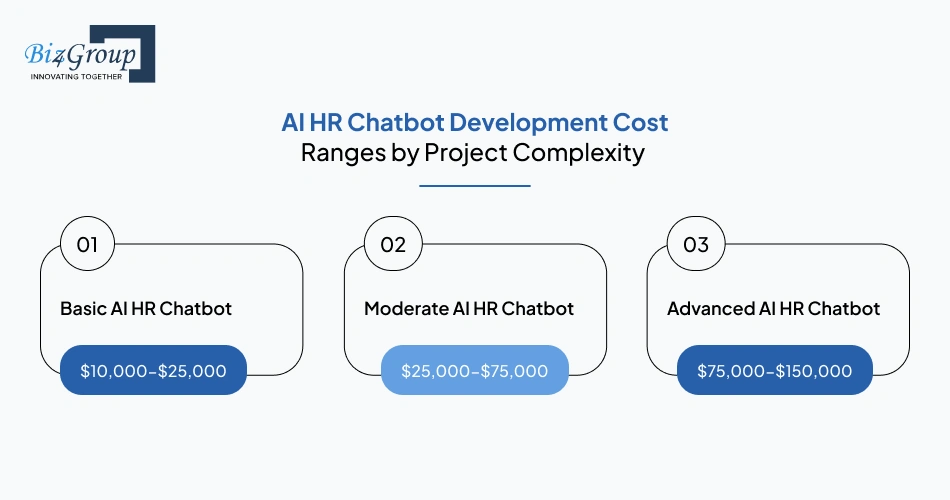
A useful way to estimate the cost to build an AI HR chatbot is to group projects by complexity.
Project Complexity |
Typical Cost Range |
Common Capabilities |
|---|---|---|
Basic AI HR Chatbot |
$10,000-$25,000 |
Employee FAQs, HR policy search, basic employee self-service |
Moderate AI HR Chatbot |
$25,000-$75,000 |
PTO requests, onboarding workflows, benefits support, limited integrations |
Advanced AI HR Chatbot |
$75,000-$150,000 |
Multi-system integrations, workflow automation, advanced conversational AI, analytics, role-based access |
Most organizations start in the basic or moderate range and expand the chatbot over time as new HR processes are added. Projects in the advanced range are often part of larger enterprise AI solutions because they connect multiple HR systems and support several employee workflows at once.
The type of AI used also affects pricing. A chatbot that relies on predefined responses is usually less expensive than one using generative AI to understand employee questions, search HR documentation, and generate contextual answers.
Many HR leaders ask: "We're a mid-size company around 800 employees and HR keeps getting buried in the same questions over and over. How much would it actually cost us to build an AI HR chatbot for that?"
For a company of that size, the answer is usually somewhere between $25,000 and $70,000, assuming the goal is to automate common HR requests rather than build a highly customized enterprise platform.
The table below shows typical budget ranges by organization size.
Organization Size |
Typical Budget Range |
Common Project Scope |
|---|---|---|
~500 Employees |
$15,000-$40,000 |
FAQ automation, policy support, onboarding assistance |
~1,000 Employees |
$30,000-$70,000 |
Employee self-service, workflow automation, HR help desk support |
~5,000+ Employees |
$75,000-$150,000 |
Multiple integrations, advanced automation, enterprise-scale support |
Company size matters, but it's rarely the biggest cost driver. Two organizations with 1,000 employees can receive very different proposals based on:
The number of HR processes being automated
For budgeting purposes, workflow complexity usually matters more than headcount. Adding new workflows, integrations, and automation logic tends to increase costs faster than adding more users.
That's why one organization with 800 employees may spend $25,000 on a focused deployment, while another spends $80,000+ as part of a broader AI automation services strategy that spans multiple HR functions.
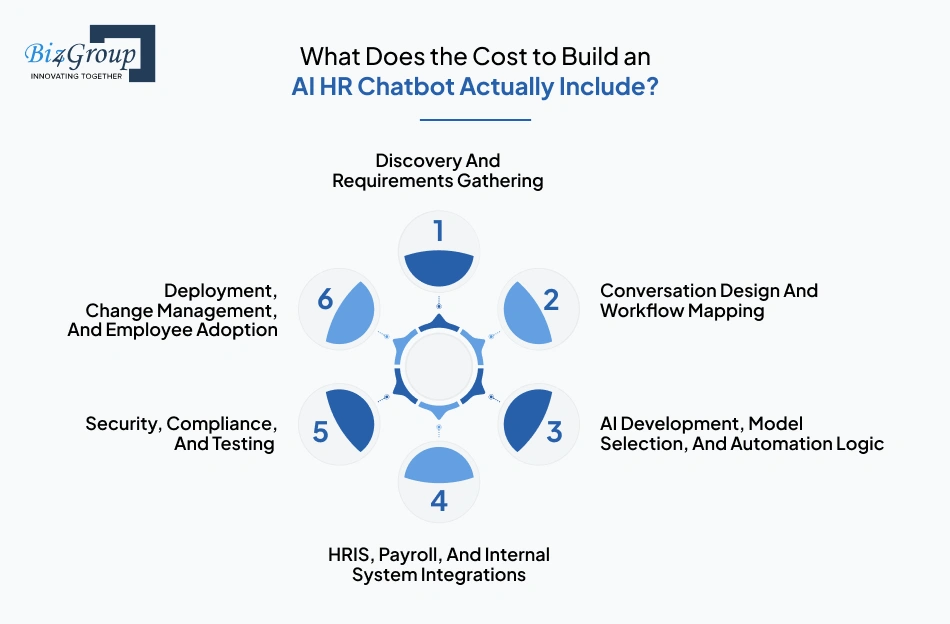
Looking at a project quote alone doesn't tell you much about where the money is actually going. Most of the AI HR chatbot development cost is spread across six areas: planning, conversation design, AI development, integrations, security and testing, and deployment.
If you're comparing vendors or building an AI HR chatbot development budget, it's worth understanding what each cost category covers. After all, buyers frequently reach a point where they're asking:
"Can you break down what we'd actually be paying for if we hired a development company to build an AI HR chatbot? What cost components should we ask about?"
The answer usually comes down to the six categories below.
This part of the budget covers workshops, requirements gathering, use-case planning, stakeholder discussions, and technical scoping. The goal is to define exactly what the chatbot should do before development begins. Costs go up when different teams, locations, or approval workflows need to be accounted for.
This budget covers conversation flows, employee journeys, escalation paths, and workflow design. A chatbot that only answers policy questions is much simpler to plan than one that supports onboarding, leave requests, benefits inquiries, and employee self-service workflows.
This is usually one of the largest cost components. It includes AI model selection, automation logic, knowledge retrieval setup, and the systems needed to generate accurate responses. Projects involving advanced AI model development typically require more investment than basic FAQ-based chatbots.
Integrations are often where costs start climbing quickly. Connecting systems such as Workday, BambooHR, ADP, payroll platforms, identity providers, and internal knowledge bases requires API development, testing, and ongoing support. Costs increase when the chatbot needs to pull information from multiple systems or move data between them.
This budget covers access controls, security reviews, compliance checks, performance testing, and quality assurance. The more sensitive the employee data involved, the more effort is usually required in this phase.
Deployment costs cover launch activities, employee training, rollout support, adoption tracking, and post-launch improvements. Some organizations also bring in AI consulting services to help improve rollout planning and employee adoption across larger workforces.
When reviewing an AI HR chatbot cost breakdown, don't focus only on the final project price. Two proposals priced at $60,000 can look very different under the hood. One may spend more on integrations and security, while another invests more heavily in AI capabilities and workflow automation. Understanding where the budget is allocated makes it easier to compare vendors, estimate ROI, and avoid surprises during implementation.
Portfolio Spotlight
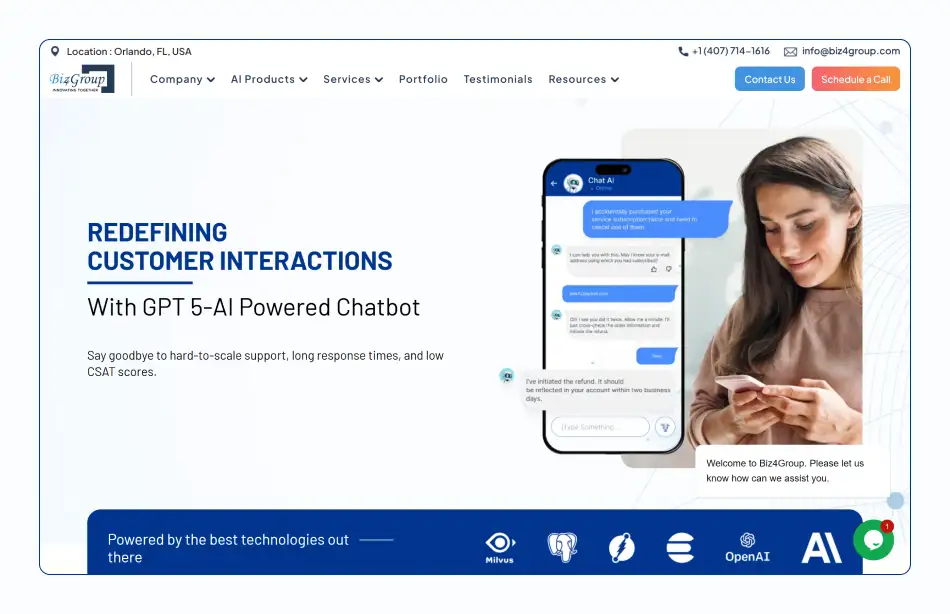
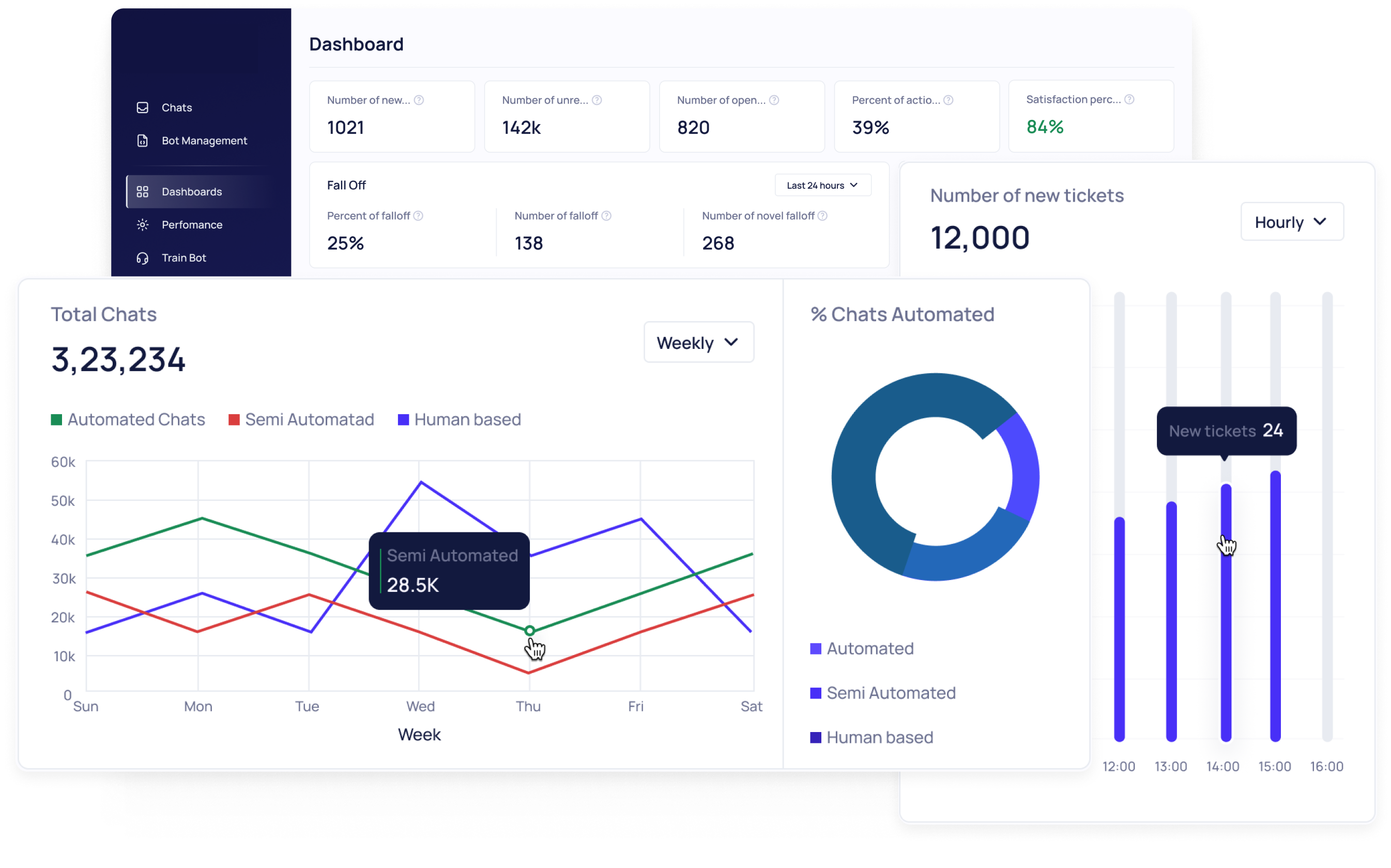
GPT-5-powered AI chatbot built by Biz4Group LLC to automate customer interactions, streamline support operations, and improve response accuracy at scale. The project involved conversational workflows, intelligent query handling, automation logic, and enterprise-grade integrations. These are many of the same components that influence AI HR chatbot development cost, implementation complexity, and long-term scalability decisions.
Understand the real budget, timeline, and scope behind your AI HR chatbot project before committing resources.
Request a Cost EstimateIf you're looking at a proposal and thinking, "What makes AI HR chatbot development expensive? We received a quote that seems high and want to understand what's driving the cost," you're not alone. The same AI HR chatbot can cost $15,000, $60,000, or $150,000+ depending on the AI capabilities, features, integrations, security requirements, employee usage, and the team building it.
The sections below break down the factors that have the biggest impact on an AI HR chatbot development budget.
One of the first things that affects cost is how smart you want the chatbot to be.
AI Capability |
Typical Project Cost Range |
|---|---|
Rule-based chatbot with predefined responses |
$10,000-$25,000 |
NLP-powered chatbot with intent recognition |
$20,000-$50,000 |
Generative AI chatbot with knowledge retrieval |
$40,000-$100,000 |
Advanced AI assistant with workflow automation and contextual responses |
$75,000-$150,000+ |
A chatbot that follows predefined rules is cheaper to build than one that can understand employee questions, search HR documentation, and generate answers on its own. More advanced AI also requires additional testing, monitoring, and maintenance, which increases the overall AI HR chatbot cost.
Features are one of the biggest reasons project costs increase. Every new HR function adds conversation flows, automation logic, testing, and sometimes additional integrations.
The table below provides a feature-wise cost breakdown showing how common capabilities can affect project costs before integration, compliance, and infrastructure expenses are included.
HR Capability Added |
Typical Additional Cost |
|---|---|
Employee FAQ and policy support |
$0-$5,000 |
PTO and leave management |
$3,000-$10,000 |
Benefits information support |
$5,000-$15,000 |
Employee onboarding workflows |
$5,000-$20,000 |
Payroll assistance |
$8,000-$25,000 |
Recruitment and candidate support |
$10,000-$30,000 |
A chatbot that only handles employee FAQs may stay within a $10,000-$25,000 budget. Adding onboarding, benefits support, payroll assistance, and employee self-service workflows can push the project into the $75,000-$150,000 range.
The complexity of a feature matters too. Showing a PTO policy is relatively simple. Submitting leave requests, routing approvals, updating HR systems, and notifying managers requires much more development work.
Integrations are often one of the most expensive parts of an AI HR chatbot project and can account for 20%-40% of the total budget.
Integration Requirement |
Typical Cost Impact |
|---|---|
Internal knowledge base only |
$0-$5,000 |
Single HRIS integration |
$5,000-$15,000 |
HRIS + payroll integration |
$10,000-$25,000 |
Multiple HR systems and workflow synchronization |
$25,000-$40,000+ |
Connecting systems such as Workday, BambooHR, ADP, Microsoft Teams, and internal databases requires API development, testing, monitoring, and ongoing support.
Many organizations underestimate this area because the chatbot may look simple on the front end while the systems behind it are far more complex.
Security and compliance requirements can add thousands of dollars to a project, especially when the chatbot needs access to employee records, payroll information, or other sensitive HR data.
Typical costs include:
The more sensitive the data, the more organizations typically spend on testing, access management, monitoring, and compliance reviews.
The more employees who use the chatbot, the more you'll typically spend on infrastructure, AI usage, monitoring, and support.
Employee Base |
Typical Infrastructure and Operations Impact |
|---|---|
Up to 500 employees |
Minimal additional cost |
500-1,000 employees |
$2,000-$8,000 annually |
1,000-5,000 employees |
$5,000-$20,000 annually |
5,000+ employees |
$15,000-$40,000+ annually |
Employee count rarely has the biggest impact on development costs, but it can significantly affect long-term operating costs as adoption grows.
Who builds the chatbot can affect the budget almost as much as the technology itself.
Development Approach |
Typical Cost Range |
|---|---|
Freelancer or small development team |
$10,000-$40,000 |
Specialized agency |
$30,000-$120,000 |
Enterprise-focused custom software development company |
$75,000-$150,000+ |
Internal staffing model where you hire AI developers |
Varies based on salaries, tools, and overhead |
The cheapest option upfront is not always the least expensive over time. Development quality, integration reliability, maintenance responsibilities, and future enhancements all affect the total investment.
When comparing proposals, don't focus on a single cost factor in isolation. In most cases, the final AI HR chatbot development cost is shaped by a combination of AI capabilities, feature scope, integrations, security requirements, and long-term support needs.
Identify the features, integrations, and workflows that deliver the most value while keeping your AI HR chatbot development budget under control.
Talk to Our Solution ArchitectsBefore approving an AI HR chatbot budget, HR leaders and technology stakeholders usually need to answer a critical question:
"Should we build, buy, or extend our existing HR software if we want an AI HR chatbot?"
The right choice depends on budget, timeline, customization needs, and the systems already in place. An HR Director looking to automate repetitive employee questions may prioritize speed and lower upfront costs, while a CTO or Solutions Architect may place greater importance on integrations, workflow control, and long-term ownership.
Custom development allows organizations to control workflows, integrations, user experience, and future enhancements without being restricted by platform limitations.
Cost Factor |
Typical Range |
|---|---|
Initial development |
$25,000-$150,000+ |
Timeline |
3-9 months |
Typical use case |
Unique HR workflows, complex automation, proprietary processes |
Ownership |
Organization-owned |
This approach is often selected when employee workflows, compliance requirements, or internal systems require functionality that commercial platforms cannot easily support.
It is also common when HR and IT teams plan to build AI software that supports multiple business functions beyond HR.
Off-the-shelf platforms provide the fastest route to deployment because most core functionality is already available.
Typical costs include:
HR teams looking for faster implementation and predictable budgeting often choose this route. Most of the lower upfront investment is offset by recurring subscription fees rather than development expenses.
The main limitation is that workflow customization is usually constrained by the platform's architecture and configuration options.
For organizations already using platforms such as Workday, BambooHR, SAP SuccessFactors, or Oracle HCM, extending existing software can be a practical middle ground.
Extension Scenario |
Typical Cost Range |
|---|---|
Basic chatbot extension |
$10,000-$30,000 |
Additional workflow automation |
$20,000-$50,000 |
Advanced AI capabilities and integrations |
$40,000-$80,000+ |
Because employee records, permissions, and workflows already exist within the HR platform, some integration costs can be avoided. This approach is often attractive to HR technology teams that want to improve employee self-service capabilities without investing in a fully custom solution.
However, the final cost depends heavily on how much customization and automation the platform supports.
Many mid-market and enterprise HR teams choose a hybrid approach instead of a pure build-or-buy strategy. Common examples include:
This approach typically costs between $20,000 and $100,000+, depending on the level of customization required.
A hybrid model allows organizations to launch faster than a fully custom project while retaining greater control over workflows and integrations than a standard platform deployment. It is also common when teams need to integrate AI into an app that employees already use for HR tasks.
The table below compares the four approaches across the factors that typically matter most to HR Directors, Chief People Officers, CTOs, and IT leaders.
Approach |
Typical Cost |
Time to Launch |
Customization Scope |
Ownership of Code and Architecture |
|---|---|---|---|---|
Off-the-shelf platform |
$2,000-$30,000+ initially |
2-3 weeks |
Usually limited to platform-supported workflows and configurations |
Vendor-owned |
Extend existing HR software |
$10,000-$80,000+ |
1-3 months |
Constrained by the capabilities of the existing HR platform |
Shared between the organization and platform vendor |
Hybrid approach |
$20,000-$100,000+ |
2-6 months |
Custom workflows and integrations added on top of commercial software |
Mixed ownership |
Custom development |
$25,000-$150,000+ |
3-8 months |
Workflows, integrations, AI capabilities, and user experience can be tailored to business requirements |
Organization-owned |
For most HR and IT decision-makers, the evaluation usually comes down to three questions:
A practical way to evaluate the options is:
HR Directors, Chief People Officers, CTOs, and IT leaders evaluating enterprise AI chatbot development cost often find that the option with the lowest upfront cost is not always the least expensive over three to five years. Subscription fees, integration work, maintenance requirements, and future enhancement costs can significantly affect the total investment over time.
Compare AI HR chatbot pricing models, ownership costs, and long-term scalability before choosing the path that fits your organization.
Explore Your OptionsA common question from HR and IT leaders is: "How can we reduce AI HR chatbot development cost without sacrificing functionality or employee experience?"
In most cases, the answer is not cutting important capabilities. It's about controlling scope, prioritizing the right use cases, and delaying investments that are not needed on day one. Organizations that take this approach often reduce their initial AI HR chatbot development budget by 20%-50% without affecting the employee experience.
One of the simplest ways to reduce the cost to build an AI HR chatbot is to start with an MVP and expand over time.
Rollout Approach |
Typical Initial Investment |
|---|---|
Full-featured deployment from day one |
$75,000-$150,000+ |
MVP with phased expansion |
$10,000-$40,000 |
Instead of launching every planned feature at once, many organizations start with MVP development services that focus on one or two high-volume employee workflows and add more capabilities later.
This helps HR teams see what employees actually use before spending money on additional features. It also reduces upfront costs and lowers the risk of investing in functionality that may have limited adoption.
Most organizations already have employee handbooks, policy documents, onboarding guides, benefits information, and internal HR knowledge bases.
Reusing existing HR content can save thousands of dollars that would otherwise be spent creating and organizing new material.
For example:
This approach works particularly well for an AI conversation app that answers employee questions using existing HR policies and documentation.
Integrations are often one of the largest contributors to AI HR chatbot implementation cost.
Integration Scope |
Typical Cost Range |
|---|---|
No external integrations |
$0-$5,000 |
Single HRIS integration |
$5,000-$15,000 |
HRIS + payroll system |
$10,000-$25,000 |
Multiple HR platforms and workflow automation |
$25,000-$40,000+ |
A practical approach is to start with the systems employees use every day and add the rest later. This prevents organizations from paying for integrations that may not be needed immediately. It also allows HR and IT teams to validate usage before expanding the chatbot's reach.
This approach is common in larger AI integration services initiatives where integrations are rolled out in stages rather than all at once.
Some features look useful during planning but end up being used by very few employees after launch. Before approving additional functionality, HR and IT leaders should ask:
Question |
If the Answer Is "No" |
|---|---|
Is the feature used by a large percentage of employees? |
Delay it |
Does the feature automate a recurring HR task? |
Delay it |
Does the feature reduce manual HR work? |
Delay it |
Is the feature required for launch? |
Delay it |
The impact on project costs can be substantial.
Feature Decision |
Potential Cost Impact |
|---|---|
Prioritizing core HR workflows |
Keeps projects closer to $10,000-$50,000 |
Adding rarely used features early |
Can increase budgets by $10,000-$30,000+ |
Expanding based on usage data |
Improves spending efficiency over time |
This principle applies whether the goal is to automate employee support, build an AI app for workforce self-service, or expand HR automation capabilities over time.
The biggest savings usually come from deciding what to build now and what can wait until later. Starting with a focused scope, reusing existing HR content, delaying non-essential integrations, and expanding functionality based on actual usage can reduce initial project costs without limiting future growth.
Deploy an AI HR chatbot that automates employee support, improves self-service adoption, and maximizes HR chatbot ROI.
See What's PossibleBefore approving an AI HR chatbot development budget, HR leaders, Chief People Officers, CTOs, and IT teams should look beyond the quoted price. The goal is to understand what is included, what is excluded, and which assumptions could increase costs later.
A few targeted questions during vendor evaluation can help prevent unexpected expenses, scope changes, and implementation delays after the project starts.
When reviewing proposals, focus on understanding the full scope of work rather than just the total project cost.
Some useful questions include:
These questions often reveal why two proposals with similar prices can lead to very different total investments.
Many budget overruns are caused by requirements that surface after development begins rather than before it starts. Before approving a project, IT and security teams should review the areas below.
Question |
Why It Matters |
|---|---|
Will the chatbot access employee records or payroll data? |
May increase security and compliance costs |
Are additional security reviews required? |
Can add $5,000-$25,000+ to project budgets |
Which systems need integration at launch? |
Directly affects implementation costs |
Are there data retention or audit requirements? |
May require additional development work |
Who will manage access permissions? |
Affects maintenance and governance costs |
This review becomes even more important when the chatbot connects to multiple business systems or is expected to develop ERP AI chatbot capabilities alongside HR automation workflows.
Some warning signs appear before a project begins. Ignoring them can lead to change requests, delays, and higher costs later.
Red Flag |
Potential Impact |
|---|---|
No clear feature list |
Scope expansion and change requests |
Missing integration estimates |
Unexpected implementation costs |
No maintenance pricing |
Hidden post-launch expenses |
Undefined AI usage costs |
Rising operating costs over time |
No ownership clarification |
Future migration or redevelopment costs |
Aggressive timelines with limited project detail |
Increased delivery risk |
If you're evaluating a software development company in Florida, pay close attention to how clearly the proposal explains discovery, development, integrations, testing, deployment, and support costs.
In a separate review stage, organizations comparing specialist vendors with the top AI development companies in Florida should also look for transparent pricing assumptions and documented integration requirements.
As a general rule, proposals with vague scope definitions tend to create more budget changes later. The more clearly costs, integrations, deliverables, and responsibilities are documented upfront, the easier it becomes to forecast the final AI HR chatbot implementation cost accurately.
Selecting the right AI chatbot development company can have as much impact on project cost and long-term success as the technology itself. Beyond technical capabilities, HR and IT leaders should evaluate a partner's experience with conversational AI, enterprise integrations, workflow automation, scalability planning, and ongoing support.
Biz4Group LLC brings experience across these areas through the design and development of AI-powered chatbot platforms, automation solutions, and enterprise software systems that help organizations streamline operations and improve user experiences.
Get expert guidance on integrations, compliance requirements, implementation strategy, and enterprise HR chatbot development cost.
Schedule a Call with Our AI ExpertsAn AI HR chatbot does not have to be a six-figure project, nor should it be treated as a one-size-fits-all investment. Depending on the scope, integrations, AI capabilities, and compliance requirements, the AI HR chatbot development cost can range from $10,000 to $150,000+.
The organizations that see the strongest returns are usually not the ones that spend the most on partnerships with an AI development company. They are the ones that clearly define their goals, prioritize high-impact HR workflows, and invest in the right capabilities at the right time.
Many organizations also reduce risk by starting with AI chatbot POC development before committing to a larger rollout. A proof of concept can help validate employee adoption, integration requirements, and expected ROI before additional investment is approved.
Whether you're working with an internal team or an AI product development company, understanding the full cost picture will help you make a more informed investment decision and avoid expensive surprises later.
Want a clearer understanding of what your AI HR chatbot project could cost?
Schedule a consultation to receive a tailored cost estimate based on your HR workflows, integration requirements, and employee volume.
Most AI HR chatbot projects fall between $10,000 and $150,000+, depending on factors such as AI capabilities, integration requirements, workflow complexity, compliance needs, and employee volume. Smaller projects focused on employee self-service and HR FAQs typically sit at the lower end of the range, while enterprise deployments with multiple integrations and advanced automation are usually more expensive.
Development timelines generally range from 6 weeks to 9 months. Simpler deployments with limited integrations can be launched within a few weeks, while enterprise-grade AI HR chatbots that require custom workflows, compliance reviews, and multiple system integrations often take several months to complete.
One of the most common mistakes is budgeting only for development and overlooking costs related to integrations, AI usage, maintenance, employee adoption, and future enhancements. A realistic budget should account for both implementation costs and ongoing operational expenses.
There is no universal threshold, but organizations usually see the greatest value when HR teams spend significant time answering repetitive employee questions. High volumes of inquiries related to policies, benefits, onboarding, leave requests, and payroll support often create strong opportunities for automation and cost savings.
Yes. Many organizations initially deploy an AI HR chatbot for employee support and later expand it to assist departments such as IT, operations, finance, and facilities management. Planning for future expansion during the design phase can reduce redevelopment costs later.
Common success metrics include employee adoption rate, query resolution rate, reduction in HR ticket volume, response time improvements, employee satisfaction scores, and hours saved by HR teams. Tracking these metrics helps organizations evaluate ROI and identify opportunities for further optimization.

with Biz4Group today!
Our website require some cookies to function properly. Read our privacy policy to know more.