 Location :
Orlando, FL, USA
Location :
Orlando, FL, USA +1 (407) 714-1616
 info@biz4group.com

- AI legal case management software development helps legal teams streamline documents, deadlines, and workflows with smarter automation.
- Businesses and individuals can build AI driven legal case management platform features that reduce manual work and strengthen daily case handling.
- Teams planning to create intelligent software for legal case tracking benefit from clear discovery, strong UI design, and scalable AI models.
- Adoption is rising fast, supported by statistics showing rapid growth in legal tech usage and demand for smarter case automation.
- Development costs typically fall between USD 25,000 and 200,000 plus, depending on scope, integrations, and AI complexity.
- The future focuses on deeper insights, adaptive workflows, and systems that evolve with the legal environment rather than staying static.
You’re staring at a pile of unstructured legal data, deadlines scattered across calendars, and attorneys wondering why their tools still behave like it’s 2006. You know there’s a smarter way to manage cases that doesn’t involve manually toggling between disconnected systems. That is where AI legal case management software development steps in and begins solving problems legal teams quietly wrestle with every day. And naturally, a few questions start bubbling up:
- How to build AI case management software?
- Can AI organize legal documents for law firms?
- Is an AI tool for tracking court deadlines worth building?
- How to make AI read case files and sort them?
- Cost to develop AI legal case management system?
Here’s why these questions matter:
- About 54 percent of legal professionals use AI tools for drafting and operational support, signaling a steady shift toward intelligent legal workflows.
- The legal AI market is projected to nearly triple by 2030, driven by rising demand for automation, document intelligence, and accurate case insights.

The stats explain why more organizations are choosing to modernize their case operations rather than continue depending on disconnected or outdated tools.
If you are responsible for technology decisions in a law firm, a legal tech company, a corporate legal department, or any team that manages cases at scale, this probably feels familiar. You are balancing increasing workload, scattered information, compliance pressure, and rising expectations for faster, clearer decision making. Case management sits right in the middle of that tension, where even small inefficiencies turn into daily operational drag for both legal professionals and leadership.
Behind many modern legal platforms - is a legal software development company helping organizations translate complex case workflows into intuitive, reliable digital systems that actually support the way legal teams work.
At the same time, many businesses also reach out to an AI development company to create legal case management system with AI that can read documents, interpret context, and surface critical information without overwhelming users.
If you are evaluating what it would take to develop AI legal case management software, the sections ahead will walk you through how this technology works, where the real challenges live, and what goes into building it correctly for today’s legal environment.
So, let’s get started!
What Is AI Legal Case Management Software?
AI legal case management software development means creating a system that helps legal teams keep track of cases, documents, deadlines, and daily responsibilities without relying on scattered tools or constant manual follow up. It brings order to the parts of legal work that tend to slip through the cracks. Here’s what it brings to the table:
- Keeps all case information in one place so nothing gets misplaced
- Understands and sorts documents automatically instead of adding more busywork
- Tracks deadlines and reminders so teams do not have to
- Highlights important updates before they become urgent
- Reduces repetitive tasks that drain time and attention
With the support of AI automation services, teams can build AI-driven legal case management platform features that make everyday case handling feel smoother and far less chaotic.
How AI Legal Case Management Software Works?
AI legal case management software development brings together data, documents, timelines, and day to day tasks into one system that learns how legal teams operate. Think of it as the quiet engine keeping everything moving, and here is what sits under the hood.
1. Intelligent Document Understanding
The system reads filings, evidence, emails, and notes, then sorts and labels them automatically. This is where AI model development allows the platform to recognize patterns legal teams care about. Over time, it becomes better at identifying what matters first.
2. Smart Workflow Guidance
As cases progress, the software suggests next steps, upcoming deadlines, and potential risks. It does not replace legal judgment, but it reduces the guesswork. This is how legal tech case management software development with AI helps teams stay prepared instead of reactive.
3. Context Aware Case Tracking
The platform connects communications, tasks, and documents to the right case without manual sorting. With the help of enterprise AI solutions, the system keeps everything aligned so teams spend more time practicing law and less time searching for information.
|
Function |
What It Does |
Why It Matters |
|
Document intelligence |
Reads, organizes, and prioritizes case files |
Cuts hours of manual sorting and reduces oversight risks |
|
Workflow automation |
Suggests steps and tracks deadlines |
Keeps cases moving without constant checking |
|
Integrated case view |
Connects tasks, documents, and updates |
Gives teams clarity without digging through multiple tools |
When organizations decide to make AI case management software for law firms, the goal is rarely just convenience. It is about reducing the daily friction that slows down real legal work and clearing the path for smoother operations.
Build Case Clarity Into Every Workflow
Shape smarter operations with AI legal case management software development that handles documents, deadlines, and decisions with less friction.
Start My Legal AI PlatformBuild Case Clarity Into Every Workflow
Why Invest in AI Legal Case Management Software Development?
AI legal case management software development is becoming a strategic bet for investors looking at sectors where digital transformation is still early, demand is growing fast, and operational inefficiencies are costly. The legal industry sits squarely in that zone, which is why capital continues flowing in this direction.
Key Reasons to Invest
1. A Market Ripe for Modernization
Legal teams still rely on outdated systems that cannot keep up with rising workloads. When you create intelligent software for legal case tracking, you tap into a market actively searching for tools that remove friction and scale far more predictably.
2. Clear Cost Savings and Strong ROI Signals
Every hour lost to manual sorting, tracking, or searching translates directly into bottom line impact. With the support of AI consulting services, platforms that streamline case handling show measurable value, making adoption easier for buyers and reducing acquisition resistance.
3. Document Volumes Growing Faster Than Teams Can Handle
The explosion of digital documents has created a gap that technology, not staffing, is positioned to solve. Investors backing companies that build AI document management software for law firms are essentially funding the infrastructure needed to manage this accelerating volume.
4. Strong Upside for Scalable AI Capabilities
Legal workflows generate structured and unstructured data that AI can learn from quickly. With well planned AI integration services, platforms can expand into automation, predictions, and decision support, creating long term product stickiness and multi tier monetization potential.
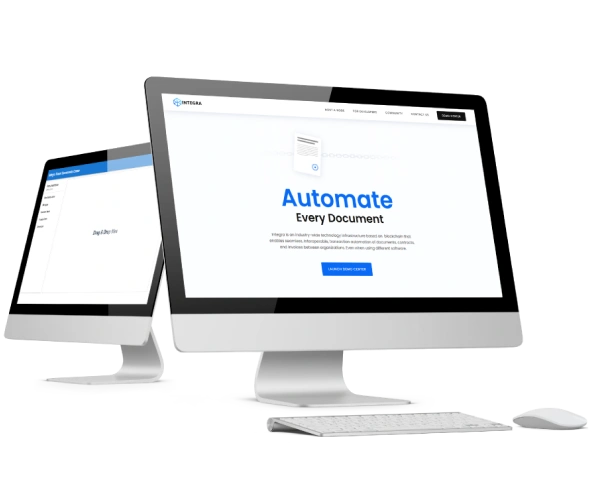
Integra Ledger is a blockchain-backed legal integrity platform that helps firms secure, verify, and unify sensitive case data across systems for consistent handling. Its focus on tamper resistant records mirrors the foundation of modern-day AI legal case management software.
When investors support teams that develop AI-powered legal workflow automation software, they are capturing a foothold in a market that is finally shifting toward intelligent operations, opening the door for broader innovation across case management, research, documentation, and beyond.
Top Use Cases for AI Case Management Software Solutions for Law Firms
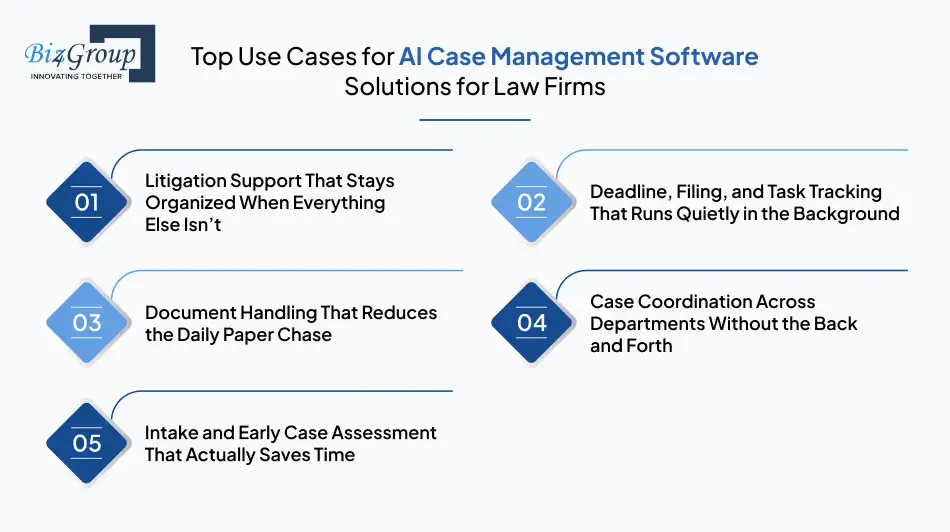
AI legal case management software development unlocks real value when it fits into the moments where legal teams feel the most friction. The use cases below highlight situations you already deal with daily, which is why they tend to be the first areas where AI makes a noticeable difference.
1. Litigation Support That Stays Organized When Everything Else Isn’t
Case materials pile up quickly and keeping them straight becomes its own full-time job. AI helps sort evidence, notes, filings, and research in a way humans simply cannot keep up with at scale. With thoughtful AI model development, the system learns the structure of a case and groups information accordingly.
- Example: A platform automatically arranging hundreds of mixed source files into a usable timeline when teams need to make AI litigation support and case organization tools that feel dependable in real time.
2. Deadline, Filing, and Task Tracking That Runs Quietly in the Background
Legal calendars are unforgiving, and teams lose too much energy checking and rechecking them. AI helps monitor commitments in the background so you do not have to babysit every matter. When the system understands patterns and obligations, reminders feel timely instead of reactive.
- Example: Automated alerts surfacing upcoming requirements as soon as you begin exploring how to make AI software for managing legal deadlines, filings, and tasks within your workflow.

Trial Proofer is a virtual law firm automation tool designed to help users track legal deadlines and receive services remotely with intuitive workflows and guided task management. Its focus on digital responsiveness highlights how time sensitive processes shape the direction of AI legal case management software development.
3. Document Handling That Reduces the Daily Paper Chase
Most legal teams spend more time looking for documents than working with them. AI reads files as they arrive, sorts them into the right places, and retrieves them on command. The experience is less about “searching” and more about the right document being ready when you are.
- Example: A team using AI legal document management software to pull the latest brief from a long revision trail without digging through folders.
4. Case Coordination Across Departments Without the Back and Forth
Corporate matters often involve multiple teams, and context gets lost across tools. AI helps keep updates aligned so no one is left guessing what changed. When different groups share a unified view, coordination becomes far less tedious.
- Example: Legal ops and compliance teams staying aligned through corporate legal case management software development that keeps everyone on the same page.
5. Intake and Early Case Assessment That Actually Saves Time
The start of a matter is usually messy, especially when information arrives incomplete or out of order. AI helps review new inputs, flag what is missing, and give teams a clearer starting point. It cuts down on the early back and forth that slows cases before they even begin.
- Example: Firms using business app development using AI to sort intake materials and estimate complexity before assigning work.
|
Use Case |
What AI Handles |
Why It Helps |
|
Litigation support |
Organizes evidence and case materials |
Reduces hours lost to sorting and reconciling files |
|
Deadline tracking |
Monitors filings and commitments |
Prevents oversights and last minute scrambles |
|
Document management |
Reads and structures documents automatically |
Makes critical files easy to find at the right moment |
|
Cross team coordination |
Aligns updates across departments |
Keeps everyone informed without endless check ins |
|
Intake and assessment |
Reviews new matters and flags gaps |
Speeds up case preparation and improves accuracy |
Teams that invest in AI legal practice management software development usually start with one of these high friction areas, because that is where the payoff shows up the fastest. Once the system finds its footing, it becomes easier to see where AI can quietly improve other parts of the workflow as well.
Turn Routine Tasks Into Strategic Wins
Develop AI legal case management software that gives your team more time, fewer bottlenecks, and cleaner case visibility.
Plan My AI Legal SystemTurn Routine Tasks Into Strategic Wins
Must Have Features in AI Legal Case Management Software Development
AI legal case management software development works best when it strengthens the everyday tasks legal teams handle repeatedly. These core features form the groundwork for a system that feels dependable and easy to adopt, setting the stage for more advanced capabilities later:
|
Core Feature |
What It Does |
Why It Matters |
|
Case intake management |
Collects and organizes new matter details in one place |
Reduces confusion during the earliest stage of a case |
|
Keeps all case files stored, labeled, and accessible |
Prevents documents from being scattered across tools |
|
|
Basic AI assisted document sorting |
Helps place files in the correct folders automatically |
Saves time without complicating workflows too early |
|
Deadline and task tracking |
Monitors key dates and responsibilities |
Lowers the risk of missed filings or last-minute scrambles |
|
Centralized communication logs |
Connects emails, notes, and updates to the right matter |
Builds a complete case history without extra effort |
|
Case notes and annotations |
Let's teams capture insights as they work |
Makes collaboration smoother and more consistent |
|
User roles and permissions |
Controls who can access what information |
Protects sensitive data across different case teams |
|
Search and file retrieval |
Helps users find documents quickly |
Cuts down the time spent digging through large folders |
|
Basic reporting dashboards |
Shows workload, active matters, and task status |
Gives leadership a simple view of operations |

Court Calendar is a judiciary support platform built to ease case backlogs by helping attorneys and courts manage schedules, filings, and workloads through a centralized digital system. Its problem-solving approach aligns closely with how AI legal case management software development enhances coordination and operational clarity for busy legal teams.
Teams evaluating AI case management software solutions for law firms usually start by getting these essentials right, because they create the stability needed for more advanced features to deliver real value later on.
Next Level Features in AI Legal Practice Management Software Development
AI legal case management software development gets even more valuable when advanced features step in to handle the work that normally drains time, focus, and accuracy. These capabilities transform everyday case handling into something faster and far more predictable:
1. Predictive Deadline and Risk Intelligence
The system studies patterns across cases and flags moments where delays or missed filings are likely. Those who choose to build legal AI agent capabilities get early signals instead of last-minute pressure spikes, especially when platforms must make AI software for managing legal deadlines, filings, and tasks as part of daily operations.
2. Deep Document Insight and Automated Structuring
AI can read dense filings, break them into themes, and surface the parts attorneys actually need. By using generative AI in a careful and practical way, long documents stop feeling like a time sink and start becoming usable inputs within seconds.
3. Intelligent Case Recommendations and Workflow Routing
As a matter evolves, the platform suggests logical next steps, required documents, or missing details. When teams integrate AI into an app that manages these workflows, routing becomes more fluid and less dependent on constant human oversight.
4. Cross Department Alignment for Complex Matters
Larger organizations need legal information to move cleanly across business units. AI helps unify updates and context, which is especially important in corporate legal case management software development, where one matter often touches multiple teams simultaneously.
5. Conversational Research and In Platform Answers
Modern systems allow teams to ask questions in plain language and receive responses grounded in their own case data. A well-designed AI conversation app supports quick retrieval, clarifications, and document references without requiring users to dig through folders.
For organizations that invest in the development of AI legal case management software, these advanced features often become the point where the technology starts feeling like a quiet partner in the workflow, shaping what teams can comfortably take on next.
Step by Step Process to Develop AI Legal Case Management Software
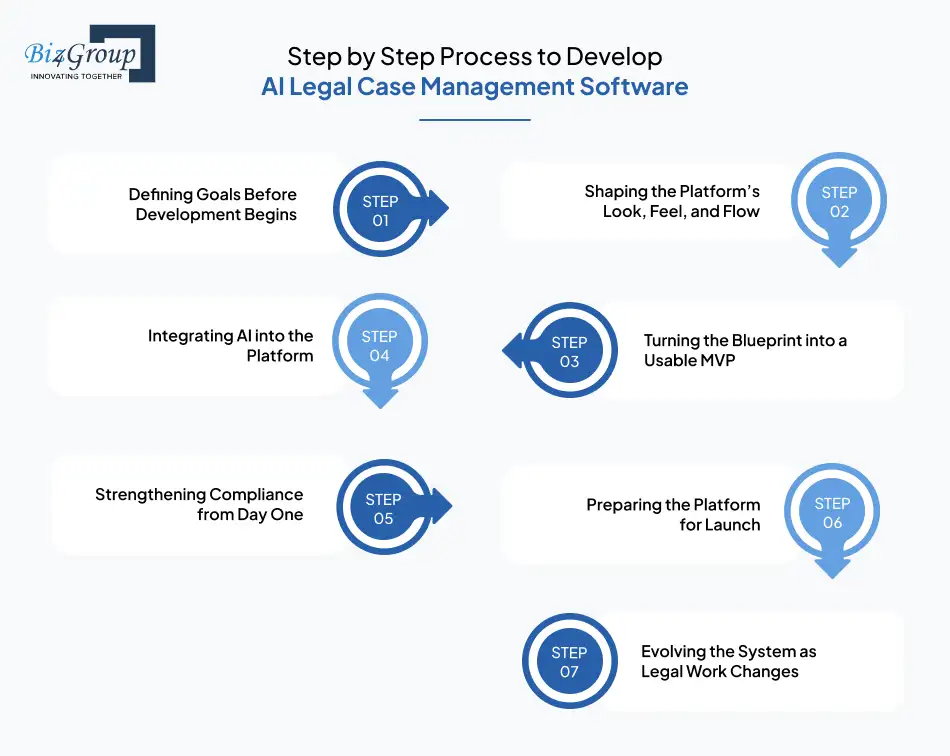
AI legal case management software development works best when it is built with a clear understanding of how legal teams operate every day. Each step below reflects how real legal workflows evolve, and how teams can build technology that fits naturally into those rhythms.
1. Defining Goals Before Development Begins
Legal teams feel pressure from many angles: case volumes rise, documents scatter, and deadlines feel closer than they actually are. Discovery is where you identify which of these pains deserves immediate attention, and how to develop AI legal case management software that solves them before anything else.
- Identify where teams lose time across intake, filings, and research
- Document workflows that benefit most from reliable automation
- Confirm compliance requirements tied to privilege and confidentiality
- Define KPIs such as faster document retrieval or reduced case delays
This step helps clarify not just what needs to be built, but why.
2. Shaping the Platform’s Look, Feel, and Flow
Legal professionals do not have time to wrestle with clunky dashboards. They want clarity from the moment they log in, which makes UI and UX just as critical as the AI itself. Design should remove friction, so it feels simple to create legal case management system with AI that people actually want to use.
- Prototype real case flows attorneys and paralegals rely on
- Test navigation patterns with teams handling varied workloads
- Ensure file uploads, timelines, and notes feel intuitive
- Keep styling consistent across devices and roles
It's suggested that you partner with a UI/UX design company for a seamless experience.
Also read: Top UI/UX design companies in USA
3. Turning the Blueprint into a Usable MVP
No platform should launch with every possible feature. MVP development services give users meaningful value early and shows where the product needs refinement. The goal here is to build AI-driven legal case management platform fundamentals first.
- Start with intake, document storage, and basic organization
- Build dependable deadline and reminder modules
- Introduce simple AI features that reduce repetitive work
- Design a backend that can grow without collapsing under scale
The MVP is your chance to validate real world usefulness before expanding.
4. Integrating AI into the Platform
Once the foundation is in place, this stage brings intelligence to the system. Models learn from documents, communication patterns, and case histories. Done well, this is where the software begins to make AI case management software for law firms feel genuinely supportive rather than technical.
- Train AI models on filings, contracts, motions, and internal notes
- Blend structured and unstructured data for deeper context
- Create feedback loops for attorneys to correct or refine AI suggestions
- Balance pre trained models with ones tuned for legal language
This is where the platform starts feeling less like storage and more like insight.
5. Strengthening Compliance from Day One
Legal data is sensitive, privileged, and often business critical. Testing must be exhaustive to ensure nothing slips through the cracks. This is the step where the groundwork for legal tech case management software development with AI becomes trustworthy enough for real work.
- Run confidentiality audits end to end
- Stress test document intake and bulk processing
- Simulate entire case journeys to catch hidden UX issues
- Set clear access rules, logs, and permissions
When teams trust the system, they rely on it more openly.
Also Read: Software Testing Companies in USA
6. Preparing the Platform for Launch
Case volumes fluctuate, deadlines spike, and discovery waves hit without warning. Cloud readiness ensures your system can handle all of it without slowing down. This capability is essential when you develop AI-powered legal workflow automation software for teams that cannot afford downtime.
- Choose infrastructure that scales instantly with demand
- Build CI and CD pipelines for smooth updates
- Monitor real time user patterns and performance
- Create onboarding guides that shorten the learning curve
A stable launch sets the tone for long term adoption.
7. Evolving the System as Legal Work Changes
Legal work evolves constantly. Regulations shift, case types expand, and operational pressure increases. To stay useful, your platform must grow with it. This step ensures you continue to create intelligent software for legal case tracking that improves as teams rely on it more.
- Gather user feedback across all roles and practice groups
- Introduce new automation features as trust increases
- Retrain AI models with recent case data to stay accurate
- Track metrics tied to efficiency, throughput, and user satisfaction
Continuous improvement is what turns early adoption into long term dependency.
Following these stages helps the system grow in a way that supports real legal workflows instead of disrupting them. When done well, AI legal case management software development sets the foundation for technology that teams trust from the very first matter onward.
Let Your Platform Do More Heavy Lifting
Create momentum with tools that help you create legal case management system with AI and streamline daily legal work.
Build My AI Case ToolLet Your Platform Do More Heavy Lifting
Recommended Stack to Build AI Driven Legal Case Management Platform
Choosing the right stack to develop AI legal case management software ensures your platform handles case documents, deadlines, permissions, and collaboration with the stability legal teams expect. The technologies below offer the balance of performance, scalability, and reliability needed for serious legal operations:
|
Label |
Preferred Technologies |
Why It Matters |
|
Frontend Framework |
ReactJS, NextJS, Vue.js |
ReactJS development and NextJS development create clear, predictable interfaces legal teams can use without friction. |
|
Server Side Rendering and SEO |
NextJS, Nuxt, SvelteKit |
SSR keeps pages responsive when switching between cases, timelines, and large document sets. |
|
Backend Framework |
NodeJS, Python, Django |
NodeJS development manages case workflows efficiently, while Python development supports AI heavy processing and backend logic. |
|
AI and Data Processing |
ML frameworks, NLP engines, OCR tools |
These tools interpret documents, extract meaning, and support smart recommendations. |
|
REST, GraphQL, secure connectors |
Enables seamless communication with calendars, document systems, billing, and external legal tools without manual workarounds. |
|
|
Microservices and Architecture |
Kubernetes, Docker, service mesh |
Keeps the system modular so new features can be added without disrupting existing workflows. |
|
Authentication and Access Control |
OAuth, RBAC, JWT |
Protects privileged matter data and supports nuanced permission models across legal roles. |
|
Storage and Databases |
PostgreSQL, MongoDB, cloud storage |
Stores high volume case files, timelines, and notes in a structure that remains reliable for long running matters. |
|
Cloud and Deployment |
AWS, GCP, Docker, Kubernetes |
Maintains uptime and elasticity during filings, discovery surges, or heavy document ingestion. |
|
Integrations |
REST APIs, webhooks, secure data sync |
Lets the platform connect with email, calendars, internal systems, and legal apps through flexible and dynamic workflows. |
|
Testing and QA |
Jest, PyTest, Cypress |
Ensures every case flow, document upload, and AI interaction behaves predictably under real legal workloads. |
|
DevOps and Automation |
CI pipelines, monitoring tools |
Supports smooth rollout of improvements and keeps performance stable as usage grows. |
With the right architecture in place, your platform becomes much easier to scale as workflows expand and automation features mature. A solid stack reduces complexity in the long run and gives the system room to evolve alongside the legal teams who rely on it.
What It Costs to Make AI Software for Managing Legal Deadlines Filings and Tasks
Building a reliable system takes thoughtful planning, clean engineering, and the right AI components. For most teams, the cost of AI legal case management software development typically ranges from 25,000 to 200,000 plus, depending on scope. This is a ballpark estimate, since actual cost varies widely based on features, complexity, and integration needs.
Here’s all you need to know:
|
Build Tier |
Estimated Cost (in USD) |
What You Get |
Why It Matters |
|
MVP-level AI Legal Case Management Software |
25,000 to 60,000 |
Core case intake, document handling, basic deadlines, simple AI assisted sorting |
Helps validate functionality early before scaling features. |
|
Mid Level AI Legal Case Management Software |
60,000 to 120,000 |
Advanced document automation, contextual search, workflow routing, multi role access |
Ideal for teams planning to create legal case management system with AI that handles real daily workloads. |
|
Enterprise-grade AI Legal Case Management Software |
120,000 to 200,000 plus |
Predictive analytics, large scale document intelligence, integrations, and cloud scaling |
Designed for organizations that benefit from structured on-demand app development solutions. |
|
AI Enhancements |
Varies by use case |
Conversational retrieval, automated case summaries, risk detection |
These features bring intelligence into everyday work without redesigning the system. |
|
Custom Add Ons |
Varies |
Integrations with billing, calendars, research tools, or internal systems |
Supports long-term adaptability and smoother operations across departments. |
Costs ultimately depend on the size of your team, how complex the workflows are, and how far you want automation to go. As you explore options to build AI software that attorneys can trust daily, these ranges help frame what a realistic investment looks like before moving into deeper planning.
Also Read: What’s the Cost to Develop Legal AI Agent?
Give Your Firm a Smarter Document Flow
Use automation to build AI document management software for law firms that keeps files structured and easy to find.
Upgrade My Document WorkflowGive Your Firm a Smarter Document Flow
Monetization Opportunities in AI Legal Case Management Software Development
Most teams building legal tech quickly realize the platform can generate revenue in more ways than one. Once real workflow pain points get resolved, the business side opens up, and the following models tend to make the most sense.
1. Subscription Based Access
Recurring subscriptions work well for legal teams because steady access to documents, timelines, and automation becomes part of their daily rhythm. When a platform helps create intelligent software for legal case tracking, subscriptions become a predictable source of value for both sides.
- Example: A midsize firm pays monthly for smarter case tracking shaped by how legal workflow automation transforms legal operations.
2. Tiered Feature Packages
Not all firms need the same level of automation. Some want basic document handling, while others want deeper insights, predictive steps, or integrated review tools. When you develop AI website for law firms, tiered pricing aligns with actual needs.
- Example: A growing practice unlocks advanced document review tools after experiencing early productivity gains.
3. Usage Based Add Ons
Some elements make more sense when billed by volume, especially during discovery periods or heavy filing cycles. This model fits platforms designed to make AI litigation support and case organization tools that process varying workloads.
- Example: Firms pay more only during large discovery uploads, scaling their cost with real activity instead of fixed commitments.
4. Custom Integrations and Enterprise Deployments
Large legal teams often need specialized workflows, data connections, or compliance tailored setups. These deeper builds become standalone revenue channels, especially in AI legal practice management software development for corporate environments.
- Example: Enterprise clients commission custom workflows built in partnership with teams that specialize in hire AI developers.
5. Partner Licensing or White Labeling
If the platform solves widespread industry friction, partners may want to adopt and resell it under their own brand. This works well for companies that decide to build AI software with flexible modules suitable for different legal segments.
- Example: A consulting group licenses the system to offer enhanced digital capabilities without building its own platform.

Compare Legal is a quotation platform integrated into an existing legal website that lets users evaluate services from multiple real estate attorneys based on personalized preferences and side by side estimates. Its structured comparison model reflects a growing demand for transparency that also influences how AI legal case management software development supports client centered tools.
Well-chosen revenue models help the platform grow sustainably as legal teams adopt more automation in their everyday workflow, setting up the right foundation for what comes next in the development journey.
Stay Ahead of Every Filing and Deadline
Design intelligent systems that help you make AI software for managing legal deadlines filings and tasks with zero guesswork.
Start My Deadline EngineStay Ahead of Every Filing and Deadline
How to Overcome Hurdles When You Develop AI Powered Legal Workflow Automation Software?
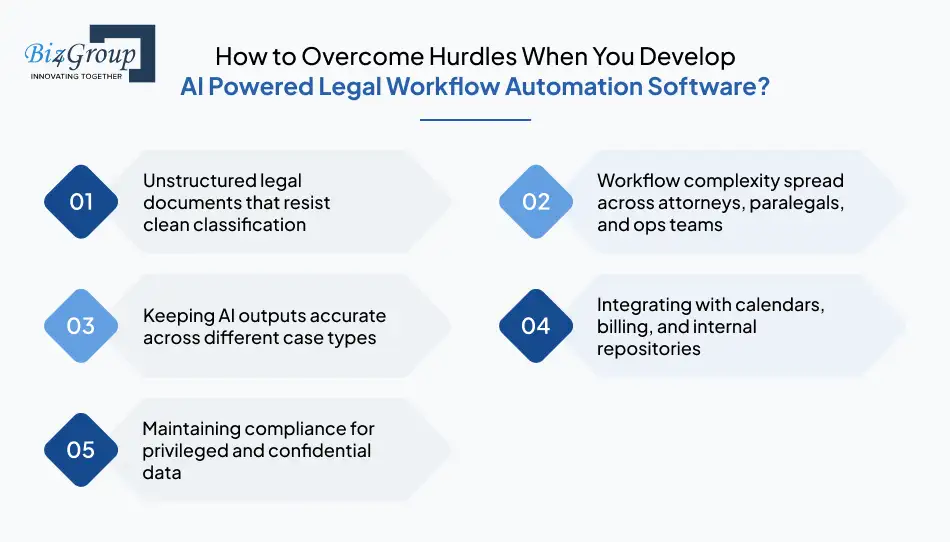
Building momentum in AI legal case management software development is exciting, but the process does come with friction points. Identifying these early helps teams avoid slowdowns and move confidently into the next stages that follow.
Top Challenges and How to Solve Them
|
Top Challenges |
How to Solve Them |
|
Unstructured legal documents that resist clean classification |
Train models on diverse case formats, motions, filings, and emails, so they learn real patterns instead of generic structures. |
|
Workflow complexity spread across attorneys, paralegals, and ops teams |
Map responsibilities clearly and design automation paths that reduce repetition without replacing professional judgment. |
|
Keeping AI outputs accurate across different case types |
Use continuous feedback loops where legal teams verify results, allowing the system to refine insights over time. |
|
Integrating with calendars, billing, and internal repositories |
Build modular APIs and sync tools that adapt to various systems without forcing teams to change their existing setup. |
|
Maintaining compliance for privileged and confidential data |
Enforce strict access rules, encryption, and audit trails that satisfy legal standards and support AI legal practice management software development requirements. |
Solving these challenges early makes the platform far more dependable for daily case handling, setting the stage for features that offer deeper support as operations scale.
Also Read: What’s the Cost to Build Legal AI Chatbot
Best Practices to Create Legal Case Management System with AI
Good planning sets a strong foundation, but lasting success in AI legal case management software development comes from habits that keep the platform reliable, secure, and genuinely helpful.
The practices below shape how smoothly the system performs once real case activity begins:
1. Prioritize Clean, Structured Data Early
AI performs best when documents, notes, and timelines follow predictable patterns. Investing time in structure upfront makes it easier to build AI document management software for law firms that behaves consistently across different matter types. Over time, this also reduces the need for manual corrections.
2. Build Workflows That Match Real Legal Behavior
Attorneys and paralegals have established patterns, and software should follow them instead of forcing new ones. When designing features that help teams make AI litigation support and case organization tools, map tasks to real daily habits so automation feels natural, not disruptive.
Also Read: What’s the Cost to Develop AI Lawyer App?
3. Validate AI Outputs with Real Legal Teams
Predictive suggestions, document summaries, and risk alerts need human oversight in the early stages. Validation helps refine the intelligence behind AI legal practice management software development and ensures the system earns user trust as it becomes more accurate.
4. Keep Automation Transparent and Easy to Adjust
Legal work shifts quickly, and teams need clear visibility into what the system is automating. Controls should feel intuitive so users can tune how they make AI software for managing legal deadlines, filings, and tasks without feeling locked into rigid defaults.
5. Maintain Space for Future Enhancements
As the platform evolves, new features like conversational search or integrated billing modules can add meaningful value. This is where options such as legal AI chatbot development or even smarter attorney billing software become natural extensions rather than afterthoughts.
Strong best practices shape a platform that grows confidently with its users, making it easier to introduce deeper capabilities and advanced intelligence in the stages that follow.
What’s Ahead for AI Legal Practice Management Software Development?
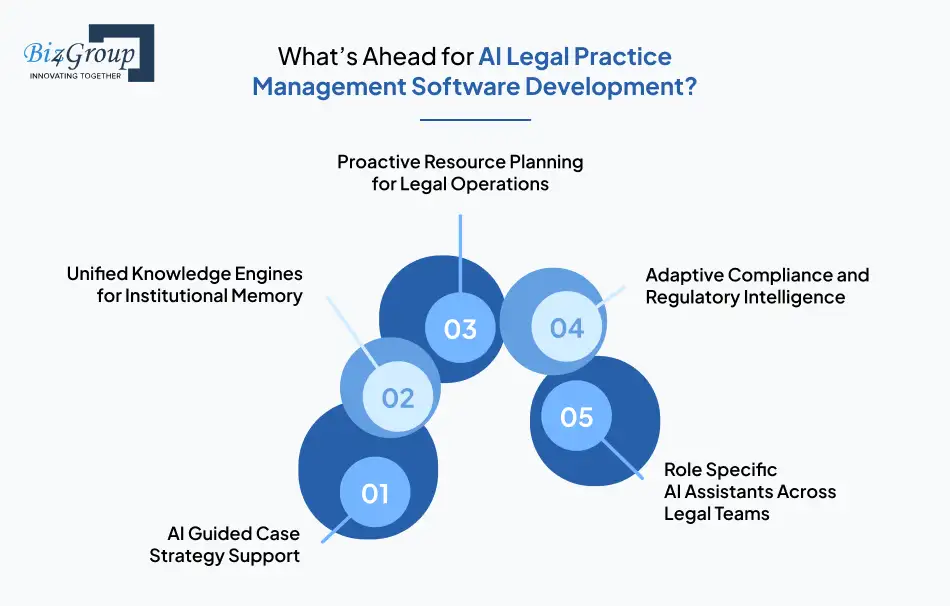
The future of AI legal case management software development is shaped by deeper collaboration between humans and technology, not just smarter automation. The trends below point toward how legal work will evolve as AI matures.
1. AI Guided Case Strategy Support
Future systems will help teams think through case direction, offering scenario-based guidance grounded in precedent and evolving patterns. This shift will change how firms build AI document management software for law firms, moving from simple organization toward strategic insight.
2. Unified Knowledge Engines for Institutional Memory
Platforms will maintain long term knowledge that remains accessible even as teams shift or cases close. This transformation will influence how organizations make AI litigation support and case organization tools that preserve insights far beyond individual matters.
3. Proactive Resource Planning for Legal Operations
AI will help forecast staffing needs, research loads, and operational pressure before bottlenecks emerge. This evolution strengthens AI legal practice management software development by giving leaders visibility into future workload distribution rather than only current tasks.
4. Adaptive Compliance and Regulatory Intelligence
Rather than static checklists, future systems will adapt to emerging rules and jurisdictional updates in real time. This will make it easier to make AI software for managing legal deadlines, filings, and tasks that evolves alongside changing regulations.
5. Role Specific AI Assistants Across Legal Teams
Attorneys, paralegals, and legal ops will each have personalized assistants capable of context-aware support. This is where AI lawyer app development becomes transformative, offering tailored insights based on each user’s responsibilities and caseload.
The road ahead points to systems that understand legal teams, anticipate their needs, and strengthen decision making in ways that feel natural rather than disruptive, setting up the next era of intelligent legal operations.
Why Choose Biz4Group for AI Legal Case Management Software Development?
Teams choose Biz4Group because we build legal platforms that actually work in the real world, not just in presentations. Our experience comes from delivering solutions that legal teams already use daily, which gives us a grounded understanding of what makes these systems succeed.
- We have built platforms like Integra Ledger, Trial Proofer, Compare Legal, and Court Calendar, giving us firsthand insight into how legal workflows behave at scale.
- Our approach to legal AI app development focuses on accuracy, accountability, and long term maintainability rather than one off automation.
- We design systems that legal teams can adopt quickly with intuitive interfaces and dependable performance.
- We solve for document complexity, scheduling pressure, compliance restrictions, and cross team coordination with practical engineering choices.
- We help teams move from early discovery to fully deployed AI driven operations without losing momentum.
Biz4Group’s strength comes from understanding how legal work actually happens and translating that into systems that attorneys and operations teams trust from day one, setting a clearer path for everything that comes next in your digital transformation.
Support Every Matter With Predictive Strength
Build platforms that help you create intelligent software for legal case tracking with insights that keep teams ahead of the curve.
Power My Legal IntelligenceSupport Every Matter With Predictive Strength
Final Thoughts
If there is one thing legal tech has made clear, it is that the real magic happens when smart engineering meets the everyday reality of legal work. With the right approach, AI can handle the routine clutter so teams can focus on the decisions that actually matter.
Whether you are refining workflows, rethinking document handling, or building something entirely new, the path forward becomes much smoother with thoughtful strategy and the right partners in product development services. And if you ever need a seasoned AI app development company to help bring the vision to life, you already know where to find one.
Ready to explore what an AI powered legal platform could look like for your team? Let’s talk.
FAQs About AI Legal Case Management Software Development
1. How long does it usually take to develop an AI legal case management platform?
Most builds take three to eight months depending on feature depth, AI complexity, and integration needs. Teams that build AI driven legal case management platform solutions often see longer timelines when advanced AI modules or large scale workflows are involved.
2. What data does an AI legal case management system need to operate effectively?
The system performs best when it has structured matter data, historical files, communication logs, and filing timelines. This becomes even more important when you develop AI legal case management software that depends on accurate context for recommendations.
3. Can AI supported case management tools integrate with existing calendars, billing systems, or document repositories?
Yes. Modern platforms can sync with calendars, billing tools, cloud storage, and internal systems through secure APIs. These integrations strengthen your ability to create legal case management system with AI that fits into current workflows rather than replacing them.
4. What security standards should an AI powered case management system follow?
Reliable platforms use encryption, role based access control, audit trails, and strict authentication policies. These safeguards become essential when you build AI document management software for law firms, since the data involved is highly sensitive.
5. What is the cost to develop an AI powered legal case management system?
Most systems fall in the 25,000 to 200,000 plus range depending on scope, integrations, and automation depth. Cost increases when teams aim to make AI litigation support and case organization tools that handle heavier workloads or advanced intelligence features.
6. How can legal teams ensure AI driven recommendations stay accurate over time?
Accuracy improves when teams retrain models, review outputs, and refine AI behavior through feedback loops. This helps you create intelligent software for legal case tracking that becomes sharper and more aligned with real case activity over time.
