 Location :
Orlando, FL, USA
Location :
Orlando, FL, USA +1 (407) 714-1616
 info@biz4group.com

 AI Summary Powered by Biz4AI
- The cost to build an AI real estate transaction management platform usually runs $25K–$200K+, from a focused MVP to a multi-office enterprise build.
- Core development takes about 40–50% of the budget, while the AI layer adds roughly 15–30%. Running AI costs only about $0.40–$6 per deal.
- Watch for costs outside the build quote: MLS fees for each market, SOC 2 audits, data migration, and 15–20% yearly maintenance.
- A team experienced in U.S. real estate and AI usually costs less overall, even at a higher hourly rate, because it avoids rework.
- For many brokerages, a custom platform comes out ahead within about three years once time savings and avoided per-seat fees are counted.
- Biz4Group LLC helps brokerages scope a lean, AI-ready MVP and lower build costs with reusable components proven across its real estate AI projects.
So you’re wondering what it really costs to build an AI real estate transaction management platform. Here’s the short answer: most builds land somewhere between $25,000 and $200,000+, depending on how many deal types, integrations, offices, and AI features you need.
That’s a wide range, and it’s wide on purpose. In real estate AI platform development, a focused MVP for one office and a multi-office platform with custom-trained AI are two very different projects, and they’re priced that way.
And the build quote is only part of the picture. You’ll also want to plan for MLS data fees, AI usage, security audits, and yearly upkeep. Meanwhile, the subscription you’re paying today isn’t standing still. SkySlope, for example, reportedly starts at around $340 a month, and the final price climbs with agent count and add-ons.
This guide breaks the numbers down piece by piece: by phase, feature, AI, integrations, security, and team. It also walks through two real-world scenarios and a simple break-even check, so you can see exactly when a custom platform starts paying for itself.
What’s the Average Cost to Build an AI Real Estate Transaction Management Platform?
Most of the time, the cost to build an AI real estate transaction management platform falls somewhere between $25,000 and $200,000+. A focused MVP sits at the low end, and a multi-office platform with advanced AI sits at the high end. Your deal types, integrations, AI needs, team size, and security requirements decide where you land.
Think of it like building a house. A cozy starter home and a custom estate both keep the rain out. But the floor plan, the finishes, and the number of rooms? That’s what changes the price.
Cost by Tier: MVP, Custom Platform, and Enterprise
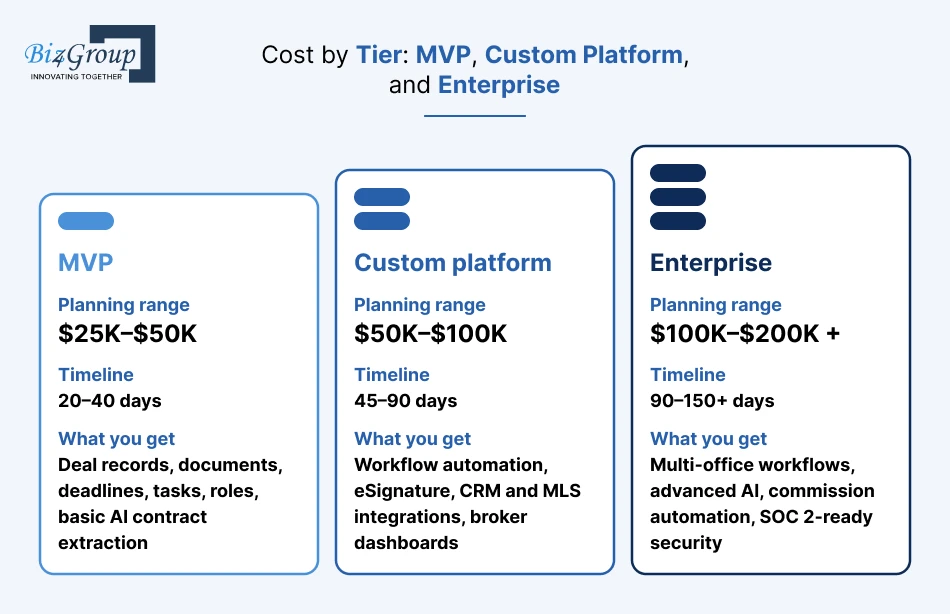
Most builds land in one of three buckets. An MVP usually costs $25K–$50K, a custom platform $50K–$100K, and an enterprise platform anywhere from $100K to $200K+.
|
Tier |
Planning range |
Timeline |
What you get |
|---|---|---|---|
|
MVP |
$25K–$50K |
20–40 days |
Deal records, documents, deadlines, tasks, roles, basic AI contract extraction |
|
Custom platform |
$50K–$100K |
45–90 days |
Workflow automation, eSignature, CRM and MLS integrations, broker dashboards |
|
Enterprise |
$100K–$200K+ |
90–150+ days |
Multi-office workflows, advanced AI, commission automation, SOC 2-ready security |
Keep in mind these are ballpark numbers, not quotes. And you might be surprised by how quick the timelines are. That’s because AI now speeds up a lot of the actual building. What usually takes longer is everything around it, like getting MLS approval, finishing compliance reviews, and testing with real deals.
The 6 Factors That Move Your Budget Most
So what actually pushes the number up or down? It mostly comes down to six things: how complicated your deals are, how many tools you connect, how smart the AI needs to be, how big your team is, how tight your security needs to be, and who’s doing the building.
Here’s how each one plays out:
- How complicated your deals are. A single residential workflow is the cheapest option. Add commercial, leases, and new construction, and you’re paying for more templates, more rules, and more testing.
- How many tools you connect. Every MLS, CRM, eSignature, and accounting hookup adds build time, and usually a monthly fee too.
- How smart the AI needs to be. Ready-made contract extraction is pretty affordable. AI trained on your own state forms costs more.
- How big you are. More offices, more roles, and more permissions mean more setup. Building for multiple brokerages as a proptech product adds even more.
- How tight your security needs to be. SOC 2 readiness, audit trails, and multi-state rules all add to the build, plus the cost of audits.
- Who’s doing the building. The exact same platform can cost very different amounts depending on where your team is and how you hire them.
Don’t worry, each of these gets its own breakdown below, so you can see exactly where your money’s going.
Where Does the Development Budget Go, Phase by Phase?
Most of your budget goes into core development, which is usually about 40–50% of the total. The AI layer, design, and testing each take a smaller but real slice, while discovery and launch come in under 10%.
Here’s roughly how the money splits across phases for an AI real estate transaction management platform. The last column shows what that looks like on a $75K custom build:
|
Phase |
What happens |
Share of budget |
On a $75K build |
|---|---|---|---|
|
Discovery |
Mapping your deal workflows, roles, and integrations |
5–10% |
$4K–$7.5K |
|
UI/UX design |
Screens and clickable prototypes for agents, brokers, and clients |
10–15% |
$7.5K–$11K |
|
Core development |
The transaction engine, dashboards, permissions, and integrations |
40–50% |
$30K–$37.5K |
|
AI |
Contract extraction, missing-document checks, and summaries |
15–20% |
$11K–$15K |
|
Testing |
Real deal runs, failure cases, and security checks |
10–15% |
$7.5K–$11K |
|
Launch |
Deployment, data migration setup, and pilot support |
3–5% |
$2K–$4K |
Here’s a quick example. Say a 60-agent brokerage wants to save money, so it skips most of discovery and jumps straight into building. A few weeks after launch, the team realizes the platform doesn’t handle their lease deals or their two-step broker review. Now they’re paying developers to rebuild workflows that a $5K discovery phase would’ve caught on day one. The fix ends up costing them three or four times what they “saved.”
So don’t squeeze those first two rows. Fixing a confusing workflow on paper or in a prototype costs almost nothing. Fixing it after agents start using the platform costs you time, money, and their trust.
If you want to see what each phase actually involves, from mapping workflows to piloting with one office, the step-by-step process to build an AI real estate transaction management platform walks through it.
Which Transaction Management Features Cost the Most?
Core transaction features like deal records, documents, deadlines, and permissions usually make up the biggest share of an MVP, at roughly $20K–$45K together. Back-office features like commission splits, payouts, and reporting typically add another $15K–$35K once you’re ready for them.
These are planning estimates for a U.S.-focused build, and they’ll shift with your team and scope. But they give you a clear sense of where the money goes.
Core Transaction Features, Client Portals, and Mobile Access
The core features are the ones agents touch every single day, so this is where most of your MVP budget goes. A client portal adds a few thousand more, and a native mobile app is the one item that can really jump the price.
|
Feature |
Planning estimate |
|---|---|
|
Deal records and broker dashboard |
$5K–$10K |
|
Document management with version history |
$4K–$8K |
|
Deadline tracking, tasks, and reminders |
$5K–$10K |
|
Roles and permissions |
$3K–$6K |
|
Client portal with deal status and e-sign access |
$5K–$12K |
|
Native iOS and Android app |
$15K–$40K extra |
Here’s the money-saving move: start with a mobile-friendly web platform. Agents can use it on their phones from day one, and you only pay for a native app later if they really need offline access or push notifications.
Back-Office and Payment Features
Back-office features usually come right after launch. Commission splits and payouts run about $8K–$15K, reporting dashboards $5K–$12K, and payment handling $5K–$10K when you use an existing payment provider instead of building your own.
That last part matters more than you’d think. When Biz4Group built Service Checkmate, a construction-contract app connecting customers with contractors, payments ran through Stripe rather than a custom-built payment system. Payments are also released automatically once a milestone is confirmed with photo proof. So the platform skipped the heavy cost of building payment processing from scratch, and it cut the ongoing admin work of chasing and approving each payment by hand.
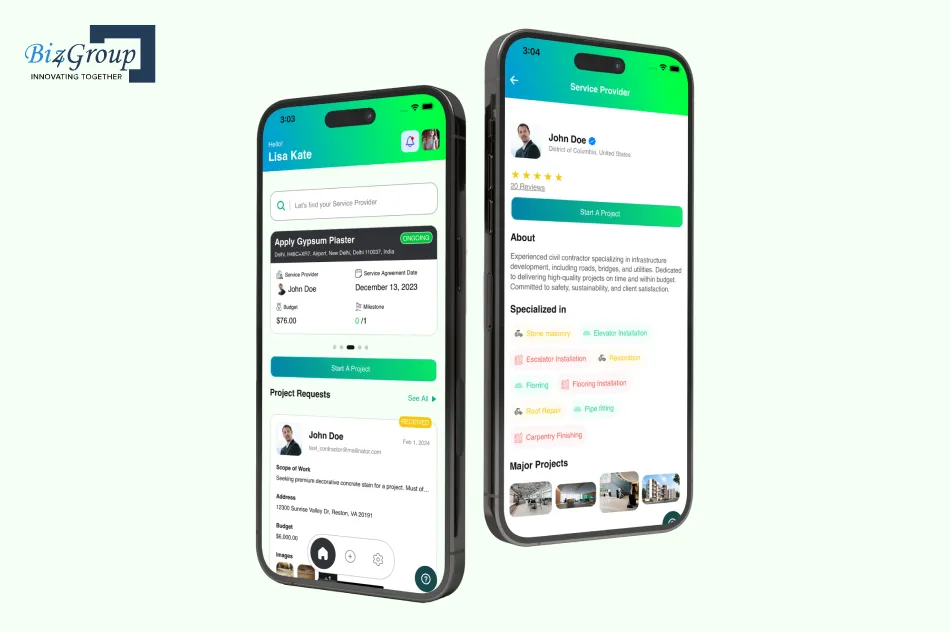
The same idea works for transaction platforms. Plug into proven payment and payout tools, and spend your budget on the parts that make your brokerage different. If you want payouts and approvals to run on their own, AI automation services can handle that layer too.
How Much Does AI Add to the Cost of Building a Real Estate Transaction Platform?
Adding AI usually bumps your build cost up by about 15% to 30%, which is roughly $10K to $30K for most platforms. The good news? Running it day to day is cheap, often just a few dollars per deal. The part that sneaks up on people is teaching the AI to read each new type of document.
One-Time AI Build Costs: Extraction, Checks, and Summaries
Building the main AI features usually costs somewhere between $13K and $29K. Most of that goes into teaching the AI to pull details out of contracts. The rest covers spotting missing documents and writing plain-English summaries.
|
AI feature |
Planning estimate |
|---|---|
|
Pulling dates, price, parties, and contingencies from contracts |
$6K–$15K |
|
Catching missing documents and mismatched details |
$4K–$8K |
|
Writing contract and file summaries |
$3K–$6K |
Just starting out with an MVP? Contract extraction alone is plenty. Summaries are where generative AI really shines, turning a 14-page contract into a few plain-English lines.
Off-the-Shelf Models vs. Training Your Own
Ready-made AI models are the cheaper way to start, and they handle standard purchase agreements pretty well. Training your own costs more at first, but it’s worth it if you work with lots of state-specific forms, addenda, or blurry scans. That’s where smart AI model development pays for itself.
Here’s something a lot of people don’t see coming, though. Every new type of document takes some setup. One breakdown puts it at 1–3 days of engineering per document type, plus upkeep down the road. So if your brokerage uses 15 different state forms, that time adds up quickly.
Your best bet is to start with the 3 to 5 forms that show up in most of your deals. Add the rest once those are working well.
AI Running Costs Per Deal
Once the AI is built, running it costs very little. Cloud document reading usually runs about $0.01 to $0.10 per page, depending on how much detail you need it to pull out.
- Here’s what that looks like in real life: A typical deal file has around 40 to 60 pages once you count the contract, addenda, and disclosures. So you’re looking at roughly 40 cents to $6 per deal. Throw in a few cents for summaries, and a brokerage closing 500 deals a year might spend just $200 to $3,000 on AI. That’s often less than one month of per-seat fees.
What a Client-Facing AI Assistant Adds
An AI assistant that answers client questions like “Did the appraisal come back?” usually adds about $8K to $20K to your build, plus a tiny cost each time someone chats with it. The trick to keeping that number down? Don’t let it try to do everything.
Biz4Group took that approach with Homer AI, a chat-based platform for home buyers and sellers. Rather than building a do-anything chatbot, the team focused it on specific conversations. It asks buyers about their budget, location, and must-haves, and it walks sellers through listing their home step by step. Keeping it focused like that kept both the build and the running costs in check.
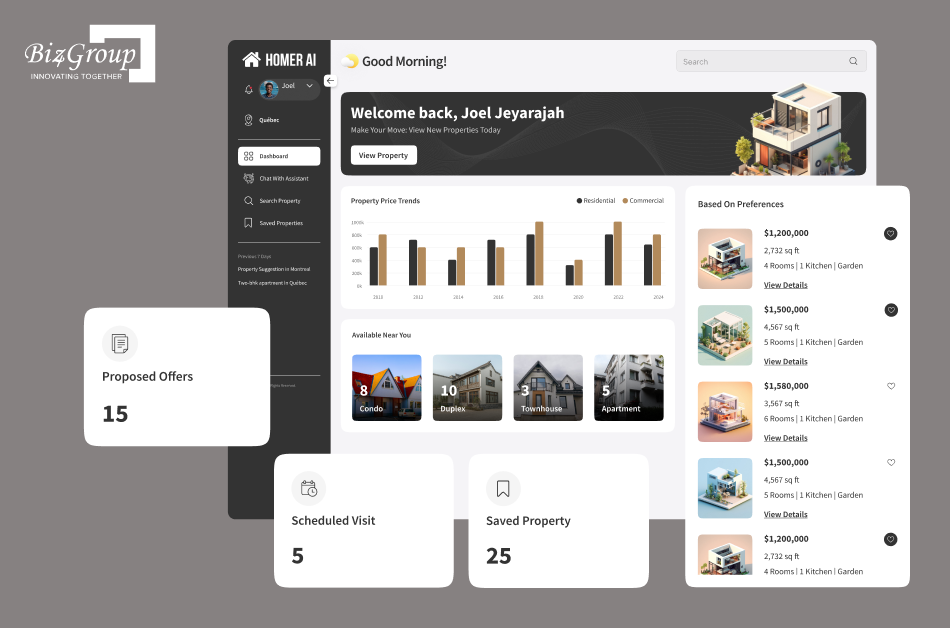
A “Where’s my deal?” assistant should work the same way. Let it answer questions about the client’s own deal and nothing else, and you won’t pay for an AI that wanders off topic.
Wondering What AI Would Cost for Your Forms?
Biz4Group can help you pick the right AI approach for your most common documents.
Estimate Your AI CostsWhat Do MLS, CRM, eSignature, and Accounting Integrations Cost?
Each integration usually costs about $3K to $12K to build, with MLS connections on the higher end. Many also come with monthly fees. MLS data is the one that catches people off guard, because you pay each MLS separately.
MLS Data Licensing Fees and Why They Multiply Across Markets
MLS fees look small on their own. But work in several markets, and you’ll pay every MLS separately. That’s how a few hundred dollars a month turns into a real yearly bill.
Here’s what two MLSs charge technology vendors:
|
MLS |
Setup |
Monthly |
|---|---|---|
|
NorthstarMLS |
$125–$500, based on users |
|
|
Heartland MLS |
$175 for standard feeds |
Quick math: a brokerage in 3 MLS markets at $125–$500 a month each pays about $4,500–$18,000 a year in data fees alone. Building the MLS connection adds another $5K–$12K.
Still, licensing data beats building your own. When Biz4Group built Facilitor, an AI-powered home-buying platform, it plugged into existing MLS data instead of collecting listings itself. That kept listings accurate without the cost of running a separate property database.
One more tip: ask each MLS about approval timelines early. Waiting on access can push back your launch, and delays cost money too.
eSignature, CRM, and Accounting API Costs
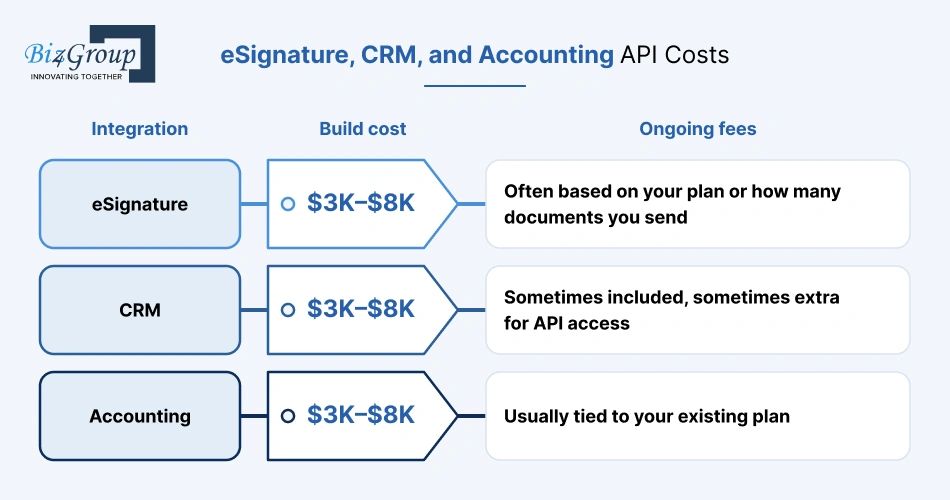
These connections usually cost $3K to $8K each to build. If your team hasn’t done this before, AI integration services can connect your tools and the AI layer in one go. Ongoing fees depend on the provider:
|
Integration |
Build cost |
Ongoing fees |
|---|---|---|
|
eSignature |
$3K–$8K |
Often based on your plan or how many documents you send |
|
CRM |
$3K–$8K |
Sometimes included, sometimes extra for API access |
|
Accounting |
$3K–$8K |
Usually tied to your existing plan |
Before you connect anything, settle who owns what:
- The CRM owns contacts
- The transaction platform owns the deal
- Accounting owns the money
Skip this step, and you’ll end up with duplicate records. Cleaning those up later can cost more than the integration itself.
How Much Do Security and Compliance Add to Real Estate AI Platform Development Costs?
Security costs depend on who you’re building for. A single brokerage can start with solid basics built into the platform. Selling to other brokerages or enterprise partners usually means a SOC 2 audit too, and that’s where the bigger numbers come in.
SOC 2 Readiness and Audit Costs
For small and mid-sized companies, a SOC 2 audit usually costs $6,000 to $25,000. Re-audits each year typically run 70% to 80% of the first one. And once you add tools, prep work, and consulting, total first-year compliance can reach $30,000 to $200,000 or more.
So do you actually need it on day one? Here’s a quick guide:
|
Your situation |
SOC 2 needed? |
|---|---|
|
One brokerage, internal use |
Not usually. Build in the security basics and plan for it later |
|
Large multi-office brokerage |
Often requested by partners and lenders |
|
Proptech product sold to brokerages |
Yes. Buyers will ask for it before signing |
Money-saving tip: build with SOC 2 in mind from the start. Logging, access controls, and encryption cost far less to add during the build than to retrofit right before an audit.
Biz4Group took that build-it-in approach with Renters Book, a review platform for landlords and tenants. Strong encryption was part of the platform from the beginning to protect user data, rather than being added later at a higher cost.
Pen Testing, Legal Review, and Wire-Fraud Controls
Beyond SOC 2, plan for three more security costs:
|
Item |
Planning estimate |
Why it matters |
|---|---|---|
|
Penetration testing |
$5K–$25K per year |
Finds weak spots before attackers do |
|
Legal and compliance review |
$3K–$10K |
Checks your workflows against federal and state rules |
|
Wire-fraud controls |
$5K–$12K to build |
Protects closing money from fake wiring emails |
That last row of the table is worth absolutely every dollar. Wire-fraud controls typically include:
- Sharing wiring instructions only inside a secure portal
- Call-back verification using a known phone number
- Locking payment details once they’re verified
- Alerting everyone on the deal if anyone tries to change them
A single fraudulent wire can cost a buyer their down payment and cost your brokerage its reputation. Next to that, a few thousand dollars in protection is a bargain.
What Hidden Costs Catch Brokerages Off Guard?
The costs that surprise brokerages most aren’t in the build quote. They come from scope creep, rework, moving old deals over, and getting agents to actually use the new platform. Together, these can add 10% to 25% to your budget if you don’t plan for them.
Scope creep is the sneakiest one. It usually starts small: “Can we also add a lease workflow?” or “What if brokers could approve from their phones?” Each request seems minor on its own. Stack up a dozen of them mid-build, and you’re paying for rework, new testing, and a later launch.
Easy fix: keep a “phase two” list. When a new idea pops up mid-build, it goes on the list instead of into the current sprint.
Migrating Deals From dotloop, SkySlope, or Brokermint
Moving your existing deals usually costs about $3K to $15K, depending on how many files you have and how messy the data is. The hard part isn’t the moving itself. It’s getting your old data to fit cleanly into the new platform.
Here’s what typically drives the cost:
|
Cost driver |
Why it adds up |
|---|---|
|
Export limits |
Some tools make bulk exports slow or only partly available |
|
Data mapping |
Old fields rarely line up neatly with new ones |
|
Document volume |
Thousands of archived files take time to import and tag |
|
Retention rules |
Closed deals must stay intact for your state’s record-keeping period |
To keep this cheaper, move active deals first so nothing falls through the cracks. Then bulk-import archived files and let AI sort and tag them along the way.
Agent Onboarding and Change Management
Getting agents comfortable with the new platform usually costs $2K to $8K for training materials and sessions. The bigger cost is the time agents spend learning instead of selling.
A few things keep that cost low:
- Pre-load each agent’s active deals, so they start with real work, not a blank screen
- Start with a small group of respected agents who can show everyone else how it’s done
- Keep training short and focused on daily tasks, not every feature
- Give agents a quick way to report problems in the first few weeks
What Are the Yearly Hosting and Maintenance Costs?
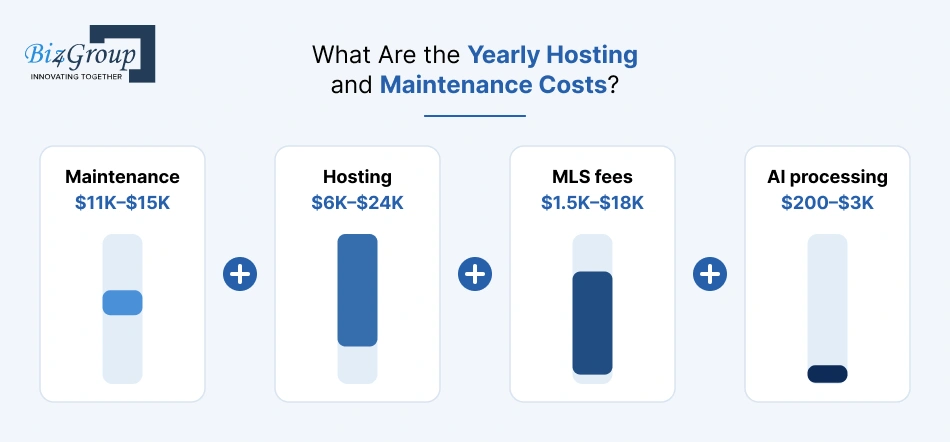
Once your platform is live, expect to spend about 15% to 20% of the original build cost each year on maintenance, plus hosting, AI usage, and data fees. For a $75K build, that usually adds up to around $20K to $45K a year, depending on how big you get.
Here’s roughly how a year of running costs breaks down on that $75K platform:
Maintenance $11K–$15K + Hosting $6K–$24K + MLS fees $1.5K–$18K + AI processing $200–$3K
Maintenance stays fairly steady. Hosting and MLS fees are the parts that grow as you add offices and markets.
Hosting, Storage, and Monitoring
Hosting usually runs a few hundred dollars a month for an MVP, and a few thousand a month for a big multi-office platform. The tech choices made during the build decide a lot of that bill, often for years.
Biz4Group’s work on Ground Hogs, a construction-site management platform, is a good example of choices that keep running costs lean:
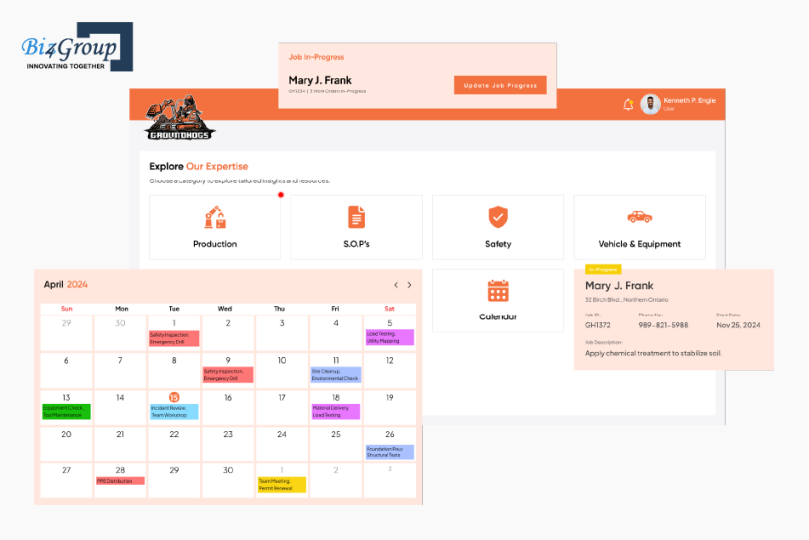
- Open-source PostgreSQL → no database license fees, ever
- AWS S3 storage → pay only for the documents you actually store
- Redis for frequent data → the main database does less work, so you need less server power
There was one choice that cost a bit more up front. Ground Hogs added offline support so field crews could log work without a signal. That extra build effort saved the much bigger cost of lost data and re-entry later.
Maintenance, Updates, and AI Model Upkeep
Think of maintenance as the oil changes of your platform. Skip them, and things don’t break all at once. They just slowly get worse.
What does maintenance actually cover?Bug fixes, security patches, small improvements, and keeping integrations working when your MLS or CRM provider changes its systems.
Does the AI need upkeep too?A little. Someone should keep an eye on how often agents correct AI-filled fields. The AI also needs updating when a state changes its forms, and when you start handling new document types.
What happens if you skip it?The AI’s accuracy slowly slips, agents notice, and they quietly go back to typing things in themselves. That undoes the whole reason you built it.
Does Experience in Real Estate AI Platform Development Lower Your Total Cost?
The team you pick changes your cost in two ways: their hourly rate, and how many hours your platform takes. For an AI real estate transaction management platform, the second one matters more. A team that already knows U.S. deal flows, MLS data, and contract AI needs far fewer hours, even at a higher rate.
U.S. vs. Offshore vs. Hybrid Teams
U.S.-based agencies typically charge around $50–$100 an hour. Offshore rates are lower. But a cheaper rate only saves money if the hours stay the same, and on a transaction platform they rarely do. That’s why an offshore developer at $30 an hour can end up costing more than a U.S. developer at $120 once rework and delays pile up.
Here’s where real estate and AI experience changes the hours, using the cost lines from earlier in this guide:
|
Cost line |
Team new to U.S. real estate |
Team experienced in real estate AI |
|---|---|---|
|
Discovery |
Learns contingencies, buyer agreements, and broker review from scratch |
Already knows the workflow, so it focuses on what’s unique to you |
|
AI setup per state form |
Closer to the high end of 1–3 days per document type |
Closer to the low end, often reusing extraction logic |
|
MLS integration |
Learns RESO Web API and licensing as it goes |
Knows the approval process and plans around it |
|
Compliance and wire-fraud controls |
Often caught late, in testing or review |
Built in from the first sprint |
|
Rework after agent feedback |
Common |
Much less frequent |
Each row is hours you either pay for or don’t. Across a full build, those hours can easily outweigh any savings from a lower rate.
So the smartest choice isn’t the cheapest rate. It’s the team that’s already solved your problems before, ideally with U.S.-based leadership who understand your market. And if you’d rather build in-house capability, you can hire AI developers to work alongside your own staff.
Fixed Price vs. Time and Materials
Different parts of this platform suit different payment models. Pieces with a clear scope work best on a fixed price. The AI, which improves through testing and tuning, usually fits time and materials better.
Here’s how that typically splits:
- Fixed price: discovery, UI/UX, the core transaction engine, and standard integrations like eSignature and accounting. You know what you’re getting, so lock in the price.
- Time and materials: AI extraction tuning, adding new state forms, and phase-two features. Accuracy improves round by round, and each round depends on what the last one revealed.
Many brokerages run it exactly this way: a fixed price for the MVP, then time and materials for AI improvements once real deals start flowing through the platform.
What Do Real Brokerage and Proptech Builds Actually Cost? Real-World Cost Scenarios
Here’s how the numbers play out in two common U.S. situations. A 100-agent brokerage usually spends about $80K–$90K in year one. A proptech founder building for many brokerages should plan for roughly $135K–$230K.
These are illustrative examples built from this guide’s ranges, not quotes.
A 100-Agent Brokerage Replacing Subscription Tools
A Texas brokerage with 100 agents across two MLS markets wants to stop chasing missing documents before every closing. It builds a custom platform with AI contract extraction, ready in about 45–90 days.
|
Year-one cost |
Estimate |
|---|---|
|
Platform build |
~$70K |
|
Hosting |
~$6K |
|
MLS fees (2 markets) |
$4K–$12K |
|
AI processing (~400 deals) |
Under $2K |
|
Total |
~$80K–$90K |
After year one, running costs drop to about $21K–$32K a year. Whether that beats its current subscription is covered in the break-even section next.
A Proptech Founder Building a Multi-Brokerage Product
A founder wants to sell a transaction platform to team-based brokerages in three states. Every customer needs its own data, settings, and state rules, so the build costs more.
|
Year-one cost |
Estimate |
|---|---|
|
Multi-brokerage build |
$120K–$180K |
|
SOC 2 audit |
$6K–$25K |
|
Penetration testing |
$5K–$25K |
|
Total |
~$135K–$230K |
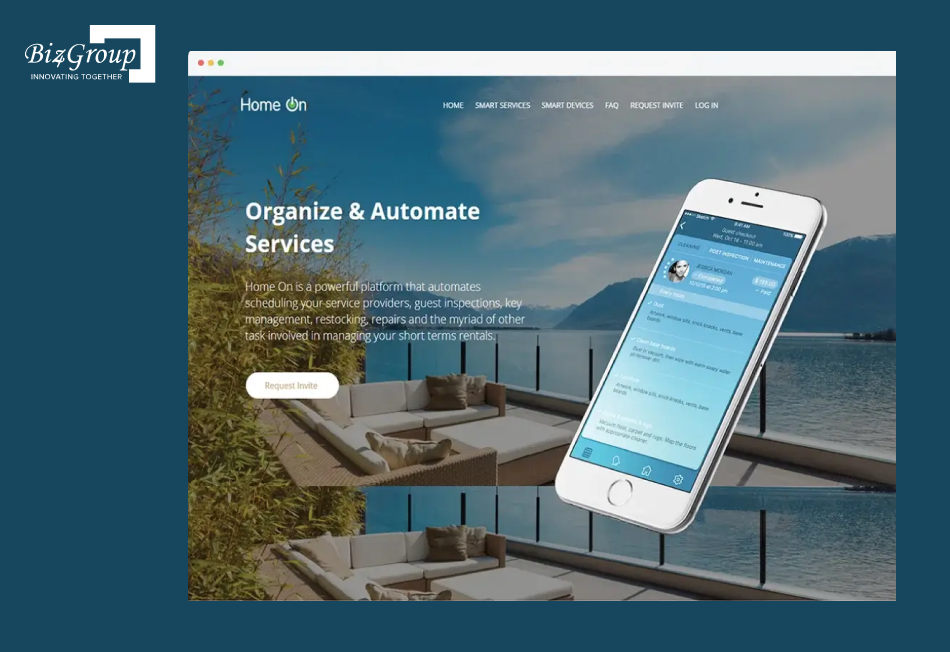
The biggest risk? Building for one customer, then paying to rebuild for many. Biz4Group avoided that on Homeon, a SaaS platform for rental home management that was built from the start for many users, with shared third-party hosting to keep costs steady as it grew.
Still picking a niche? These real estate AI apps ideas can help you spot strong demand first.
ROI and Break-Even: When Does the AI Real Estate Transaction Management Platform Pay for Itself?
A custom platform pays for itself through two things: the time it saves your team, and the per-seat fees you stop paying. For a 100-agent brokerage, time savings usually matter more than fee savings. For a 300-agent brokerage, both add up fast, and break-even often lands around two years.
Calculating Time Saved Per Deal
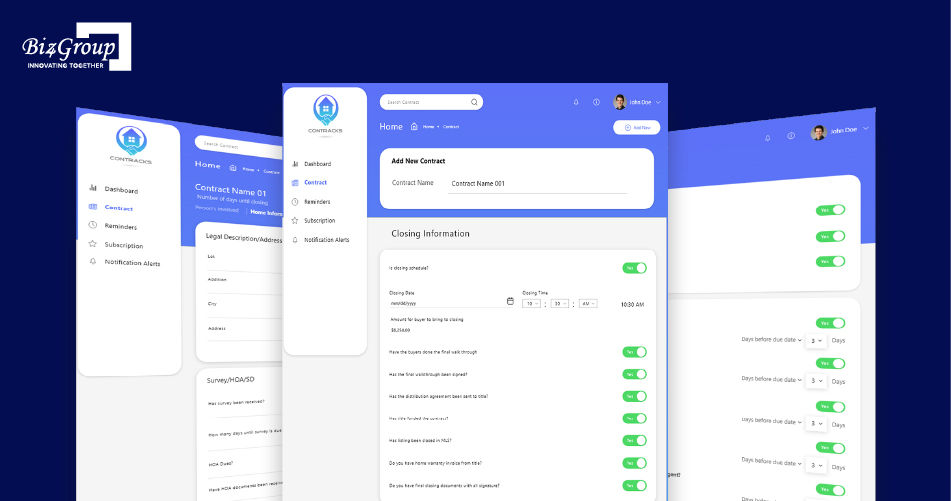
Start with time, because that’s where AI pays off first. On ConTracks, a contract management tool Biz4Group built for real estate professionals, AI summaries and data extraction helped agents save up to 50% of their paperwork time, cut errors by over 30%, and speed up document processing by over 20%.
Here’s how to turn that into dollars for your own brokerage:
- Estimate the paperwork time per deal. Say it’s about 3 hours of reading, typing, and chasing.
- Apply a realistic saving. At 50%, that’s 1.5 hours back per deal.
- Multiply by your deals. At 400 deals a year, that’s 600 hours.
- Put a value on those hours. At $50 an hour, that’s about $30K a year.
That’s time agents can spend selling instead. It’s also where AI for real estate agents stops being a buzzword and starts showing up in your numbers.
3-Year Total Cost of Ownership: Build vs. Subscription
Here’s the 100-agent brokerage from the scenarios above, compared over three years. The subscription assumes about $30 per agent per month:
|
|
Year 1 |
Year 2 |
Year 3 |
3-year total |
|---|---|---|---|---|
|
Subscription |
$36K |
$36K |
$36K |
$108K |
|
Custom platform |
$80K–$90K |
$21K–$32K |
$21K–$32K |
$122K–$154K |
|
Custom, minus ~$30K/yr time savings |
$50K–$60K |
–$9K to $2K |
–$9K to $2K |
$32K–$64K |
On fees alone, a 100-agent brokerage spends a bit more by building. Count the time savings, though, and the custom platform comes out well ahead by year three.
And the bigger you grow, the faster the math tips. At 300 agents, that same subscription runs about $108K a year, while the platform’s running costs barely move.
Will a Custom Platform Pay Off for Your Brokerage?
Our AI real estate Experts can help you run the build-vs-subscription math with your real numbers.
Get Your Break-Even EstimateHow Can You Cut Development Costs Without Cutting Corners?
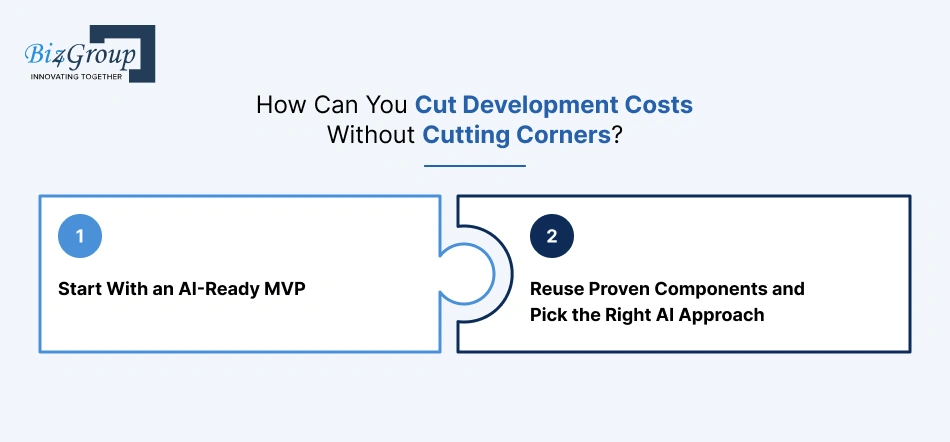
The best ways to cut cost without cutting quality are to start with an AI-ready MVP, reuse proven components, and train AI only where it’s needed. Together, these can keep $40K–$100K+ off your first-year bill, without dropping anything agents need on day one.
Start With an AI-Ready MVP
An MVP keeps your first build at $25K–$50K instead of $50K–$100K for a full custom platform. The “AI-ready” part matters: capture clean deal data from day one, so adding smarter AI later doesn’t mean rebuilding.
Here’s what you can safely push to phase two, and what that saves up front:
|
Save for phase two |
Cost you defer |
|---|---|
|
Commission splits and payouts |
$8K–$15K |
|
Advanced reporting |
$5K–$12K |
|
Client-facing AI assistant |
$8K–$20K |
|
Native mobile app |
$15K–$40K |
|
Total deferred |
$36K–$87K |
You’re not skipping these features. You’re just paying for them once agents are using the platform and you know which ones they really want.
This scope-first approach is the same one laid out in the steps to build an AI real estate transaction management platform, from workflows to rollout.
Reuse Proven Components and Pick the Right AI Approach
Not every piece of your platform needs to be built from scratch. Logins, permissions, document storage, notifications, and payment connections have all been solved many times before, and reusing them can trim roughly 15% to 25% off core development. On a $30K–$37.5K core build, that’s about $4.5K–$9K saved.
ConTracks is a good reminder of where the money should actually go. Agents valued it for contract tracking and AI summaries, not for its login screens or notification setup. So those standard pieces were assembled from reusable, plug-and-play modules, and the budget that saved went into the features agents noticed every day.
The same thinking applies to AI.
- Say your brokerage uses 15 state forms. Training custom AI for all of them at 1–3 days each means 15–45 days of engineering. Start with the 3–5 forms that show up in most deals instead, and you avoid 10–30 days of work up front. At $50–$100 an hour, that’s roughly $4K–$24K you don’t spend until you actually need it.
If you’re weighing how to plug AI into what you already have, this guide on how to integrate AI into an app walks through the practical choices.
Final Thoughts
Building an AI real estate transaction management platform usually costs $25K to $200K+, plus 15% to 20% of the build each year to maintain it. For most brokerages, the return comes from paperwork hours saved and per-seat fees avoided, and it grows with every agent you add.
To keep costs in check, start with an AI-ready MVP, use proven tools for payments and integrations, and train AI on your most common forms first.
Want a number for your own brokerage? Talk through your workflow with the Biz4Group team before you commit to a build.
Frequently Asked Questions
1. How are payments usually structured during the build?
Most teams use milestone-based payments. You typically pay a portion up front, then the rest as each phase is delivered, such as design, the core build, AI features, and launch. That way, you only pay for work you’ve actually seen.
2. How much does it cost to add a new state later?
Usually a few thousand dollars. Most of that goes into setting up the state’s rules and teaching the AI its forms, at about 1–3 days of work per new form type.
3. How much does it cost to add another office?
Very little, if the platform was built for multiple offices from the start. You mostly pay for setup time, plus extra MLS fees if the new office works in a new market.
4. Is a white-label platform cheaper than a custom build?
It’s cheaper up front, but you usually keep paying per-seat fees and get less control over workflows, data, and AI. It suits brokerages that want to launch fast without a unique process.
5. What happens if AI providers raise their prices?
The impact is usually small, since AI processing is a minor share of running costs. To stay safe, build the platform so you can switch AI models without rebuilding it.
6. Do we own the code, data, and trained AI models after paying?
You should, but only if your contract says so. Confirm ownership of the code, your data, and any custom-trained models in writing before the build starts.
7. What’s the cheapest way to test the idea before committing to a full build?
Start with discovery and a clickable prototype. For around $4K–$7.5K in discovery plus design work, you can test the workflow with real agents before spending on development.
