 Location :
Orlando, FL, USA
 +1 (407) 714-1616
 info@biz4group.com


 AI Summary Powered by Biz4AI
- Blend, don’t pick a side. For most US management companies, custom AI HOA platform development vs. off-the-shelf solutions ends in a blend: buy the core, build the AI layer.
- Buying often wins. Small or standardized portfolios get speed, built-in compliance, and no server headaches.
- The warning signs are visible. Look for off-platform spreadsheets, state-rule cheat sheets, and integrations stuck on the roadmap.
- Custom AI earns its keep in a few places. Examples are maintenance routing, vendor approvals, resident Q&A, and document search.
- Test the cost. There’s no universal price, so run a break-even check on one workflow first.
- Biz4Group builds AI platforms for real estate workflows, though not an HOA-specific one, and can help scope one focused workflow.
Quick reality check before diving in. The Foundation for Community Association Research counts about 373,000 community associations in the US, home to roughly 78 million people, and expects that to hit 374,000–377,000 this year. That’s a lot of HOAs, condos, and co-ops that somebody has to run. More and more of that somebody is a management company staring at the same question you’re probably wrestling with: buy a platform, or build custom AI on top of one?
That’s what custom AI HOA platform development vs. off-the-shelf solutions really comes down to. And nobody’s debating whether to use technology anymore. In TownSq’s 2026 industry survey (TownSq sells HOA platforms, so take it with a grain of salt), 89% of community managers said they already use one. The open question is how far a standard platform stretches once AI shows up. The same survey found that 20% of managers spend a big chunk of their day answering homeowner questions, which is exactly the repetitive work AI is good at.
Here’s the tricky part. Every vendor now says “AI,” every dev shop says “custom,” and neither can tell you what fits a 40-community portfolio across three states, with those two approval rules the ops lead invented in 2019. So here’s the conversation a friend who knows this world would have with you over coffee: when buying is the smart move, when building is, and the middle path most people skip, which is buying the core and building only the AI layer.
One thing before going further, because you deserve the straight story. Biz4Group builds AI platforms for real estate workflows, but it hasn’t shipped an HOA-specific one. Think of this as an outside-in guide, built on public data, vendor documentation, and hands-on knowledge of how these systems get built. When a number matters, the source is linked. When it’s a gut call, it’s labeled as one.
Why This Decision Hits Differently in 2026?
Build-vs-buy isn’t new. What’s new is what sits on each side of it. US portfolios keep growing, state rules keep diverging, and homeowners expect an answer at 9 p.m. on a Sunday. Meanwhile, the “buy” option now ships with AI that barely existed in this form two years ago. And with roughly 9,000–10,000 management companies chasing the same associations (per that same FCAR report), anything that lets a team handle more doors without a proportionally bigger payroll gets noticed fast.
Every Vendor Now Says “AI”: What Actually Changed
Not long ago, “AI” in HOA tech meant a chatbot bolted onto a portal or a button that drafted an email. Today the big US platforms sell AI that does multi-step work. Vantaca, for one, says its HOAi agents have completed over 5 million tasks for 250+ management companies, covering roughly 30% of community management work as of mid-2026. That’s a vendor-reported number, so it’s best read as a signal of direction, not a guarantee of results.
The takeaway: “Does the platform have AI?” has stopped being a useful question, because everyone says yes. The better one is whether that AI follows your approval chains, your community rules, and your states’ requirements.
Where AI Is Really Showing Up in HOA Operations Today
Adoption is real, and it’s fast. IREM’s 2026 survey of 3,662 real estate management professionals, run with AppFolio (which sells platforms of its own), found AI adoption at 58% this year, up from 45% in 2025 and 21% in 2023. On the sales side of the industry, AI is already part of the daily routine, as covered in AI for real estate agents, and there’s a well-worn playbook on how to use AI for real estate more broadly. Property operations are where it’s landing next.
Inside community associations specifically, the picture looks more ordinary. In the CAI Foundation’s 2025 snap survey of nearly 500 managers, business partners, and board leaders, more than 70% said they use AI, and the most-used tools were general-purpose assistants like ChatGPT, Copilot, and Gemini (80%).
In other words, much of today’s AI use is generic writing help, not AI wired into a company’s own data and workflows. That gap is exactly where the build-vs-buy question lives.
Off-the-Shelf, Custom, or a Blend? What Each One Really Means
Vendor pitches and dev-shop pitches use these terms loosely. Here’s what each means in practice.
Off-the-Shelf HOA Platforms: What You’re Actually Buying
A shared community association management platform, rolled out to thousands of US associations, where the vendor decides what gets built next. Accounting, resident portals, violation tracking, and a growing set of AI features come in the box. Like moving into a well-run apartment building: great location, but the walls stay put. Settings, templates, and permissions are yours to configure. The roadmap isn’t. When a company’s rules differ from the vendor’s idea of a “standard” HOA, the choice is adapting or working around it.
A Custom AI HOA Platform: What You’re Actually Building
Custom AI HOA platform development means building a system shaped around how the company really runs: its approval chains, reporting, integrations, and AI behavior. Like building a house: everything fits, and the plumbing becomes the owner’s problem, including security, uptime, and keeping the AI accurate. Custom rarely means rebuilding accounting from scratch. Sensible builds start with the few workflows a standard platform keeps fumbling.
The Blend: Buy the Core, Build the AI Layer
The option that sits between both sales pitches. The established platform keeps accounting, the resident portal, and records. Custom AI sits on top, connected through the platform’s APIs, and handles only the truly unique workflows, like triaging requests by a company’s own escalation rules across several states. That connective work is what AI integration services cover. It only works if the platform’s APIs are open enough, so check that before signing anything.
Founders launching their own HOA product have a close cousin: white-label.
|
|
Off-the-shelf |
Custom |
Blend |
|---|---|---|---|
|
Roadmap |
Vendor |
You |
Vendor core, your AI layer |
|
Rules live in |
Settings |
The build |
Settings plus custom logic |
|
Time to value |
Fastest |
Slowest |
Fast core, phased AI |
|
Upkeep |
Vendor |
You |
Shared |
|
Best for |
Standard workflows |
Unusual operations |
Mostly standard, a few exceptions |
Where Off-the-Shelf Platforms Genuinely Shine
Custom gets the glamour, but buying is often the smarter move.
Speed, Built-In Compliance, and Someone Else Running the Servers
- Fast to value. Sign, import the data, train the team, go. No build phase, no waiting on a roadmap.
- Compliance that updates itself. When a state changes a notice or disclosure rule, a good vendor ships the fix to every customer at once. Confirm in writing how fast, and for which states.
- Edge cases already found. Thousands of associations hit the weird situations first.
- No server headaches. Hosting, patches, backups, and support sit with the vendor, so no 2 a.m. outage lands on the management company.
Who Should Just Buy and Move On
- Standardized portfolios. One or two states, similar approval steps, a short list of integrations: little to customize.
- No technical bench. Without in-house tech talent or a build partner on retainer, custom upkeep gets heavy fast.
- Results needed this quarter. If the goal is faster rather than different, a platform wins on timing alone.
- No wall hit yet. If the honest answer to “what does the platform not do for us?” is “not much,” stop here and buy. That’s a perfectly good outcome.
Signs You’re Outgrowing Your HOA Platform
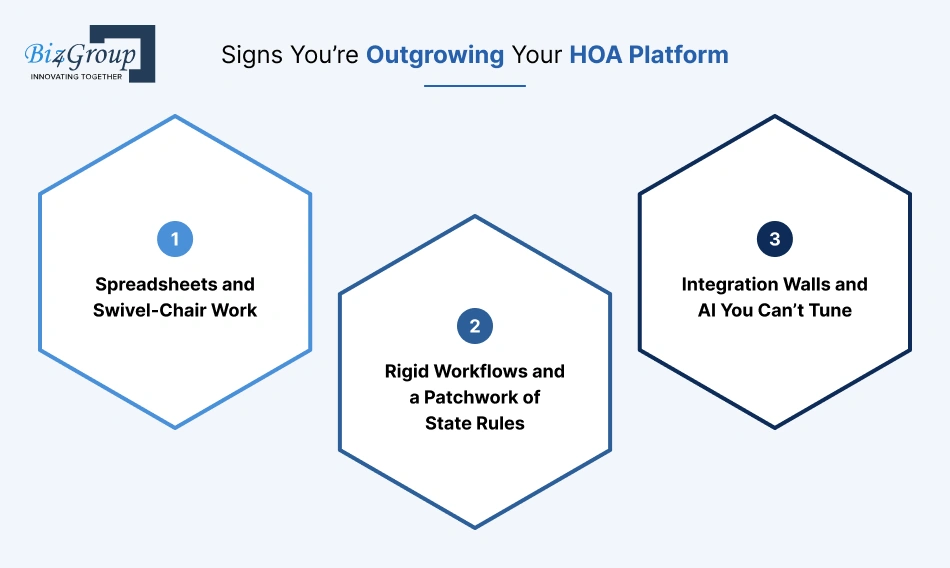
Outgrowing a platform rarely announces itself. It shows up as small, repeated workarounds.
Spreadsheets and Swivel-Chair Work
You’ll recognize it when:
- Staff retype data from the platform into a spreadsheet every month.
- The “real” tracker lives outside the system.
Swivel-chair work, turning from one screen to another to copy data, means the platform no longer matches the process. Biz4Group saw the same pattern building Ground Hogs, a custom internal platform for a construction company that had outgrown scattered spreadsheets, paper forms, and generic tools. Different industry, same tell. A quick test: ask the team which spreadsheet they’d refuse to give up. That’s usually the gap.
Rigid Workflows and a Patchwork of State Rules
You’ll recognize it when:
- One community needs an approval step the platform can’t model.
- Notice and disclosure rules differ by state, and someone keeps a cheat sheet.
California, Florida, and Texas each run their own playbook, and the rules keep moving. Florida is a live example: since January 1, 2026, HOAs with 100 or more parcels must run an official website or secure portal for required records, with a separate rule for condo associations. A standard platform may handle that fine. A multi-state portfolio with different rules per community is where “close enough” starts costing hours.
Integration Walls and AI You Can’t Tune
You’ll recognize it when:
- A needed integration has been “on the roadmap” for a second year.
- The platform’s AI sounds confident but can’t be taught the company’s rules.
Anyone trying to integrate AI into an app or platform needs access to the data and workflows underneath, and some platforms only open a narrow set of APIs. Vendor-controlled AI also behaves the same for every customer. Shaping it around a company’s own data, exceptions, and tone is AI model development territory, which most standard platforms don’t open up.
Not Sure You’ve Outgrown Your Platform?
Map your workflows, spot the gaps, and find out whether to buy, build, or blend before committing any budget.
Review My WorkflowsWhat Custom AI Can Actually Unlock (and What It Can’t)
Custom AI pays off in a few specific places. Here’s where, and where it doesn’t.
Maintenance and Work-Order Automation That Follows Your Rules
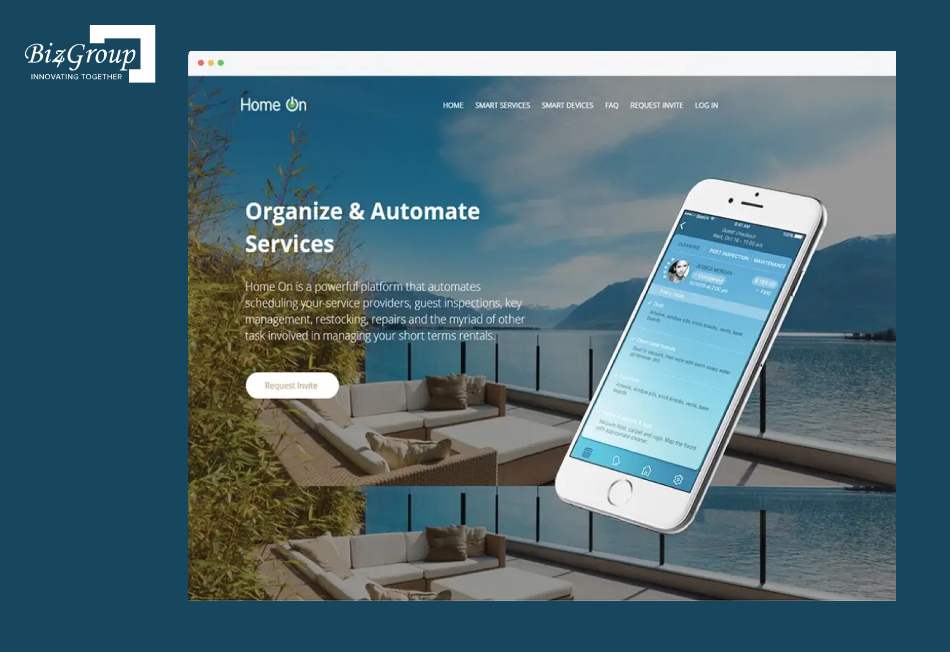
A standard platform routes requests by fixed rules. A custom layer can follow yours: how urgent the issue is, which vendor is free, and who can approve the spend. That helps when one community needs board approval above a set amount and another has its own after-hours rules. A rental-housing example is HomeOn, a platform Biz4Group built to keep inspections, key handovers, repairs, and scheduling in one dashboard. It isn’t an HOA product, but the juggling is the same. Most teams start with AI automation services on a single workflow.
Vendor Contracts, Approvals, and Milestone Payments
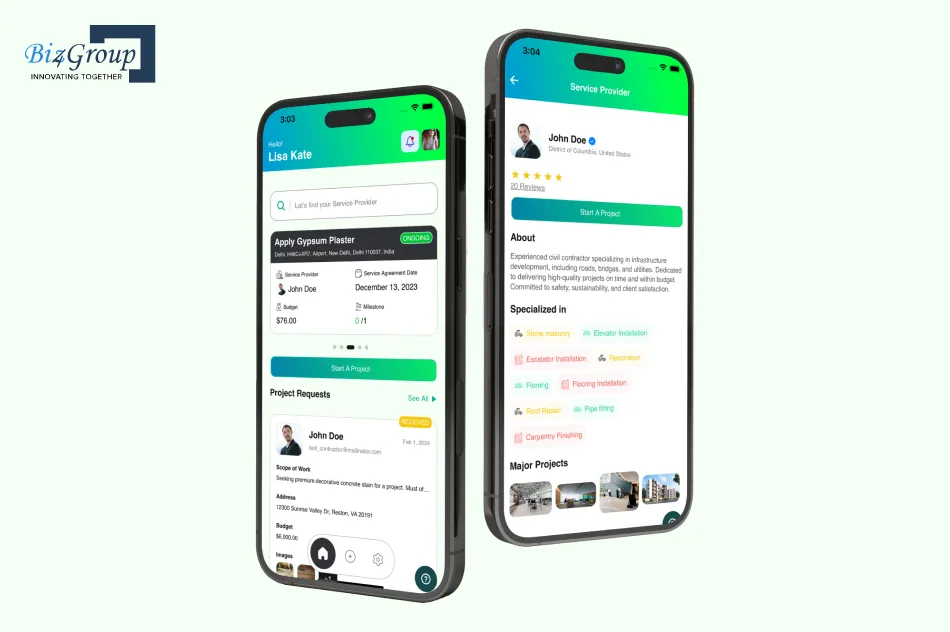
Every community has its own rules for who signs off and when money goes out. Custom AI can follow them: who approves what, at which dollar amount, and when a payment is released. Service Checkmate does a version of this for contractors, with standard contracts, milestone tracking, and payments that release once photos confirm the work. Vendor invoices have their own guide: build custom AI agent for HOA invoice processing.
Resident-Facing AI That Knows Each Community
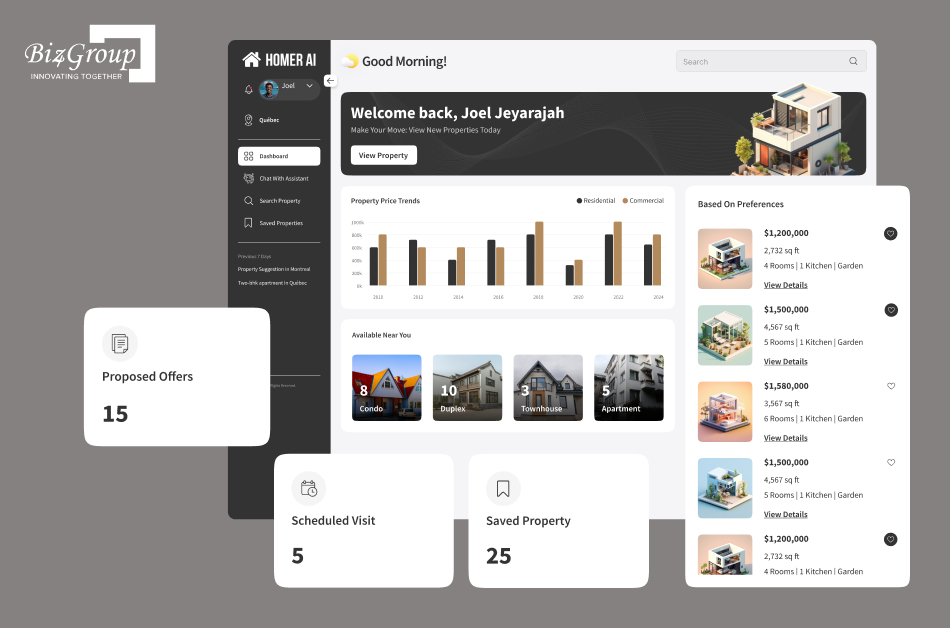
A generic chatbot answers from the internet. A custom one answers from each community’s own approved documents and hands the question to a person when it’s out of its depth. Homer AI works this way for home buyers: it asks about budget and location, then narrows the listings. An AI conversation app is where most teams begin, and the full resident-facing version is covered in develop AI HOA self service resident portal.
Document Intelligence for CC&Rs, Bylaws, and Contracts
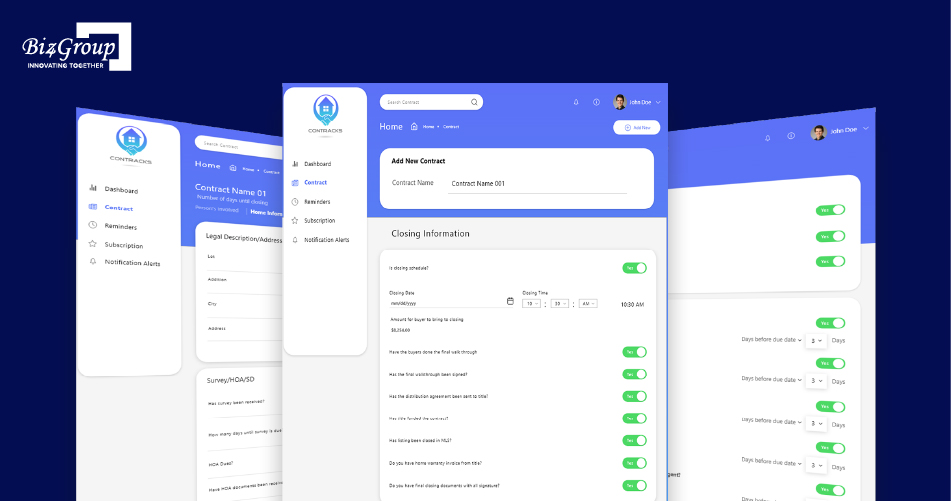
Most associations sit on piles of PDFs. Generative AI can summarize them, pull out key terms, and answer questions with citations, as long as it works from approved documents and a person checks the results. Contracks, a contract tracker built for real estate, uses AI to summarize long contracts, and its project page reports up to 50% less time on paperwork (client-reported).
What custom AI can’t do
- Fix a messy process. Automating a mess just makes it faster.
- Replace legal judgment. Enforcement, fees, and liens still need a person, often an attorney.
- Work well from disorganized files. Old or unlabeled records lead to confident wrong answers.
- Run itself. It needs regular checking and tuning.
How to Work Out the Real Cost (A Method, Not a Price Tag)
Anyone quoting a fixed price without seeing the workflows is guessing. A method works with any quote.
What Drives Cost on Each Side
|
|
Buying |
Building |
|---|---|---|
|
Biggest lever |
Plan tier and portfolio size |
Number of workflows in scope |
|
Often priced separately |
AI add-ons, API access, per-payment fees, onboarding |
Integrations, data cleanup, security review |
|
Ongoing |
Subscription and renewals |
Upkeep, AI monitoring, hosting |
Published pricing shows how this plays out. On one major platform, plans start at $62, $192, and $400 a month, the full AI suite and Open API come with the top plan, and community association pricing is quoted by phone.
Hidden Costs Nobody Puts on the Proposal
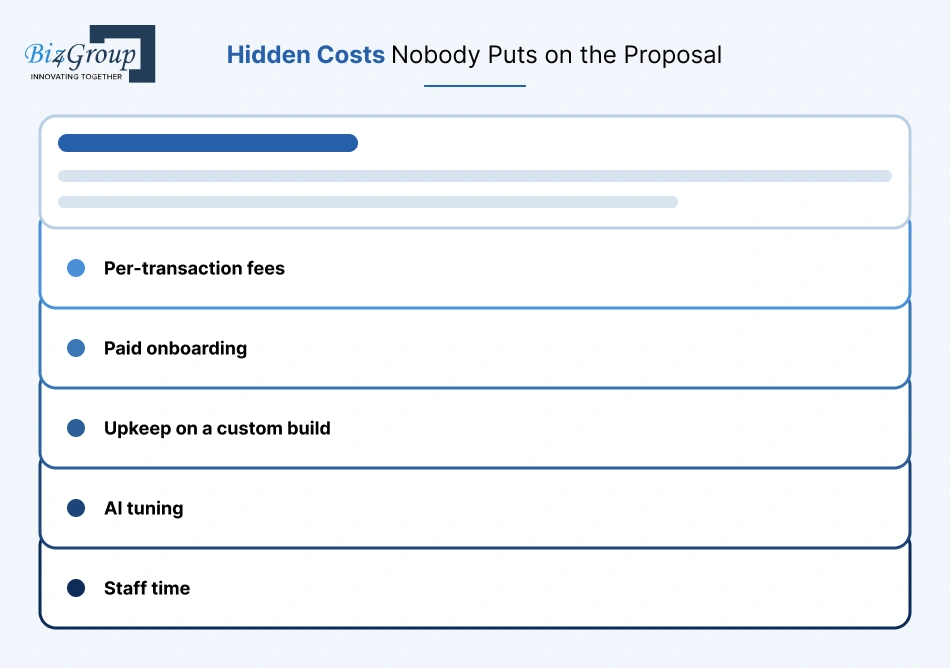
- Per-transaction fees. Payments, e-signatures, and screenings add up. Ask for the full fee schedule.
- Paid onboarding. Some platforms require it.
- Upkeep on a custom build. Security updates, hosting, and fixing integrations when a vendor changes its API.
- AI tuning. Answers drift over time, so someone has to keep checking them.
- Staff time. Discovery, testing, and training pull people off real work, whichever route is chosen.
A Break-Even Test You Can Run Yourself
Months to break even = extra upfront cost of custom ÷ monthly savings
Monthly savings = (hours saved × loaded hourly cost) + fees avoided − added upkeep
- Time one workflow for two weeks and count the hours.
- Price those hours at loaded cost: wages plus benefits and payroll taxes. BLS wage data by state and metro is a useful sanity check.
- Get the buy-side fee schedule in writing, plus a scoped estimate to build only that one workflow.
- Subtract upkeep, then divide.
- If the math only works with best-case savings, treat it as a no.
Data, Security, and AI Guardrails
Features get the attention. These two topics decide whether the choice still looks smart in year three.
Who Owns Your Resident Data, and How Easily Can You Leave?
Vendor lock-in rarely starts with a feature. It starts with a contract nobody read. Ask these before signing with a vendor or a build partner:
- Who owns the data? Resident records, financials, and documents should belong to the management company or association, in writing.
- What leaves with you? Ask for the export format, whether documents and audit trails come along, and what it costs.
- What happens on exit? Get timelines for handing data back and deleting what’s left.
- On a custom build: confirm who owns the code, the AI models, and the data, and whether another team could take over.
Keeping AI Honest: Accuracy, Privacy, and Human Oversight
Most companies are moving faster than their guardrails. In that same IREM survey, only 8% had a written AI policy, and 74% of employees had no formal training.
- Ground answers in approved documents, and show the source.
- Keep a person in charge of fees, violations, and anything legal.
- Log what the AI did, so a board can see it.
- Check privacy terms. Ask how resident data is used, and whether the association’s cyber insurance covers AI-related data incidents.
A Decision Framework You Can Use This Week
Custom AI HOA platform development vs. off-the-shelf solutions comes down to six questions. Answer them honestly, then count where the answers lean.
The Six-Question Scorecard
|
Question |
Leans buy |
Leans blend or build |
|---|---|---|
|
How different are your workflows from a “standard” HOA? |
Mostly standard |
Several truly unusual ones |
|
How many states, and how different are their rules? |
One or two |
Many, with different requirements |
|
Can your platform’s APIs connect what you need? |
Yes |
No, and no better option exists |
|
Can you support a build (a technical team or partner)? |
No |
Yes |
|
How soon are results needed? |
This quarter |
Six months or more is fine |
|
What does the break-even test say? |
Weak or unclear |
Clear payback |
Reading the result: mostly “buy” means buy and move on. A mix means blend: keep the platform, build only the AI layer. Mostly “build” means custom, but only for the workflows that earned it.
Three Composite Profiles: Small, Mid-Sized, and Enterprise
These are illustrative composites, not case studies.
- Small: a handful of communities, one state, a lean team. Verdict: buy. Spend the effort on a platform with open APIs and clean data export.
- Mid-sized: a few dozen communities across two or three states. Mostly standard, but a couple of workflows keep hitting walls, like approvals or resident questions. Verdict: blend.
- Enterprise: a large multi-state portfolio with many systems and strict reporting. Verdict: blend or selective custom, with real AI governance from day one.
Turn One Stubborn Workflow Into Your First AI Win
Scope a focused AI layer around the process that eats the most staff time, with a break-even check up front.
Scope My First WorkflowIf You Decide to Build: A Realistic Roadmap
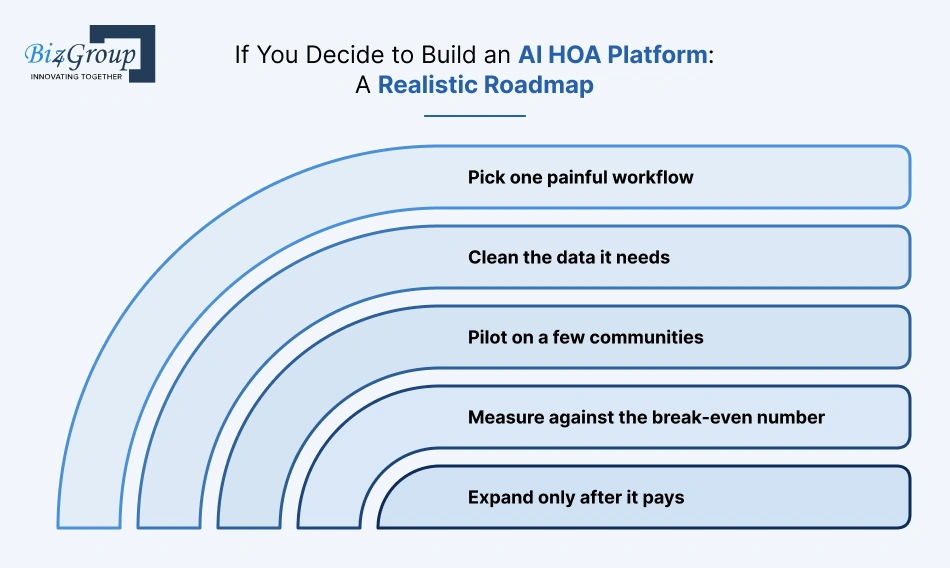
A custom build goes wrong when it starts too big. It goes right when each step has to earn the next one.
Start With One Workflow, Not the Whole Platform
- Pick one painful workflow. Choose one with clear hours attached and low legal risk, like routing maintenance requests.
- Clean the data it needs. Messy records produce confident wrong answers.
- Pilot on a few communities. Keep a person approving results. Our step-by-step guide on how to implement generative AI in real estate covers the basics.
- Measure against the break-even number. Compare hours before and after.
- Expand only after it pays. For the next candidate, real estate AI apps ideas is a good place to look.
Choosing a Build Partner (and the Red Flags)
Look for:
- Working products they can show, not just slides. Facilitor, a home-buying platform from Biz4Group’s portfolio, shows the idea: AI recommendations, live chat, and MLS data in one product.
- Questions about your workflow before any price comes up.
- Ownership in writing for the data, the code, and the AI models.
- A plan for upkeep after launch.
Red flags:
- A fixed price before discovery.
- Guaranteed AI accuracy.
- No human review step.
- References they can’t provide.
Prefer to keep the work in-house? Companies can also hire AI developers and run the build directly.
Conclusion: Buy What’s Standard, Build What’s Yours
Custom AI HOA platform development vs. off-the-shelf solutions isn’t a fight with one winner. It’s a sorting exercise.
Buy what every HOA company does the same way. Build only what makes the operation different, and only after a break-even check says it’s worth it. For most US management companies, the answer lands in the middle: a solid platform plus a focused AI layer.
Start with one workflow that keeps hitting walls. If the numbers hold, the next one is easier to justify.
FAQs
1. Can You Start Off-the-Shelf and Move to Custom Later?
Yes. Pick a platform with open APIs and clean data export, then add custom AI where workflows outgrow it. Adding a layer is far easier than replacing everything.
2. Is Custom Only for Enterprise-Sized Companies?
No. How unusual the workflows are matters more than company size. A mid-sized company with a couple of truly unique processes can justify a small custom layer. A large company with standard processes may not.
3. What Are the First Signs a Platform Isn’t Scaling?
Spreadsheets outside the platform, copy-pasting between systems, cheat sheets for state rules, integrations stuck on the roadmap, and AI that can’t follow the company’s rules.
4. Who Should Be Involved in the Decision?
Operations, accounting, compliance or legal, IT or a technical advisor, and leadership. Add board input if residents will interact with the AI.
5. How Important Are APIs When Choosing a Platform?
Very. APIs decide whether other tools or custom AI can read and write the platform’s data. Check what’s included in the plan and whether API access costs extra.
6. Can You Migrate Without Losing Historical Data?
Usually, with planning. Ask for a full export of records, financials, documents, and audit trails, and test it on a small set before committing.
