 Location :
Orlando, FL, USA
Location :
Orlando, FL, USA +1 (407) 714-1616
 info@biz4group.com

- AI IVR integration with real estate CRM turns inbound calls into structured CRM actions like lead creation, updates, routing, and task assignment.
- Clean sync logic prevents duplicate records, broken attribution, and missed follow ups.
- With AI IVR system integration for real estate, call data is captured in real time and written directly into the CRM without manual entry.
- A phased rollout starting with critical call flows reduces risk and improves reliability.
- Real estate call automation with CRM integration ensures inquiries, viewing requests, and transfers automatically trigger the right workflows.
- Proper AI IVR integration with real estate CRM ensures cleaner pipelines, faster response times, and more accurate reporting across operations.
An IVR system without CRM connectivity can answer calls, collect basic information, and route callers. What it cannot do is change the state of the business. When call data does not flow into the CRM, conversations stay as individual events. No lead is created, no record is updated, and no follow up is triggered. This is why AI IVR integration with real estate CRM is necessary for turning calls into operational inputs.
In real estate industry, inbound calls have to be captured with the right intent immediately. Without integration, agents or administrators have to manually log call details. This leads to inconsistent data, missed context, and delayed followups. With AI IVR system integration for real estate, caller identity, call intent, and outcomes are fed directly to CRM records during the call. The IVR becomes a structured data source instead of a standalone voice system, which is a common gap in many real estate AI software development efforts.
When AI IVR and CRM work together, calls move through the workflows just like online inquiries. Leads are created or updated on auto-mode, ownership is assigned, and follow ups are triggered without any manual intervention. This allows real estate CRM IVR integration solutions to support real pipeline management instead of basic call handling. This guide will help you understand how an AI development company can build systems for your real estate business, by integrating AI IVR with CRM.
How AI IVR and CRM Integration for Real Estate Agencies Works in Practice
AI IVR integration with real estate CRM works by connecting phone calls directly to CRM actions in real time. Instead of treating calls as separate events, the IVR collects data during the conversation and updates the CRM on its own. This allows real estate teams to rely on the system to record, route, and follow up on calls without any manual effort.
Here’s how it functions:
|
What the IVR Does |
What the CRM Does |
Why It Matters |
|---|---|---|
|
Collects caller details |
Creates a new lead or updates an existing record |
Prevents missed or incomplete lead data |
|
Records the conversation |
Logs call details and transcripts |
Keeps a clear history of interactions |
|
Identifies caller intent |
Routes the call to the right agent or team |
Reduces incorrect transfers |
|
Confirms next steps |
Creates tasks or follow ups automatically |
Ensures actions are not forgotten |
This workflow makes phone calls seem like planned CRM inputs instead of natural conversations. It’s often used as part of broader AI integration services, where the goal is to make voice interactions reliable sources of business information. When teams integrate AI IVR with real estate CRM platforms, they reduce manual work and ensure that every call results in clear ownership and next steps inside the CRM.
Make Calls Count Inside Your CRM
See how AI IVR integration with real estate CRM turns everyday phone calls into structured leads and actionable records.
Explore IVR CRM IntegrationUnderstanding Sync Logic in AI IVR CRM Integration for Real Estate Businesses
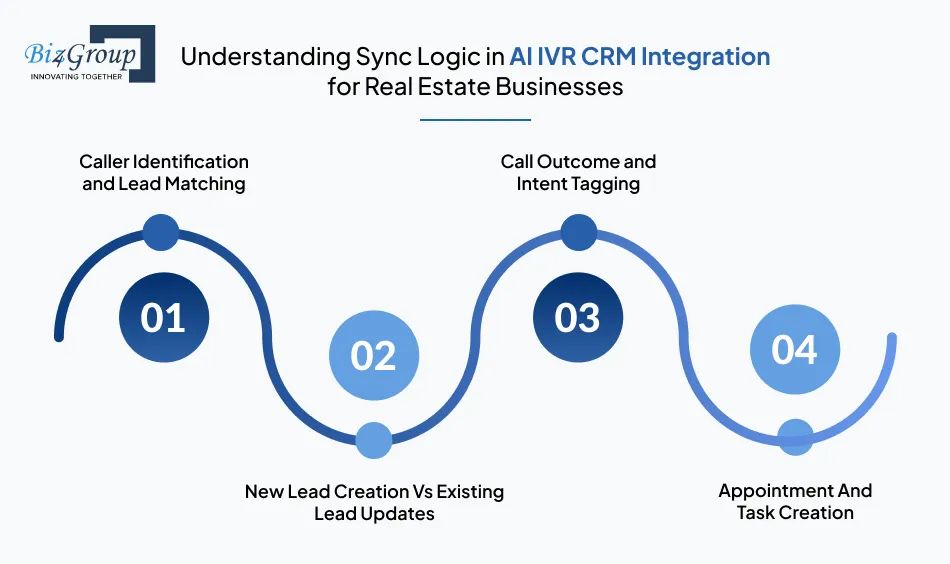
Sync logic that defines how call data is processed and written into the CRM and is very important aspect of AI IVR integration with real estate CRM. This logic answers one core question: what exact CRM action should happen based on what is talked about during a call. When this logic is defined clearly, each and every call gives predictable and consistent data outcomes.
1. Caller Identification and Lead Matching
The system first checks if the incoming phone number already exists in the CRM. If a match is found, the call is linked to the existing contact or lead record. This step helps with continuity of data and prevents duplicate records, which is a common risk in AI IVR and CRM integration for real estate agencies.
2. New Lead Creation Vs Existing Lead Updates
If no matching record exists, the IVR creates a new lead using the information collected during the call. If a record already exists, only selected fields are updated based on predefined rules. This keeps historical data intact while allowing new updates, a standard requirement when teams build AI software for production use.
3. Call Outcome and Intent Tagging
Each call is tagged with an outcome and intent, such as inquiry type or request category. These tags are stored in the CRM and used for routing, reporting, and follow up logic. Clear tagging ensures call data supports daily workflows for AI for real estate agents, instead of just sitting as random call logs.
4. Appointment And Task Creation
When a call results in a next step, such as a viewing request or a follow up, the IVR triggers task or appointment creation in the CRM. Ownership and timing are assigned automatically based on preset rules. This ensures actions are captured at the same moment the intent is confirmed.
Sync logic is the foundation of real estate call automation with CRM integration, where voice interactions reliably translate into CRM records, tasks, and next steps without manual intervention.
Top Use Cases of Operational Workflows Enabled by Real Estate Call Automation with CRM Integration
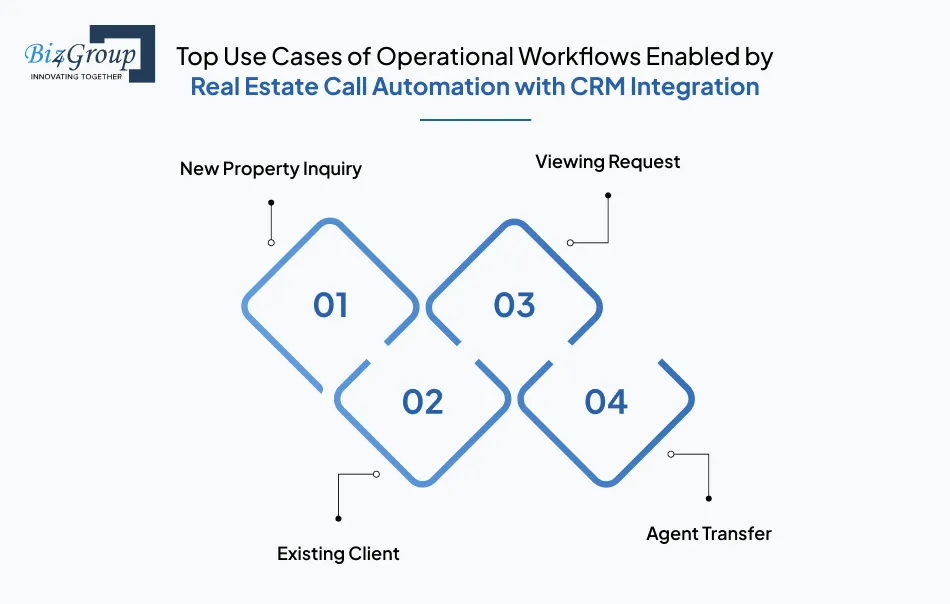
AI IVR integration with real estate CRM turns inbound phone calls into clear CRM actions. Instead of treating calls as one off conversations, the system follows simple rules to create records, route callers, and log activity. This helps real estate teams manage call driven work with the same structure they use for online leads.
1. New Property Inquiry
When a caller asks about a property, the IVR collects basic details and creates a lead in the CRM during the call. This ensures every inquiry is captured without relying on manual entry. These workflows are commonly supported by CRM connected IVR systems for real estate, where calls are treated as structured inputs.
- Example: A caller asks about a listing. The IVR records the caller details, creates a lead, and tags it with the property reference before the call ends.
2. Existing Client
If the caller already exists in the CRM, the IVR looks up the record and routes the call to the correct agent or team. This keeps conversations consistent and avoids repeated questions. Many teams implement this as part of AI automation services to reduce manual call handling.
- Example: A returning client calls for an update. The IVR matches the phone number and routes the call to the assigned agent.
3. Viewing Request
When a caller requests a property viewing, the IVR confirms the request and updates both the CRM and the calendar. This keeps scheduling and records aligned. This flow is often included during AI model development to ensure intent is captured accurately.
- Example: A caller asks to schedule a viewing. The IVR logs the request and creates a task or appointment in the CRM.
4. Agent Transfer
If a call needs to be transferred, the IVR records the transfer details in the CRM. This provides a clear activity trail and improves visibility into call handling. This setup is common in enterprise AI solutions used by multi agent teams.
- Example: A call is transferred from intake to sales. The CRM records the transfer and the agent who handled the call.
|
Call Scenario |
CRM Action Taken |
Operational Benefit |
|---|---|---|
|
New property inquiry |
Lead created and tagged |
No missed inquiries |
|
Existing client call |
Record lookup and routing |
Faster resolution |
|
Viewing request |
Task or appointment created |
Aligned schedules |
|
Agent transfer |
Activity logged |
Clear accountability |
These workflows show how phone calls can follow simple, repeatable processes. This is why AI IVR CRM solutions for real estate businesses focus on making every call visible and actionable inside the CRM, instead of leaving it as an isolated interaction.
Fix Call Data Before It Breaks Your Pipeline
Design reliable workflows with AI IVR system integration for real estate that keep lead data clean and consistent.
Plan Your Integration LogicIntegration Approaches Used for AI Powered IVR CRM Integration for Property Management
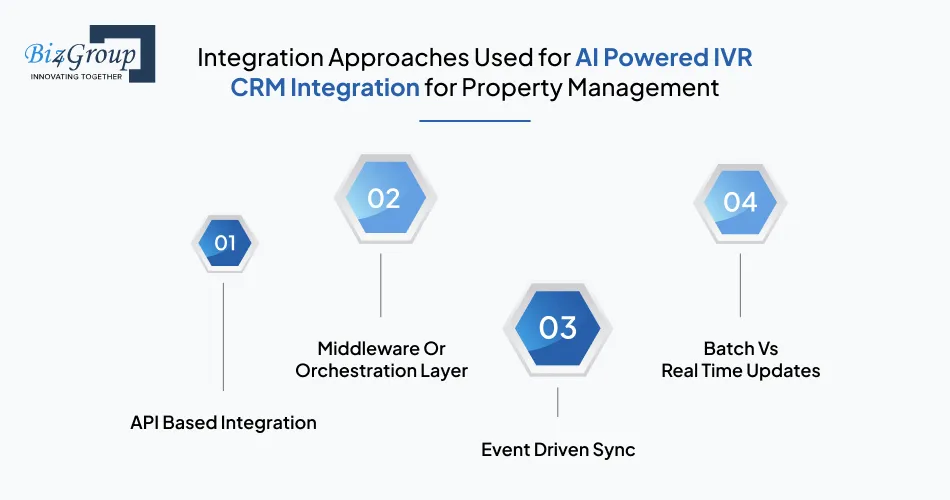
There are multiple ways in which a business can set up AI IVR integration with real estate CRM. Each approach controls how call data moves from the IVR into the CRM and how quickly updates happen. The right choice depends on how much control, speed, and reliability the operation needs.
Here's everything that you need to know:
1. API Based Integration
In an API based setup, the IVR sends call data directly to the CRM. Records are created or updated as soon as the call reaches a particular point. This approach is often used for AI IVR CRM integration for real estate lead capture, where immediate lead creation is required.
2. Middleware Or Orchestration Layer
A middleware layer sits between the AI IVR and the CRM and manages how data moves forward. It can handle errors, retries, and data checks before updates are made. This approach is useful when teams plan to build real estate AI software that is meant to connect more than one system.
3. Event Driven Sync
With event driven sync, call actions kickstart events that are processed in the background. The CRM is updated based on these events instead of direct calls. This method is commonly used in real estate lead management with IVR CRM integration where reliability and scalability are more important than constant updates.
4. Batch Vs Real Time Updates
Batch updates send call data to the CRM at preset intervals, while real time updates send data as and when it's exchanged. Real-time updates support faster follow ups, while batch updates reduce system load. Teams often consider this choice when they integrate AI into an app that is already handling large volumes of data.
When designed correctly, all of these approaches can support efficient call automation. For teams focused on integrating AI IVR with real estate CRM for call automation, the key is choosing an approach that keeps CRM data accurate and dependable as call volume grows.
Turn Real Estate Calls into Repeatable Workflows
Use real estate call automation with CRM integration to capture inquiries, route calls, and trigger follow ups automatically.
View Automation PossibilitiesDesign Considerations for Reliable AI IVR CRM Integration for Real Estate Customer Experience
For the best results, the data flow for AI IVR integration with real estate CRM needs to be carefully designed. Reliability depends on clear rules for how information is captured, stored, and protected. Without these rules, CRM data becomes choatic and difficult to use.
1. Data Mapping and Field Consistency
All information collected during a call must map to a specific CRM field. Names, phone numbers, intent tags, and notes should always follow the same structure. Clear mapping supports real estate CRM integration with AI IVR for better customer experience, because agents are able to see consistent records.
2. Error Handling and Fallbacks
Calls may drop or data may be left incomplete. The system must define what happens when a sync fails, like retrying the update or logging the issue for relevance later. This level of control is standard in AI in real estate development, where systems need to remain stable under daily use.
3. Duplicate Detection
When the same caller contacts the agency over an over again, the system should update the existing record instead of creating a new one. This directly supports using AI IVR and CRM integration to reduce manual data entry.
4. Sync Reliability and Retries
Temporary system issues should not cause permanent data loss. The best integrations include retry logic and confirmation checks to ensure updates are reaching the CRM. These safeguards are usually included when teams hire AI developers to build production ready integrations.
5. Permissions And Access Control
The IVR should only access the CRM fields that it needs to update. Limiting access reduces risk and prevents unintentional changes to the database. Clear permission rules also make the system easier to maintain over time.
|
Design Area |
What Is Defined |
Why It Matters |
|---|---|---|
|
Data mapping |
Which IVR fields map to CRM fields |
Keeps records consistent |
|
Error handling |
What happens on failed syncs |
Prevents lost data |
|
Duplicate rules |
How existing records are matched |
Avoids CRM clutter |
|
Sync reliability |
Retry and confirmation logic |
Ensures updates complete |
|
Access control |
What the IVR can read or write |
Reduces data risk |
When these design choices are handled correctly, the integration stays predictable and easy to operate. This is the foundation of AI IVR CRM integration for real estate customer experience, where clean data directly supports reliable follow ups and service.
Choose the Right Integration Model
Understand tradeoffs and select the right approach for integrating AI IVR with real estate CRM for call automation.
Evaluate Integration OptionsCommon Failure Points in AI IVR CRM Integration for Real Estate Businesses
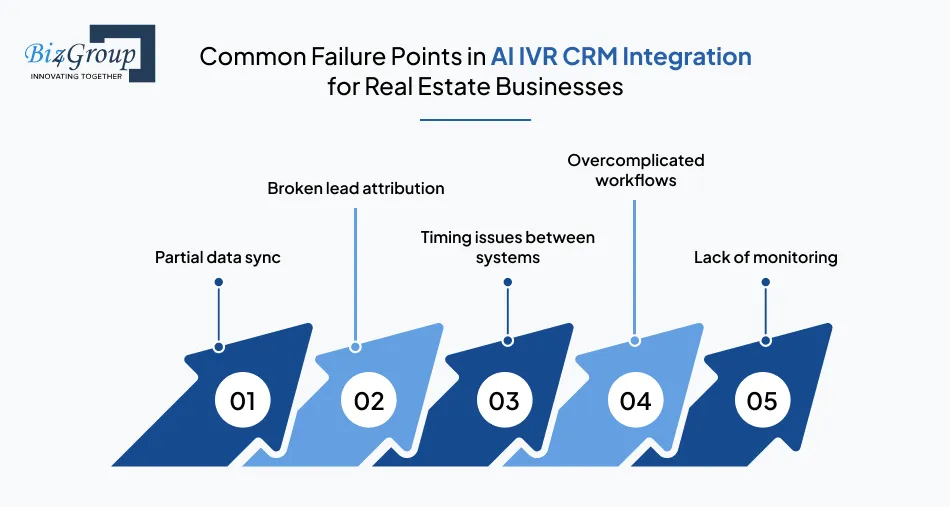
AI IVR integration with real estate CRM can take a serious hit when the connection between calls and CRM updates is not carefully managed. Most issues do not come from call handling, but from how data is written, timed, and tracked inside the CRM. When these problems go unnoticed, teams lose trust in their data.
|
Failure Point |
What Happens |
Why It Causes Problems |
|---|---|---|
|
Partial data sync |
Only some call details reach the CRM |
Records are incomplete |
|
Broken lead attribution |
Calls are not linked to the correct lead |
Follow ups go to the wrong place |
|
Timing issues between systems |
Updates happen at the wrong time |
Tasks and routing fail |
|
Overcomplicated workflows |
Too many rules and steps |
Higher chance of errors |
|
Lack of monitoring |
Failures are not detected |
Data issues persist |
These issues mostly come up when IVR is treated like an AI conversation app instead of a system that is supposed to keep CRM data accurate. Calls may sound okay, but important updates may be missing or getting delayed in the background.
Preventing these failures requires simple workflows, clear rules, and basic monitoring. This is why teams evaluating the best companies for AI IVR and CRM integration often focus on data reliability and long-term support, not just call quality.
How to Roll Out AI IVR CRM Integration for Real Estate Lead Capture Safely
Small, controlled steps are the best way to manage AI IVR integration with real estate CRM, ateast in the initial phase. A gradual rollout helps teams confirm that calls create the correct CRM updates before adding more complexity. The focus should be on accuracy first, expansion comes later.
1. Start With One or Two Critical Flows
Begin with the call flows that matter the most for your real estate business, such as capturing new leads or routing calls to the right team. Keeping the scope small makes it easier to see what is working and what is not. This approach is often used in custom AI IVR CRM integration services for real estate.
- Choose flows that directly affect lead capture or response time
- Delay complex routing or follow up rules until basics are stable
2. Validate Data End to End
Confirm that call data appears correctly in the CRM from start to finish. This includes checking lead records, activities, and assigned owners. Validation helps teams understand how to use AI for real estate without creating extra cleanup work.
- Place test calls for both new and existing contacts
- Review CRM entries to confirm accuracy and completeness
3. Add Observability Before Scaling
Set up simple tracking mechanisms to see when CRM updates succeed or fail. This makes it easier to catch issues early instead of finding them later in reports. Visibility becomes more important as automation increases.
- Log key actions such as lead creation and task updates
- Monitor for failed or delayed CRM sync attempts
4. Expand Integration Scope Gradually
After the first flows are stable, add new use cases one by one. This keeps changes manageable and reduces the chance of breaking existing workflows. It also supports future plans to implement generative AI in real estate systems.
- Add one workflow, then observe results before moving on
- Retest earlier flows after each new addition
A careful rollout helps teams trust the system as it grows. This is the reason why many teams rely on AI IVR integration partners for real estate agencies, so they can focus on steady deployment and ongoing validation and dodge risky launches.
Avoid Costly Integration Mistakes
Get guidance on AI IVR CRM integration for real estate lead capture that scales without breaking workflows.
Design a Safer RolloutWhat Changes After Implementing AI IVR CRM Solutions for Real Estate Businesses?
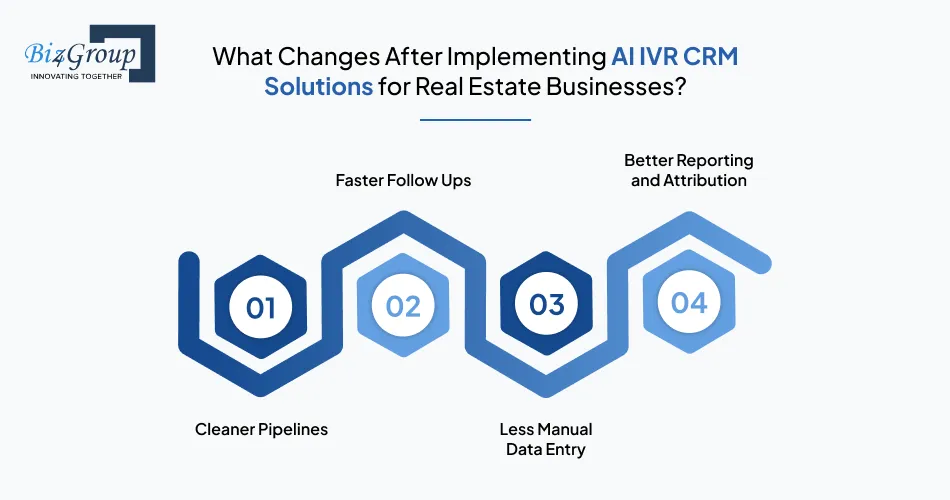
After AI IVR integration with real estate CRM, phone calls stop being separate from daily operations. Information on calls is captured once and sent directly to the CRM. This helps real estate businesses maintain clear records, experience faster actions, and fewer gaps in follow-ups.
1. Cleaner Pipelines
Leads and contacts created from calls are consistent and complete. Records are updated during the call instead of later. Clean input also matters when teams use generative AI, since data accuracy depends on reliable sources.
2. Faster Follow Ups
Tasks and reminders are created automatically when a call ends. Human agents no longer need to remember next steps or write notes for later. This is one of the main benefits of AI IVR system integration for real estate.
3. Less Manual Data Entry
Call details, and other relevant information is logged by the system instead of human agents. This reduces errors and saves a lot of valuable time. The same approach is common in business app development using AI, where routine work is handled by automation.
4. Better Reporting and Attribution
Because calls are linked to leads and activities, reports show what actually happened. Teams can track which calls led to follow ups or conversions. This improves visibility without putting in any extra effort.
|
Area |
Before Integration |
After Integration |
|---|---|---|
|
CRM records |
Incomplete or delayed |
Updated during calls |
|
Follow ups |
Manual |
Automatic |
|
Data entry |
Agent driven |
System driven |
|
Reporting |
Inconsistent |
Clear and reliable |
These changes make daily work easier and more predictable. This is why choosing the right AI IVR CRM integration solution matters for real estate teams that rely on phone calls as a key source of business.
Build IVR Systems That Feed Your CRM, Not Fight It
Make smarter decisions when choosing the right AI IVR CRM integration solution for your real estate operations.
Start a Technical DiscussionWhy Choose Biz4Group LLC to Integrate an AI IVR System with Real Estate CRM Platforms?
Biz4Group LLC builds AI systems where voice interactions are tightly connected to business data. During AI IVR integration with real estate CRM, the focus is on making sure calls reliably create leads, updates, and follow ups inside the CRM. As a custom software development company, we hold practical experience in AI IVR system integration for real estate, where accuracy and reliability matter more than features.
What sets the approach apart:
- Clear data flow between IVR, AI logic, and CRM systems
- Experience with real time voice processing and system level sync
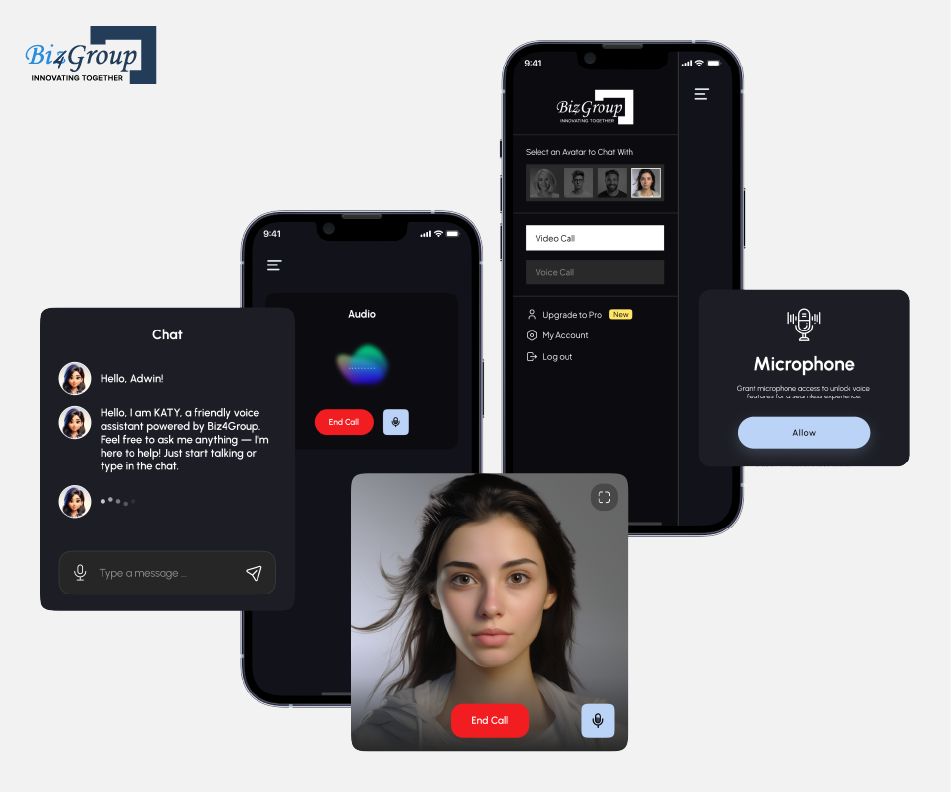
AI Wizard is an avatar-based AI platform built by Biz4Group LLC for voice and video conversations with real time context handling. It manages intent detection, conversation flow, and structured data output across sessions. This work closely aligns with AI IVR use cases, where spoken input must be interpreted correctly and converted into reliable system updates for downstream platforms like CRMs.
As an AI app development company Biz4Group LLC designs IVR CRM integrations that scale cleanly and remain easy to operate.
Conclusion
Most real estate teams already have the tools. They have an IVR. They have a CRM. What they often do not have is the alignment called 'AI' between the two.When calls are handled by one system and revenue is tracked in another, gaps appear. Leads get created late. Ownership is unclear. Reporting feels slightly off. Over time, small disconnects create bigger operational blind spots.
That is where AI IVR integration with real estate CRM changes the equation. It connects voice activity directly to pipeline movement. A caller asking about a property becomes a hot lead. A viewing request becomes a task. A transferred call becomes a logged activity with context. Nothing sits outside the system.
Building this kind of integration requires practical planning and disciplined execution. Product development services from seasoned professionals help define the workflows correctly from the start. Opting for AI consulting services also ensures the automation supports daily operations instead of complicating them.
When done well, IVR becomes a lot more than a call filter - it becomes a polished entry point into your revenue system.
Frequently Asked Questions
1. How long does it typically take to implement AI IVR integration with a real estate CRM?
Implementation time depends on CRM complexity, number of workflows, and integration depth. A basic setup that creates and updates leads may take a few weeks. More advanced integrations involving routing logic, tagging rules, and reporting layers can take longer due to testing and validation.
2. Can AI IVR integration work with legacy real estate CRM systems?
Yes, but feasibility depends on whether the CRM provides API access or webhook support. If the system lacks modern integration endpoints, middleware may be required. In some cases, limited sync models are used where only essential data is exchanged.
3. How does AI IVR integration affect data security and compliance?
Integration should follow the same data governance rules as the CRM. Access controls, encrypted data transfer, and restricted API permissions are standard practices. Call recordings and transcripts must also comply with local consent and data retention regulations.
4. What metrics should be tracked after integrating AI IVR with a CRM?
Key metrics include lead response time, call-to-lead conversion rate, task completion time, routing accuracy, and data sync success rate. Monitoring these metrics helps determine whether integration is improving operational efficiency.
5. How do you measure ROI from AI IVR and CRM integration in real estate?
ROI is typically measured through reduced manual data entry time, improved follow-up speed, increased lead capture accuracy, and better attribution tracking. Over time, cleaner data and faster response cycles can influence conversion performance.
6. What internal roles should be involved in an AI IVR CRM integration project?
Successful integration usually involves CRM administrators, operations managers, technical leads, and sales leadership. CRM admins define field mappings, operations teams define workflows, and technical teams handle integration logic and validation.
