Location :
Orlando, FL, USA
Location :
Orlando, FL, USA +1 (407) 714-1616
 info@biz4group.com


















Imagine a digital system that doesn’t wait for instructions but instead, understands your business goals, learns from real-time feedback, and takes independent actions to get the job done.
Read More
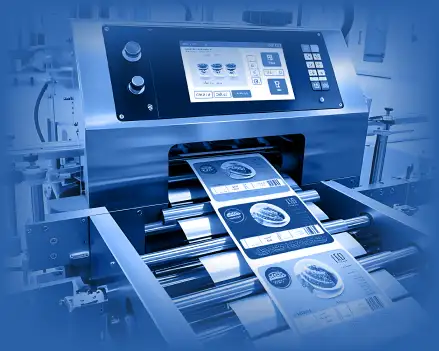
AI use cases in the printing industry are practical applications of machine learning, computer vision, and data analysis within print production and print management systems. These systems are used to improve scheduling, detect print defects, predict equipment failure, forecast demand, and support accurate pricing. The focus is measurable improvement in uptime, waste reduction, cost control, and production efficiency.
In most operations, artificial intelligence use cases in printing business fall into three main areas: production optimization, quality control, and business planning.
Each area connects directly to operational metrics such as throughput, downtime, defect rate, and margin stability.
The top AI use cases in the printing industry are usually adopted where cost impact is clear and reliable data is available. Print facilities with frequent downtime invest in predictive maintenance models. Operations facing high reprint rates deploy inspection systems. Companies managing complex job volumes use forecasting and pricing models. An AI development company working with printing businesses typically begins with data assessment and process review to ensure models are accurate and outcomes can be measured.
This blog explains the use cases, benefits, and more in detail, focusing on how these systems work and how decision-makers can evaluate them.
AI use cases in the printing industry help printing companies reduce downtime, control waste, and improve production speed. Printing operations deal with tight deadlines, machine wear, material costs, and changing order volumes. AI systems use production data and machine signals to support better decisions. The result is more stable output and lower operating costs.
Traditional automation has been used in printing for decades. It improves speed and reduces manual effort, but it follows fixed rules. It does not learn from past data or adjust to new patterns. That’s where AI systems come into the picture. They analyze data from machines, workflows, and inspection systems to improve performance over time. The difference becomes clear when comparing how each approach handles change and unexpected events.
Here’s a breakdown of how the two are different from each other:
|
Traditional Automation |
AI-Based Systems |
|---|---|
|
Follows fixed rules |
Learns from data over time |
|
Cannot adjust to new patterns |
Adapts to changing production conditions |
|
Reacts after a failure |
Predicts issues before failure |
|
Works in separate systems |
Uses connected data across systems |
|
Needs manual updates |
Improves automatically with more data |
In many industrial AI use cases for printing companies, predictive models study vibration, temperature, and usage data to detect early signs of machine problems. This allows teams to fix issues before they cause downtime.
To make this possible, companies often use AI integration services to connect machines, workflow software, and inspection systems into one data layer.
Printing companies usually adopt AI when operational problems affect margins. Some of the most common pressures include the follwing:
AI driven use cases in print manufacturing are often introduced when these issues become frequent and measurable. As operations grow, some companies implement enterprise AI solutions to manage larger production volumes and multiple facilities.
AI improves efficiency in practical ways:
The most effective industrial AI use cases for printing companies focus on one clear problem and use reliable data. When applied with defined performance metrics, they deliver steady efficiency improvements.
Deploy AI use cases in the printing industry that improve workflow control and reduce daily firefighting.
Optimize My Print Operations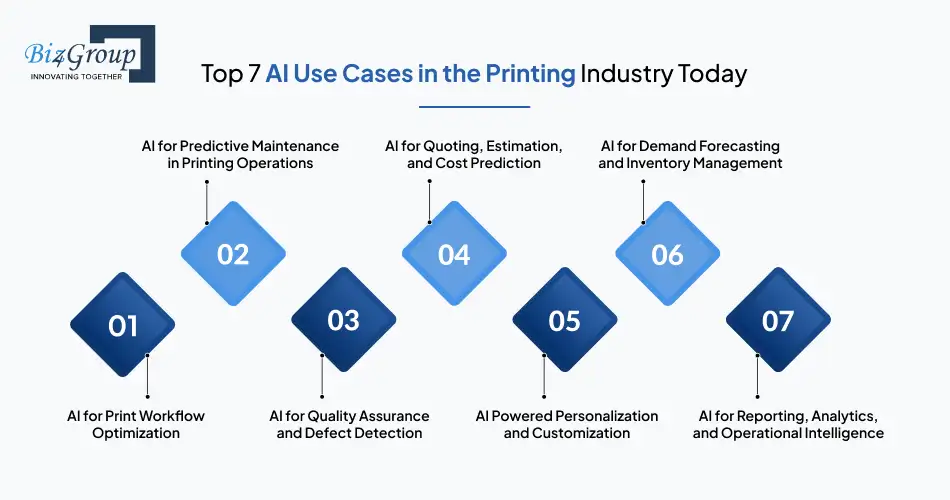
The AI use cases in the printing industry focus on improving production flow, reducing risk, protecting quality, and strengthening planning decisions. These systems use real production data to improve how printing companies schedule work, monitor output, forecast demand, and track performance.
Below are the most widely adopted applications of AI in printing today.
Focus: Efficiency and production flow
Workflow optimization improves how jobs move across presses and production stages. Here are the most common workflow problems that AI in printing solves:
What AI changes: AI models analyze job history, machine availability, and order priority. When delays occur, job queues adjust automatically. These are clear real world AI use cases for print workflow automation, where production responds to live data instead of fixed rules. Here’s the operational impact that AI has over printing:
This capability often becomes part of broader business focused AI use cases in printing industry as operations scale.
Focus: Stability and downtime control
Predictive maintenance reduces unexpected equipment failure. Instead of reacting after breakdown, AI systems:
This improves production stability and protects delivery schedules. Some organizations hire AI developers to adapt models to specific press types and maintenance cycles.
Focus: Waste reduction and accuracy
Quality systems use computer vision to inspect output during production. These are widely known AI use cases for print quality inspection.
|
Without AI |
With AI |
|---|---|
|
Defects found after batch completion |
Defects detected during production |
|
Higher reprint rates |
Lower material waste |
|
Manual sampling |
Continuous inspection |
In regulated industries, these systems are often part of AI powered use cases in packaging and printing.
Focus: Pricing consistency
AI-supported estimation improves pricing reliability. It helps by:
These are common AI use cases for commercial printing operations, especially for short-run and custom jobs.
Focus: Revenue flexibility
Personalization allows variable content printing without slowing production. AI systems:
Advances in generative AI are expanding these capabilities across packaging and marketing materials. These represent some of the emerging AI use cases in print production.
Portfolio Spotlight:
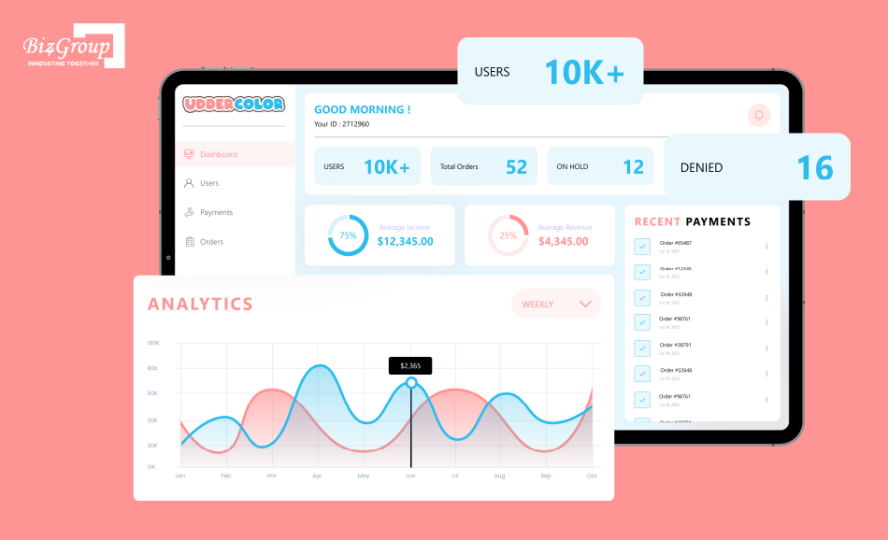
Udder Color is a custom artwork printing platform built by Biz4Group, that allows customers to upload designs, select quantities and sizes, and order printable heat transfers directly to their address. Built to handle design input, order configuration, and fulfillment workflows, the platform reflects practical AI use cases in the printing industry where automation, personalization, and production coordination come together to streamline custom print operations.
Focus: Planning stability
AI forecasting models improve procurement and scheduling decisions for printing businesses. They help teams:
Many organizations connect forecasting systems to planning tools using AI automation services.
Focus: Clear visibility
AI reporting systems turn printing production data into usable insights. Instead of old-school static dashboards, they:
These tools represent real world AI use cases in the printing industry with examples of how better visibility improves operational control.
Implement AI use cases for commercial printing operations that enhance scheduling, quality, and uptime.
Upgrade My Print SystemsChoosing the right AI use cases in the printing industry starts with understanding where your production slows down or becomes unstable. Some print shops deal with frequent press downtime. Others struggle with reprints caused by quality issues. Some face uneven job loads across machines. The right AI initiative depends on where daily operations break down.
Instead of starting with technology, start with the production problem that affects output, quality, or delivery.
In printing, problems are usually visible on the shop floor. AI should focus on those visible issues first. Ask these questions:
For example, companies considering AI use cases for predictive maintenance in printing industry should look at real press downtime records. If one machine causes repeated delays, that is a clear starting point.
Focused AI model development around one press or one production line often delivers clearer results than trying to change the entire plant at once.
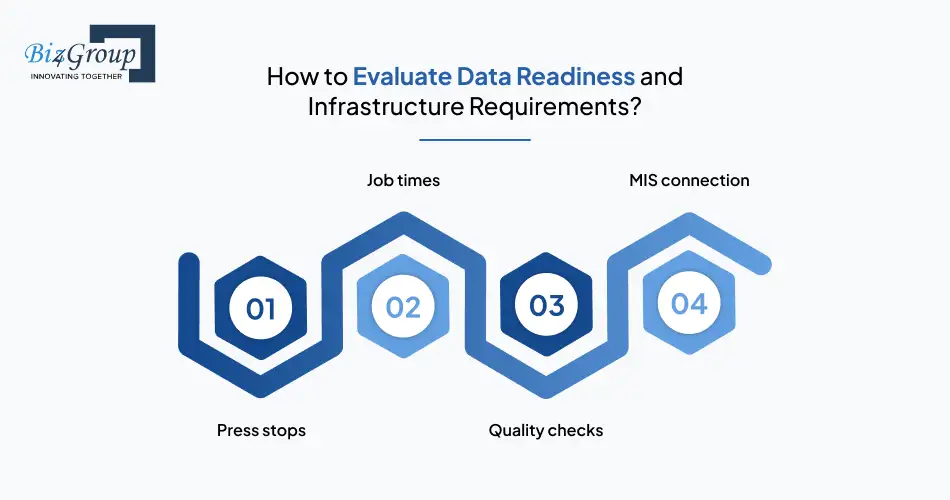
AI depends on clean and consistent production data. Before choosing a use case, check how your data is recorded.
|
Area |
Needs Improvement |
Ready for AI |
|---|---|---|
|
Press stops |
Written in logs |
Automatically tracked |
|
Job times |
Estimated |
Digitally recorded |
|
Quality checks |
Manual samples |
Inspection data stored |
|
MIS connection |
Separate systems |
Connected systems |
If press stops and job times are not tracked properly, workflow optimization will not work well. If machine data is missing, predictive maintenance will not be reliable. Some companies choose to build AI software that connects directly to press systems and MIS tools. Others improve data tracking first before adding AI tools.
Good data is the base for any AI system in printing.
Some AI projects are simple. Others affect many systems at once. It is important to start at the right scale. Consider asking the following questions for clarity:
Many leaders first explore how AI use cases improve efficiency in printing companies by improving scheduling or reducing downtime. These areas show visible results without major system changes.
Larger projects should be introduced step by step. Starting small reduces risk and allows teams to measure results clearly.
In printing, the best AI use case is the one that strengthens daily production without adding confusion.
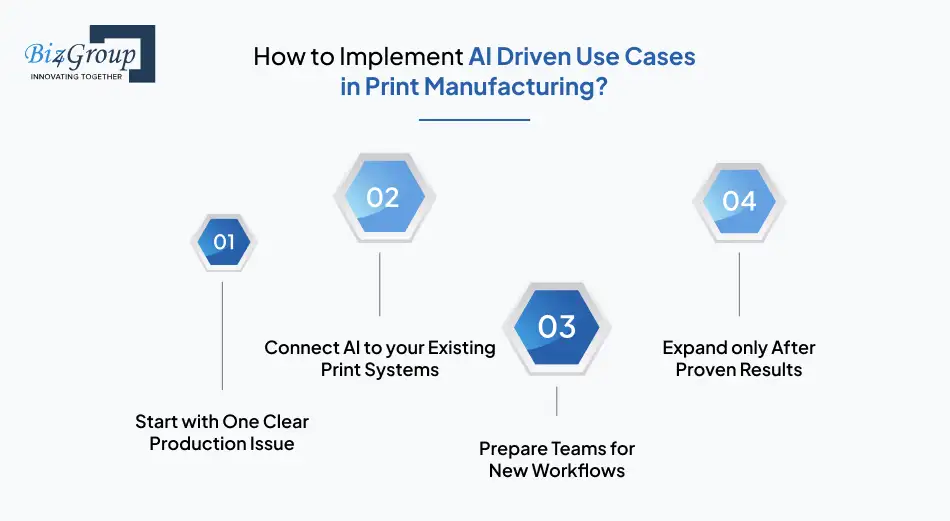
Implementing AI use cases in the printing industry should be practical and steady. AI must support presses, finishing lines, inspection systems, and planning tools without slowing production. The aim is to improve control and consistency while keeping daily operations stable.
Choose one problem that affects daily output, such as frequent press stops or repeated print defects. Do not try to improve everything at once. A small pilot helps you measure results clearly and adjust before expanding.
AI should work with your MIS, ERP, press monitoring, and inspection systems. If systems are not connected, AI will not have accurate data. Some companies integrate AI into an app that already tracks production performance to make adoption easier.
Operators and supervisors need to understand what the AI system is showing them and how to respond. Clear instructions and simple dashboards reduce confusion. Many companies use business app development using AI to present alerts and insights in a way that teams can act on quickly.
Once the pilot shows stable improvement, you can extend it to other presses or shifts. Many companies then move toward profitable AI use cases in commercial printing business, such as workflow optimization or better estimation accuracy. Expanding step by step reduces risk and keeps production steady.
AI implementation in print manufacturing works best when it is focused, simple, and controlled. Start small, connect systems properly, prepare your teams, and scale only after results are clear.
Adopt AI use cases for predictive maintenance in printing industry to protect margins and press performance.
Reduce Unplanned DowntimeMeasuring returns from AI use cases in the printing industry requires clear performance tracking. AI systems affect production flow, quality control, planning accuracy, and reporting speed. To understand whether AI is delivering value, printing companies need to monitor operational, financial, and long-term performance indicators. ROI should be measured through real production data, not assumptions.
Operational metrics show whether AI is improving day-to-day production stability. Common indicators include:
For example, AI use cases to reduce waste in printing operations can be measured by tracking defect rates before and after implementation. If inspection systems detect issues earlier, reprints and discarded materials should decrease over time.
Similarly, workflow optimization systems should show improvements in press utilization and reduced scheduling conflicts. These metrics provide direct evidence that AI is improving efficiency on the shop floor.
Financial metrics connect operational improvements to business results. When downtime decreases or waste is reduced, cost patterns should shift. Key financial indicators include:
Improvements in these areas show whether AI systems are stabilizing performance and supporting predictable pricing. Even tools like an AI conversation app used for internal reporting can support faster communication of performance data across teams.
Financial metrics should always be reviewed alongside operational metrics to confirm that efficiency gains translate into measurable business improvement.
Some benefits of AI appear over time rather than immediately. These indicators show whether AI adoption is strengthening the company’s long-term position. Look for signs such as:
When AI supports steady operations and better decision-making, it becomes part of broader strategic AI use cases for printing and packaging companies. Long-term advantage comes from stability, reliability, and the ability to scale production without increasing disruption.
Tracking both short-term efficiency and long-term performance ensures that AI investments continue to support growth and competitiveness.
Adopt strategic AI use cases for printing and packaging companies to gain long-term operational control.
Build My AI Roadmap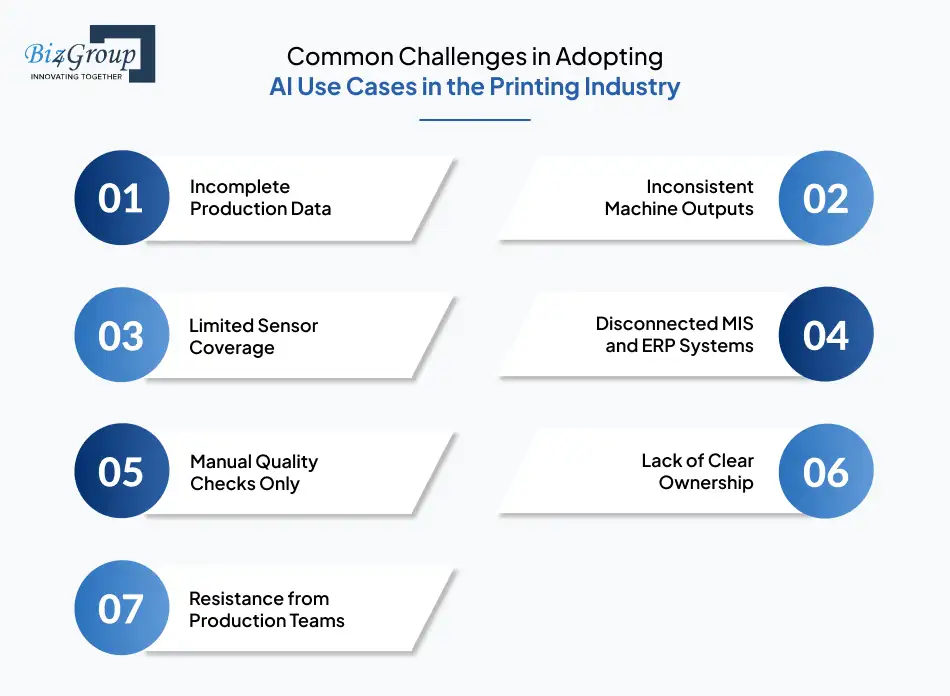
Adopting AI use cases in the printing industry can improve production control and planning, but it also brings real challenges. Printing operations rely on press data, job tracking, inspection records, and connected systems. If these are inconsistent, AI systems will struggle. Before expanding AI across the plant, companies need to address the common barriers shown below:
|
Challenge Area |
What It Looks Like on the Print Floor |
Why It Slows AI Adoption |
|---|---|---|
|
Incomplete Production Data |
Press stops recorded manually, job times estimated, missing defect logs |
AI models depend on accurate past data. Gaps reduce prediction quality. |
|
Inconsistent Machine Outputs |
Different press brands export data in different formats |
Models cannot compare performance reliably across equipment. |
|
Limited Sensor Coverage |
Older presses without vibration or temperature tracking |
Predictive systems lack the signals needed to detect early issues. |
|
Disconnected MIS and ERP Systems |
Estimating, scheduling, and production data stored separately |
AI cannot link planning decisions with actual output results. |
|
Manual Quality Checks Only |
Defects discovered after full print runs |
Inspection models need structured defect history to improve accuracy. |
|
Lack of Clear Ownership |
No defined team responsible for monitoring AI results |
Without oversight, model errors may go unnoticed. |
|
Resistance from Production Teams |
Operators unsure how to act on AI alerts |
Adoption slows if teams do not trust or understand the system. |
For example, companies exploring AI use cases for demand forecasting in printing industry often find that past order data is stored in different systems or not recorded consistently. If seasonal trends and repeat orders are not tracked properly, forecasts will not be reliable. Fixing data gaps and connecting systems first makes AI projects more stable and easier to scale across the business.
Printing companies looking to implement AI use cases in the printing industry need a partner who understands how presses, inspection systems, and planning tools work together. Biz4Group supports print businesses with practical AI solutions built around real production needs, not generic software templates.
As an experienced AI product development company, Biz4Group works closely with production teams to identify the right starting point. The focus is always on solving a clear operational issue, whether it is unstable scheduling, repeated reprints, or inaccurate demand planning.
Biz4Group helps companies integrate AI into printing workflow without disrupting daily output. That includes:
Every system is designed to fit existing processes instead of replacing them.
AI adoption often begins with one focused use case. Biz4Group helps printing companies test, measure, and expand AI systems in controlled phases. This approach reduces risk and keeps production stable during rollout.
For businesses exploring AI use cases for demand forecasting in printing industry, the team ensures that order history, seasonal trends, and procurement data are properly structured before models are deployed. Clean data and steady integration lead to more reliable results.
AI in printing is not a one-time project. Systems must be monitored, improved, and adjusted as production changes. Biz4Group LLC supports ongoing optimization so that AI continues to deliver value over time.
For printing companies that want steady, controlled adoption of AI, Biz4Group offers both technical expertise and a clear understanding of print operations.
The next phase of AI use cases in the printing industry will go beyond improving single processes. AI will begin shaping how entire printing businesses plan, scale, and compete. The future will focus on connected and intelligent production environments.
In the future, presses, finishing lines, warehouses, and customer portals will operate as one connected system. AI will adjust production plans automatically based on order flow and material availability. These shifts point toward future ready AI use cases in print production that treat the entire plant as one coordinated unit.
Instead of alerting teams to make changes, AI systems will gradually handle routine adjustments on their own. Press speeds, job routing, and material allocation may adapt automatically based on live conditions. This level of automation will reduce manual intervention while keeping human oversight in place.
Large printing groups will rely on shared AI models across multiple facilities. AI will balance workload between plants and guide long-term capacity decisions. These developments reflect emerging enterprise AI use cases in the printing industry that support growth and multi-site coordination.
As printing technology evolves, AI will shift from being a support tool to becoming part of the core operating model. The future will be less about isolated improvements and more about intelligent, connected production environments.
Explore future ready AI use cases in print production designed for scalable growth.
Future-Proof My OperationsPrinting today is not just about running presses faster. It is about making smarter decisions every day. The real impact of AI use cases in the printing industry is in fewer delays, fewer reprints, and clearer production planning.
Many leaders ask how AI use cases improve efficiency in printing companies. The answer is practical. AI reduces manual checks, highlights problems earlier, and helps teams plan with more confidence.
What matters most is the fit. AI must align with real production flow, existing systems, and the people running them. That is why partnering with an experienced AI app development company that builds tailored printing software solutions makes a difference. The focus should always be steady improvement, not unnecessary disruption.
Looking for a clear AI roadmap for your print business? Schedule a focused discussion with our experts.
Most AI systems require structured historical data to detect patterns reliably. For production forecasting or quality analysis, 12 to 24 months of consistent job, machine, and order data is often a practical starting point. The more stable and complete the data, the more accurate the results.
AI adoption is not limited to large printing groups. Smaller operations can begin with focused use cases such as scheduling optimization or defect detection. The key factor is not company size, but data availability and clarity of operational goals.
Timelines depend on the use case and data readiness. Targeted applications such as workflow optimization or inspection systems may show measurable impact within a few months. Broader, multi-department systems usually require phased rollout and gradual validation.
In most cases, AI systems are layered on top of existing infrastructure. They connect to current MIS, ERP, or press monitoring tools to analyze data and generate insights. Full system replacement is rarely necessary unless the existing setup cannot provide usable data.
Common risks include poor data quality, unrealistic expectations, and lack of internal alignment. AI works best when leadership defines clear objectives and ensures operational teams understand how the system supports their daily tasks.
AI systems should include monitoring, reporting, and override mechanisms. Human oversight remains essential. Successful adoption means AI supports decision-making while operators and managers retain final control over production changes.

with Biz4Group today!
Our website require some cookies to function properly. Read our privacy policy to know more.