 Location :
Orlando, FL, USA
Location :
Orlando, FL, USA +1 (407) 714-1616
 info@biz4group.com

- Healthcare kiosk software development helps hospitals and clinics automate check ins, intake, payments, and wayfinding while reducing front desk workload and patient wait times.
- High performing kiosks are built on core features like secure sign in, configurable workflows, system integrations, accessibility, and scalability from MVP to enterprise rollout.
- A clear, step by step development process starting with MVP pilots enables faster adoption, controlled costs, and smoother expansion across locations.
- The healthcare kiosk software development cost typically ranges from $25,000 to $150,000+, depending on features, integrations, compliance needs, and rollout scale.
- Partnering with Biz4Group LLC for custom healthcare kiosk software development services brings healthcare expertise, scalable architecture, and measurable ROI from MVP to enterprise deployment.
Have you noticed how long patients wait just to check in? Or how stretched your front desk teams feel during peak hours? If this feels familiar, you are not alone. Healthcare organizations across the U.S. are under constant pressure to move faster, reduce manual work, and still deliver a smooth patient experience.
The data makes this shift hard to ignore. In 2025, the global healthcare kiosk market crossed USD 1.9 billion, fueled by hospitals and clinics adopting self service systems to reduce wait times and front desk overload.
Patient behavior is shifting just as fast. A 2025 industry survey found that 72% of patients are comfortable using self service kiosks in healthcare settings, especially for check ins, payments, and basic navigation.
So, what does this mean for you?
It means traditional front desk operations are becoming a bottleneck. Paper forms, repeated data entry, and long queues slow patient flow and frustrate staff. That is why more organizations are turning to healthcare kiosk software development to modernize patient access and streamline operations.
You might be wondering:
- Will patients actually use kiosks on their own?
- Can this work alongside our existing EHR and billing systems?
- Is there a way to test this before committing across all locations?
Those are the right questions to ask.
Today’s kiosks are not just hardware placed in a lobby. They are intelligent digital systems built through healthcare kiosk software development services that handle check ins, payments, wayfinding, and patient engagement while integrating with core healthcare platforms.
Many providers take this a step further by investing in AI kiosk software development to make kiosks more adaptive and context aware. This allows the system to guide patients based on appointment type, location, or prior interactions, reducing confusion and easing the load on staff.
Here, we will show you how custom healthcare kiosk software development helps automate patient intake, manage patient flow, and scale confidently from an MVP to a full enterprise rollout. You will see practical use cases, essential features, development steps, cost considerations, and common challenges you should plan for.
What Is Healthcare Kiosk Software and Why It’s Replacing the Front Desk?
Before diving deeper, let’s clearly define what we are talking about.
Healthcare kiosk software is a digital application built for self service kiosks placed inside hospitals, clinics, and medical facilities. These kiosks allow patients to check in for appointments, verify insurance details, complete forms, make payments, and navigate the facility without depending on front desk staff. When organizations invest in healthcare kiosk software development, they are essentially redesigning the first touchpoint of the patient journey.
Think about your current front desk workflow. Patients arrive, stand in line, fill out paperwork, repeat the same information multiple times, and wait again. This process is slow, error prone, and stressful for both patients and staff. Healthcare kiosks replace these manual steps with guided digital flows that capture information accurately and pass it directly into your internal systems.
Through healthcare kiosk software development services, you can design kiosks that align with how your facility actually operates. You can build healthcare kiosk applications that support appointment check ins, insurance verification, consent collection, payments, and wayfinding, all in one place. The experience stays consistent, even during peak hours.
Why front desks are struggling to keep up
Front desks were never designed for today’s patient volumes or expectations. Staffing shortages, rising administrative work, and tighter schedules make it difficult to maintain efficiency. As patient numbers increase, the pressure on front desk teams grows quickly.
This is where the comparison between healthcare kiosks vs traditional front desk operations becomes important. Front desks rely on people handling repetitive tasks all day. Kiosks rely on software that follows the same workflow every time. That consistency reduces wait times, lowers error rates, and improves overall patient flow.
Many organizations treat kiosks as part of their broader digital ecosystem rather than a standalone tool. By approaching kiosks through healthcare software product development, they ensure the software integrates smoothly with scheduling systems, billing platforms, and electronic health records. This keeps data accurate and avoids duplicate work.
Why healthcare organizations are making the shift
Most healthcare leaders do not replace their front desk overnight. They introduce kiosks alongside existing processes and let adoption grow naturally. Over time, kiosks become the preferred option for routine interactions.
Here is why that shift happens:
- Patients move through check in faster
- Staff spend less time on repetitive data entry
- Administrative errors decrease
- Facilities handle higher volumes without expanding teams
With custom healthcare kiosk software development, workflows can be adapted to different care settings. A multi-location hospital system, a specialty clinic, and an urgent care center all have different intake needs. The software reflects those differences instead of forcing a one size fits all approach.
From basic kiosks to connected healthcare platforms
Today’s kiosks are designed to be flexible and future ready. Healthcare teams increasingly develop smart healthcare kiosk platforms that adjust flows based on visit type, patient history, and location. Returning patients complete fewer steps. First time visitors receive more guidance. Accessibility and language preferences are built directly into the experience.
This is why healthcare kiosk application development is no longer viewed as a short-term fix. It becomes a strategic way to improve patient experience, reduce operational strain, and modernize how care begins.
At this point, you might be wondering how all of this actually plays out on the ground. Where do kiosks make the biggest difference day to day? Let’s walk through the real-world use cases where healthcare kiosks create immediate, measurable impact across hospitals and clinics.
Still Letting the Front Desk Do All the Heavy Lifting?
If patient wait times and staff overload are slowing things down, kiosks can change the equation faster than you think. Let’s talk about what makes sense for your facility.
Talk to a Healthcare Kiosk ExpertReal World Use Cases That Show the True Value of Healthcare Kiosks
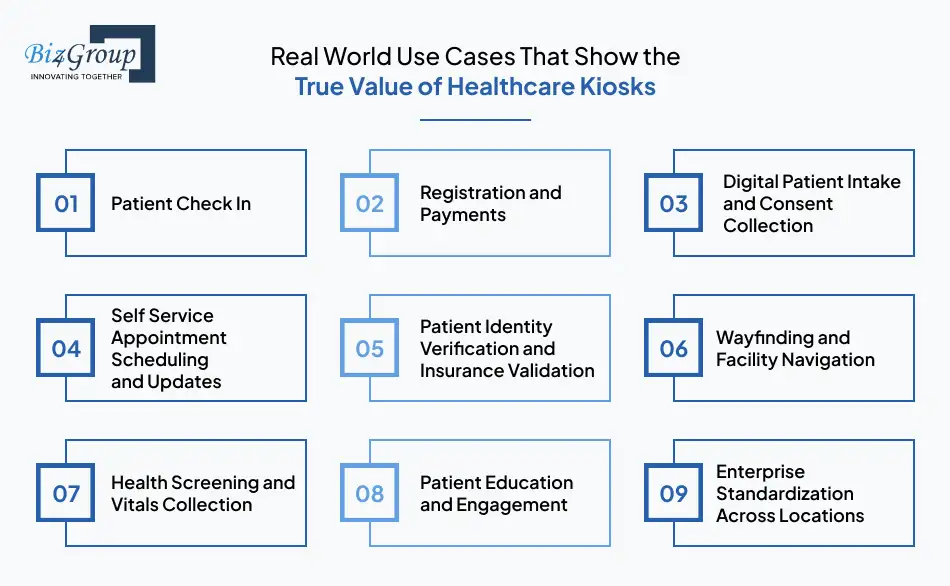
When healthcare organizations invest in healthcare kiosk software development, they quickly realize kiosks are not limited to one task. The real value shows when kiosks are designed to support multiple operational touchpoints across the patient journey. Below are the most impactful use cases, explained clearly and practically, so you can see where kiosks fit into your own environment.
1. Patient Check In
Patient check in is where delays usually begin. Kiosks simplify this moment by letting patients confirm appointments, verify demographics, and complete required steps as soon as they arrive. Everything happens in a guided flow that is easy to follow, even for first time visitors.
Key benefits
- Faster check in without adding staff
- Less crowding at the front desk
- Accurate patient information captured upfront
For example, a specialty clinic used kiosks to create patient check in kiosk systems for scheduled visits. Morning bottlenecks eased quickly, and staff spent more time assisting patients who truly needed help.
2. Registration and Payments
Registration and payments often happen separately, which creates confusion and delays. Kiosks bring these steps together into a single experience that guides patients from entry to destination without interruption.
Key benefits
- Smoother registration and payment collection
- Fewer missed or late appointments
- Reduced front desk interruptions
For example, a hospital chose to build healthcare kiosks for registration payments and wayfinding, helping patients complete paperwork, pay co-pays, and receive clear directions before heading to their department.
Also Read: AI Money Transfer App Development
3. Digital Patient Intake and Consent Collection
Paper intake forms slow down both patients and providers. Kiosks replace these forms with digital workflows that collect medical history, consent, and acknowledgements before the visit begins.
Key benefits
- Complete intake data before rooming
- Fewer missing or incorrect forms
- Faster provider readiness
For example, an outpatient center used healthcare kiosk application development to digitize intake and consent. Providers reported fewer delays and better prepared consultations.
4. Self Service Appointment Scheduling and Updates
Kiosks can also support patients after their visit by allowing them to schedule follow ups, reschedule appointments, or confirm future visits without calling the front desk.
Key benefits
- Lower call volume for staff
- Better appointment adherence
- More control for patients
For example, a clinic allowed patients to book follow ups through kiosks, which reduced scheduling related phone calls and improved appointment attendance.
5. Patient Identity Verification and Insurance Validation
Manual ID checks and insurance verification often cause slowdowns. Kiosks automate this process by capturing documents digitally and validating information during check in.
Key benefits
- Faster eligibility checks
- Fewer billing issues later
- Improved compliance and accuracy
For example, a healthcare network used custom healthcare kiosk software development to automate identity and insurance validation, reducing claim rejections across locations.
6. Wayfinding and Facility Navigation
Large hospitals and multi building campuses can overwhelm patients. Kiosks act as digital guides, helping patients find departments, labs, and services without relying on staff.
Key benefits
- Less confusion inside facilities
- Fewer late arrivals
- Reduced staff interruptions
For example, a large hospital used kiosks to create digital healthcare kiosk systems with interactive maps that guided patients step by step to their destination.
7. Health Screening and Vitals Collection
Some kiosks integrate with medical devices to collect basic vitals during check in. This helps care teams prepare before the patient reaches the exam room.
Key benefits
- Faster triage workflows
- Consistent data capture
- Reduced nursing workload
For example, urgent care centers used kiosks to build medical kiosk software solutions that collected vitals early, speeding up patient assessments.
8. Patient Education and Engagement
Kiosks can educate patients while they wait by sharing instructions, care information, and next steps in a clear and consistent way.
Key benefits
- Better informed patients
- Less repetitive explanation for staff
- Improved adherence to care instructions
For example, clinics used kiosks to create smart healthcare kiosks for patient engagement, helping patients understand procedures and follow up requirements.
9. Enterprise Standardization Across Locations
For healthcare systems with multiple facilities, kiosks help standardize intake and administrative workflows while allowing central control.
Key benefits
- Consistent patient experience across locations
- Easier staff training
- Centralized updates and reporting
For example, a health system used kiosks to develop healthcare kiosk software for enterprise rollout, ensuring the same check in experience at every clinic.
These use cases show why kiosks are becoming a foundational layer in modern care delivery. When designed thoughtfully, they support efficiency, accuracy, and patient satisfaction at scale.
Now, let’s look at the features your kiosk software must include to support these use cases effectively.
Core Features That Make Healthcare Kiosk Software Actually Work
When you plan healthcare kiosk software development, features are not about what the kiosk looks like on the outside. They are about what the software can reliably handle behind the scenes, day after day, across real clinical environments.
These are the must have, non-negotiable core features every healthcare kiosk platform should include.
|
Core Feature |
What This Feature Does |
Why It Is Critical in Healthcare Settings |
|
Patient Sign in and Session Management |
Manages patient sign-in, session start, timeouts, and automatic logout after use. |
Prevents data exposure between patients and ensures privacy at shared kiosks. |
|
Configurable Check in and Intake Workflows |
Allows admins to define steps for check in, intake, and verification without hardcoding. |
Makes it easy to adjust workflows across departments and locations. |
|
Digital Form Engine |
Powers of intake forms, consent documents, acknowledgements, and signatures. |
Eliminates paper while ensuring forms are complete and standardized. |
|
Identity and Insurance Capture Module |
Supports ID scanning, insurance card capture, and validation logic. |
Reduces manual verification errors and billing delays. |
|
System Integration Layer |
Connects kiosks with EHR, scheduling, billing, and patient management systems. |
Keeps data flowing without duplication or manual re entry. |
|
Secure Data Handling and Encryption |
Encrypts patient data during transmission and storage. |
Protects sensitive health information and supports compliance. |
|
Offline Mode with Auto Sync |
Allows kiosks to operate during network issues and sync data once restored. |
Prevents check-in disruption and data loss during outages. |
|
Accessibility and Language Controls |
Supports multiple languages, font scaling, and assistive navigation. |
Ensures kiosks are usable for diverse patient populations. |
|
Device and Remote Management |
Enables centralized monitoring, updates, and health checks for kiosks. |
Simplifies maintenance across multiple facilities. |
|
Audit Logs and Activity Tracking |
Records user actions, system events, and configuration changes. |
Supports compliance reviews and operational audits. |
|
Analytics and Usage Reporting |
Tracks kiosk usage, drop offs, and workflow completion rates. |
Helps identify bottlenecks and improve patient flow. |
|
Scalable Deployment Architecture |
Supports adding new kiosks, locations, and workflows without rebuilding. |
Enables growth from MVP pilots to enterprise rollout. |
These features form the backbone of build healthcare kiosk software for hospitals and clinics. Without them, kiosks quickly become fragile, hard to maintain, or unsafe for shared use.
One important point worth calling out. Many healthcare teams enhance these core capabilities using AI automation services to automate decision logic, streamline routing, and reduce manual intervention across workflows. This strengthens reliability without complicating operations.
Now that the feature foundation is clear, the next step is understanding how these features are actually built and rolled out, starting with planning and MVP execution.
Do Your Kiosks Have Real Features or Just a Touchscreen?
If your current or planned kiosks cannot scale, integrate, or adapt, they will create more work than they remove. We help you build kiosk software that actually holds up in real healthcare environments.
Let’s talkStep by Step Process to Develop Healthcare Kiosk Software From MVP to Enterprise
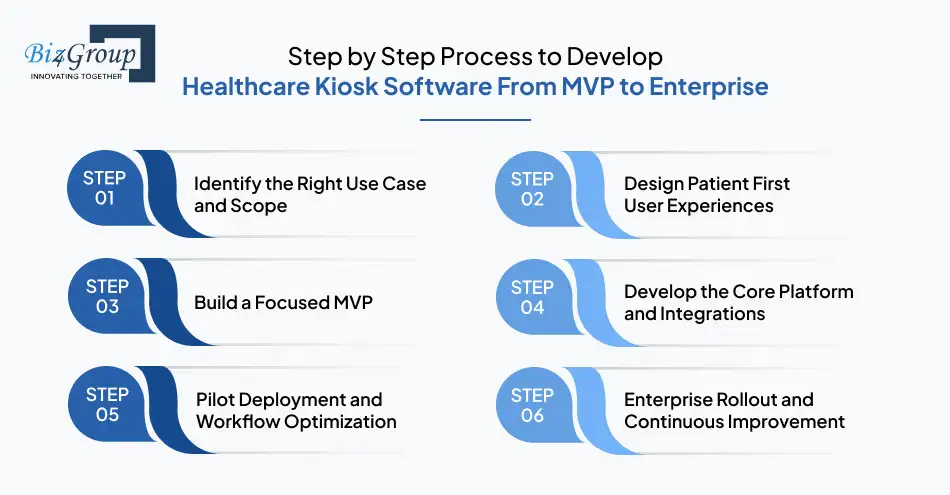
When you approach healthcare kiosk software development, clarity in execution matters as much as the idea itself. A structured, step by step process helps you reduce risk, control costs, and build software that actually works in real healthcare environments. Below is a clear breakdown of how organizations successfully develop scalable healthcare kiosk platforms from MVP to enterprise.
Step 1: Identify the Right Use Case and Scope
Every successful kiosk project starts with focus. You need to decide exactly what the kiosk will handle in the first phase and what can come later. Trying to solve everything at once often leads to delays and low adoption.
What to define at this stage
- Whether you want to build healthcare kiosk software for hospitals and clinics or start with a single location
- Core workflows like check ins, intake, or payments
- Compliance, security, and reporting requirements
This step ensures your healthcare kiosk application development effort stays aligned with real operational needs.
Step 2: Design Patient First User Experiences
Once scope is clear, attention shifts to how patients will interact with the kiosk. The experience must feel simple, guided, and forgiving. If patients feel confused, adoption drops quickly.
Key design considerations
- Simple navigation for all age groups
- Clear instructions at every step
- Accessibility and multilingual support
Strong UI/UX design is critical here, especially when you plan to create digital healthcare kiosk systems that will be used by thousands of patients daily.
Step 3: Build a Focused MVP
An MVP allows you to validate assumptions before committing to a full rollout. This phase helps you learn how patients and staff actually use the kiosk in real conditions.
What an MVP typically includes
- One or two high impact workflows
- Basic integrations with scheduling or registration systems
- Limited deployment in a controlled environment
Through MVP development, healthcare teams test functionality, gather feedback, and fine tune workflows before scaling.
Step 4: Develop the Core Platform and Integrations
After MVP validation, development moves into strengthening the foundation. This is where the software becomes production ready.
What happens in this step
- Full integrations with EHR, billing, and identity systems
- Security hardening and encryption
- Performance and load testing
This stage enables teams to build medical kiosk software solutions that can support higher patient volumes and complex workflows reliably.
Step 5: Pilot Deployment and Workflow Optimization
Before expanding across locations, kiosks are rolled out in pilot environments. This phase helps uncover operational gaps that only appear in day-to-day use.
What teams focus on
- Monitoring patientadoption and completion rates
- Training front desk and operations staff
- Adjusting workflows based on real usage
This step is critical when you plan to create patient check in kiosk systems that patients trust and staff support.
Step 6: Enterprise Rollout and Continuous Improvement
Once pilots prove successful, kiosks are deployed across facilities with centralized control. From here, optimization becomes an ongoing effort.
What this stage includes
- Centralized configuration and monitoring
- Adding new workflows over time
- Using analytics to improve efficiency
This is how organizations develop healthcare kiosk software for enterprise rollout while maintaining consistency, security, and scalability.
By following this structured approach, healthcare organizations avoid costly rework and adoption issues. Each step builds confidence, ensures compliance, and prepares the platform for long term growth.
Healthcare Kiosk Software Development Tech Stack That Supports Scale and Security
The technology you choose plays a direct role in how stable, secure, and scalable your kiosk platform becomes. For healthcare kiosk software development, the tech stack must support high availability, smooth integrations, and strict data protection requirements.
Below is a practical, industry aligned tech stack commonly used to build healthcare kiosk applications that work reliably across hospitals and clinics.
|
Technology Layer |
Tools and Technologies Used |
Why This Layer Matters |
|
Kiosk Frontend (User Interface) |
React, Angular, Vue.js, Electron |
Powers the touch based interface patients interact with. These frameworks support responsive design, accessibility, and smooth navigation for self service kiosks. |
|
Backend Application Layer |
Node.js, Java, .NET Core |
Handles business logic, workflow execution, and communication between kiosk interfaces and core systems. Critical for performance and scalability. |
|
API and Integration Layer |
REST APIs, HL7, FHIR |
Enables seamless integration with EHR, billing, scheduling, and identity systems. This layer is essential for hospital kiosk software development. |
|
Database Management |
PostgreSQL, MySQL, MongoDB |
Stores structured and unstructured data such as session logs, form data, and configuration settings securely. |
|
Authentication and Security |
OAuth 2.0, JWT, TLS encryption |
Ensures secure patient sessions, protects sensitive data, and supports compliance requirements. |
|
Cloud Infrastructure |
AWS, Microsoft Azure, Google Cloud |
Provides scalable hosting, high availability, and centralized management for developing smart healthcare kiosk platforms. |
|
Device and Kiosk Management |
MDM tools, custom admin dashboards |
Allows remote monitoring, updates, and health checks across multiple kiosk devices and locations. |
|
Offline Data Sync |
Local storage with background sync services |
Keeps kiosks operational during connectivity issues and syncs data automatically when the network is restored. |
|
Analytics and Reporting |
Power BI, custom dashboards |
Tracks usage, completion rates, and performance metrics to measure ROI and optimize workflows. |
|
Compliance and Logging |
Audit logs, access tracking tools |
Supports regulatory audits and operational accountability in healthcare environments. |
This tech stack provides the flexibility needed to develop scalable healthcare kiosk platforms from MVP to enterprise without rebuilding systems as usage grows. It also ensures that kiosks can evolve alongside your broader digital health ecosystem.
With the technology foundation clear, the next step is understanding what it costs to build and maintain these systems and how to plan budgets realistically.
Healthcare Kiosk Software Development Cost Breakdown and Budget Planning
One of the first questions you probably have is straightforward - How much does healthcare kiosk software development actually cost?
In most real world scenarios, the cost to build healthcare kiosk software falls between $25,000 to $150,000+. The wide range exists for a reason. Cost depends heavily on features, integrations, compliance needs, and whether you are building an MVP or planning an enterprise rollout from day one.
Let’s break this down clearly so you know exactly where the money goes and how to plan smarter.
Feature Based Cost Breakdown for Healthcare Kiosk Software Development
Different features carry different levels of complexity. Below is a realistic breakdown of how features impact cost when you build healthcare kiosk software for hospitals and clinics.
|
Feature Category |
What's Included |
Estimated Cost Impact |
|
Core Check in and Session Management |
Patient sign in, session timeout, secure logout |
$5,000 to $10,000 |
|
Digital Intake and Consent Forms |
Dynamic forms, e signatures, validations |
$6,000 to $12,000 |
|
Insurance and ID Capture |
ID scanning, insurance card capture, validation logic |
$6,000 to $15,000 |
|
Payment Processing |
Co pay collection, receipts, payment gateway integration |
$5,000 to $12,000 |
|
EHR and System Integrations |
Scheduling, billing, EHR sync |
$10,000 to $30,000 |
|
Accessibility and Multilingual Support |
Language switching, accessibility controls |
$3,000 to $8,000 |
|
Analytics and Reporting |
Usage tracking, workflow reports |
$4,000 to $10,000 |
|
Remote Device Management |
Monitoring, updates, device health checks |
$5,000 to $12,000 |
|
Security and Compliance Setup |
Encryption, audit logs, access control |
$6,000 to $15,000 |
This is why healthcare kiosk software development cost estimates vary widely across providers and projects.
Key Factors That Affect Healthcare Kiosk Software Development Cost
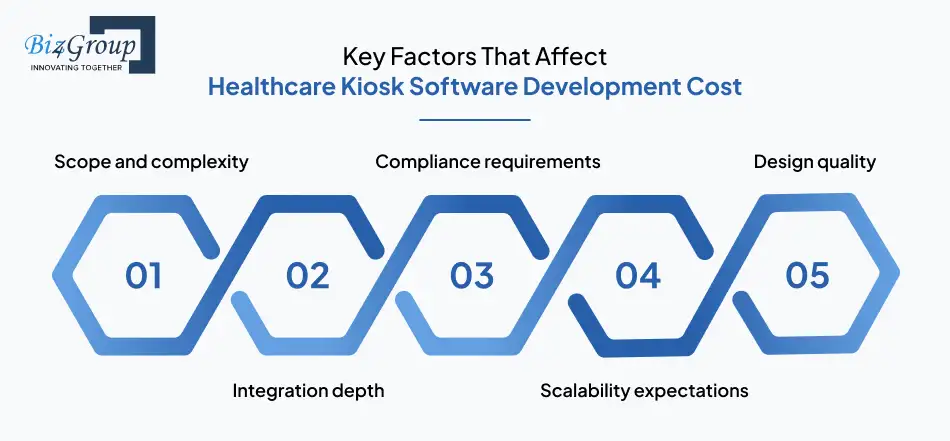
Several factors directly influence how close you land to the lower or higher end of the cost range.
Scope and complexity
- Simple MVP vs enterprise grade deployment
- Number of workflows supported
Integration depth
- Basic scheduling sync vs deep EHR and billing integrations
Compliance requirements
- Security standards, audit trails, access controls
Scalability expectations
- Single clinic vs multi location rollout
Design quality
- Strong design reduces rework and adoption issues
This is why many organizations work with an experienced AI product development company that understands both healthcare workflows and scalable architecture from the start.
Hidden Costs Most Teams Overlook
Hidden costs can quietly inflate budgets if not planned early during custom healthcare kiosk software development.
Common hidden costs:
- Ongoing maintenance and updates
- Hardware calibration and testing
- Staff training and onboarding
- Security audits and compliance reviews
- Feature expansion after MVP success
Ignoring these costs often leads to rushed decisions later.
Cost Optimization Strategies That Actually Work
You do not need to overspend to build a reliable kiosk platform. Smart planning makes a real difference.
Proven cost optimization approaches:
- Start with a focused MVP and expand gradually
- Prioritize high impact features first
- Reuse integrations across locations
- Design for scalability from day one
Organizations that plan for growth early often align kiosk initiatives with broader enterprise AI solutions, which helps reduce duplication across digital systems.
Another effective approach is to hire AI developers who understand healthcare constraints and can design reusable components instead of one off builds.
Planning the Right Budget from Day One
The most successful healthcare teams treat kiosk development as a long term platform investment, not a one time expense. Whether you are launching an MVP pilot or planning a nationwide rollout, clarity around cost drivers gives you control and confidence.
With a realistic healthcare kiosk software development cost estimate, you can prioritize features, manage risk, and scale without surprises.
Wondering What Your Healthcare Kiosk Software Will Really Cost?
Every facility is different. The right estimate depends on features, integrations, and rollout strategy. We can help you plan a realistic budget before you commit.
Get a Cost EstimateChallenges in Healthcare Kiosk Software Development and How to Solve Them
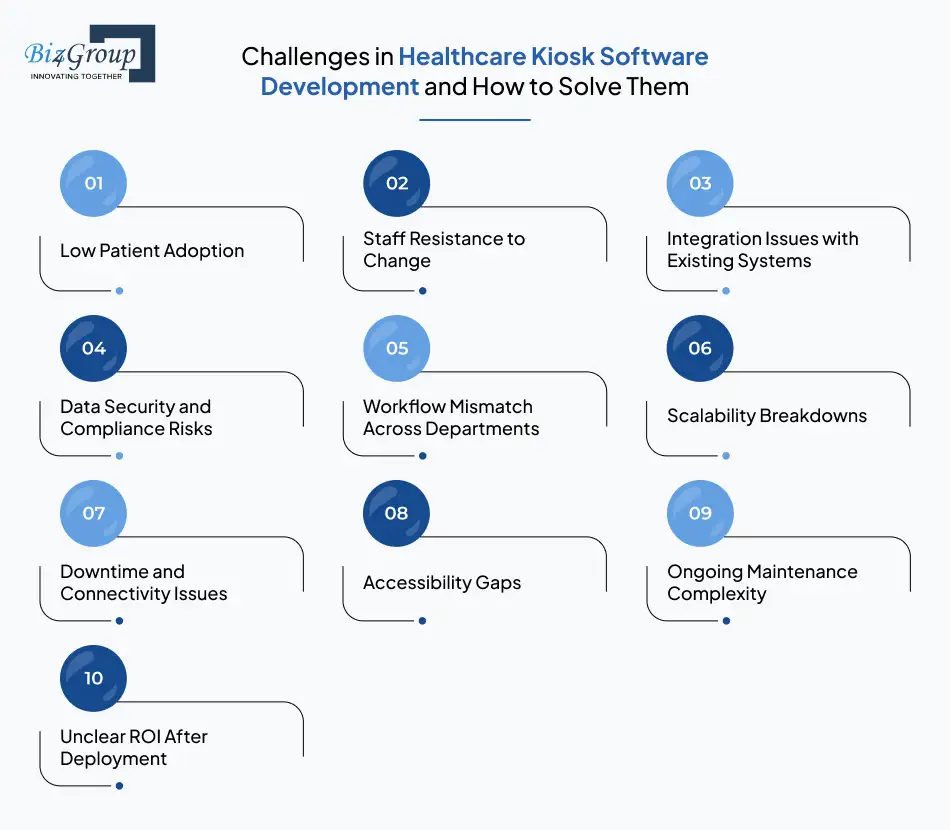
Even with the right features and budget, healthcare kiosks can fall short if common challenges are not addressed early. Below is a clear, practical view of the most frequent issues organizations face during healthcare kiosk software development, along with proven ways to solve them without disrupting operations.
|
Challenge |
Why It Happens |
How to Solve It Effectively |
|
Low Patient Adoption |
Interfaces feel confusing, steps are unclear, or instructions are not intuitive for first time users. |
Design simple, guided flows and test usability with real patients before rollout. Clarity should always come before feature depth. |
|
Staff Resistance to Change |
Front desk teams worry kiosks will complicate workflows or replace roles. |
Position kiosks as support tools, not replacements. Involve staff early and align workflows with daily routines. |
|
Integration Issues with Existing Systems |
Legacy EHR, billing, or scheduling platforms are difficult to connect. |
Plan integrations early and use a flexible integration layer during hospital kiosk software development. |
|
Data Security and Compliance Risks |
Shared kiosks handle sensitive patient information throughout the day. |
Enforce session timeouts, encryption, and audit logs as part of custom healthcare kiosk software development. |
|
Workflow Mismatch Across Departments |
One workflow does not suit all specialties or visit types. |
Use configurable workflows that adapt by department rather than fixed logic. |
|
Scalability Breakdowns |
Software works in one clinic but struggles across locations. |
Design architecture that supports centralized control and multi-site rollout from the start. |
|
Downtime and Connectivity Issues |
Network interruptions disrupt check ins and data capture. |
Build offline mode with auto sync so kiosks continue working during outages. |
|
Accessibility Gaps |
Elderly patients or those with disabilities struggle to use kiosks. |
Include accessibility standards, language options, and assistive navigation in every build. |
|
Ongoing Maintenance Complexity |
Updating kiosks manually across locations becomes time consuming. |
Enable remote monitoring, updates, and configuration management centrally. |
|
Unclear ROI After Deployment |
Teams struggle to measure success beyond anecdotal feedback. |
Track wait times, completion rates, and staff workload reduction from day one. |
Many healthcare organizations solve these challenges by pairing kiosk platforms with conversational support or guided assistance. In some environments, kiosks are complemented by workflows built with an AI chatbot development company to help patients navigate steps or answer common questions without staff intervention.
When these challenges are handled thoughtfully, kiosks become dependable operational assets instead of ongoing friction points.
Now, let’s look ahead at how healthcare kiosk software is evolving and what the future holds for organizations planning long term investments in this space.
The Future of Healthcare Kiosk Software Development
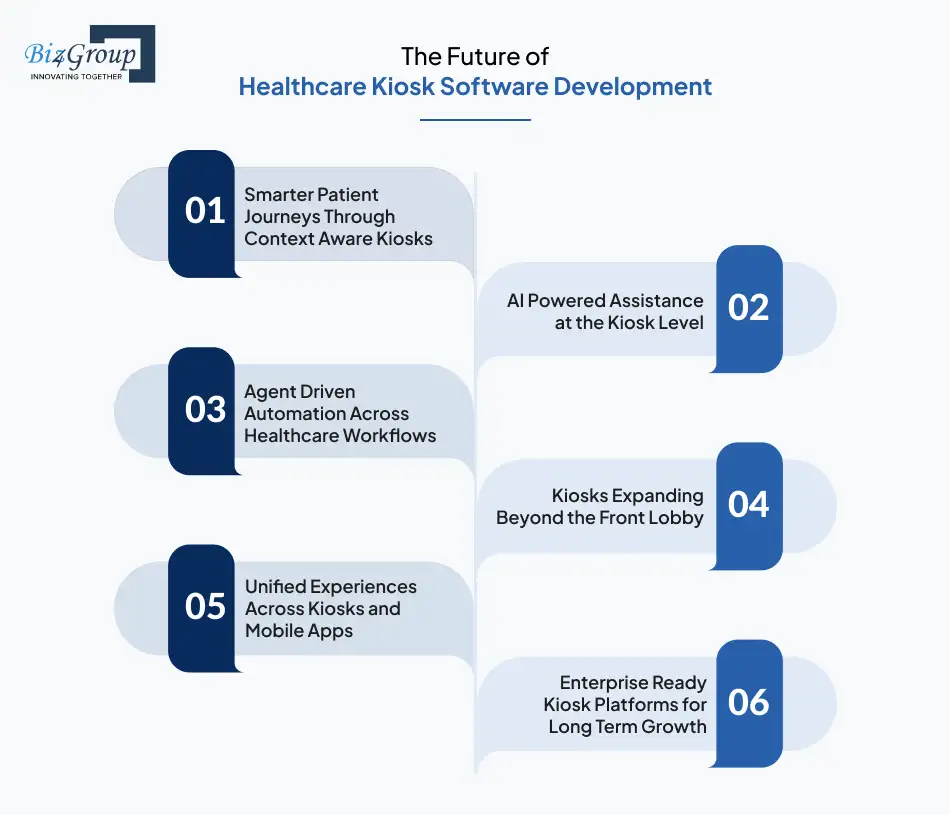
Healthcare kiosks are evolving quickly as patient expectations rise and healthcare systems push for smarter automation. The future of healthcare kiosk software development focuses on adaptability, intelligence, and deeper integration across the care journey.
1. Smarter Patient Journeys Through Context Aware Kiosks
Future kiosks will adjust workflows based on visit type, patient status, and location. Instead of forcing every patient through the same steps, the experience becomes shorter and more relevant. This helps healthcare teams create digital healthcare kiosk systems that feel intuitive and reduce confusion during busy periods.
2. AI Powered Assistance at the Kiosk Level
Kiosks are beginning to guide patients rather than just collect information. With support from an AI agent, kiosks can respond to patient inputs, clarify next steps, and route visitors correctly. This reduces staff dependency while improving patient confidence.
3. Agent Driven Automation Across Healthcare Workflows
Through agentic AI development, kiosks can trigger actions across scheduling, billing, and care coordination systems automatically. This reduces manual handoffs and keeps workflows moving smoothly without constant oversight.
4. Kiosks Expanding Beyond the Front Lobby
Kiosks are moving beyond check in areas into labs, imaging centers, and discharge points. This allows organizations to build medical kiosk software solutions that support patients across multiple stages of care. The result is a more consistent and guided experience throughout the visit.
5. Unified Experiences Across Kiosks and Mobile Apps
Future strategies focus on continuity between kiosks and mobile platforms. Healthcare teams often work with an AI app development company to ensure data flows seamlessly between touchpoints. Patients can begin interactions on one channel and complete them on another without repetition.
6. Enterprise Ready Kiosk Platforms for Long Term Growth
Kiosks are becoming long term digital platforms rather than one off deployments. Healthcare organizations are planning for centralized control, analytics driven optimization, and scalable governance. This supports developing healthcare kiosk software for enterprise rollout with sustained operational value.
Why Choose Biz4Group LLC for Healthcare Kiosk Software Development?
Choosing the right partner for healthcare kiosk software development is just as important as choosing the technology itself. You need a team that understands healthcare operations, compliance expectations, and how to scale digital platforms without disrupting care delivery.
Biz4Group is a U.S. based AI development company with proven experience delivering enterprise grade healthcare solutions. We specialize in building secure, scalable, and user focused platforms that support real world workflows inside hospitals and clinics.
Our strength lies in translating complex operational requirements into practical software. When healthcare organizations work with us, we help them build healthcare kiosk software for hospitals and clinics that improves patient flow, reduces administrative load, and integrates smoothly with existing systems.
What sets us apart is how we approach execution:
- We design and deliver custom healthcare kiosk software development services aligned with regulatory and operational realities
- We help organizations develop healthcare kiosk software for enterprise rollout without costly rework
- We focus on usability, reliability, and long-term scalability from day one
Beyond kiosks, our broader expertise allows us to support healthcare teams with connected digital systems. Many clients engage us as an AI app development company to ensure kiosk platforms work seamlessly alongside mobile apps, portals, and internal tools.
We work as an extension of your team, not just an external vendor. From early discovery to post launch optimization, our focus stays on outcomes that matter to you. Faster check ins. Better patient experience. Systems that scale without friction.
If you are looking for a partner who can confidently develop smart healthcare kiosk platforms and support your growth from MVP pilots to enterprise deployment, Biz4Group brings the experience, structure, and execution discipline to get you there.
Looking for a Partner Who Knows Healthcare and Can Actually Deliver?
We build healthcare kiosk platforms that scale, stay secure, and get adopted by real patients and staff. If results matter more than promises, let’s start the conversation.
Contact UsWrapping Up!
Healthcare organizations are under constant pressure to move faster, reduce administrative load, and deliver better patient experiences without adding complexity. That is exactly where healthcare kiosk software development proves its value. When done right, kiosks become more than self service tools. They turn into reliable entry points that improve patient flow, data accuracy, and operational efficiency across hospitals and clinics.
From MVP pilots to enterprise rollout, the real advantage comes from building kiosk platforms that are secure, scalable, and deeply aligned with how healthcare teams actually work. Success depends on thoughtful planning, the right feature foundation, strong integrations, and a partner who understands both technology and healthcare operations.
Biz4Group LLC brings that combination to the table. As a U.S. based technology partner with deep experience in healthcare and AI driven systems, we help organizations build healthcare kiosk applications, scale them confidently, and adapt as needs evolve. Our focus stays on long term impact, not quick fixes.
If you are ready to reduce front desk friction, modernize patient access, and build a kiosk platform that delivers measurable results, let’s turn your vision into a system your patients and teams actually enjoy using.
FAQ
1. What is healthcare kiosk software and how does it improve patient intake?
Healthcare kiosk software is a digital system that powers self service kiosks in hospitals and clinics to automate routine administrative tasks. Through healthcare kiosk software development, providers can allow patients to check in, update personal information, complete intake forms, and make payments without waiting at the front desk. This approach helps organizations create patient check in kiosk systems that reduce wait times, improve data accuracy, and lower front desk workload while enhancing patient experience.
2. Can healthcare kiosks integrate with existing hospital systems like EHR and billing?
Yes. Modern platforms built through hospital kiosk software development are designed to integrate with existing systems such as EHR, scheduling platforms, and billing systems. Using APIs and healthcare standards, organizations can build healthcare kiosk applications that sync patient data in real time, eliminate duplicate data entry, and maintain continuity across systems as part of broader healthcare kiosk application development initiatives.
3. Is healthcare kiosks secure and compliant with patient data privacy regulations?
Security is a core requirement for custom healthcare kiosk software development. Properly built solutions include encryption, automatic session timeouts, role-based access controls, and audit logs. These safeguards allow healthcare providers to build medical kiosk software solutions that handle sensitive patient information securely and support compliance requirements while reducing operational risk.
4. How do healthcare kiosks support multilingual patients and accessibility needs?
Healthcare kiosks can be configured with multiple language options and accessibility features such as screen readers, font scaling, and guided navigation. This allows organizations to create digital healthcare kiosk systems that are inclusive and usable for diverse patient populations, including elderly patients and those with accessibility needs.
5. Can healthcare kiosks handle insurance verification and patient payments?
Yes. Through healthcare kiosk software development services, kiosks can support insurance verification, eligibility checks, and secure payment processing. This enables healthcare organizations to build healthcare kiosks for registration payments and wayfinding, reduce billing delays, and streamline revenue collection without increasing front desk pressure.
6. How long does healthcare kiosk software development usually take?
Timelines depend on scope and scale. An MVP focused on check in and intake can be delivered relatively quickly, while enterprise grade solutions take longer due to integrations, security requirements, and testing. Organizations that develop scalable healthcare kiosk platforms from MVP to enterprise plan phased rollouts to validate functionality before expanding across locations.
7. How do patients respond to healthcare kiosks compared to traditional front desk operations?
Patient adoption is generally high when kiosks are intuitive and well designed. Many healthcare providers report shorter wait times and smoother patient flow after deployment. When comparing healthcare kiosks vs traditional front desk operations, kiosks often deliver faster interactions, fewer errors, and better overall patient satisfaction, especially in high volume clinics and hospitals.
