Location :
Orlando, FL, USA
Location :
Orlando, FL, USA +1 (407) 714-1616
 info@biz4group.com


















Imagine a digital system that doesn’t wait for instructions but instead, understands your business goals, learns from real-time feedback, and takes independent actions to get the job done.
Read More

Why do so many print inquiries disappear before they ever turn into orders?
A customer lands on your website, asks for a quote, and waits. That gap between inquiry and response is where most opportunities quietly drop off. In fact, 58% of users abandon a website or chat if they don’t get a response within 2 minutes. The challenge doesn’t stop there. During peak hours, managing incoming requests becomes inconsistent, turning delays into missed revenue and operational friction.
To address this growing gap, businesses are now investing in AI customer quote and file intake chatbot development for their printing websites. This creates a more structured and responsive way to handle inquiries without depending entirely on manual effort.
Many printing businesses, “we are a printing business looking to automate customer quote requests and file intake using an AI chatbot on our website, is it worth it?”
Yes, it is AI chatbots respond 3x faster than human agents, and businesses report up to 85% reduction in response times after implementation. Faster responses naturally improve how inquiries are handled, especially when volume increases.
For businesses planning to implement an AI chatbot on their printing website to handle 24/7 customer quotes and file uploads, this blog will walk you through everything you need to understand before getting started.
When a customer lands on your printing website, they usually want one thing quickly, a clear quote and a simple way to submit their design. An AI customer quote and file intake chatbot is built to manage this entire interaction in a structured flow. It collects job requirements step by step, ensures nothing is skipped, and allows customers to upload files within the same conversation. This removes the need for back-and-forth emails or incomplete form submissions.
Many businesses exploring AI printing chatbot development are focusing on fixing how inquiries are captured at the entry point. This shift reflects how AI transforming the printing industry is starting with improving customer interaction, where most inconsistencies begin.
Many print businesses still rely on emails or static forms to collect order details. That approach works at a basic level, but it often slows down response time and creates gaps in information. For businesses struggling with manual print order handling and want to build an AI chatbot for automated quoting and file collection, let us first understand how these methods differ in real use.
|
Aspect |
Manual Print Quoting |
Traditional Web Forms |
AI Chatbot |
|---|---|---|---|
|
Response Time |
Depends on staff availability, often delayed |
Instant submission but no immediate response |
Instant replies with guided interaction |
|
User Guidance |
Requires back-and-forth emails or calls |
Limited guidance through fixed fields |
Step-by-step guidance based on user input |
|
Input Accuracy |
High chance of missing or unclear details |
Users may skip or misinterpret fields |
Ensures complete inputs through structured conversation |
|
File Handling |
Files shared over email, often unorganized |
Basic upload without validation |
File upload with checks for format and quality |
|
Quote Generation |
Manual calculation, time-consuming |
Requires manual review after submission |
Automated quote generation based on inputs |
|
User Experience |
Fragmented and inconsistent |
Static and form-driven |
Interactive and easy to follow |
|
Handling Complex Requests |
Requires multiple follow-ups |
Not suitable for custom requirements |
Adapts questions based on request complexity |
|
Availability |
Limited to working hours |
Always available but not interactive |
Available 24/7 with real-time interaction |
|
Data Tracking |
Scattered across emails and systems |
Stored but not always structured |
Organized data captured in real time |
Moving from manual methods and static forms to chatbot-driven workflows brings more clarity into how print requests are handled. This shift supports printing customer support chatbot automation by making interactions structured, faster, and easier to manage without constant manual involvement.
Let’s turn scattered inquiries into structured requests your team can actually process faster.
See How AI Chatbot Works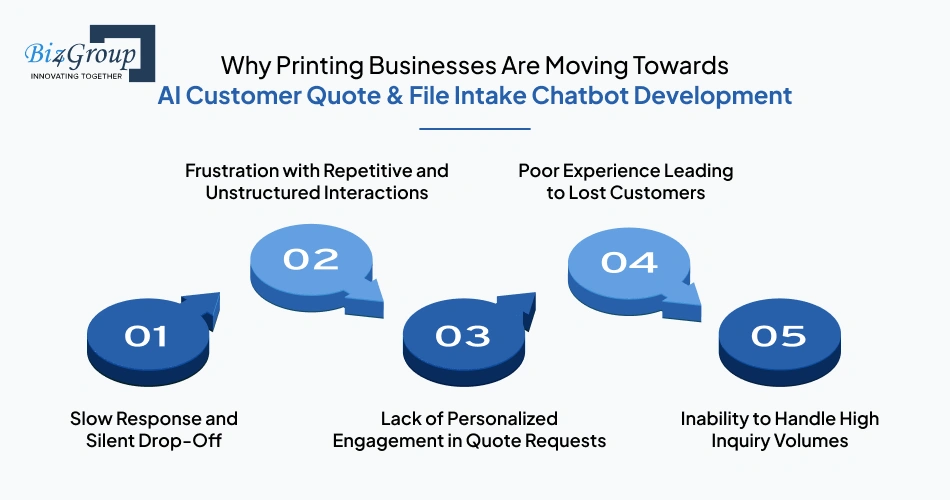
Handling customer inquiries on a print website often feels manageable until volume increases. That is when gaps start to show. Responses slow down, requests become inconsistent, and small delays begin affecting how many inquiries actually turn into confirmed orders.
In many cases, print shops lose 30–40% of web visitors who cannot get a quick answer, which makes these gaps harder to ignore. Not only this here’s more:
When a customer reaches out for a quote, timing becomes critical. Even a short delay can break engagement. Studies show that 70% of customers abandon conversations silently while waiting for a response.
This means most lost opportunities are not even visible, they simply disappear without any follow-up trail. Many print business owners also report missing quote requests that come in after 5 PM or during weekends, when no one is available to respond.
Customers often go through the same back-and-forth just to explain basic requirements. Over time, this creates friction. Around 36.7% of users report feeling frustrated during customer service interactions, especially when communication lacks structure or clarity.
This involves:
Print jobs are rarely standard. Each request comes with specific needs. When those needs are not captured properly, engagement drops. In fact, 64% of leads disengage when their requirements are not addressed personally.
This happens when customers receive:
Customer experience during the first interaction often decides whether the order moves forward. A single poor interaction can have long-term impact. Data shows that 52% of customers stop buying from a brand after a bad experience because of:
As traffic increases, manual processes struggle to keep up. This creates a gap between incoming demand and handling capacity. Websites using chatbots can handle 89.2% of inquiries compared to 71.2% without automation, which highlights how much capacity is lost in traditional setups due to:
Many businesses start recognizing these patterns when inquiry volume increases but conversions do not follow the same direction. That shift often leads to internal discussions around AI customer quote and file intake chatbot development for printing websites, especially when teams are trying to bring more structure into how requests are handled.
When a chatbot becomes part of your website interaction, the impact shows up directly in how many visitors turn into actual inquiries. In AI customer quote and file intake chatbot development for printing websites, the results are not theoretical. When creating AI chatbot for business website, the shift becomes visible through higher engagement and more completed requests.
Let’s look at the measurable improvements this brings into your workflow.
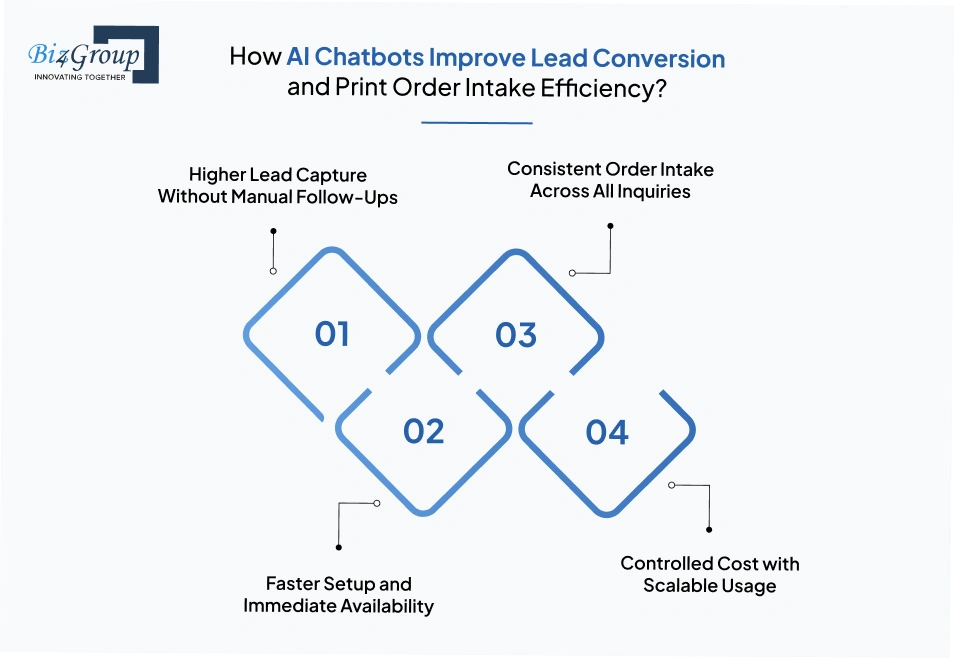
Once users start interacting with the AI chatbot, more inquiries get captured in real time without waiting for callbacks or emails. This directly improves how many potential customers stay engaged.
After deploying AI chatbot on the website, interactions start getting captured from day one without waiting for manual setup cycles.
Each interaction follows a defined flow, which keeps incoming requests structured and usable. This improves how smoothly your team can handle incoming orders.
The cost stays predictable even as the number of inquiries increases. This makes it easier to manage operations without increasing manual effort.
These outcomes show how structured interactions and real-time responses improve both lead capture and intake efficiency. This is where print order intake AI chatbot development for websites delivers measurable impact by turning website traffic into consistent and actionable print requests.
More inquiries mean nothing unless they convert into structured, usable requests your team can act on.
Start Converting Better with AI ChatbotWhen a customer lands on your website, the expectation is simple. They want quick answers, clear guidance, and a smooth way to share their requirements. For a print shop receiving high website traffic and wanting to convert inquiries into automated print orders using chatbot, the flow needs to feel natural from the first message to final submission.
Let us understand how this interaction actually works step by step with reliable AI automation services.
This step-by-step interaction keeps the entire journey simple for the customer while ensuring no details are missed. A well-structured flow like this is what makes AI chatbot development for printing businesses effective in handling real inquiries and converting them into actionable print requests.
Once a request is submitted, the process moves completely behind the scenes. No manual follow-ups are required at this stage. The system starts organizing inputs, validating data, and preparing everything for internal use. This is where automation begins to reduce dependency on repetitive tasks.
In setups where businesses use an AI chatbot solution for printing websites to reduce manual quoting workload, this backend flow ensures that every request is structured and ready before it reaches your team. Here’s how the system handles it step by step.
Also Read: AI Chatbot Integration with CRM
This backend flow keeps everything structured from the moment a request is submitted. It reduces manual coordination and ensures each job is ready for the next stage without delays, making internal operations more consistent and easier to manage.
Make sure every request moves forward with clean data instead of getting stuck in manual coordination
Streamline Your WorkflowWhen a customer uploads a file for printing, the biggest concern is simple. Will this file work for production or not? Without early checks, teams often go back and forth with customers, which slows everything down. AI chatbot can handle this step during the conversation itself and keep things moving without delays.
For a printing business willing to build an AI chatbot to automate customer quotes and file intake on website, this part of the flow decides whether the process stays smooth or turns into back-and-forth corrections. Let’s walk through what the AI chatbot can actually handle at this stage.
These checks happen instantly after upload, which means issues are identified before the order moves forward.
Once you see how file types and checks are handled during the interaction, the intake process starts feeling much more controlled. This makes it easier to think about how to integrate file intake system with AI chatbot for printing orders in a way that reduces errors and keeps your team focused on production instead of corrections.
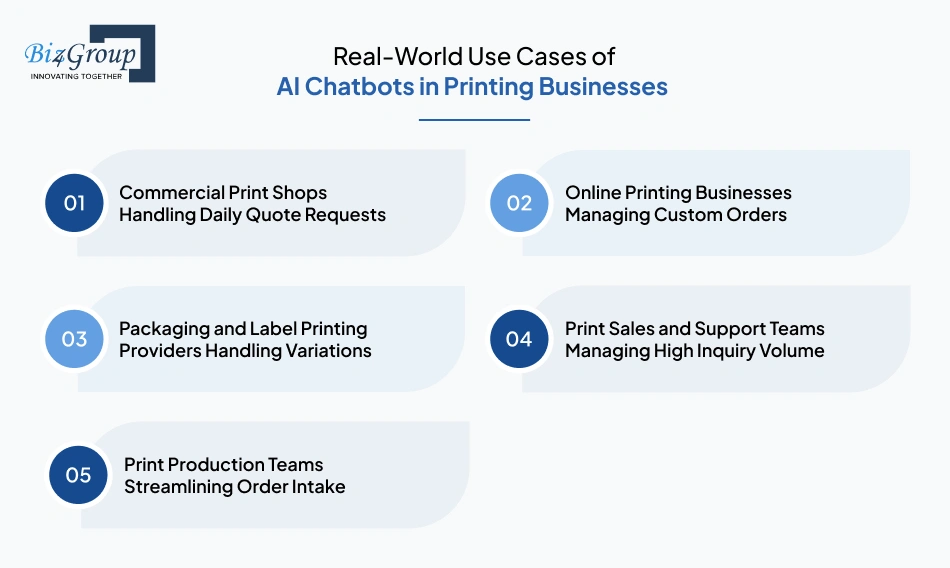
Different printing businesses use chatbots in different ways based on their daily workload and customer interactions. When you look at any real world use case of AI in printing industry, the focus stays on how the chatbot fits into actual workflows, not just how it responds to queries.
In many cases, building AI chatbot for printing website to automate customer quotes and orders becomes a practical step once the volume of inquiries starts increasing. Let’s walk through how different teams and businesses are using it in real scenarios.
In a busy print shop, multiple quote requests come in throughout the day. The AI chatbot takes over the initial interaction by asking for size, quantity, and material. It collects all details in one flow so the team receives complete requests instead of partial inquiries. This allows the team to focus on processing jobs instead of going back and forth with customers for missing information.
For businesses offering online printing services, customers often need guidance while placing requests. The AI chatbot helps by walking them through each step, from selecting specifications to uploading files. This keeps the entire request structured and ensures that custom orders are submitted with all required details without confusion.
Packaging and label printing often involve multiple variations such as sizes, finishes, and quantities. The AI chatbot adapts its questions based on user input and captures these variations clearly. This makes it easier for the team to review requests without needing additional clarification for each variation.
Sales and support teams often deal with repetitive questions about pricing and file requirements. The AI chatbot handles these interactions by guiding users through a defined flow and collecting relevant details. This reduces the number of manual responses and allows the team to focus on qualified leads.
Production teams rely on accurate inputs to move jobs forward. The AI chatbot ensures that every request includes structured specifications and linked files before it reaches the team. This reduces delays caused by incomplete or unclear submissions and keeps the workflow organized.
These use cases show how chatbots fit into different parts of a printing business without changing existing workflows. For businesses looking to automate print order inquiries using an AI chatbot for printing service website, the value comes from consistent input collection and smoother order intake across all interactions.
If your daily operations look similar, it’s time to align your intake process with how your business actually runs
Align Your WorkflowA chatbot for print workflows is not just about answering questions. It needs to capture inputs, process files, and connect with internal systems in a structured way. When you look at scalable AI chatbot development for print order management and customer engagement, the focus stays on what the system is capable of handling across the entire flow.
The features below define how the chatbot functions at each step, from interaction to backend processing.
|
Feature |
Purpose |
|---|---|
|
Guided Print Requirement Flow |
Collects size, quantity, material, and finishing inputs step by step in a structured format |
|
Natural Language Input Handling |
Understands user queries using generative AI and converts them into defined print specifications |
|
Dynamic Question Adjustment |
Changes questions based on user inputs to capture complete and relevant details |
|
Print Specification Mapping |
Matches user inputs with predefined print configurations for accurate processing |
|
File Upload Interface |
Allows users to upload artwork directly during the conversation flow |
|
Supported File Type Handling |
Accepts PDF, AI, PSD, EPS, PNG, and JPG formats for different print use cases |
|
File Quality Validation |
Checks DPI, color mode, bleed, and dimensions against print requirements |
|
File-to-Spec Matching |
Verifies that uploaded files align with selected print size and format |
|
Pricing Rule Engine |
Applies pricing logic based on quantity, size, material, and finishing selections |
|
Tier-Based Pricing Handling |
Calculates pricing based on volume ranges and predefined pricing slabs |
|
Instant Quote Generation |
Produces structured quote output based on validated inputs and pricing rules |
|
Data Structuring for Orders |
Organizes all inputs and file data into a consistent format for backend processing |
|
CRM and System Sync |
Sends captured data into internal systems for tracking and further action |
|
Workflow Status Handling |
Marks requests based on readiness such as complete, pending, or requires review |
|
Admin Configuration Controls |
Allows teams to update pricing rules, workflows, and validation conditions |
These features define how the chatbot operates across quoting and file intake without relying on manual steps. This structure is what supports print website AI chatbot development for quote automation by ensuring every interaction follows a consistent and usable flow from start to finish.
Handling print inquiries without a defined flow often creates gaps in how customer requirements are captured. Businesses looking to improve lead conversion on print website by automating quote generation and order intake should ensure consistency in how requests are collected and processed.
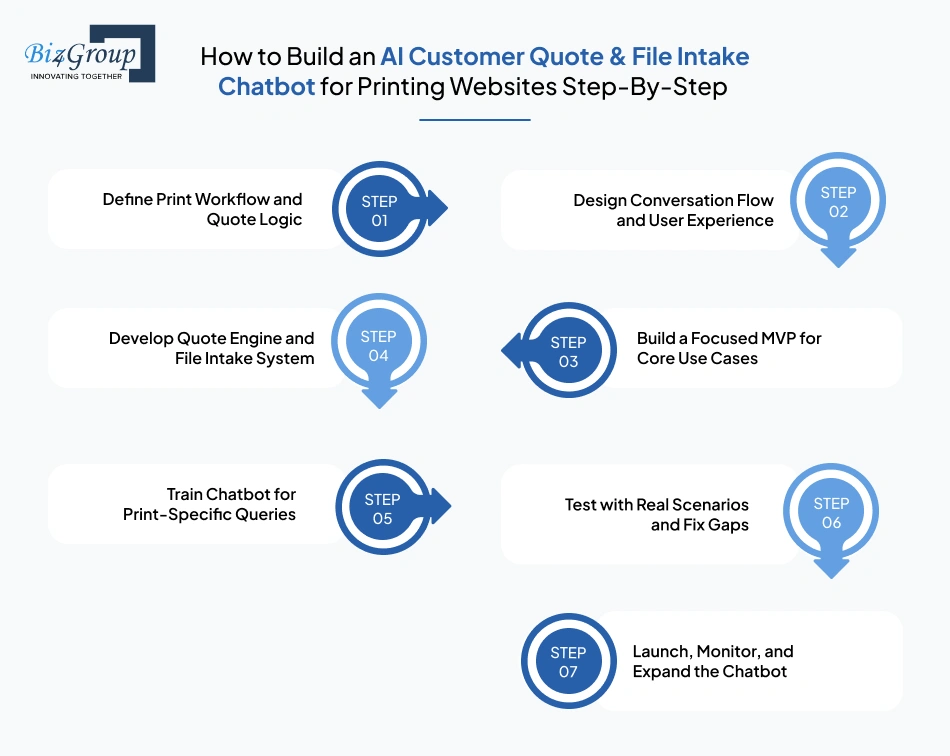
Below we break down the step-by-step process of AI customer quote and file intake chatbot development for printing websites:
Everything begins with understanding how your current quoting process works. This is where you map out how customers request quotes and what inputs are required to calculate pricing. So,
This step ensures that the chatbot reflects your real business logic instead of a generic flow.
Once the logic is clear, the next focus is how customers will interact with the AI chatbot. This is where collaboration with experienced UI/UX design service providers becomes important to structure a simple, guided experience and:
A clear conversation flow prevents confusion and reduces incomplete inquiries.
Also Read: Top UI/UX Design Companies in USA
Instead of building everything at once, start with a limited version that handles your most frequent requests. Many teams rely on MVP development services to launch a simplified version quickly and validate it with real users. During this phase:
This helps you test how users interact before expanding further.
Also Read: Top MVP Development Companies in USA
At this stage, the core functionality is implemented. The printing website’s AI chatbot needs to calculate quotes accurately and handle file uploads without errors. During this phase focus on:
This step forms the backbone of the entire system.
The AI chatbot on printing website needs to understand how customers ask for print services. This is where AI chatbot integration plays a key role in making interactions more natural. Focus on:
Over time, the chatbot becomes more aligned with how customers actually communicate.
Before moving forward, the AI chatbot for customer quote and file intake must be tested against real use cases. This stage helps identify where users drop off or where inputs are not captured correctly. You should:
Testing ensures that the system works reliably under real conditions.
Also Read: Top 15+ Software Testing Companies in USA
Once the system is tested and stable, the next step is to make it live on your website. This is where real customer interaction begins, and how the chatbot performs under actual traffic becomes visible. Along with launch, continuous monitoring is required to understand how users are interacting with it.
A structured approach like this keeps development grounded in real business needs instead of assumptions. Each step builds on the previous one, making it easier to develop AI customer quote and file intake chatbot for print business in a way that supports long-term growth and consistency.
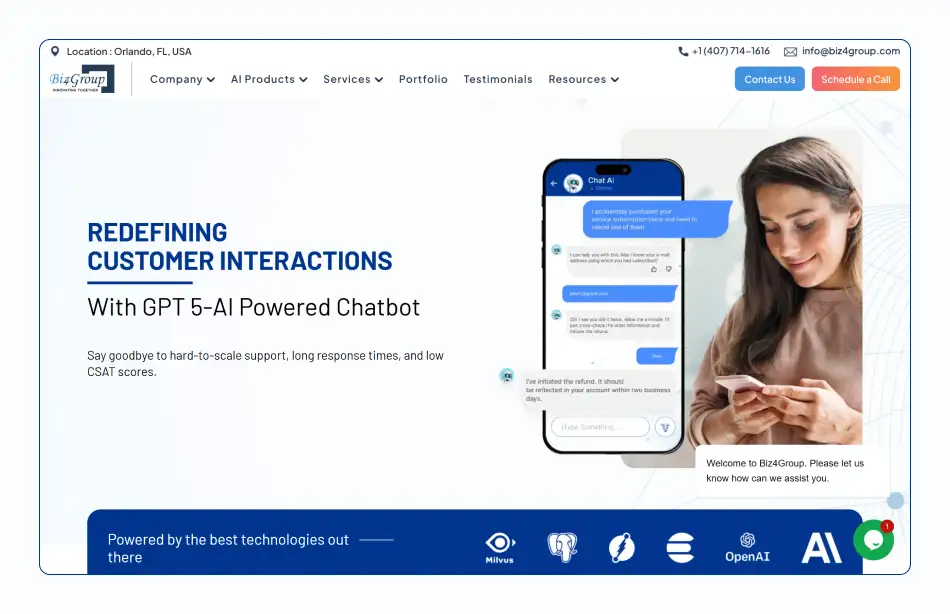
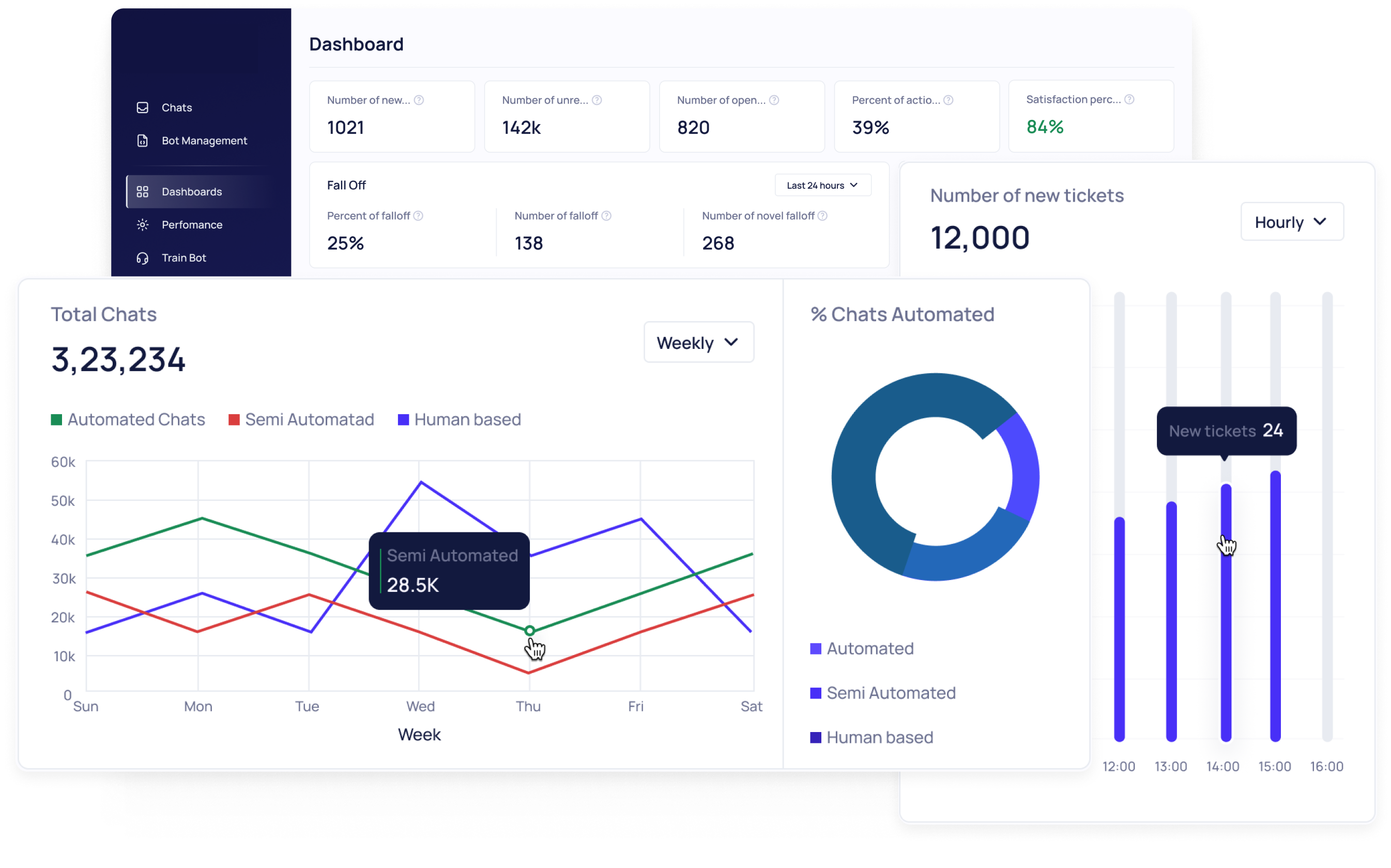
This AI chatbot was built to manage real-time user queries, guide users through structured interactions, and handle request workflows while maintaining consistent communication across the platform.
Key Features:
This approach reflects how AI chatbots support structured input collection and consistent interaction flow, which is critical for print quoting and file intake workflows.
A reliable chatbot for print quoting and file intake does not depend on a single system. It runs on multiple connected layers that handle conversations, collect print details, validate files, and pass data to internal systems. The building of AI chatbot for printing business websites to handle 24/7 customer inquiries depends on how well these layers work together without delays or confusion.
Each layer below plays a direct role in making that flow smooth and usable.
|
Architecture Layer |
Recommended Tools |
Purpose |
|---|---|---|
|
Chat Interface Layer |
React.js, Vue.js |
This layer manages how users interact with the chatbot. A clean interface built through strong web development helps users enter print requirements without confusion. |
|
Messaging & Session Layer |
WebSockets, Firebase |
Keeps conversations active in real time, so users do not lose progress while sharing details or uploading files. |
|
NLP & AI Engine |
OpenAI GPT models, Dialogflow |
Understands what the user is asking and converts it into structured input needed for print quote processing. |
|
Conversation Flow Layer |
Rasa, Botpress |
Guides users step by step, so the chatbot collects all required print details in a logical order. |
|
Print Requirement Capture Layer |
Captures inputs like size, quantity, material, and finishing so the system can move toward accurate quote generation. |
|
|
Pricing Logic Engine |
Rule-based pricing modules |
Applies business-specific pricing rules based on print configurations and quantity ranges. |
|
File Upload Layer |
AWS S3, Cloud Storage |
Allows users to upload artwork files and keeps them stored securely for further validation. |
|
File Validation Layer |
PDF libraries, custom validation scripts |
Checks file quality such as resolution, color mode, and bleed so only print-ready files move forward. |
|
Backend Processing Layer |
Node.js, Django |
Connects chatbot inputs with pricing, file handling, and internal workflows without manual effort. |
|
Integration Layer |
REST APIs, GraphQL |
Handles API development so the chatbot can connect with CRM systems and internal print management tools. |
|
Database Layer |
PostgreSQL, MongoDB |
Stores customer inputs, quote details, and file references for future access and tracking. |
|
CRM Sync Layer |
HubSpot, Salesforce |
Transfers collected leads and quote requests into sales systems so teams can follow up without delays. |
|
Admin Dashboard Layer |
React dashboards |
Gives internal teams visibility into chatbot activity, quote requests, and uploaded files in one place. |
|
Cloud Hosting Layer |
AWS, Azure, Google Cloud |
Keeps the chatbot stable and scalable as more users interact with the system daily. |
Each layer supports a specific part of the workflow, from capturing user intent to validating files and storing quote data. This structured approach makes AI customer quote and file intake chatbot development for printing websites reliable for handling continuous inquiries without slowing down operations.
The right setup ensures your chatbot supports operations instead of creating gaps behind the scenes
Build It Right with us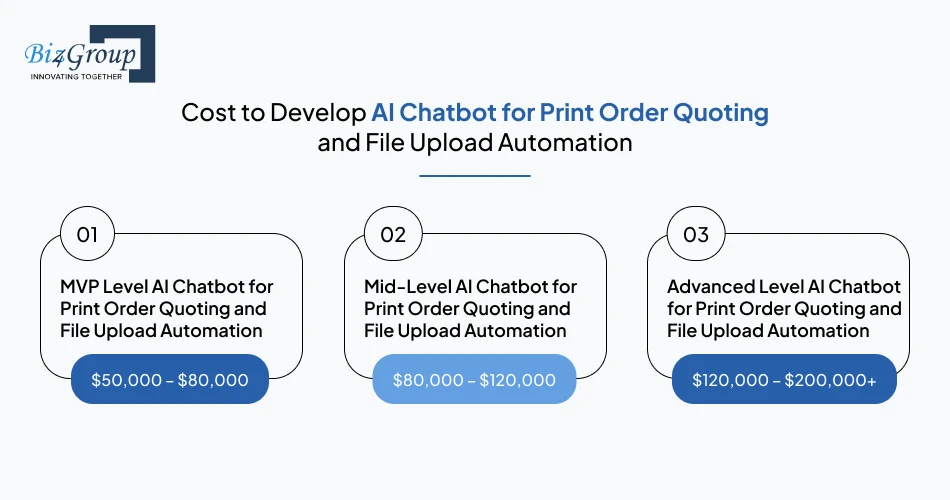
The cost to develop AI customer quote and file intake chatbot development for printing websites depends on how much of your quoting and file handling process you want to automate. A basic setup handles simple requests, while advanced systems manage validation and structured quotes. Most businesses invest between $50,000 and $200,000+ based on this scope.
|
Development Level |
Estimated Cost Range |
Scope |
|---|---|---|
|
MVP Level AI Chatbot for Print Order Quoting and File Upload Automation |
$50,000 – $80,000 |
Covers basic chatbot flow, simple quote generation, and file upload support. Suitable for businesses starting with automation and testing real user interactions. |
|
Mid-Level AI Chatbot for Print Order Quoting and File Upload Automation |
$80,000 – $120,000 |
Includes structured pricing logic, improved conversation flow, and file validation checks. At this stage, the system starts handling more realistic print scenarios with better accuracy. |
|
Advanced Level AI Chatbot for Print Order Quoting and File Upload Automation |
$120,000 – $200,000+ |
Supports complex pricing rules, detailed file validation, and deeper system connectivity. This level also considers higher AI integrations cost due to multiple backend connections and workflow automation. |
The investment reflects how well your chatbot handles real print scenarios without manual steps and a focused approach to AI chatbot development for print websites keeps execution clear. Understanding AI chatbot development costs early supports better planning and avoids unexpected adjustments later.
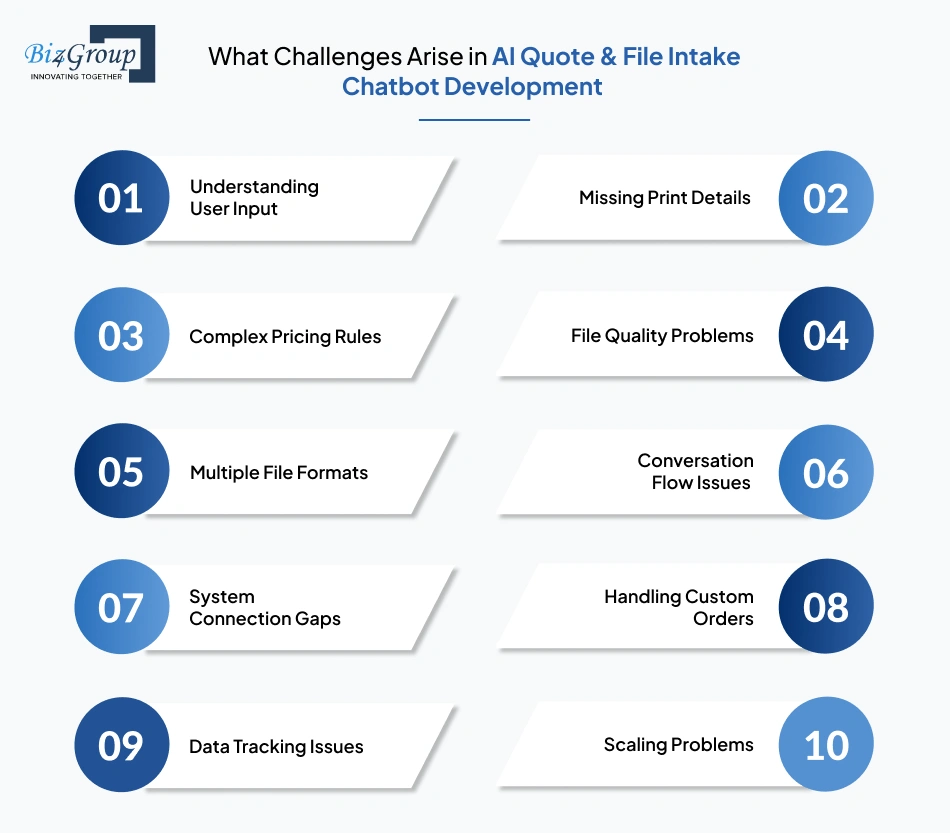
Handling print quotes and file uploads through a chatbot brings real operational challenges. These are not surface-level issues. They directly affect accuracy, user experience, and internal workflows.
In AI customer quote and file intake chatbot development for printing websites, these challenges usually appear when real customer inputs meet system limitations.
|
Challenge |
What Happens in Real Use |
How to Solve It |
|---|---|---|
|
Understanding User Input |
Customers describe print needs in different ways, which leads to unclear or incorrect inputs. |
Use guided questions instead of open chat, so users follow a clear path while sharing requirements. |
|
Missing Print Details |
Users skip key inputs like size or quantity, which breaks the quote process. |
Make important fields mandatory so the chatbot cannot move forward without complete information. |
|
Complex Pricing Rules |
Pricing depends on multiple variables, which makes it hard to keep logic consistent. |
Break pricing into smaller rule blocks that can be updated easily as requirements change. |
|
File Quality Problems |
Uploaded files may not meet print standards and cause delays later. |
Add automatic checks for resolution, bleed, and color mode before accepting the file. |
|
Multiple File Formats |
Different file types need different handling, which adds confusion. |
Limit supported formats and guide users clearly during upload to avoid unsupported files. |
|
Conversation Flow Issues |
Poor flow design can confuse users or miss required inputs. |
Test real user journeys and adjust flow, so each step feels clear and logical. |
|
System Connection Gaps |
Data does not move smoothly between chatbot and internal tools. |
Work with an experienced AI development company that sets up clean system connections from the start. |
|
Handling Custom Orders |
Some print requests do not fit into predefined logic. |
Add a fallback step where details are captured and passed for manual review. |
|
Data Tracking Issues |
Quotes, files, and conversations may not stay linked properly. |
Structure data storage so each interaction is saved and easy to access later. |
|
Scaling Problems |
Increased users can slow down responses and file handling. |
Plan infrastructure early and hire AI developers who can design systems that handle growing usage. |
These challenges are part of real implementation, not edge cases. Addressing them early helps create AI chatbot for printing business websites that works reliably under real conditions and supports consistent quoting and file intake without operational gaps.
Selecting the right partner for AI customer quote and file intake chatbot development for printing websites is not just about technical capability. It is about understanding how print workflows actually function. From quote accuracy to file handling, every step needs to align with real business operations, not just basic chatbot responses.
When business asks, “we are comparing companies that develop AI chatbots for printing websites with quote and file intake features,” the focus should stay on execution clarity.
That is where Biz4Group LLC stands out through practical implementation experience.
Working as an AI chatbot development company in the USA, we focus on how your chatbot will behave in real situations, which can be seen in customer service AI chatbot that be built. The same approach applies here, where print requirements are captured accurately, and files are prepared for production without confusion. This helps businesses evaluating vendors for print automation AI chatbot development for printing website make confident decisions.
Our experience with AI printing software solutions is shaped by real-world implementations, not assumptions. Here’s the proof:
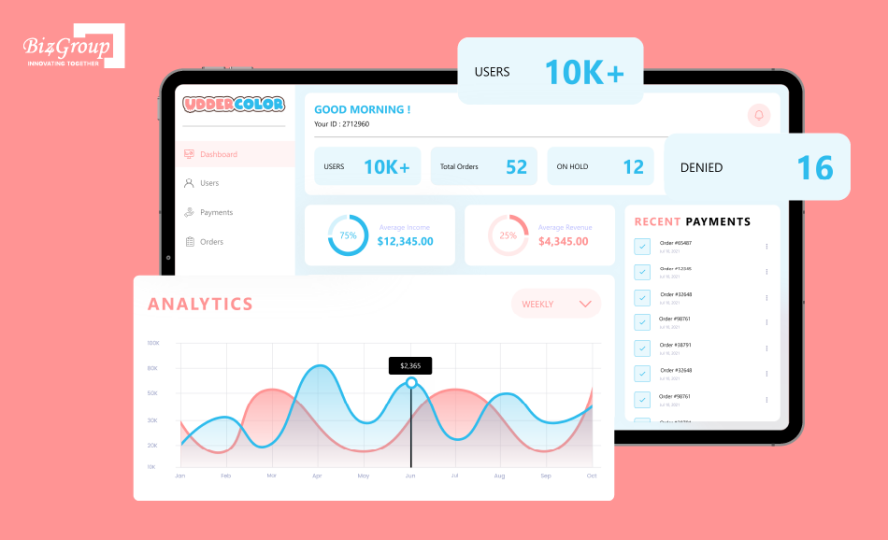
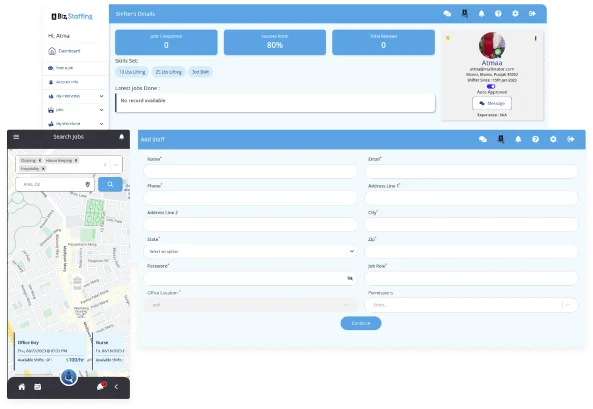
It is an AI custom artwork printing platform where users can upload their designs, select sizes and quantities, and place requests for heat transfer prints. The system supports both automated and manual artwork checks, along with order tracking and approval steps to keep everything accurate and organized.
This kind of structured workflow reflects how AI-driven systems bring consistency and faster turnaround into print quoting and file intake processes, especially when multiple steps need to work together without delays.
Not only this, we also bring hands-on experience in building eCommerce platforms for printing businesses. Take a look:
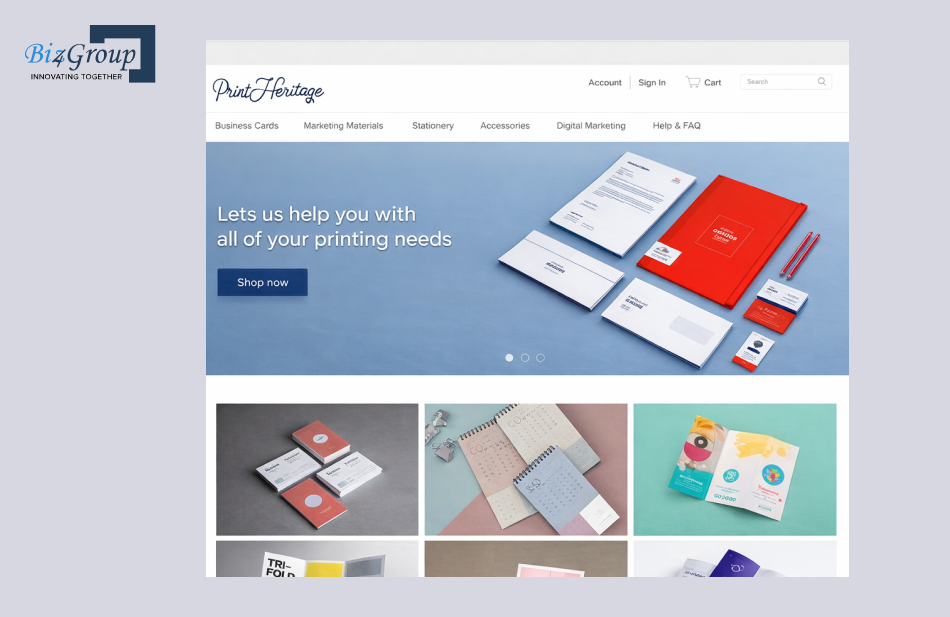
This is an AI-powered eCommerce platform built for customizing business cards, stationery, and printed marketing materials. It allows users to select size, design, and quantity, personalize graphics, and place bulk orders through an integrated system with secure payments and shipping support.
This structured customization and ordering flow reflects how AI-driven systems streamline print decision-making and support scalable estimating and file intake workflows within modern printing environments.
Working with the right team makes a visible difference in how your chatbot performs in real scenarios. With strong execution experience and industry understanding, Biz4Group is also recognized among top chatbot development companies in the USA, thus making it a reliable company to build an AI chatbot for printing website to automate orders and quoting.
Let’s map your workflow and turn it into a system that actually works the way your business runs
Talk To Our AI ExpertsMoving toward automation in print workflows is becoming a practical step for businesses handling regular inquiries and custom requests. This is where AI chatbot improves print order intake and customer response time in a way that supports day-to-day operations. With the right approach to AI product development services, the focus stays on creating systems that fit naturally into how your operations already run without adding complexity.
Many companies that develop AI chatbots for printing websites in USA are now focusing on making these systems more aligned with real business needs. Working with Biz4Group LLC gives you a clear path when you want to automate print quoting process using AI chatbot on website while keeping your workflow structured and manageable.
If you are planning AI customer quote and file intake chatbot development for printing websites, you can schedule a strategy call with us and take the next step with clarity.
You can connect the chatbot with your current pricing logic and order handling system instead of replacing it. The chatbot collects inputs in a structured way and passes them into your existing workflow, so your team continues working with familiar processes while reducing manual input collection.
The chatbot can be tailored to match your exact print offerings, including custom sizes, materials, finishing options, and pricing tiers. It can also adapt to different order types such as bulk requests, packaging jobs, or repeat business orders without forcing a fixed structure.
The chatbot can recognize repeat patterns in requests and allow faster input for returning customers. For bulk inquiries, it can capture multiple specifications in one flow and organize them into structured entries, making it easier for your team to process large or repeated orders.
The cost typically ranges from $50,000 to $200,000+ depending on how advanced your quoting logic, file validation, and system connections need to be. Businesses with more complex pricing and custom order handling usually fall toward the higher end of this range.
A basic version can be ready in 4 to 6 weeks, while a more complete system with detailed pricing rules and integrations may take 6 to 16+ weeks. The timeline mainly depends on how complex your print workflows and file handling requirements are.
They design the chatbot with flexible workflows and cloud-based infrastructure so it can handle more users and file uploads without slowing down. The system continues to process requests in the same structured way even as traffic and order volume increase.

with Biz4Group today!
Our website require some cookies to function properly. Read our privacy policy to know more.