 Location :
Orlando, FL, USA
Location :
Orlando, FL, USA +1 (407) 714-1616
 info@biz4group.com

- To build an AI agent for patient portal solutions, start with clear use cases like scheduling, query handling, and record access before scaling to complex workflows.
- A strong AI agent development for patient portal solutions depends on system architecture, EHR integrations, and secure data handling across all layers.
- The cost typically ranges from $30,000 to $150,000+, depending on features, integrations, and level of automation required.
- Healthcare AI adoption is growing rapidly, with many organizations using AI to reduce administrative workload and improve patient engagement.
- The development of AI agent for patient portal solutions requires balancing automation with human oversight to avoid risks in sensitive workflows.
- Success depends on tracking metrics like response time, task completion, accuracy, and reduction in manual workload.
Patient portals are used for communication, scheduling, and accessing medical records, but many still depend on manual processes. This can lead to delays, higher workload for staff, and limited support for patients. To improve this, organizations are starting to build an AI agent for patient portal solutions that can handle routine requests and assist users in real time.
An AI agent for a patient portal is a system component that can understand user input, retrieve relevant data, and perform actions such as scheduling, answering queries, or guiding users through tasks. With AI agent development for patient portal solutions, healthcare teams can reduce repetitive work and make interactions more consistent. These systems are becoming a key part of AI healthcare solutions, where the focus is on making existing digital processes easier to manage and more responsive.
As patient demand increases, healthcare systems need a reliable way to manage interactions at scale. The development of AI agent for patient portal solutions enables structured automation while keeping human involvement where needed. Working with an agentic AI development company can help ensure the system is designed correctly, integrates with existing platforms, and supports long-term scalability.
Understanding How to Build an AI Agent for Patient Portal Solutions
Healthcare organizations are trying to improve how patient portals handle everyday tasks like answering questions and scheduling appointments. To do this, they start to build an AI agent for patient portal solutions that can support users in real time. Instead of only showing information, the portal can respond to requests and complete simple tasks.
Building this type of system means connecting user input, data sources, and system actions. It includes setting up the interface, integrating backend systems, and using AI model development so the agent can understand and respond correctly. When teams develop an AI agent for patient portal solutions, the focus is on making the system useful without adding unnecessary complexity.
What an AI Agent Actually Does Inside a Patient Portal
An AI agent inside a patient portal performs three main tasks: understanding, retrieving, and acting.
- Understanding: It reads and interprets what the user is asking
- Retrieving: It finds the right information from connected systems
- Acting: It completes tasks like booking appointments or sending reminders
These functions allow the portal to assist users instead of only displaying information. During the process of creating such systems, the goal is to make interactions faster and reduce manual effort while keeping responses accurate.
How Does an AI Agent for Patient Portal Solutions Work?
An AI agent follows a simple flow from input to output:
- User Input: The patient enters a request
- Intent Processing: The system identifies what is needed
- Data Access: It retrieves the required data
- Decision Logic: It decides whether to respond, act, or escalate
- Response or Action: It provides an answer or completes the task
This structure keeps the system predictable and easy to manage. It also helps ensure that sensitive or complex cases are handled by humans when required. The development of AI agent for patient portal solutions focuses on building systems that are reliable, scalable, and aligned with existing healthcare workflows.
Key Problems Solved by AI Agent Solutions for Patient Portal
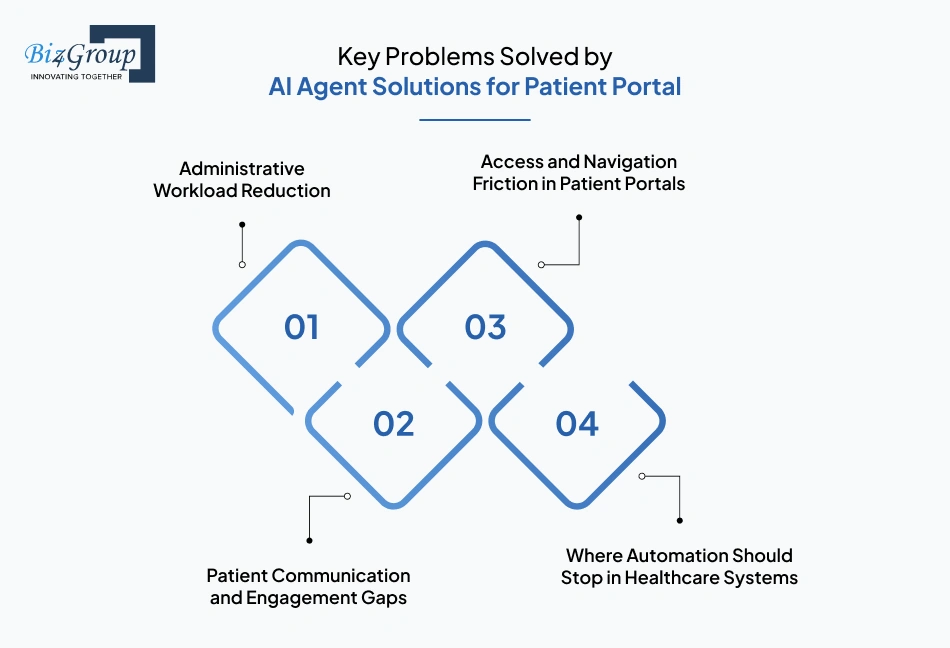
Patient portals are widely used but often depend on manual work and limited automation. This can cause delays, increase workload for staff, and make it harder for patients to get quick support. To improve this, organizations look to build an AI agent for patient portal solutions that can handle routine tasks and respond to users in real time.
1. Administrative Workload Reduction
Healthcare staff spend time on repetitive tasks like scheduling, reminders, and answering basic questions. These tasks increase workload and slow down operations. With AI agent solutions for patient portal, these tasks can be handled automatically, helping teams save time and focus on more important work.
2. Patient Communication and Engagement Gaps
Patients may face delays when trying to get answers or support through the portal. This can reduce engagement and create frustration. A patient portal AI agent development solutions helps by providing instant responses, so patients can get information or assistance without waiting.
3. Access and Navigation Friction in Patient Portals
Many patient portals are not easy to use, especially for new or less tech-savvy users. Finding the right option or completing a task can take multiple steps. AI agents simplify this by letting users ask directly for what they need, improving usability through AI in healthcare administration automation.
4. Where Automation Should Stop in Healthcare Systems
Some healthcare tasks involve sensitive data or complex decisions that should not be automated. These situations require human judgment to ensure safety and accuracy. AI agents should handle routine tasks but pass complex or critical cases to human staff when needed.
| Problem | What AI Agent Does | Outcome |
|---|---|---|
| Administrative Workload | Automates routine tasks | Reduces manual effort |
| Communication Delays | Provides instant responses | Improves engagement |
| Navigation Issues | Guides users through tasks | Simplifies portal usage |
| Automation Limits | Escalates complex cases | Maintains control and safety |
AI agents help improve how patient portals work by reducing manual effort and making interactions easier. The development of AI agent for patient portal solutions focuses on adding automation in a controlled way while keeping important decisions with human teams.
Core Components Required to Build an AI Agent for Patient Portal Solutions
To understand how the system works, it is important to look at the main components used when organizations build an AI agent for patient portal solutions. Each component handles a specific part of the process, such as user input, decision-making, or data access. Together, these components allow the system to respond to users and complete tasks in a structured way.
1. User Interaction Layer (Chat, Voice, Portal Interface)
This layer is where users interact with the system through chat, voice, or portal screens. It captures user input and shows responses in a simple format. A clear interface, often part of AI assistant app design, helps users interact easily without confusion.
2. Agent Reasoning and Orchestration Layer
This layer decides what action the system should take after receiving user input. It understands the request and connects it to the right task or workflow. In AI patient portal agent development, this helps the system respond correctly and handle multi-step requests.
3. Data Access and Integration Layer (EHR, APIs, Databases)
This layer connects the system to external data sources like EHRs, APIs, and databases. It allows the system to fetch or update information based on user requests. Reliable integration, supported by AI integration services, ensures the system works with accurate data.
4. Memory and Context Management
This component helps the system remember past interactions and keep track of context. It allows the system to give more relevant responses without asking the same questions again. When teams create AI agent for patient support and communication, this improves consistency in user interactions.
5. Security, Compliance, and Audit Layer
This layer ensures that patient data is handled securely and follows required regulations. It controls access, protects data, and tracks system activity. This helps maintain safety and trust when the system is in use.
All these components work together as one system, not as separate parts. The development of AI agent for patient portal solutions focuses on connecting them so that the system can respond, act, and manage data smoothly.
From Idea to Working System
See how to build an AI agent for patient portal solutions that fits your workflows and patient needs.
Plan My AI BuildSystem Architecture Behind AI Patient Portal Agent Development
To understand how the system works, it is important to look at the structure used when organizations build an AI agent for patient portal solutions. The architecture defines how user input is handled, how data is accessed, and how actions are completed. All parts work together to keep the system simple, reliable, and easy to manage.
End-to-End Data Flow from User Query to System Response
An AI agent follows a clear flow: input, intent, data, decision, and response. This helps the system handle every request in a consistent way.
| Step | System Action |
|---|---|
| User Input | Patient enters a query or request |
| Intent Processing | System understands what the user needs |
| Data Retrieval | Required data is fetched from systems |
| Decision Logic | System decides what to do next |
| Response or Action | Answer is given or task is completed |
This flow is important when teams build AI agent for digital health patient portals, as it keeps responses consistent and reduces errors. It also ensures that each request is processed in a structured way.
Role of Retrieval Systems in Healthcare Context Delivery
Retrieval systems help the AI agent get the right data before responding. This ensures that answers are based on real and updated information.
1. Accessing Relevant Data
The system connects to EHRs, databases, and knowledge bases to fetch required information.
2. Improving Response Accuracy
Using real-time data helps reduce incorrect or outdated responses.
3. Supporting Context-Aware Responses
The system can include patient-specific details to make responses more relevant.
Without retrieval, the system would depend on limited or fixed data. In many cases, retrieval works with generative AI to improve response quality.
Retrieval systems make the AI agent more accurate and reliable in real use.
How Orchestration Logic Manages Tasks and Workflows
Orchestration logic decides what the system should do after understanding the user request. It connects the request to the right action or workflow.
- Maps user input to the correct task
- Handles multi-step processes
- Coordinates between different system parts
This layer is important when teams look for the best way to develop AI agent for healthcare portal automation, as it ensures tasks are completed correctly. It also helps the system stay organized when handling multiple steps.
Orchestration helps the system move from simple responses to completing actual tasks in a structured way.
Where Guardrails and Validation Layers Are Applied
Guardrails and validation layers keep the system safe and controlled. They check inputs, outputs, and actions before anything is processed or executed.
- Validate user input before processing
- Check responses before showing them
- Verify actions before execution
These controls are important in healthcare systems where safety and accuracy matter. They help reduce risks while allowing automation to work properly.
Guardrails ensure the system follows rules and handles data safely. The how to build an AI agent for patient portal solutions approach depends on these checks to maintain trust and reliability.
This architecture connects input, data, and actions into one system. Each part supports the others to keep everything running smoothly. The development of AI agent for patient portal solutions focuses on designing this structure so the system can scale and work reliably over time.
Portfolio Spotlight
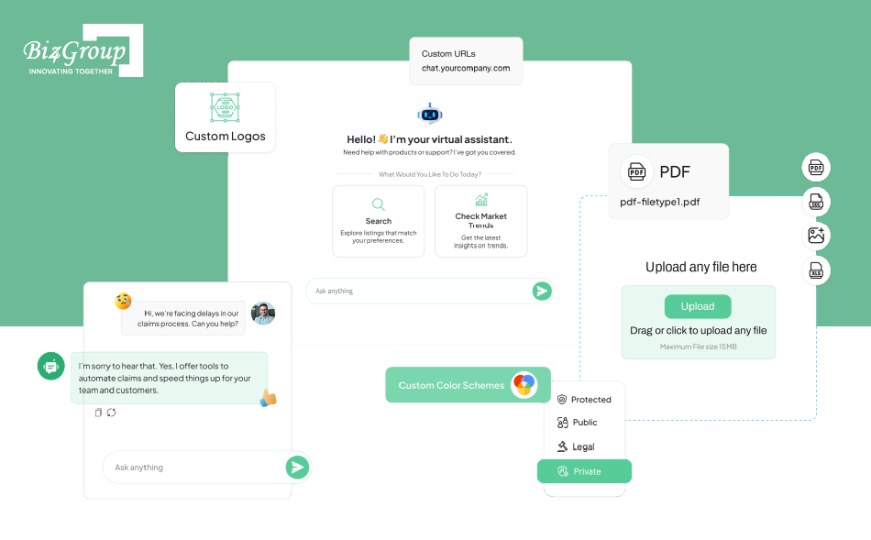
The Enterprise AI Agent built by Biz4Group is designed to automate complex business workflows using intelligent, multi-step decision-making systems. It integrates with enterprise tools to handle tasks across departments, showing how AI agents can move beyond conversations into full workflow execution within systems like patient portals.
How to Make the Right Design Decisions for AI Patient Portal Agent Development?
Making the right design decisions is important when organizations build an AI agent for patient portal solutions. These decisions affect how the system works, how it scales, and how easy it is to manage over time.
The goal is to choose options that fit the system needs without adding unnecessary complexity.
Model Selection: General-Purpose vs Healthcare-Tuned Models
The model you choose decides how well the system understands user queries and responds to them. Some models work well for general tasks, while others are trained for healthcare use.
| Factor | General-Purpose Models | Healthcare-Tuned Models | Best Fit When |
|---|---|---|---|
| Training Data | Broad data | Healthcare-specific data | Domain knowledge is needed |
| Accuracy | Good for basic queries | Better for medical context | Queries involve medical terms |
| Setup Time | Faster | Slower | Quick setup is required |
| Cost | Lower | Higher | Accuracy is more important |
| Flexibility | High | More focused | Use case is clearly defined |
General-purpose models are suitable for basic interactions. Healthcare-tuned models are better when accuracy in medical context is important. This choice matters when teams build AI agent for digital health patient portals, as it directly affects response quality.
Build vs Buy: Custom Development vs Platform Solutions
This decision is about whether to build the system from scratch or use an existing platform. It affects how much control you have and how quickly you can launch.
| Factor | Custom Development | Platform Solutions | Best Fit When |
|---|---|---|---|
| Flexibility | High | Limited | Custom needs are high |
| Time to Deploy | Longer | Faster | Quick launch is needed |
| Control | Full | Limited | Full control is required |
| Cost | Higher upfront | Ongoing subscription | Budget needs flexibility |
| Integration | Custom-built | Predefined options | Simple setup is enough |
Custom development gives more control but takes more time. Platforms are faster to set up but offer less flexibility. Many teams work with a custom software development company when they need a system that fits their exact workflow.
Choose custom when requirements are complex, and choose platforms when speed is the priority.
Cloud vs On-Premise Deployment Considerations
Deployment decides where the system runs and how data is handled. This choice affects scalability, control, and maintenance.
| Factor | Cloud Deployment | On-Premise Deployment | Best Fit When |
|---|---|---|---|
| Scalability | Easy to scale | Limited by hardware | Growth is expected |
| Setup Time | Faster | Slower | Quick setup is needed |
| Maintenance | Managed externally | Managed internally | Internal control is required |
| Data Control | Shared responsibility | Full control | Data sensitivity is high |
| Cost | Usage-based | High upfront | Long-term planning is needed |
Cloud is easier to scale and manage, while on-premise gives more control over data. Many systems use a mix of both under enterprise AI solutions to balance flexibility and control.
Choose cloud for flexibility, and on-premise when strict data control is required.
Cut Down Manual Work in Your Portal
Use AI agent solutions for patient portal to handle scheduling, queries, and routine tasks efficiently.
Automate My PortalSingle-Agent vs Multi-Agent Architecture
This decision defines how tasks are handled in the system. It affects how simple or complex the system becomes over time.
| Factor | Single-Agent System | Multi-Agent System | Best Fit When |
|---|---|---|---|
| Complexity | Low | Higher | System is simple |
| Task Handling | One flow | Multiple workflows | Tasks vary |
| Scalability | Limited | High | System will expand |
| Coordination | Not needed | Required | Tasks are interconnected |
| Maintenance | Easier | More effort | Resources are limited |
A single-agent system works well for simple use cases. A multi-agent setup is useful when handling different workflows or scaling over time. This approach is often used when teams explore how to build a multi-agent AI system.
Choose single-agent for simplicity, and multi-agent when the system needs to handle more complex tasks.
All these decisions shape how the system performs and grows over time. They help balance control, cost, and scalability. The how to build an AI agent for patient portal solutions approach depends on choosing options that match real system needs.
Core Features to Include When You Build an AI Agent for Patient Portal Solutions
When organizations build an AI agent for patient portal solutions, they need to focus on features that support basic patient interactions and system operations. These features form the foundation of the system and ensure that users can complete common tasks without manual assistance. The goal is to make the portal easier to use while reducing workload for healthcare staff.
The core features are designed to handle everyday tasks and ensure the system works reliably from the start. Each feature supports a specific function required for smooth interaction.
| Feature | What It Does | Why It Matters |
|---|---|---|
| Patient Query Handling | Responds to user questions and requests | Reduces support workload |
| Appointment Scheduling and Management | Books, reschedules, or cancels appointments | Saves time for users and staff |
| Record Access Support | Helps users find and view medical records | Improves access to information |
| Notifications and Reminders | Sends alerts for appointments and updates | Keeps patients informed |
| Intent Detection and Request Routing | Identifies user needs and directs requests | Ensures correct task handling |
| Authentication and Access Handling | Verifies user identity and controls access | Protects sensitive patient data |
| Human Escalation and Handoff | Transfers complex cases to human staff | Maintains safety and accuracy |
These features are commonly included during early development, especially in custom healthcare software development, to ensure the system can handle essential workflows without issues.
Each of these features helps the system respond to users, manage tasks, and maintain safe operations. Together, they form the base layer that supports all other capabilities.
For those wondering how to develop AI agent for healthcare patient portal systems, it's recommended that they focus on building these core features first before adding more advanced functionality.
Dr Ara is an AI-powered healthcare assistant that helps users interact with medical information, access guidance, and improve patient engagement. It reflects how AI systems can support communication and information access within patient portals while maintaining a structured and responsive user experience.

Advanced Features to Add in AI Agent for Patient Portal Solutions
After the core features are set, organizations can add advanced features to improve how the system works. When teams build an AI agent for patient portal solutions, these features help the system handle more complex tasks and improve user experience. The goal is to make the system more flexible and scalable over time.
1. Context-Aware Personalization
The system uses past interactions and patient data to adjust responses. This helps provide more relevant answers without asking the same questions again. It is useful when creating an AI agent for patient scheduling and queries, as it improves consistency and response quality.
2. Multi-Step Workflow Automation
The system connects multiple steps into one process, such as scheduling, updates, and follow-ups. It completes these steps in order without manual input. This is often part of AI agent implementation, helping reduce delays and simplify tasks.
3. Predictive Engagement and Proactive Support
The system looks at usage patterns to send reminders or suggestions before users ask. This helps users stay informed and reduces missed actions. It improves engagement by making the system more responsive.
4. Voice and Omnichannel Support
The system works across platforms like web, mobile, and voice. Users can interact with it in different ways without losing consistency. This is supported through AI chatbot integration, making communication simple across channels.
5. Multi-Agent Coordination
The system uses multiple agents to handle different tasks. Each agent focuses on a specific function, making the system easier to scale. This approach supports systems where teams make AI powered agent for digital patient engagement across different workflows.
Advanced features help the system handle more complex tasks as it grows. They improve flexibility, performance, and user experience. The development of AI agent for patient portal solutions includes adding these features based on system needs over time.
Build with the Right Architecture First
Avoid rework by planning AI agent development for patient portal solutions with the right system design.
Get Architecture GuidanceStep-by-Step Process to Build an AI Agent for Patient Portal Solutions
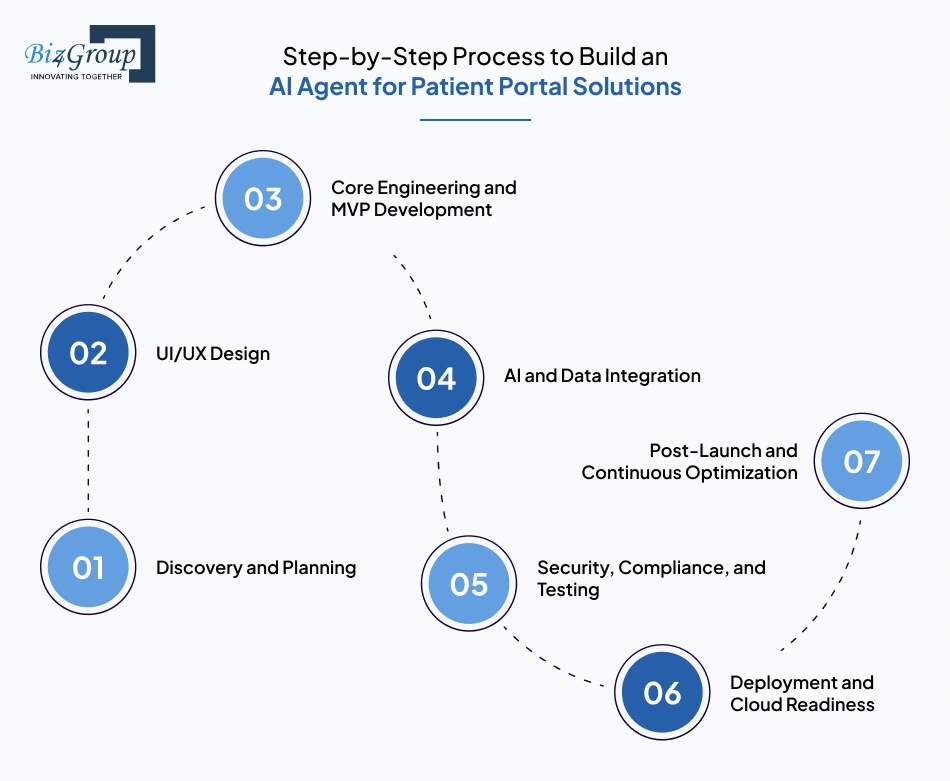
Building an AI agent for a patient portal should start with real patient needs and system gaps. When organizations build an AI agent for patient portal solutions, the focus is on making common tasks easier and reducing manual work. Each step should help move from basic functionality to a system that works reliably at scale.
Step 1: Discovery and Planning
Start by understanding where patients face issues in the portal, such as delays in booking or difficulty finding information. Focus on problems that occur often and affect daily usage.
- Analyze appointment booking failures like unavailable slots or repeated rescheduling
- Review patient queries related to lab results, prescriptions, and follow-ups
- Identify where patients drop off while navigating multi-step portal flows
- Define which actions can be automated without affecting clinical safety
This step helps answer a common question: how do I start building an AI agent for a patient portal, by focusing on real user problems first.
Step 2: UI/UX Design
The portal should be easy to use for all patients, including those who are not familiar with technology. A simple interface helps users interact with the AI agent without confusion.
- Design direct actions like "Book Appointment," "Check Reports," or "Ask a Question"
- Replace complex menus with guided chat-based interactions
- Ensure accessibility for elderly users and low digital literacy groups
- Keep interaction consistent across patient apps and web portals
Working with a UI/UX design company helps create a system that is easy to use.
Also read: Top UI/UX Design Companies in USA
Step 3: Core Engineering and MVP Development
Start with a simple version of the system that solves one or two key problems. MVP development services help in testing the system before adding more features.
- Build real-time appointment booking with doctor availability and slot validation
- Enable query handling for common requests like "reschedule," "cancel," or "report status"
- Integrate with patient login sessions to avoid repeated authentication
- Design backend services that support adding features like prescriptions later
At this stage, teams often focus on how to create AI agent for patient scheduling and appointment management, as it provides immediate value.
Also read: Top 12+ MVP Development Companies to Launch Your Startup in 2026
Step 4: AI and Data Integration
The AI agent needs to work with real data to give useful answers. This means connecting it to healthcare systems like EHRs and internal databases.
- Connect to EHR systems for appointments, reports, and patient history
- Fetch real-time lab results and prescription status during interactions
- Train AI models on actual patient queries instead of generic datasets
- Use feedback from failed or escalated queries to improve responses
This step becomes important when teams ask how can I build an AI agent for my patient portal platform that works with actual data.
Step 5: Security, Compliance, and Testing
Patient data must be handled safely, so security and compliance are required from the start. The system should also be tested in real scenarios before launch.
- Restrict access to reports, prescriptions, and history based on user identity
- Ensure PHI is encrypted during data transfer between systems
- Test cases like wrong patient selection, invalid queries, or session timeouts
- Track every interaction for audit and compliance requirements
At this stage, teams often evaluate which company can build AI patient portal agents for healthcare with the right experience in security and compliance.
Also Read: 15+ Software Testing Companies in USA in 2026
Step 6: Deployment and Cloud Readiness
The system should be able to handle different levels of usage without slowing down. A strong deployment setup helps maintain performance.
- Handle peak loads during appointment booking hours without delays
- Monitor response time for queries like "check report" or "book appointment"
- Enable updates without affecting active patient sessions
- Provide onboarding prompts for first-time users inside the portal
This step supports developing an scalable AI agent for healthcare portal systems, ensuring the system works well as usage grows.
Step 7: Post-Launch and Continuous Optimization
After launch, the system should keep improving based on real usage. This helps maintain performance and user satisfaction over time.
- Track which queries lead to human escalation and improve those flows
- Identify repeated patient issues like appointment confusion or report access
- Add features like reminders for follow-ups or missed appointments
- Retrain the system using real interaction data from the portal
This step helps refine the system over time and improve overall performance.
Building an AI agent for a patient portal is a step-by-step process that improves over time. Each stage, from identifying patient needs to refining the system after launch, helps ensure the solutions works in real-world conditions. The focus should remain on solving common patient tasks while keeping the system reliable and easy to use.
Tech Stack for AI Agent for Patient Portal Solutions
Choosing the right tech stack is important when building an AI agent for a patient portal. The system must support real-time interactions, connect with EHR systems, and handle sensitive patient data securely. Each layer should be selected to ensure smooth communication between the AI agent and the patient portal.
| Layer | Preferred Technologies | Why It Matters |
|---|---|---|
| Frontend Framework | React.js, Angular | Builds responsive patient interfaces using modern frameworks like ReactJS development |
| Server-Side Rendering & SEO | Next.js, Nuxt.js | Improves speed and performance for portal pages using NextJS development |
| Backend Framework | Node.js, Python, Django | Handles APIs and business logic using scalable stacks from NodeJS development and Python development |
| API Development & Integration | REST, GraphQL, FastAPI | Enables communication between AI agent, portal, and EHR systems |
| AI & Data Processing | TensorFlow, OpenAI APIs, PyTorch | Powers query understanding and response generation for patient interactions |
| Data Integration Layer | HL7, FHIR, Middleware Services | Ensures smooth data exchange with healthcare systems |
| Database | PostgreSQL, MongoDB | Stores patient interactions, logs, and structured data securely |
| Cloud & Hosting | AWS, Azure, GCP | Supports scalability during peak patient usage |
| Security & Compliance | OAuth 2.0, JWT, HIPAA Controls | Protects PHI and ensures regulatory compliance |
| Monitoring & Logging | Prometheus, Grafana, ELK Stack | Tracks performance, errors, and patient interaction patterns |
| DevOps & CI/CD | Docker, Kubernetes, CI/CD Pipelines | Ensures smooth deployment and regular updates without downtime |
This tech stack ensures that the AI agent works smoothly within a patient portal environment. It supports secure data handling, real-time responses, and reliable integration with healthcare systems.
The right combination of technologies plays a key role when teams build an AI agent for patient portal solutions, helping ensure the system remains scalable, secure, and easy to maintain over time.
Know the Cost Before You Start
Understand the real cost of development of AI agent for patient portal solutions based on your use case.
Estimate My ProjectWhat Does It Cost to Build an AI Agent for Patient Portal Solutions?
The cost to build an AI agent for patient portal solutions typically ranges between $30,000 to $150,000+, depending on system complexity, integrations, and automation level. This is a ballpark estimate, as actual costs vary based on feature scope and deployment approach.
| Level | What's Included | Estimated Cost | Best Fit When |
|---|---|---|---|
| MVP-Level AI Agent for Patient Portal Solutions | Basic query handling, appointment scheduling, limited integrations, simple UI | $30,000 – $60,000 | Starting with core features and validating usage |
| Advanced-Level AI Agent for Patient Portal Solutions | Multi-step workflows, EHR integration, improved UI/UX, better automation | $60,000 – $100,000 | Expanding functionality and improving efficiency |
| Enterprise-Level AI Agent for Patient Portal Solutions | Multi-agent setup, deep integrations, high scalability, advanced security & compliance | $100,000 – $150,000+ | Scaling across systems with high usage and complexity |
These levels show how costs increase as the system moves from basic functionality to full-scale deployment. This phased approach is common in AI agent development for patient portal solutions, where teams start small and expand over time.
Costs increase based on how much the system needs to automate, integrate, and scale. Early decisions on architecture and features directly impact long-term cost. Teams often use AI consulting services to plan these stages and avoid unnecessary rebuilds later.
Key Cost Drivers in AI Agent Development for Patient Portal Solutions
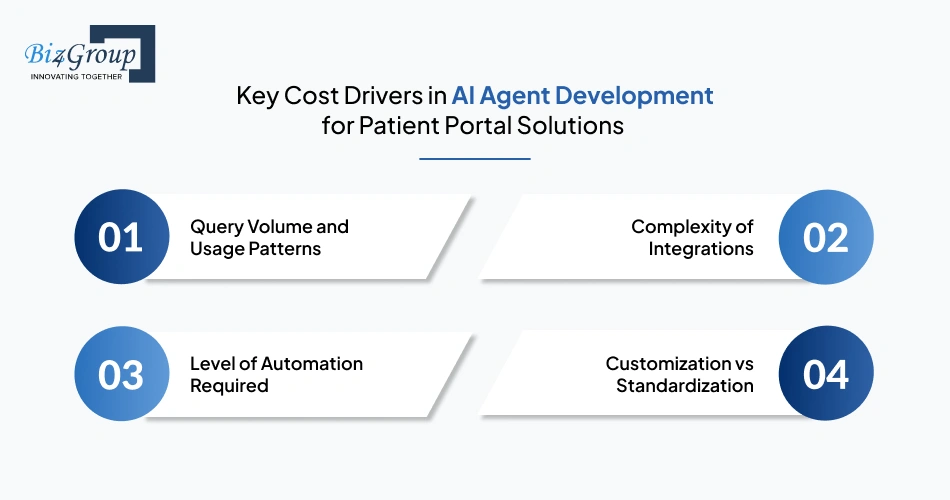
The total cost depends on a few key factors that directly affect development effort and system complexity. Understanding these helps in planning budgets and avoiding unexpected costs.
1. Query Volume and Usage Patterns
Higher usage leads to increased infrastructure and model processing costs. Systems with frequent patient queries require better scaling and monitoring. This increases ongoing cost, especially when teams hire AI developers to build systems that can handle peak demand reliably.
2. Complexity of Integrations
Connecting to EHR systems, APIs, and databases adds development and maintenance effort. Each integration requires testing, validation, and ongoing updates. More integrations directly increase both initial build cost and long-term maintenance cost.
3. Level of Automation Required
Basic automation has lower cost, while systems that handle full workflows require more logic and safeguards. Multi-step automation increases development effort. Higher automation leads to higher upfront cost but can reduce operational cost over time.
4. Customization vs Standardization
Custom systems require more development time and testing compared to standardized setups. They provide flexibility but increase both build and maintenance cost. Standardized systems reduce cost but may limit how much the system can adapt to specific workflows.
Understanding these cost drivers helps teams plan development in stages and control spending. It also makes it easier to prioritize features based on impact and budget.
The which agency can develop AI agent for patient portal solutions decision often depends on how clearly these cost factors are defined before development begins.
What Are the Biggest Challenges in AI Patient Portal Agent Development?
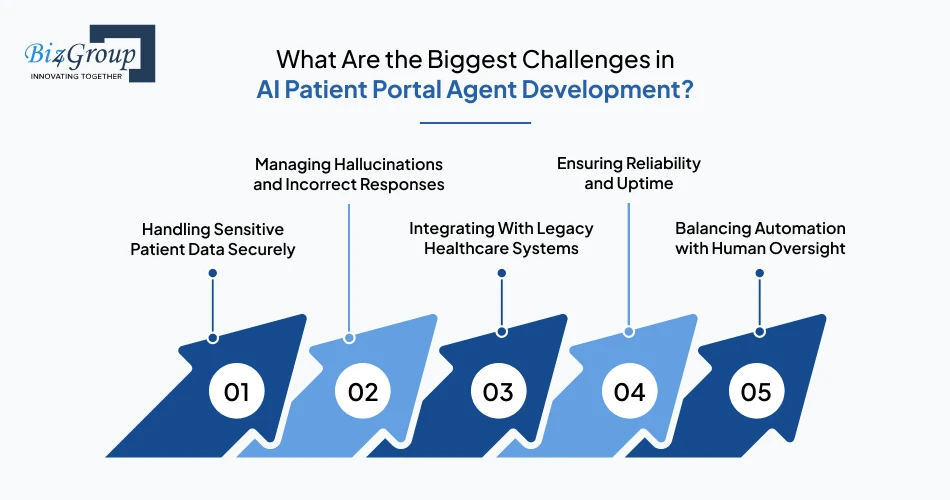
When organizations build an AI agent for patient portal solutions, they face a few common challenges. These systems must handle patient data safely, work with existing healthcare systems, and respond correctly in real time. Solving these challenges early helps avoid errors, delays, and system issues later.
| Challenge | What It Involves | Why It Matters |
|---|---|---|
| Handling Sensitive Patient Data Securely | Managing PHI with encryption and access control | Important for compliance and trust during the development of AI agent for patient portal solutions |
| Managing Hallucinations and Incorrect Responses | Avoiding incorrect or misleading answers from the system | Helps maintain accuracy and patient safety |
| Integrating With Legacy Healthcare Systems | Connecting with older EHR systems and APIs | Can increase development time and complexity |
| Ensuring Reliability and Uptime | Keeping the system stable during high usage | Needed for smooth patient interactions |
| Balancing Automation with Human Oversight | Deciding when to use AI and when to involve staff | Reduces risk in sensitive situations |
These challenges affect how the system is built and used in real conditions when someone plans to integrate AI into an app. They also help teams decide which agency can develop AI agent for patient portal solutions based on their ability to handle healthcare-specific requirements.
Scale Beyond Basic Automation
Go from simple support to advanced workflows when you build AI agent for digital health patient portals.
Scale My AI SystemCompliance Requirements in AI Agent Development for Patient Portal Solutions?
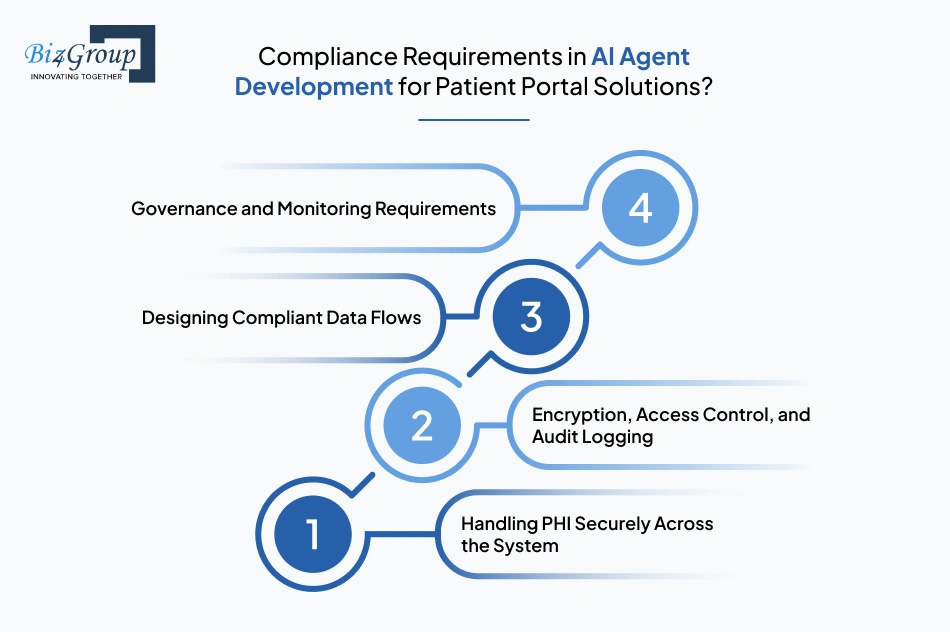
When organizations build an AI agent for patient portal solutions, compliance is required from the start. These systems handle sensitive patient data, so they must follow strict rules for access, storage, and usage. A compliant system helps prevent data leaks, errors, and legal risks.
1. Handling PHI Securely Across the System
Patient data must be protected at every step, from input to storage. Only authorized users and systems should be able to access this data. This becomes critical when teams develop an AI agent for patient portal solutions, where data moves between multiple systems.
2. Encryption, Access Control, and Audit Logging
Data should be encrypted during storage and transfer to prevent unauthorized access. Access control ensures only approved users can view or update data. Audit logs track all actions, which helps detect issues and maintain accountability in systems like a healthcare conversational AI guide.
3. Designing Compliant Data Flows
Data should only move between approved systems and follow defined paths. This reduces the risk of exposing sensitive information. When building an AI agent for patient portal solutions, clear data flow rules help keep the system secure and predictable.
4. Governance and Monitoring Requirements
The system should be regularly monitored to ensure it follows compliance rules. Logs, alerts, and usage tracking help detect issues early. This approach aligns with AI agent development trends, where systems are continuously checked and improved.
Compliance ensures the system stays secure and reliable as it grows. It also helps reduce risks related to data misuse and system errors. Working with an AI app development company can help ensure these requirements are handled correctly from the beginning.
How to Measure Success of AI Agent Solutions for Patient Portal?
When organizations build an AI agent for patient portal solutions, they need simple ways to check if the system is working well. These metrics show how the system improves daily tasks, supports patients, and reduces manual work. Tracking them helps teams make better decisions over time.
- Measure how much manual work is reduced, such as fewer scheduling or support tasks
- Track how fast the system responds and resolves patient queries
- Monitor how often patients use the system and complete tasks successfully
- Check how many requests are handled without human support
- Measure how accurate the responses are and how often issues are escalated
- Track patient feedback or satisfaction to understand user experience
- Compare support costs before and after using the system to see cost savings
- Measure overall return on investment based on usage and efficiency
These metrics help teams understand how the AI automation services are performing in real use. They also show where improvements are needed and how the system can scale. A clear approach to measurement ensures that a patient portal AI agent development solutions continues to deliver value over time.
Common Mistakes When You Build an AI Agent for Patient Portal Solutions
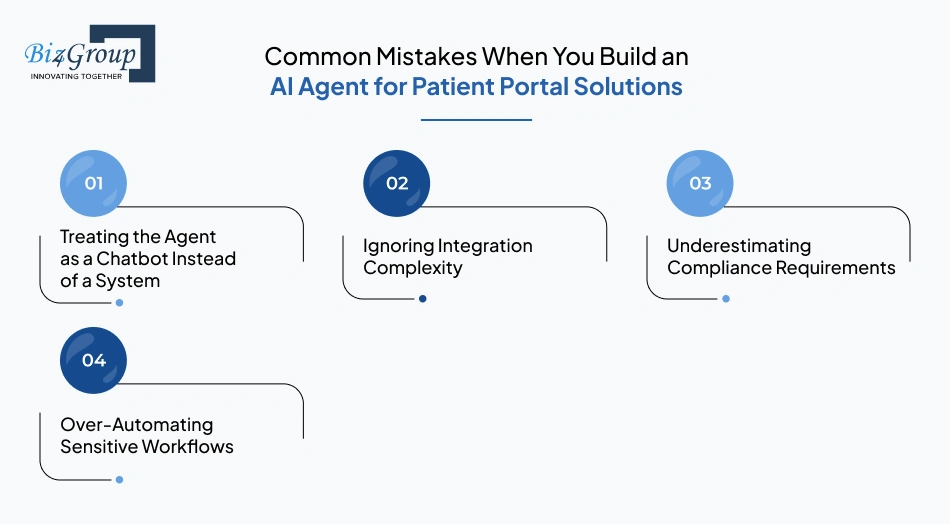
When organizations build an AI agent for patient portal solutions, they often make a few common mistakes. These mistakes can affect how the system works, increase risk, and slow down adoption. Avoiding them early helps ensure the system is reliable and easy to scale.
1. Treating the Agent as a Chatbot Instead of a System
Some teams treat the agent as a simple chat tool. This limits it to answering questions instead of completing tasks like scheduling or record access. In AI patient portal agent development, the agent should work across systems to handle real workflows.
2. Ignoring Integration Complexity
Patient portals depend on systems like EHRs and APIs working together. Ignoring integration effort can lead to delays and incorrect data responses. This becomes more important when using generative AI agents, where real-time data is required.
3. Underestimating Compliance Requirements
Healthcare systems must follow strict rules for handling patient data. Missing these rules can lead to data risks and system issues. Working with a software development company in Florida can help ensure compliance is handled correctly.
4. Over-Automating Sensitive Workflows
Not all tasks should be automated, especially those that need human judgment. Automating sensitive workflows can lead to wrong actions or responses. Clear limits are needed when teams create AI agent for patient support and communication.
Avoiding these mistakes helps build a system that is safe, reliable, and easy to scale. It also improves how the system performs in real use.
How to Scale AI Agent Solutions for Patient Portal Over Time?
When organizations build an AI agent for patient portal solutions, they need to plan how the system will grow over time. A system that works for simple queries may not handle more users or more complex tasks later. Scaling means improving the system step by step while keeping it stable and easy to manage.
1. Expanding From Support to Full Workflow Automation
At first, the system handles simple tasks like answering questions or checking appointment status. Over time, it should start completing actions like booking appointments or sending reminders. This helps reduce manual work and improves efficiency.
- Example: Instead of just answering a question about booking, the system books the appointment, confirms it, and sends a reminder.
2. Multi-Agent Orchestration Across Patient Journeys
As the system grows, one agent may not be enough to handle all tasks. Different agents can handle different functions like scheduling or record access. These agents work together to complete tasks in one flow.
- Example: One agent books an appointment while another checks patient records, completing the request without extra steps.
3. Continuous Learning and System Improvement
The system should improve based on how patients use it. It can learn from past queries and feedback to give better responses over time. This approach is often used in an AI conversation app, where the system improves with usage.
- Example: If many users ask about reports, the system learns to answer better and reduces the need for support.
4. Future-Proofing Architecture Decisions
The system should be built in a flexible way so new features can be added easily. This helps avoid rebuilding the system when requirements change. It also supports long-term growth.
- Example: Adding features like prescription tracking without changing the existing system setup.
Scaling helps the system handle more users and more tasks without slowing down. It also keeps the system useful as needs change. The ability to build AI software that supports build AI agent for digital health patient portals helps ensure long-term performance and stability.
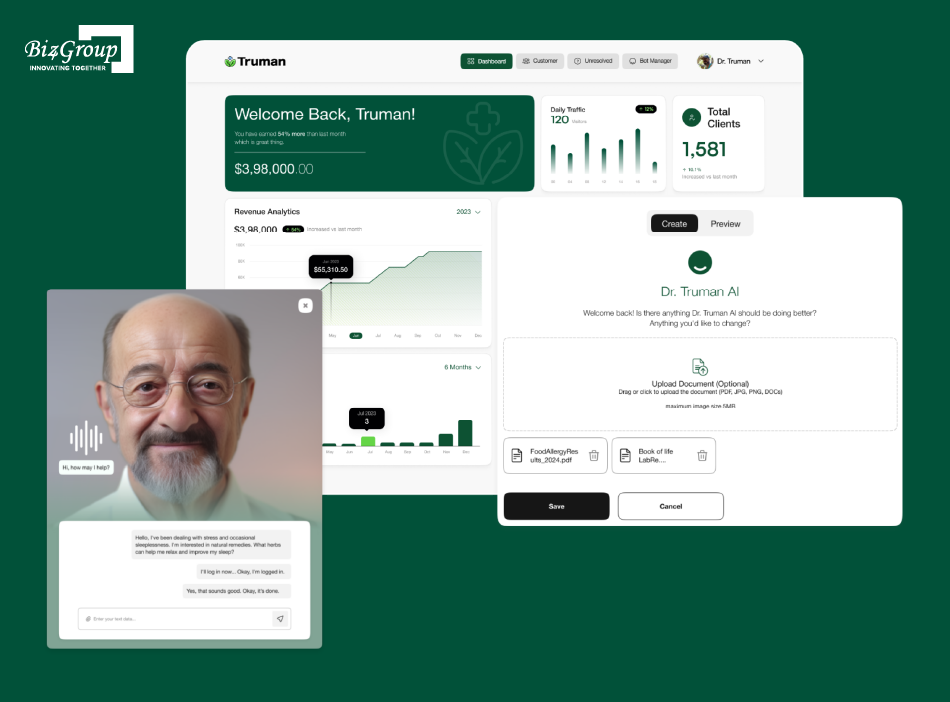
Truman focuses on AI-driven automation and intelligent workflow handling for operational efficiency. It demonstrates how AI systems can manage tasks, reduce manual effort, and scale interactions, which is essential when building AI agents that operate inside patient portals.
Turn Your Portal into a Smart System
Get a clear path on how to develop an AI agent for patient portal solutions without overcomplicating it.
Start My AI RoadmapWhy Choose Biz4Group LLC to Build an AI Agent for Patient Portal Solutions?
Choosing the right team is important when you build an AI agent for patient portal solutions. The system needs to work with real healthcare workflows, handle data safely, and scale over time. Biz4Group LLC works as an AI development company that focuses on building simple, reliable, and practical solutions.
- Experience with agents like enterprise AI Agent, and AI healthcare platforms like Dr Ara, and Truman, highlights real use of AI in workflows and patient interactions
- Focus on building complete systems, not just chat interfaces, so the AI agent can handle real tasks
- Strong experience in integrating AI with EHRs, APIs, and existing patient portal systems
- Clear approach to security and compliance to protect patient data
- Scalable design that supports future features and higher usage
The portfolio examples shared earlier show how these systems work in real environments. This helps teams understand what to expect and reduces uncertainty during development. At Biz4Group LLC, solutions are built with a clear focus on usability, reliability, and long-term growth.
Final Thoughts on How to Build an AI Agent for Patient Portal Solutions
To build an AI agent for patient portal solutions, the focus should always stay on solving real patient and operational problems. From handling simple queries to managing full workflows, the system should grow step by step based on actual usage. The goal is not to automate everything, but to automate what adds clear value.
If done right, the system can reduce workload, improve response time, and make patient interactions smoother. Over time, it can expand to support multiple workflows across the portal. This is similar to how teams build an AI app - start small, validate, and scale with clarity.
The key is to keep the system simple, reliable, and easy to improve as needs change.
Want to build an AI agent for your patient portal? Let's map out the right approach for your system.
FAQs
1. How long does it take to build an AI agent for a patient portal?
The timeline usually ranges from 8 to 20 weeks, depending on complexity. A basic version with limited features can be built faster, while systems with EHR integrations, automation workflows, and compliance layers take longer. Development time also depends on testing and validation requirements.
2. What data sources are required for an AI patient portal agent?
The system typically uses data from EHR systems, appointment databases, patient records, and internal APIs. It may also use historical interaction data to improve responses. Clean and structured data is important for accurate and reliable performance.
3. Can an AI agent fully replace human support in a patient portal?
No, AI agents are designed to handle routine and repetitive tasks, not replace human staff completely. Sensitive cases, medical decisions, and complex issues still require human involvement. A hybrid model with both AI and human support works best.
4. How do AI agents handle patient data privacy and regulations?
AI agents follow strict data protection rules such as encryption, access control, and audit logging. They are designed to comply with healthcare regulations like HIPAA. Data is only accessed and processed based on defined permissions and workflows.
5. What is the cost to build an AI agent for a patient portal?
The cost typically ranges between $30,000 and $150,000+, depending on features, integrations, and system complexity. A basic version costs less, while advanced systems with automation and compliance features require higher investment. This is a general estimate and may vary by project scope.
6. How do you ensure an AI agent gives accurate responses in a patient portal?
Accuracy is improved by using validated data sources, retrieval systems, and continuous monitoring. The system is tested with real scenarios and updated based on feedback. Guardrails and escalation rules are also used to prevent incorrect responses.
