 Location :
Orlando, FL, USA
 +1 (407) 714-1616
 info@biz4group.com


 AI Summary Powered by Biz4AI
- To develop AI applications for real estate, pick one workflow that eats staff time every week, connect it to data you already own, and launch a small first version.
- Most projects need four things: clean data from your CRM, MLS feed and property management system, an integration layer, an AI layer, and an app people actually open.
- Brokerages, property managers, investors and PropTech teams each start in a different place, and the page points each to the right deeper guide.
- Accuracy and fair housing rules shape the design from day one, especially for valuation, tenant screening and advertising. The MVP scope picker helps you decide what goes in version one and what waits.
To develop AI applications for real estate, start with one workflow that eats your team's time every week, connect it to the data you already own, and launch a small first version before adding anything else. The useful ones are usually plain: they answer a lead, match a buyer to a listing, sort a maintenance request or flag a late rent, then write the result back into the system your team already uses.
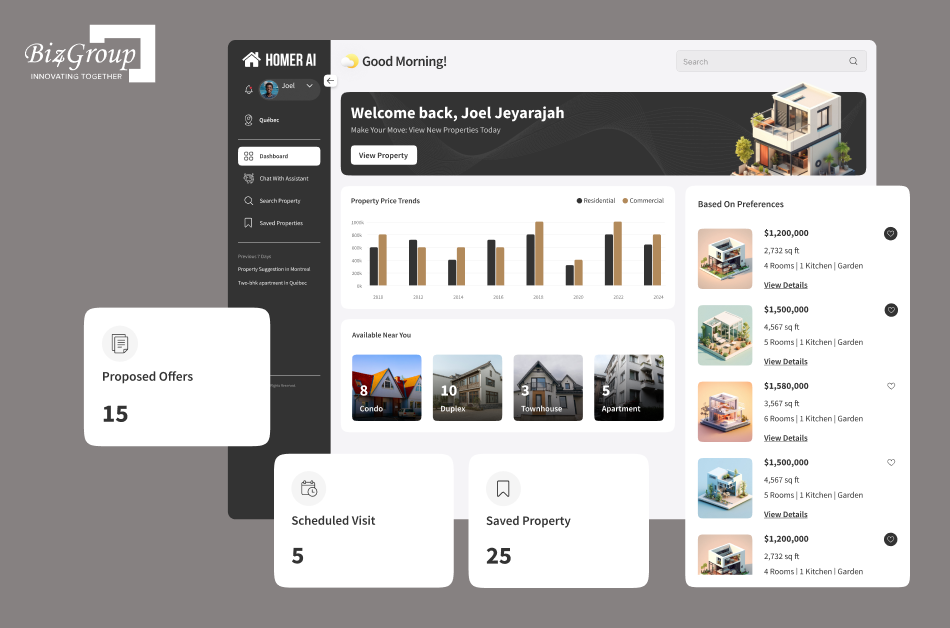
Biz4Group, a real estate AI platform development company, has built AI products in this space, including Homer AI, a chat-first assistant that asks buyers about budget and location, filters properties on their answers and schedules visits. The advice below comes from that build side: what to automate first, where the data comes from, how the pieces fit together and what a sensible first release looks like.
Which real estate processes can AI applications automate?
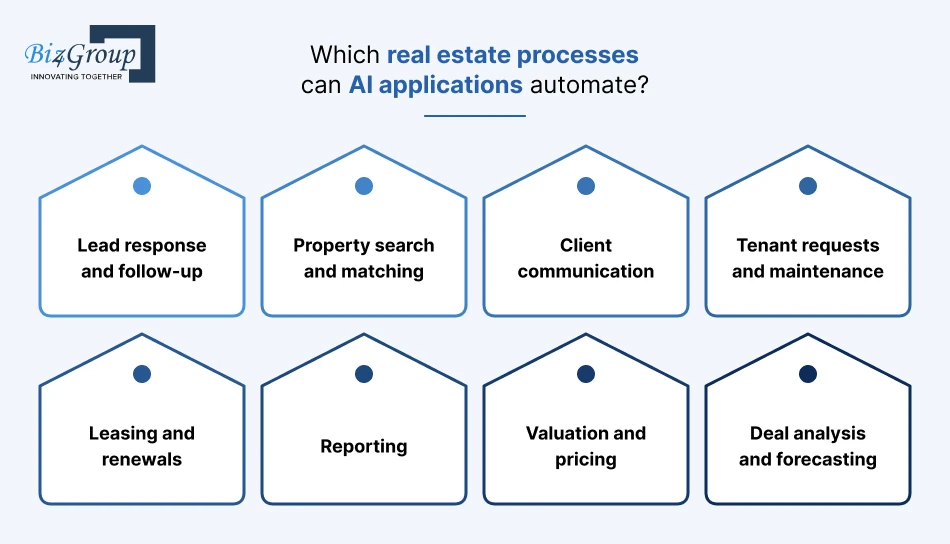
Almost anything repetitive, text-heavy or data-heavy: answering leads, matching buyers to listings, drafting replies, sorting maintenance requests, tracking lease dates, summarizing reports and screening deals. Pick the one that costs your team the most hours, because that's the one you'll notice working.
|
Process |
What the AI application does |
Usually owned by |
|---|---|---|
|
Lead response and follow-up |
Replies to inquiries, asks qualifying questions, books viewings and logs everything to the CRM |
Brokerages and sales teams |
|
Property search and matching |
Turns a buyer's stated preferences into a ranked set of listings |
Agents and portals |
|
Client communication |
Drafts answers to common questions across web chat, email, text and phone |
Any team that fields inquiries |
|
Tenant requests and maintenance |
Sorts incoming requests, suggests fixes and opens work orders |
Property managers |
|
Leasing and renewals |
Tracks key dates, drafts notices and answers applicant questions |
Property managers |
|
Reporting |
Pulls figures from several systems into plain-English summaries |
Owners and asset managers |
|
Valuation and pricing |
Estimates value from comparable sales and property data |
Investors and lenders |
|
Deal analysis and forecasting |
Screens deals, tests assumptions and projects rent and returns |
Investors |
Where should your type of business start?
With the process that matches your daily pain. Each kind of business has an obvious first move, and a deeper guide for when you're ready to go further.
- Brokerages and sales teams. Start with lead handling, because every missed inquiry is a lead you already paid for. Lead response and qualification platforms are built around that gap.
- Property managers. Start with tenant messages and maintenance requests, which are repetitive and easy to sort. AI property management systems bundle those workflows together.
- Investors and asset managers. Start with deal screening, then move to valuation and forecasting once your numbers are clean, which is how most AI valuation platforms get built.
- PropTech founders and startup teams. Start by testing the idea against a real workflow and a first user group, then define the smallest version that proves it. Browsing real estate AI app ideas can help narrow the field, and the first-release section below covers what to include.
- Technology and innovation leaders. Start with the integrations. Most of the value, and most of the risk, sits in how the new application connects to your CRM, MLS feed, property management system and transaction tools, which is covered further down.
What data do you need to develop AI applications for real estate?
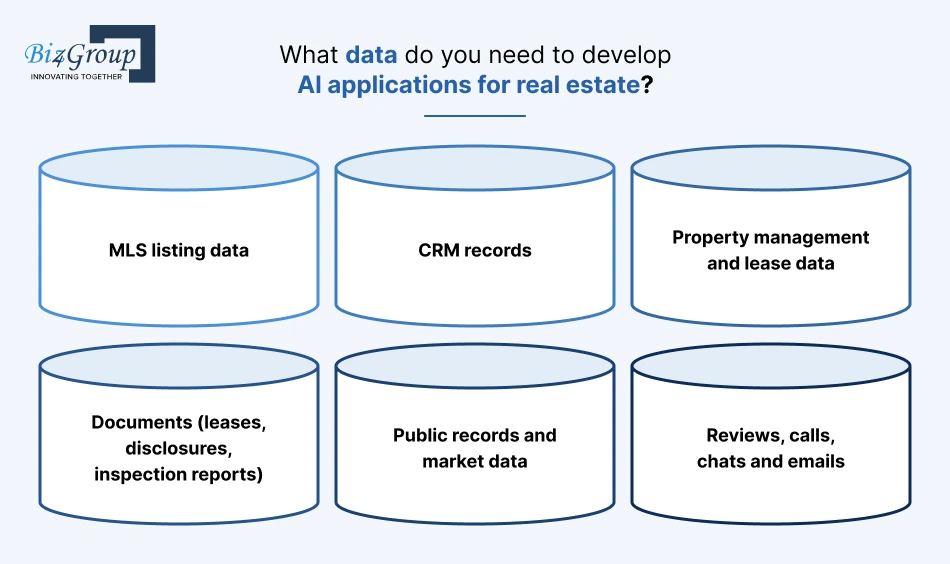
Whatever your team already produces: listings, leads, leases, work orders, documents and conversations. An AI application is only as good as the record it reads, so the data is the first job and the model comes second.
|
Data source |
What it powers |
Worth knowing |
|---|---|---|
|
MLS listing data |
Search, matching, valuation |
Access comes through your local MLS under its own rules, and modern feeds follow the RESO Web API standard |
|
CRM records |
Lead scoring, follow-up, reporting |
Duplicates, empty fields and stale statuses show up quickly once AI reads them |
|
Property management and lease data |
Maintenance sorting, renewals, tenant answers |
Each portfolio often runs on a different system |
|
Documents (leases, disclosures, inspection reports) |
Summaries, data extraction, Q&A |
Scan quality and privacy decide how far you can go |
|
Public records and market data |
Valuation, forecasting |
Licensing terms and refresh rates differ by provider |
|
Reviews, calls, chats and emails |
Answer quality, coaching, sentiment |
Recording and consent rules apply to anything captured live |
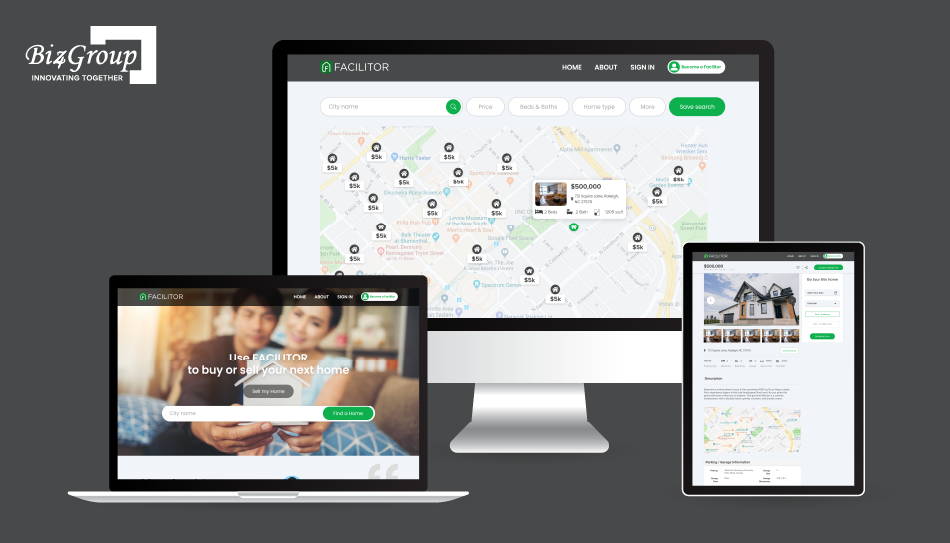
On the licensed-data side, Facilitor pairs MLS data with chat, recommendations and virtual tours for homebuyers.
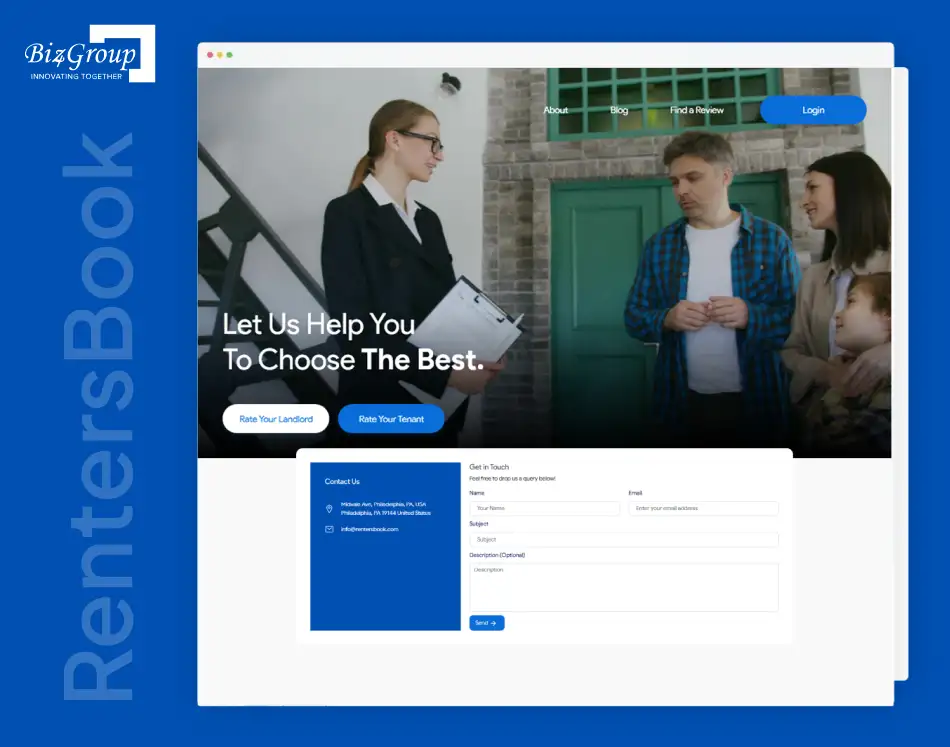
Other products run on content people write themselves. RentersBook is built around reviews and ratings from tenants and landlords, so the data comes from users instead of a licensed feed, and the build choices follow from that.
How should an AI application for real estate be architected?
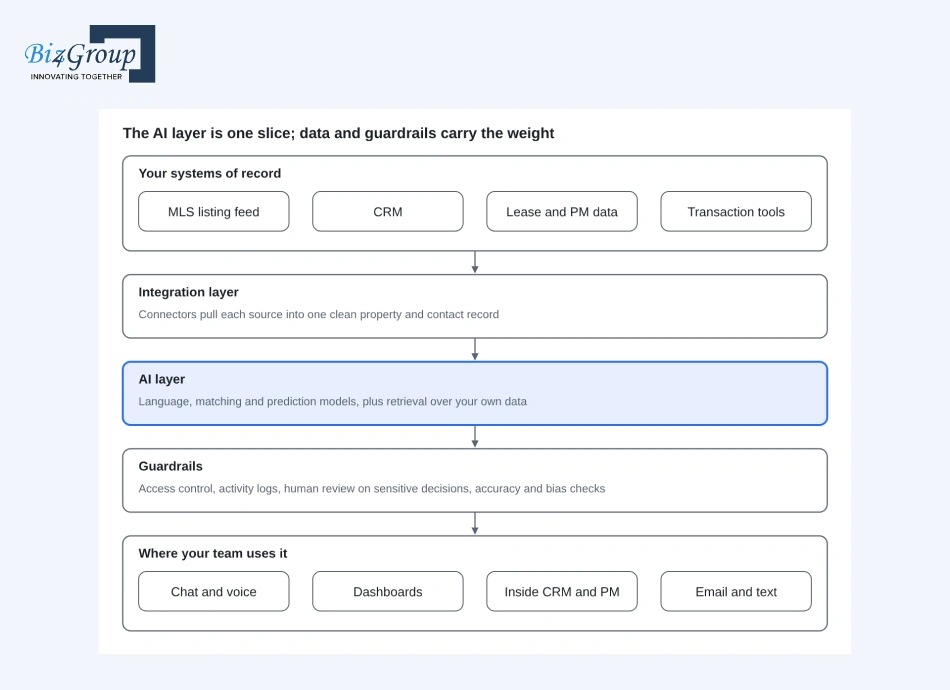
Think of it in layers: your systems of record at the bottom, an integration layer that cleans and connects them, the AI layer that does the thinking, guardrails around it, and the screens or channels where your team actually uses the result. Keeping those layers separate is what lets you swap a model later without rebuilding everything else.
Read it top to bottom: your systems stay the source of truth, the integration layer cleans and connects them, the AI layer does the thinking, and the guardrails decide what it's allowed to do before anything reaches your team.
A few choices sit inside that picture:
- The front end. Chat is the usual entry point for buyers and tenants, so the conversation layer deserves its own design, much like any AI conversation app.
- Matching and recommendations. Ranking listings against a buyer's stated preferences is its own discipline, and it's the core of AI property matching platforms.
- Models. Some jobs suit a ready-made language model, others a purpose-trained one, and that choice is the heart of AI model development.
- Stack. A web front end, an API service, a relational database for records and a vector database for searching documents is a common pattern. Facilitor, for instance, runs on Next.js, FastAPI, PostgreSQL and Milvus on AWS.
How do you connect AI to your MLS, CRM and property management systems?
Through each system's API or data feed, wrapped by an integration layer, so the AI reads and writes through the front door and never touches your databases directly. The plumbing is where most projects slow down, so it deserves a plan before any model work starts.
- List your systems and what each one lets you read or write.
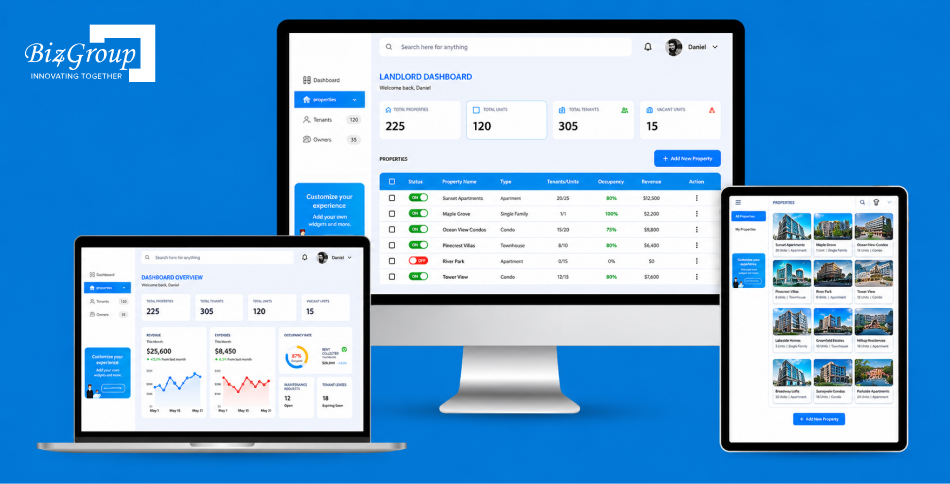
- Get access. MLS data comes through your local MLS after you accept its policies, the CRM through its API, and many property management tools through an API or scheduled export. Smart-lock and thermostat data comes from the device platform, the way IOSync connects devices for residents and property managers through Samsung SmartThings.
- Map the fields into one property and contact record the AI can rely on.
- Start read-only. Let the application read and suggest first, then allow write-backs once the suggestions hold up.
- Log every write, so anyone can see what the AI changed and why.
For listings, the standard to know is the RESO Web API, which sets how MLS data is formatted and delivered; the data itself still comes from your MLS.
If the MLS side is the heart of your project, it helps to see how MLS software handles feeds, rules and updates.
On the CRM side, the real test is write-backs: a lead scored, a follow-up logged, a status updated. That's the pattern behind AI lead nurturing inside a CRM.
Phone lines are a separate integration with their own rules, and AI IVR for real estate is built around them.
Not sure which workflow goes first?
Walk through your leads, listings and tenant requests with our team and leave with one scoped starting point.
Scope my first workflowShould you build a custom AI application or use what already exists?
Use what exists when your need is common and your process is standard. Build when the workflow or the data is what sets your business apart, or when off-the-shelf tools can't connect to the systems you run.
|
Your situation |
Leans toward |
|---|---|
|
You need a common feature (chat widget, listing descriptions, basic lead replies) |
Existing tool |
|
Your process is standard and your systems have ready-made connectors |
Existing tool |
|
You need one custom piece on top of tools you already use |
A mix: existing platform plus a custom layer |
|
Your data or workflow is the competitive edge |
Custom build |
|
Tools can't reach your MLS, CRM or PM data cleanly |
Custom build, or a custom integration |
|
You want to own the roadmap and the data |
Custom build |
Ready-made tools already cover a lot, and how to use AI for real estate shows what they do today.
Property managers face the sharpest version of this choice, a platform they rent against something they own, which is the subject of AppFolio vs a custom AI property management platform.
What should the first release of a real estate AI application include?
One workflow, one user group, one data source and one number that tells you it worked. Everything else waits for version two.
Use this picker: for each row, start with the smallest choice and park the rest.
|
Decision |
Smallest first choice |
Park for later |
|---|---|---|
|
Workflow |
The single task that costs the most hours |
Every other task on the list |
|
Users |
One team or one property type |
Every role and portfolio |
|
Data |
One system read, one system written |
All integrations at once |
|
Channels |
One (web chat, email or text) |
Voice, mobile app, every channel |
|
Oversight |
A human approves anything sensitive |
Full automation |
|
Success measure |
Hours saved or response time, tracked weekly |
A long dashboard of metrics |
If a row feels hard to shrink, that's usually the part of the plan that needs the most thought, so shrink it first. For channels, a website chat widget is the gentlest start, and real estate website AI chatbots show how small that first version can be.
How do you keep real estate AI accurate, fair and trustworthy?
Test it against answers you already know, keep a person in the loop for anything that affects someone's housing or money, and log what the system does. Real estate adds a legal layer on top, because housing decisions are covered by fair housing rules.
Two official sources are worth reading before you scope anything:
- Tenant screening and advertising. In a 2024 release, HUD said the Fair Housing Act applies to AI used in tenant screening and in advertising through online platforms, and that housing providers and screening companies share responsibility for the results.
- Valuation models. The interagency quality control rule for automated valuation models sets five standards for institutions that use AVMs in certain credit decisions: high confidence in estimates, protection against data manipulation, avoiding conflicts of interest, random sample testing and reviews, and compliance with nondiscrimination laws. It took effect October 1, 2025. Even if your business isn't a covered institution, the five standards make a solid checklist for any valuation feature.
In practice, that means:
- Keep a test set of real cases with known answers and rerun it after every change.
- Show sources (the listing, the lease clause, the comparable sale) next to every AI answer.
- Put a human approval step on screening, pricing, advertising and anything customer-facing that carries risk.
- Check outputs by group so you spot patterns that treat people differently.
- Have counsel review anything that touches screening, advertising or lending before launch.
Which mistakes sink real estate AI projects?
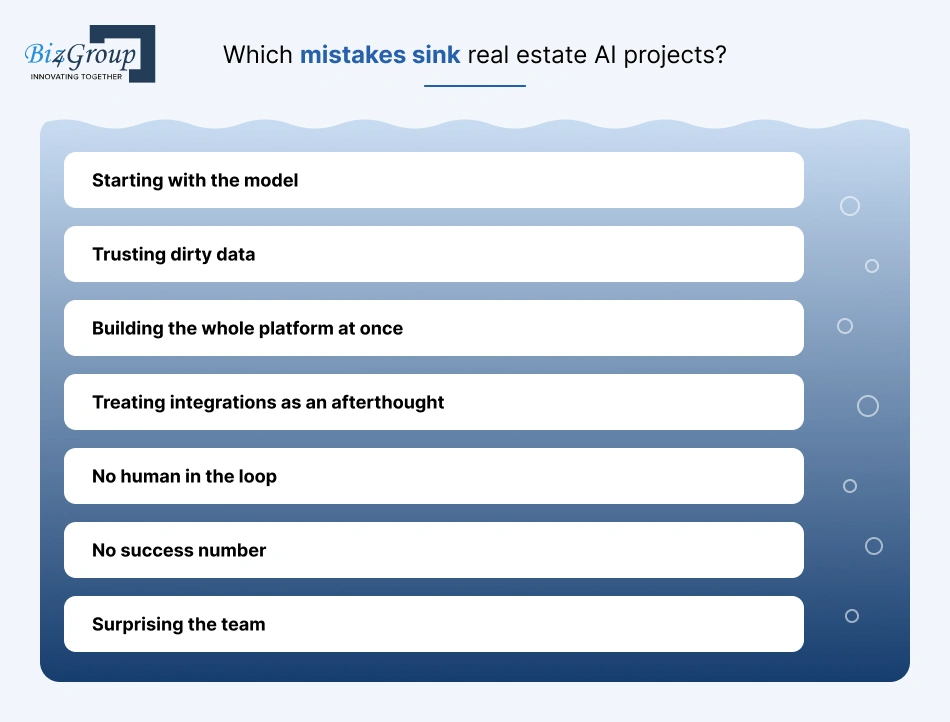
Mostly the ones that happen before any model is trained: unclear scope, messy data and no plan for the people who have to use the result.
|
Mistake |
What it looks like |
Better move |
|---|---|---|
|
Starting with the model |
A demo that impresses and fits no daily task |
Start with the workflow that costs the most hours |
|
Trusting dirty data |
Duplicate contacts, empty fields, outdated listings feeding the AI |
Clean and map the data before building on it |
|
Building the whole platform at once |
Months of work with nothing in anyone's hands |
Ship one workflow, then widen it |
|
Treating integrations as an afterthought |
A tool that can't read the CRM or write back to it |
Plan the connections in week one |
|
No human in the loop |
AI sends or decides things nobody reviewed |
Approval step on anything sensitive |
|
No success number |
Nobody can say if it worked |
Pick one measure before launch |
|
Surprising the team |
Staff work around the new tool |
Pilot with one team and ask for their feedback |
The rollout deserves its own plan. Run the application in shadow mode first, where it suggests and your team decides, then let it act on low-risk tasks, and widen from there. That way daily operations keep running while trust builds. If a full platform is the goal, the longer road runs through building a real estate AI platform.
What changes when you build for property management or investing?
The core stays the same, and the workflows and data shift.
- Home-focused products. Buyer and seller experiences lean on search, recommendations and scheduling, the territory of AI for residential real estate.
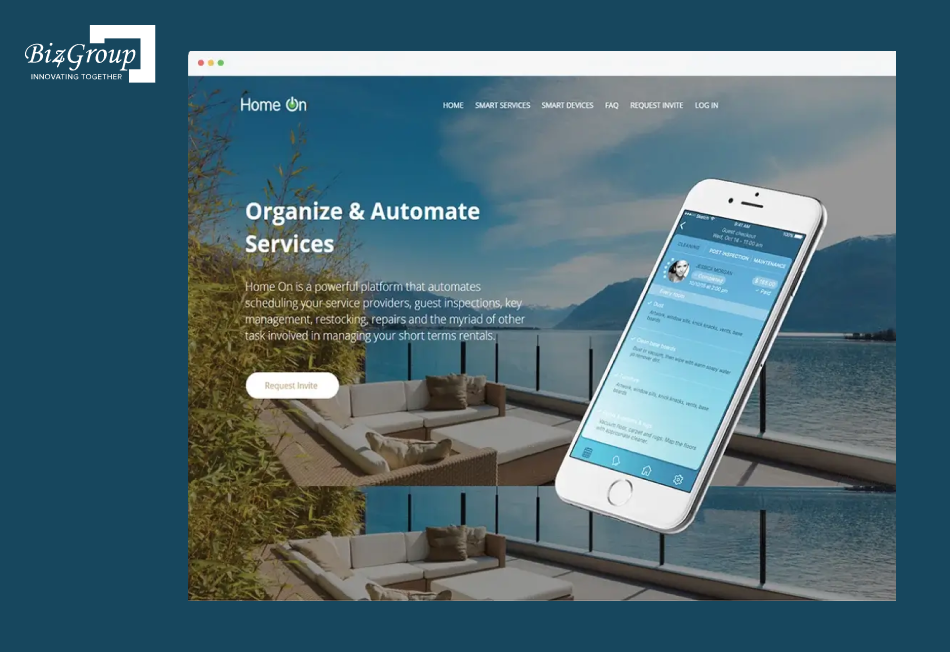
- Property management. Expect tenant-facing chat, maintenance routing and lease tracking. HomeOn shows the operations side: scheduling, guest inspections, restocking and repair tasks for rented homes.
- Transactions and contracts. Deadlines, parties and long documents are the pain. Contracks tracks contracts with custom alerts and AI summaries of long documents for agents, brokers and property managers.
- Investing. The numbers carry the product: returns, rent projections and deal screening, as in AI property deal analysis apps.
How do you choose a company to develop your AI application?
Pick the team that asks about your workflow and data before it talks about models, can show real estate integration work, and scopes honestly. A good partner makes your first release smaller, not bigger.
Bring these questions to every conversation:
- Have they connected MLS, CRM or property management systems before, and can they describe how?
- Do they ask which single workflow to start with?
- Will they show a field map and architecture sketch before quoting a build?
- How do they test accuracy, and who approves sensitive outputs?
- Who owns the code, the data and the model setup after launch?
- What does month-two support look like?
To build a shortlist, the roundup of top AI real estate app development companies in the USA compares options on questions like these.
If you'd rather extend your own team, hiring AI developers is the other route.
Ready to develop AI applications for real estate?
Bring your CRM, MLS and property management setup, and we'll show how an AI application can fit into it.
Talk to our teamWhat drives the cost of developing AI applications for real estate?
Scope first, then integrations, then data. Number of workflows, how many systems you connect, how clean your data is, whether you use an existing model or train your own, and how many channels you cover move the budget far more than any other choice.
The usual drivers, roughly in order of impact:
- Number of workflows and user roles you cover in the first release.
- Integrations: each extra system (MLS, CRM, PM, e-signature) adds mapping, testing and upkeep.
- Data preparation: cleanup, labeling and document processing.
- Model approach: a ready-made model with your data around it versus a trained or fine-tuned one.
- Compliance and review features: logs, approvals and testing for sensitive decisions.
- Channels: web, mobile and voice each add their own build.
- Running costs: hosting, model usage and support after launch.
For actual numbers, the line-by-line breakdown in AI real estate platform development cost is the place to start, and property managers have their own in AI property management system development cost.
So, Where Do You Start?
Small, like starter-home small. Pick the workflow that eats your week, give the AI the keys to one system, keep a human on anything sensitive, and track one number. Do that and you'll have something real while the big-platform crowd is still polishing its kickoff deck. Skip it and you'll own an impressive demo nobody opens. Choose the first workflow, and let your team's Fridays thank you.
Want a second pair of eyes on that first workflow? Reach out to Biz4Group LLC and the team will map it with you.
FAQs
1. What are the stages from idea to a live AI application?
Discovery (the workflow, the users, the success measure), data and integration work, a first build, a pilot with one team, and then a wider rollout with monitoring. The same stages show up in how to build an AI app in general terms. Timelines depend on how many systems you connect and how clean the data is, so ask any partner to show the stages in writing before work begins.
2. Do you need in-house data scientists to run one?
Not for most first releases. Many real estate applications use ready-made language models with your data around them, which needs solid engineers and someone on your side who owns the workflow. Data science help becomes useful once you want a purpose-trained model, such as custom scoring or forecasting.
3. Is it safe to put client and tenant data into an AI application?
It can be, if you control where the data goes. Limit what the model sees to what the task needs, use role-based access, encrypt data in transit and at rest, read the data-use terms of any model provider, and log every access. Anything covering screening or lending deserves a counsel review first.
4. Will AI take over agents and property managers?
It takes the repetitive parts: first replies, sorting, reminders and report assembly. Negotiation, judgment and relationships stay human, which is how AI for real estate agents tends to work in practice.
5. Does the AI have to be trained on your own data?
Usually it doesn't need to be trained at all. A common setup lets a ready-made model look up your listings, leases or policies at answer time, so the data stays in your systems. Training or fine-tuning comes later, when the generic approach stops being accurate enough, and implementing generative AI in real estate shows where that line tends to fall.
