 Location :
Orlando, FL, USA
Location :
Orlando, FL, USA +1 (407) 714-1616
 info@biz4group.com
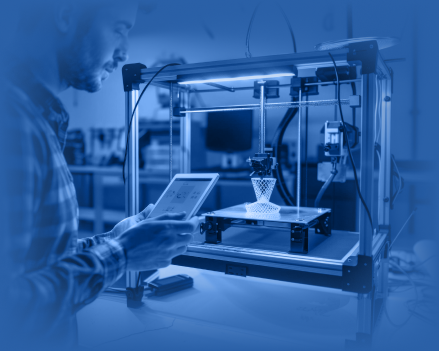
- AI 3D printing software development helps businesses improve production speed, workflow coordination, and customization capabilities across modern print operations.
- AI-driven workflows reduce material waste, improve printer utilization, and increase production output without proportional operational cost growth.
- Modern platforms combine AI automation, print optimization, production analytics, instant quoting, and multi-printer workflow management in one system.
- The overall cost to build AI 3D printing software usually ranges between $40,000 and $300,000+ based on platform complexity.
- Businesses investing in 3D printing workflow automation software often measure ROI through higher throughput, lower waste, and stronger production profitability.
- Biz4Group LLC helps businesses build scalable AI-powered 3D printing software with advanced workflow automation, production optimization, multi-printer management, and enterprise-grade engineering support for long-term manufacturing growth.
Why are some print businesses still losing orders even when demand is steady? The pressure usually starts in the workflow. Jobs move too slowly, material gets wasted, and custom requests take too long to turn into finished parts.
For teams facing high material waste, inefficient production in 3D printing, and want to implement an AI solution to improve output and reduce costs, the real need is a smarter production layer.
That is where AI 3D printing software changes the conversation. It helps print operations improve output, tighten accuracy, and handle customization with less manual strain. As production environments become more complex, many businesses are now investing in AI 3D printing software development in a need for a system that supports faster and more controlled operations.
Here’s what the market has to say:
- The AI in 3D printing market is projected to grow from $4.62 billion in 2026 to $17.49 billion in 2030, which shows where investment is moving.
- AI-driven algorithms have reached an 80% defect detection accuracy rate in 3D-printed objects, which matters when defects turn into scrap and lost margin.
So, if your thinking sounds close to this: “we are running a manufacturing and print business which ends up losing sales due to slow 3D printing processes. We want to develop AI 3D printing software to improve speed, accuracy, and customization,” then this blog will walk you through the move step by step.
The Foundation of AI 3D Printing Software Development for Modern Print Businesses
Modern print businesses are under pressure to improve speed, reduce waste, and manage customization more efficiently. That is why companies are increasingly focusing on building an AI 3D printing software platform that improves how production workflows are managed, optimized, and controlled across the entire print operation.
What is an AI 3D Printing Software Platform?
An AI 3D printing software platform is a system that helps businesses manage, automate, and optimize different stages of the 3D printing workflow. It uses artificial intelligence to improve how designs are prepared, how print jobs are processed, and how production quality is monitored across print operations.
The platform is commonly used by manufacturing companies, industrial print businesses, product prototyping teams, healthcare manufacturers, automotive suppliers, and custom production facilities that handle high-volume or precision-based printing tasks.
Depending on the business requirement, the software can support:
- Design optimization for faster and more accurate print preparation
- Automated print production scheduling and workflow management
- Material usage monitoring to reduce waste
- Real-time defect detection during production
- Print parameter adjustments for better output consistency
- Production analytics and performance tracking
- Customization workflows for personalized product manufacturing
The main purpose of the platform is to solve operational problems that slow production and affect profitability. These systems help businesses reduce manual intervention, improve production accuracy, shorten design-to-print cycles, and manage growing customization demands more efficiently.
How AI 3D Printing Software Differs from Traditional 3D Printing Workflow Systems
Traditional 3D printing workflow systems mainly focus on executing print jobs, while AI-driven 3D printing platforms help businesses optimize, automate, and improve production decisions across the workflow. Here’s how they differ:
|
Aspect of Difference |
Traditional 3D Printing Workflow Systems |
AI 3D Printing Software |
|---|---|---|
|
Workflow Management |
Relies heavily on manual coordination |
Automates workflow routing and production management |
|
Print Optimization |
Uses fixed print settings |
Continuously optimizes print parameters using production data |
|
Defect Detection |
Defects are identified after printing |
Detects print issues during active production |
|
Material Usage |
Higher material waste due to static settings |
Improves material efficiency through intelligent optimization |
|
Production Speed |
Slower due to manual adjustments |
Reduces delays through automated workflow execution |
|
Customization Handling |
Limited flexibility for personalized production |
Supports scalable customization workflows |
|
Quality Monitoring |
Depends on manual inspection |
Uses AI-based monitoring for output consistency |
|
Decision-Making |
Reactive workflow management |
Predictive and data-driven production control |
|
Production Analytics |
Basic operational visibility |
Provides deeper production and performance insights |
|
Scalability |
Workflow complexity increases with volume |
Handles multi-printer and high-volume operations more efficiently |
|
Print Failure Prevention |
Print issues are corrected after failure occurs |
Identifies failure patterns before print completion |
|
Business Focus |
Focused on print execution |
Focused on operational efficiency and production optimization |
Core Components That Power an AI-Driven 3D Printing Platform
An AI-driven 3D printing platform relies on multiple intelligent components working together to improve production accuracy, reduce material waste, automate print workflows, and manage day-to-day operations more efficiently across the entire 3D printing process.
1. AI-Powered Slicer Engine
- Automatically adjusts layer height, infill density, print orientation, and support structures based on previous print results.
- Uses technologies like G-code optimization engines, PyTorch-based geometry analyzers, and AI-driven slicing algorithms to improve print accuracy and reduce failed jobs.
- Helps production teams shorten print preparation time while improving consistency across high-volume operations.
2. Predictive Quality Control Module
- Uses AI computer vision systems powered by OpenCV and custom CNN models to inspect prints layer by layer during production.
- Detects surface defects, alignment shifts, warping, and structural inconsistencies before the print process finishes.
- Reduces rework, scrap generation, and production downtime caused by failed prints.
3. Dynamic Pricing & Quoting Engine
- Generates instant pricing based on file design, material selection, print time, and machine availability.
- Updates quotes automatically depending on production workload and customization requirements.
- Simplifies quotation workflows and reduces manual pricing calculations.
4. Automated Order & Job Queue Management
- Assigns print jobs to the most suitable machines based on material type, production capacity, and delivery deadlines.
- Reduces machine idle time and improves production scheduling across multiple printers.
- Keeps high-volume production workflows more organized and efficient.
5. Material Usage & Waste Optimization
- Tracks material consumption across 3D print jobs in real time.
- Recommends layout and 3D print adjustments that reduce unnecessary material waste.
- Improves material efficiency while lowering production costs.
6. Customer-Facing Instant Quote Portal
- Allows customers to upload CAD files (STL, OBJ, STEP) and receive real-time pricing and delivery estimates.
- Simplifies communication between customers and production teams during order placement.
- Makes custom order processing faster and more convenient.
7. Analytics & Business Intelligence Dashboard
- Tracks production performance, machine usage, defect rates, and operational trends.
- Gives decision-makers visibility into workflow bottlenecks and production efficiency.
- Supports better production planning and operational decision-making.
8. ERP/MES Integration Layer
- Connects the platform with inventory, shipping, order management, and production systems.
- Keeps operational data synchronized across different business departments.
- Creates a more centralized and connected production environment.
Now that the core components are clear, the next step is understanding where the problem exists and why 3D printing automation software development is becoming a growing operational priority for modern print and manufacturing businesses.
Still Managing Production Through Spreadsheets?
Disconnected workflows silently reduce production speed and operational visibility across growing print businesses
Optimize My Production WorkflowWhy AI 3D Printing Software is Becoming Critical for Modern Print Operation
As production demands grow and customization requests become more frequent, many businesses are re-evaluating how their 3D printing operations are managed. For companies thinking along the lines of “we are a manufacturing company exploring AI 3D printing software development to increase sales and improve product customization capabilities.” The next step is understanding what these platforms actually improve across the 3D printing workflow and why they are becoming critical for modern operations.
Operational Benefits of AI 3D Printing Software Development
1. Faster Order Fulfillment
3D printing businesses can complete more orders within shorter production timelines when workflow delays are reduced across design preparation, print scheduling, and production coordination.
Faster turnaround times improve delivery consistency for custom manufacturing and rapid prototyping requests. This also allows businesses to respond more quickly to urgent production demands without disrupting ongoing operations.
2. Lower Production Downtime
Businesses utilizing AI-driven predictive maintenance in 3D printing report up to a 30% reduction in operational downtime. Fewer production interruptions keep 3D printers running for longer periods during active production cycles. This improves production continuity and reduces revenue loss caused by unexpected machine stoppages.
3. Reduced Material Waste and Rework
Failed prints, repeated production cycles, and excessive material consumption directly increase operational costs in 3D printing environments. Better production accuracy reduces unnecessary filament, resin, and powder usage across daily operations. Lower rework levels also reduce production slowdowns caused by repeated manufacturing attempts.
4. Better Management of High Customization Demand
Many 3D printing businesses struggle when handling large volumes of personalized orders with different specifications. More stable production workflows make it easier to process customized manufacturing requests without slowing delivery timelines and improving operational scalability for businesses offering personalized 3D printed products.
5. More Consistent Production Output
Variations in print quality often create delivery delays, rejected parts, and customer dissatisfaction across industrial 3D printing operations. More controlled production environments improve consistency across large print batches and repeated manufacturing runs. Stable output quality also improves reliability for commercial and industrial customers.
6. Higher Utilization of 3D Printing Capacity
Many businesses lose production efficiency because printers remain inactive during scheduling gaps and workflow delays. Better production coordination keeps more 3D printers actively utilized throughout the production cycle, increasing overall output capacity without requiring immediate investment in additional equipment.
7. More Predictable Production Planning
Production operations become easier to manage when businesses have clearer visibility into active workloads, machine availability, and delivery commitments. Better production planning reduces deadline conflicts and improves coordination across high-volume 3D printing environments. This creates more predictable day-to-day operations for production teams.
8. Stronger Operational Cost Control
Production instability often increases costs through waste generation, delayed deliveries, machine downtime, and repeated print failures. More efficient 3D printing operations improve cost control across labor usage, material consumption, and production management activities. Over time, this creates stronger operational stability and healthier profit margins.
Why Now Is the Right Time to Build an AI 3D Printing Software
Multiple market shifts are making AI-powered additive manufacturing software more practical, accessible, and commercially important for businesses focused on scaling 3D printing operations. Take a look:
1. Lower AI Infrastructure Costs Are Making Adoption More Practical
AI infrastructure has become significantly more accessible for mid-sized 3D printing businesses. Cloud-based AI tools, production analytics platforms, and machine learning environments are no longer limited to large enterprise manufacturers.
Not only that AI infrastructure costs have dropped by nearly 60%, making investment decisions around AI 3D printing software more commercially realistic for growing print operations.
2. B2B Buyers Now Expect Faster Digital Buying Experiences
Customer expectations around speed and responsiveness have changed across industrial purchasing environments. Many B2B buyers now expect instant pricing visibility, faster production timelines, and quicker response cycles during the inquiry stage itself.
For 3D printing businesses, delayed quotation workflows and slow production coordination increasingly affect conversion opportunities before orders are even confirmed.
3. Early Adopters Are Strengthening Their Market Position Faster
3D printing businesses already investing in AI-driven operations are improving production efficiency, delivery reliability, and customer retention earlier than competitors still relying heavily on manual workflows.
These operational gains continue compounding over time, making it harder for slower adopters to close the gap in 2026 as customer expectations and production demands continue increasing.
4. AI 3D Printing Platforms Can Be Built Faster Than Before
The availability of pre-trained machine learning models and open-source AI frameworks has reduced the time required to develop core AI capabilities for 3D printing platforms. Businesses entering the market in 2026 can accelerate development timelines for production optimization, print monitoring, and workflow automation without building every AI model entirely from the ground up.
In short, lower AI infrastructure costs, changing buyer expectations, and faster access to AI development resources are making the development of AI 3D printing software a more commercially practical move for modern 3D printing businesses.
Scaling Orders with Manual Coordination?
Production bottlenecks grow faster when print operations expand without intelligent workflow automation
Modernize My Print OperationsReal-World Applications: How AI 3D Printing Software Works Across Industries
The growing role of AI in printing industry operations is changing how businesses use AI 3D printing software solutions to manage production, customization, workflow efficiency, and large-scale 3D printing operations more effectively.
The following examples show how different industries are using AI 3D printing software:
1. Dental and Medical Device Manufacturing
AI 3D printing software is increasingly used in dental labs and medical device manufacturing environments where production accuracy directly affects patient-specific outcomes. In many workflows, AI-powered slicer systems process intraoral scan STL files to optimize dental crown geometry, adjust print orientation, and predict curing requirements before production begins. This reduces manual preparation time while improving consistency across custom dental manufacturing workflows.
These platforms also improve operational efficiency across high-volume dental production environments:
- AI systems can automatically recommend resin types based on crown structure and durability requirements.
- Cure time prediction reduces production delays caused by incorrect post-processing settings.
- Lower rejection rates improve production throughput for custom dental devices and aligners.
- Faster print preparation shortens turnaround times for patient-specific manufacturing requests.
2. Aerospace and Industrial Prototyping
Aerospace manufacturers and industrial prototyping teams use AI 3D printing software to improve lightweight component development and reduce production inefficiencies during rapid prototyping workflows. AI-driven topology optimization helps engineers redesign brackets and structural components with reduced weight while maintaining performance requirements before the printing process even begins.
These workflows also support faster engineering validation across industrial manufacturing operations:
- Automated FEA pre-checks identify structural weaknesses before production starts.
- AI-assisted material selection improves compatibility for high-performance polymers and aerospace-grade materials.
- Integration with Stratasys and EOS production environments improves workflow continuity.
- Reduced prototype iteration cycles improve development speed for industrial manufacturing teams.
3. Custom Merchandise and Consumer Print-on-Demand
Consumer-focused 3D printing businesses use AI-driven software to manage large volumes of customized product requests more efficiently. This is commonly used for personalized figurines, phone cases, collectibles, and on-demand product manufacturing where pricing, production speed, and order coordination directly affect profitability.
Operational improvements become especially important for high-volume e-commerce workflows:
- AI-powered pricing systems generate instant quotes based on design complexity and material usage.
- Automated order batching improves build plate utilization across multiple customer orders.
- Faster quotation workflows improve conversion opportunities during the purchase process.
- Better production coordination reduces delays during peak order periods.
4. Education and Rapid Prototyping Labs
Universities, makerspaces, and rapid prototyping labs use AI 3D printing software to manage shared FDM printer environments more efficiently. AI-driven queue management improves printer allocation across student projects, research workflows, and prototype development activities while reducing scheduling conflicts inside multi-user environments.
These environments also benefit from lower operational overhead:
- Predictive maintenance alerts reduce downtime across shared printer fleets.
- Better queue coordination reduces waiting time for student and research projects.
- More stable printer availability improves day-to-day lab operations.
The use cases above show that AI-driven 3D printing is no longer limited to a single business model or production environment. As operational requirements continue varying across industries, the demand for AI 3D print design automation software development is growing around more specialized and workflow-specific 3D printing needs.
Also Read: Real-World AI Use Cases in the Printing Industry
What Features Matter Most in Custom AI 3D Printing Software Development?
Many businesses that are looking to upgrade production workflow and want to build AI-powered 3D printing software for automation and design optimization often struggle to identify which features actually matter for large-scale 3D printing operations.
The right feature set should improve production coordination, reduce workflow delays, support customization, and create more stable 3D printing environments across daily operations.
1. AI Workflow Automation Features
Production workflows become difficult to manage when print preparation, slicing, and scheduling depend heavily on manual coordination. These features focus on improving workflow speed and operational efficiency across active 3D printing environments.
|
Feature |
Purpose |
|---|---|
|
AI-Powered Slicing Optimization |
Improves print settings based on previous production data and print outcomes |
|
Automatic Support Structure Generation |
Reduces manual preparation time during 3D model processing |
|
Print Orientation Optimization |
Improves print stability and reduces failed print risks |
|
Automated Print Queue Management |
Organizes print jobs based on production priority and delivery timelines |
|
Production Workflow Scheduling |
Improves coordination between design preparation and active production |
|
Automated Production Alerts |
Notifies teams about failed prints, workflow interruptions, and production delays |
|
Predictive Maintenance Monitoring |
Reduces unexpected downtime using predictive analysis across machine activity patterns |
2. Production Monitoring and Quality Control Features
As 3D printing operations scale, businesses need stronger visibility into print quality, machine performance, and production consistency across multiple printers and workflows.
|
Feature |
Purpose |
|---|---|
|
Real-Time Production Dashboard |
Tracks machine usage, print progress, and production timelines |
|
Layer-by-Layer Print Inspection |
Detects print inconsistencies during active 3D printing operations |
|
Print Failure Prediction |
Identifies potential production failures before print completion |
|
Defect Detection Monitoring |
Reduces rejected parts and repeated production cycles |
|
Multi-Printer Monitoring |
Centralizes visibility across multiple 3D printing machines |
|
Production Performance Analytics |
Tracks output efficiency, failed print rates, and workflow bottlenecks |
|
Delivery Timeline Tracking |
Improves coordination between production and order fulfillment |
3. Customer Workflow and Order Management Features
Customer-side workflows also affect how efficiently businesses handle custom manufacturing requests and personalized 3D printing orders at scale.
|
Feature |
Purpose |
|---|---|
|
Instant Quote Generation |
Provides pricing estimates based on geometry complexity and material usage |
|
AI-Based Dynamic Pricing |
Adjusts pricing based on production load, print requirements, and material selection |
|
CAD File Upload Support |
Allows direct upload of STL, OBJ, and STEP files |
|
Print Feasibility Validation |
Identifies design or production issues before printing begins |
|
Custom Order Management |
Organizes personalized manufacturing requests more efficiently |
|
Customer Order Tracking |
Improves visibility into production progress and delivery timelines |
|
Automated Order Validation |
Reduces delays caused by incomplete or incompatible print files |
4. Enterprise Operations and Scalability Features
Operational complexity increases quickly when businesses manage larger printer fleets, distributed production environments, and higher customization demand. These features support long-term scalability across 3D printing operations.
|
Feature |
Purpose |
|---|---|
|
ERP and Inventory Integration |
Synchronizes production workflows with inventory and order management systems |
|
Connects the platform with external production and shipping systems |
|
|
Material Consumption Forecasting |
Improves planning for filament, resin, and powder usage |
|
Production Capacity Forecasting |
Helps teams manage future production demand more accurately |
|
Role-Based Access Control |
Improves workflow management across operations and production teams |
|
Centralized Workflow Management |
Improves coordination across large-scale 3D printing operations |
|
Multi-Location Production Visibility |
Supports centralized monitoring across distributed print facilities |
Also Read: Adopt An API-First Architecture for Business Agility
Together, these capabilities show how custom AI 3D printing software development is becoming more focused on operational stability, production scalability, and workflow efficiency across modern 3D printing businesses.
Your Workflow Deserves Smarter Automation
The right platform features directly affect production output, operational speed, and customer turnaround expectations
Plan My AI Feature StackHow To Develop AI 3D Printing Software for Modern Print Businesses Step-by-Step
Most businesses reach a stage where adding more 3D printers still does not solve production delays, failed prints, or slow customization workflows. The issue usually sits deeper inside the production process.
So, when manufacturing teams start saying, “we are struggling with slow design-to-production cycles and want to develop an AI-driven 3D printing system to scale our business,” the conversation shifts from buying more hardware to building smarter production workflows.
Developing AI 3D printing software is about creating a system that can manage print operations more efficiently, reduce workflow bottlenecks, improve production visibility, and support long-term scalability across the entire 3D printing environment.
Here’s what that development process actually looks like step by step.
1. Define The Production Objective
The development process starts with understanding what the software must improve inside the 3D printing operation. Some businesses struggle with failed prints. Others deal with slow quotation workflows, production delays, or inefficient printer coordination. The product direction should be tied directly to operational problems instead of generic automation goals.
Before moving into development, the team should clearly define:
- Production bottlenecks affecting output or delivery timelines
- Workflow stages requiring automation or optimization
- Business goals related to speed, accuracy, scalability, or customization
Outcome: Defined Product Direction
2. Map The 3D Printing Workflow
Once the business goal is clear, the next step is mapping the complete 3D printing workflow. This includes everything from CAD file upload and slicing to scheduling, production monitoring, and final delivery coordination. The purpose is to identify where delays, manual dependency, or production inefficiencies exist inside daily operations.
This stage usually involves:
- Breaking down the full production lifecycle step by step
- Identifying repetitive manual activities slowing operations
- Planning where 3D printing workflow automation software will improve efficiency
Outcome: Workflow Structure Plan
3. Plan The MVP Architecture
The MVP should focus only on the core workflows that solve the primary operational problem. At the same time, the software architecture must support future scalability as production requirements grow. Many businesses use MVP development services during this stage to avoid unnecessary development complexity in the first release.
The planning process should cover:
- Core modules required for the first usable version
- Platform scalability for future printer expansion
- System architecture for AI processing, production data, and integrations
Outcome: Scalable MVP Blueprint
Also Read: Top MVP Development Companies in USA
4. Design The User Experience
The platform interface should support real production workflows instead of adding operational complexity. Production managers, machine operators, and business teams should all be able to use the system without technical friction. A specialized UI/UX design company can help structure the interface around actual production behavior.
The design stage should focus on:
- Simplifying print queue visibility and production tracking
- Creating clear workflows for file uploads and order management
- Improving usability across desktop and production-floor environments
Outcome: Production-Friendly Interface
Also Read: Top UI/UX Design Companies in USA
5. Prepare Data For AI Training
AI models cannot function properly without structured production data. Before model training begins, the development team should organize historical print records, material usage data, defect logs, and machine performance information. Clean production data improves model accuracy during live operations.
This preparation stage typically includes:
- Collecting historical 3D printing production data
- Organizing failed print and defect records
- Standardizing data formats for AI model processing
Outcome: Structured Training Data
6. Train The AI Intelligence Layer
After the data is prepared, the team can move into AI model training based on the operational problem being solved. Different AI models support different functions such as defect prediction, print optimization, or production scheduling. The development team should carefully select AI model options according to production requirements rather than forcing unnecessary AI complexity into the platform.
The AI training stage usually includes:
- Training models using real production scenarios
- Testing model behavior across different print conditions
- Refining prediction accuracy before live deployment
Outcome: Validated AI Models
7. Build Core Modules and Integrations
Once the intelligence layer is ready, the development team can build the operational platform around it. This includes production workflows, monitoring systems, queue management, analytics, and printer coordination. The team should also integrate AI model capabilities directly into production activities instead of keeping them isolated from daily workflows.
The development phase generally covers:
- Building production and workflow management modules
- Connecting the platform with printers and operational systems
- Implementing automation for repetitive production tasks with structured AI automation services
Outcome: Connected Production Platform
Also Read: 8 Top AI Workflow Automation Tools for Your Business
8. Test, Deploy, Refine
Before launch, the platform should be tested inside real 3D printing environments using active production scenarios. Teams working with experienced software testing companies can validate workflow stability, AI behavior, print coordination, and production reliability under operational load. Deployment should happen gradually so businesses can refine workflows without disrupting production continuity.
The final stage usually includes:
- Testing production workflows using live print jobs
- Monitoring system performance during controlled deployment
- Improving workflows based on operational feedback after launch
Outcome: Production-Ready System
Also Read: Top AI Software Development Companies in USA 2025
Developing production-grade AI software requires more than automation alone. Businesses planning to create AI 3D printing software need a structured process that connects AI capabilities with real 3D printing operations, production workflows, and long-term scalability requirements.
What Technology Stack Is Used In AI-Driven 3D Printing Optimization Software Development?
The performance of an AI-driven 3D printing platform depends heavily on the technology stack running behind the workflows. Faster production coordination, real-time monitoring, print optimization, and AI-based automation all require technologies that can handle large production data, machine communication, and active workflow processing without slowing operations.
For businesses planning to build AI 3D printing software to automate design workflows and increase production speed for my print business, understanding the role of each technology layer becomes important before moving into actual development and infrastructure planning.
|
Architecture Layer |
Recommended Tool |
Purpose |
|---|---|---|
|
User Interface |
React.js + Next.js |
Builds responsive dashboards and customer portals for print jobs, workflow status, and live production views during reactjs development and nextjs development. React is built around reusable components, and Next.js adds full-stack web app capabilities. |
|
Backend Services |
Node.js |
Runs queue logic, order flow, printer-facing APIs, and production coordination during nodejs development. Node.js is a cross-platform JavaScript runtime for servers, web apps, and scripts. |
|
AI and Automation Layer |
Python, PyTorch, TensorFlow |
Trains optimization and prediction models for print quality, defect detection, and production decisions during python development. Python is a general-purpose language, while PyTorch and TensorFlow both support machine learning workflows and model training. |
|
Assistant Layer |
Adds a guided operator assistant for workflow prompts, production summaries, and natural-language help inside the platform. The OpenAI API supports REST, streaming, and real-time interactions. |
|
|
Geometry and CAD Layer |
OpenCascade |
Handles CAD models, geometry cleanup, and 3D file preparation for STL, OBJ, and STEP workflows. OpenCascade provides 2D and 3D geometric primitives, CAD modeling, and geometry algorithms. |
|
Slicing Layer |
CuraEngine |
Turns 3D models into printer-ready G-code before production starts. CuraEngine is built to convert 3D models into G-code instructions for 3D printers. |
|
Printer Control Layer |
OctoPrint |
Lets the platform monitor and control active print jobs from the browser, which is important for real-time production oversight. OctoPrint is designed for remote control and monitoring of 3D printers and print jobs. |
|
Database Layer |
PostgreSQL |
Stores print jobs, machine records, workflow history, and production data in a relational database. PostgreSQL is the core database layer I would trust most for this kind of platform. |
|
File Storage Layer |
Amazon S3 |
Stores large 3D design files and production assets in scalable object storage. Amazon S3 is an object storage service for large-scale data, files, and application assets. |
|
Observability Layer |
Grafana |
Tracks production metrics, logs, and traces so teams can spot issues early and monitor system health. Grafana is built for visualization, alerting, and exploration of telemetry data. |
|
Deployment Layer |
Docker, Kubernetes |
Packages the platform in containers and scales it across environments. Docker is designed to build, share, and run container applications, and Kubernetes automates deployment, scaling, and management of containerized applications. |
A strong technology stack keeps production workflows more stable as operational complexity grows across modern 3D printing environments. More importantly, it gives businesses a stronger technical foundation for long-term AI-driven 3D printing optimization software development and future full stack development requirements.
Also Read: Why to Choose the Full Stack Development for Modern Business
Weak Infrastructure Slows Production Growth
Scalable architecture keeps AI workflows stable as printer volume and production complexity continue increasing
Discuss My Platform ArchitectureHow Much Does It Cost to Develop AI 3D Printing Software?
The cost of 3D printing software depends heavily on workflow complexity, AI functionality, printer integration requirements, and production scalability goals. Some businesses only need core automation and print monitoring, while others require advanced optimization, production analytics, and large-scale workflow coordination across multiple 3D printing environments.
For businesses planning long-term AI 3D printing software development, the investment usually falls between $40,000-$300,000+ depending on feature depth, production complexity, infrastructure requirements, and the level of AI integration services involved across the platform architecture.
|
Development Level |
Estimated Cost Range |
Scope |
|---|---|---|
|
MVP Level AI 3D Printing Software |
$40,000-$80,000 |
Covers core production workflows, printer monitoring, basic slicing integration, queue management, file uploads, and limited AI automations with lower AI integrations costs |
|
Mid-Level AI 3D Printing Software |
$80,000-$150,000 |
Includes production analytics, multi-printer coordination, workflow automation, AI-based defect detection, role management, customer portals, and stronger production reporting capabilities |
|
Advanced Level AI 3D Printing Software |
$150,000-$300,000+ |
Supports large-scale production environments, advanced print optimization, predictive maintenance, ERP integrations, distributed production management, custom AI workflows, and enterprise-grade operational scalability |
For deeper insights into what drives the cost, where hidden expenses appear, and how development costs can be optimized, you can check our detailed breakdown on cost to build AI 3D printing software.
What Challenges Appear During Development of AI 3D Printing Software?
AI 3D printing platforms can improve production speed, workflow efficiency, and operational visibility, but the development process also brings several technical and operational challenges. Many of these issues appear when businesses try to connect AI workflows with real 3D printing environments, large production volumes, and multi-printer operations without proper planning from the beginning.
For businesses focused on developing scalable AI 3D printing platforms for industrial applications, understanding these challenges early helps prevent production instability, workflow disruptions, and expensive redevelopment later in the project lifecycle.
1. Managing Inconsistent Print Data
Challenge
AI models depend heavily on production data, but many 3D printing environments operate with incomplete print records, inconsistent defect history, or unstructured machine logs. Poor-quality data weakens print optimization and reduces prediction accuracy during live production workflows.
Solution
- Organize historical print records before AI model training begins
- Standardize production logs and machine reporting formats
- Use AI consulting services to improve production data preparation workflows
2. Handling Multi-Printer Coordination
Challenge
Production complexity increases quickly when multiple 3D printers operate simultaneously across different materials, print settings, and delivery timelines. Without centralized workflow coordination, print queues become unstable and operational delays start increasing.
Solution
- Build centralized production monitoring for all connected printers
- Create printer-specific workflow rules for different machine types
- Work with a custom software development company experienced in large-scale production coordination
3. Maintaining Print Accuracy During Automation
Challenge
Automation can improve workflow speed, but unstable automation settings may increase failed prints, slicing issues, and inconsistent output quality. This becomes harder to manage when AI continuously adjusts production settings during active workflows.
Solution
- Test automation workflows inside controlled production environments
- Keep manual override controls available for production operators
- Use smart 3D printing software development services using AI to balance automation with production stability
4. Integrating AI With Existing Production Systems
Challenge
Many manufacturing businesses already use ERP systems, inventory platforms, and operational management tools. Integration issues usually appear when AI workflows are added without proper architecture planning from the beginning.
Solution
- Map integration requirements before software development starts
- Use API-based communication across connected systems
- Keep production workflows synchronized between operational platforms
5. Scaling AI Workflows Across Large Production Volumes
Challenge
AI models that work efficiently in smaller production setups often struggle once operational volume increases. Infrastructure limitations, slower processing, and workflow bottlenecks usually appear during production scaling stages.
Solution
- Prepare cloud infrastructure for larger production workloads
- Optimize AI processing for high-volume print coordination
6. Balancing Customization with Workflow Stability
Challenge
Many businesses want higher product customization, but complex customization workflows also increase production pressure during quoting, slicing, scheduling, and print coordination. These issues become more visible while building AI software for scalable manufacturing operations.
Solution
- Align customization workflows with actual production capacity
- Limit unsupported file formats and unstable production requests
- Build structured approval workflows before production begins
The biggest operational issues usually appear during scaling, automation, and production integration rather than during basic software development alone. Businesses planning long-term AI 3D printing software development need a workflow strategy that supports operational stability alongside production scalability and AI-driven automation.
Production Complexity Needs Better Execution
Scaling AI workflows becomes easier when architecture, automation, and integrations are planned correctly early
Solve My Workflow ChallengesHow Businesses Can Measure ROI After Implementing AI 3D Printing Workflow Automation Software?
The ROI of AI-driven 3D printing workflows becomes easier to measure when businesses track direct financial impact across production revenue, operational savings, labor efficiency, and infrastructure utilization. Instead of focusing only on automation activity, decision-makers should measure how the platform changes profitability, production economics, and revenue capacity over time.
1. Revenue Generated Per Printer
One of the clearest ROI indicators is revenue growth per active machine after workflow automation is implemented.
Businesses can measure this by tracking:
- Monthly revenue generated per printer
- Increase in completed orders per production cycle
- Growth in production output without adding new machines
2. Material Cost Savings
Material efficiency directly affects production profitability across 3D printing operations.
ROI can be measured by comparing:
- Monthly material spending before and after implementation
- Reduction in failed-print material expenses
- Decrease in reprint-related production costs
3. Labor Cost Efficiency
Workflow automation changes how much operational output businesses generate per employee.
Businesses usually calculate:
- Reduction in manual production management hours
- Output increase without proportional staffing growth
- Lower labor cost per production cycle
4. Faster Revenue Conversion
Faster workflow coordination affects how quickly inquiries become paid production orders.
Businesses commonly track:
- Reduction in quotation turnaround time
- Increase in inquiry-to-order conversion rate
- Monthly revenue growth from faster production onboarding
5. Production Profitability Growth
Profitability measurement becomes more accurate when operational costs are tracked against production output.
ROI is usually measured through:
- Increase in profit margin per order
- Lower operational cost per completed print job
- Higher production output using existing infrastructure
6. Customer Revenue Retention
Long-term ROI also depends on how consistently businesses retain recurring production customers.
Businesses often measure:
- Growth in repeat-order revenue
- Increase in long-term customer contracts
- Higher customer lifetime value over time
7. Infrastructure Utilization ROI
AI workflow automation also affects how efficiently businesses use existing production infrastructure before expanding operational capacity.
ROI is commonly tracked through:
- Higher utilization rates across active printers
- Delayed capital investment in additional machines
- Increased production capacity without matching infrastructure expansion
The financial impact of AI-driven production workflows becomes much clearer when businesses measure operational savings alongside revenue growth and production profitability. The strongest ROI usually appears when existing infrastructure generates more revenue, higher output, and better operational efficiency without proportional cost increases.
Why Choose Biz4Group LLC for AI 3D Printing Software Development for your Print Business?
Many businesses reach a stage where production inefficiencies, disconnected workflows, and slower operational scaling start affecting long-term growth. During that stage, teams often begin evaluating technology partners more seriously.
So, when the conversation becomes, “we are comparing companies that develop AI 3D printing software and want to find the best vendors in USA,” businesses usually look for a partner that understands both AI execution and real operational workflows. That is where Biz4Group LLC stands out with practical product engineering and enterprise-focused AI execution experience.
As an experienced AI development company, we work with businesses across AI automation, enterprise platforms, workflow modernization, and scalable digital products. Our experience with end-to-end AI 3D printing software development services to improve efficiency and sales helps businesses move from idea validation to scalable product execution more effectively.
Not only that, but we also focus on practical execution instead of generic AI implementation, helping businesses build operationally focused AI printing software solutions aligned with real production and workflow requirements. Here’s the proof:
1. Udder Color: High-Volume Custom Artwork Printing Platform
Udder Color is a digital printing solution created for a major U.S. print company to streamline large daily order volumes through a modern online platform. Customers can submit orders for custom heat transfer prints, choose required sizes and quantities, upload artwork files, and receive completed orders within a 1 to 2 day turnaround window.
2. Post Heritage: Custom Print eCommerce Platform
Post Heritage is a digital ecommerce platform designed for online ordering of personalized business cards, stationery, branded accessories, and marketing print materials. Users can configure products by choosing size, shape, layout, graphics, and quantity before purchase. The system also supports reusable templates for repeat orders and manages bulk purchases through connected payment and shipping services.
Here’s What We Offers More:
- Strong experience in enterprise AI integration across operational platforms, workflow automation systems, and scalable business environments
- Product engineering teams capable of handling both AI workflows and large-scale custom software execution under one delivery structure
- Practical experience in generative AI development for automation, intelligent workflows, production optimization, and AI-driven operational support
- Cross-functional expertise across UI/UX, backend architecture, cloud infrastructure, AI integrations, and enterprise-grade scalability planning
- Long-term execution support covering strategy, MVP planning, deployment, optimization, scaling, and operational modernization workflows
Businesses investing in AI-driven operational platforms need an execution partner capable of aligning technology decisions with long-term operational goals. That is why Biz4Group LLC remains a strong technology partner for businesses planning scalable AI 3D printing software development initiatives.
Conclusion
Production workflows across the 3D printing industry are changing faster than many businesses expected. Faster output, smoother customization, and scalable operations are now becoming important parts of long-term business growth. That shift is also pushing more businesses toward AI 3D printing software development as they look for more practical ways to improve operational efficiency and production performance over time.
Businesses evaluating companies that develop AI 3D printing software in USA are also paying closer attention to execution experience, workflow understanding, and long-term technology support instead of only feature promises.
With practical experience across enterprise platforms, workflow automation, and AI product development services, Biz4Group LLC helps businesses move toward more scalable production ecosystems supported by reliable AI development services.
To discuss your production goals and operational requirements further, you can connect with us.
FAQ’s
1. How Much Does AI 3D Printing Software Development Cost for a Mid-Size Production Business?
The overall cost usually ranges between $40,000 and $300,000+ depending on workflow complexity, AI automation depth, printer integrations, production scale, and customization requirements. Businesses planning enterprise-grade workflow automation and multi-printer coordination generally require larger development investments than MVP-level production systems.
2. How Long Does It Take to Develop AI-Driven 3D Printing Workflow Automation Software?
The timeline depends on the development scope, AI functionality, integrations, and production complexity. A basic MVP can take around 3-5 weeks, while advanced enterprise platforms with production analytics, AI optimization, and workflow automation may require 8-14+ weeks for full deployment and testing.
3. Can AI 3D Printing Software Work with Existing 3D Printers and Production Systems?
Yes, most modern platforms can integrate with existing printer environments, slicing engines, ERP systems, and workflow management tools using APIs and production connectors. Integration planning usually happens during the architecture stage to avoid workflow disruptions later.
4. What Type of AI Features Deliver the Highest ROI in 3D Printing Operations?
Businesses usually see the strongest ROI from AI-driven print optimization, automated scheduling, defect prediction, production analytics, material optimization, and instant quoting systems. These workflows directly affect production efficiency, operational costs, and order processing speed.
5. Do Businesses Need Large Production Data Before Implementing AI 3D Printing Software?
Not always. Many businesses start with available print logs, machine records, and operational workflows during the MVP stage. As production data grows over time, AI models become more accurate and operationally effective across larger production environments.
6. How Do Companies That Develop AI 3D Printing Software in USA Handle Scalability for Future Production Growth?
Most enterprise-focused development teams design the platform architecture around future production expansion from the beginning. This usually includes scalable cloud infrastructure, modular workflow systems, multi-printer coordination support, and flexible AI processing layers that can grow alongside production demand.
