 Location :
Orlando, FL, USA
Location :
Orlando, FL, USA +1 (407) 714-1616
 info@biz4group.com

- AI training & SOP automation system development for print shops helps reduce onboarding delays through standardized operational training workflows.
- Print shops reduce dependency on senior operators by turning scattered SOP knowledge into structured digital training guidance.
- Role-based onboarding improves consistency across press operations, prepress checks, bindery workflows, maintenance tasks, and safety procedures.
- Most print shop onboarding automation system development projects cost between $25,000-$300,000+ depending on platform complexity and AI functionality.
- Structured onboarding systems help new employees become productive faster while reducing production mistakes during daily printing operations.
- Biz4Group LLC supports end-to-end execution for AI-driven onboarding, workflow standardization, and operational training system deployment.
How much production time is your print shop losing every time a new employee steps onto the floor without fully understanding the workflow?
Many print businesses struggle with onboarding because training depends heavily on senior operators, outdated SOP documents, and inconsistent shift-level guidance. A new hire may learn one process during the morning shift and a completely different workflow at night. That inconsistency often leads to setup mistakes, reprints, missed production checks, and delayed job delivery.
The situation becomes harder when knowledge retention drops quickly without reinforcement. Ebbinghaus’ research shows employees can forget nearly 50% of newly learned information within 1 hour and close to 90% within a week. In print environments, that gap directly affects production quality and workflow consistency.
Not only this, but the operational pressure is also visible across the industry:
- Manual onboarding takes nearly 8–11 hours per hire
- 69% of managers say training consumes too much time and attention
- Senior staff regularly lose productive hours mentoring new employees
If you’re also someone asking, “onboarding new print shop employees is taking too long and affecting productivity, what AI-based training systems can help streamline SOP learning and reduce ramp-up time”
Well, the answer starts with standardizing how operational knowledge is captured, delivered, and enforced across the shop floor. This is where AI training & SOP automation system development for print shops becomes operationally valuable. Instead of depending on verbal training or static documentation, these systems turn real production workflows into structured digital training paths.
The rest of this blog breaks down how manual training in printing operations is causing errors and inconsistency, and how AI-driven SOP automation systems can improve accuracy and workflow compliance. Let’s Dive in.
Why Traditional Employee Training Fails in Modern Print Shop Operations
Most print shop owners already know the problem is not hiring alone. The real challenge starts after the employee joins the floor. Training often depends on verbal instructions, handwritten notes, outdated SOP binders, and whichever senior operator is available during the shift. That creates inconsistency from day one.
As production environments become faster and more machine-driven, those gaps become harder to manage. Press settings, substrate handling, color checks, bindery setup, and maintenance routines all require precision. A missed step during training can quickly turn into wasted material, machine downtime, or delivery delays.
Before looking at long-term operational improvements, it is important to understand where traditional training starts breaking down inside print facilities.
1. Tribal Knowledge Stays Locked with Senior Employees
Many critical workflows exist only in the heads of experienced operators. New hires learn processes differently depending on who trains them. Once a senior employee leaves, years of production knowledge leave with them.
2. Shift-Based Training Creates Inconsistency
Morning, evening, and weekend shifts often follow slightly different working habits. Without standardized guidance, employees receive mixed instructions for the same production task.
3. Machine Complexity Increases Training Pressure
Modern print equipment requires operators to manage multiple settings accurately. New employees struggle when training happens informally during live production hours.
4. Safety and Compliance Become Harder to Enforce
Press operation, chemical handling, and maintenance procedures require consistent adherence. Manual training makes it difficult to confirm whether employees fully understood critical safety steps.
5. High Turnover Keeps Restarting the Process
Many print shops repeatedly spend senior staff time retraining employees because onboarding cycles never truly stabilize. This ongoing dependency creates operational fatigue across the production floor.
These operational gaps are one reason many print businesses are now evaluating AI training & SOP automation system development for print shops to improve training consistency and workforce readiness.
What Is an AI Training & SOP Automation System for Print Shops?
An AI training and SOP automation system for print shops is a centralized platform that helps printing businesses standardize employee training, operational instructions, and production procedures across the shop floor. It replaces scattered training methods with structured, role-specific learning aligned to how the print operation actually runs.
The system is commonly used by print shop owners, production managers, HR teams, press supervisors, prepress departments, bindery teams, and quality control staff. Instead of relying on verbal guidance or outdated SOP folders, teams get consistent training instructions tied to their daily responsibilities.
In print environments, these systems help standardize procedures such as:
- Press setup and shutdown routines
- Color management and prepress checks
- Bindery and finishing procedures
- Shift handoff documentation
- Equipment maintenance instructions
- Safety and compliance protocols
- Material handling and substrate preparation
The goal is to ensure every employee follows the same approved process regardless of shift, trainer, or experience level. This creates a more controlled training environment where operational knowledge stays documented, accessible, and consistent across the entire print facility.
How AI SOP Automation Systems Work Inside Print Production Environments
Print production workflows involve multiple machines, operators, shifts, and quality checkpoints. SOP automation systems help organize those workflows into structured training and operational guidance that stays consistent across the facility.
Before understanding the business impact, it is important to see how these systems manage SOPs throughout daily print operations.
1. Capturing Real Production Knowledge
- Experienced press operators and supervisors record real production procedures directly from the shop floor
- Existing SOP documents, maintenance instructions, and workflow checklists are converted into structured digital formats
- Machine-specific instructions for offset, digital, bindery, and finishing equipment are documented in one centralized environment
- Repetitive operational knowledge gets preserved instead of remaining dependent on verbal training
2. Organizing SOPs by Role and Workflow
- Training content is grouped based on employee roles, machine responsibilities, and production stages
- Press setup procedures stay separated from bindery workflows, quality checks, and maintenance instructions
- Employees access only the SOPs relevant to their daily production responsibilities
- Shift-level documentation stays standardized across different teams and production schedules
3. Delivering SOP Guidance During Operations
- Employees receive guided instructions while performing actual production tasks
- Training materials remain accessible during press setup, troubleshooting, and shift handoffs
- Managers can assign mandatory SOPs before employees handle live production jobs independently
- Consistent instructions reduce workflow confusion during busy production hours
4. Verifying SOP Completion and Understanding
- Supervisors track whether employees completed assigned operational procedures
- Training validations help confirm workers understand safety, machine handling, and production standards
- Employees complete operational checkpoints before moving into unsupervised production tasks
- Managers gain clearer visibility into training readiness across departments
5. Updating SOPs Across the Production Floor
- Standard operating procedure changes are updated centrally whenever workflows, machines, or compliance requirements change
- Revised procedures become available to employees without replacing printed manuals across departments
- Teams stay aligned after equipment upgrades, process adjustments, or workflow modifications
- Production staff continue following the latest approved operational standards consistently across shifts
Key Components of AI SOP Automation System
An AI SOP automation system works effectively when every operational instruction, training responsibility, and production update stays organized inside a structured environment. Each component plays a different role in maintaining consistency across print operations.
1. Centralized SOP Library
This component stores all operational procedures, machine instructions, safety protocols, maintenance checklists, and shift-level documentation in one searchable location. Teams no longer depend on scattered folders, printed binders, or outdated files to access production guidance.
2. Role-Based Access Control
Different employees require different operational instructions. Role-based access ensures press operators, prepress technicians, bindery staff, supervisors, and maintenance teams only see SOPs relevant to their responsibilities.
3. Training Content Engine
The content engine manages training materials such as instructional documents, production videos, workflow guides, assessments, and operational references. It keeps training resources structured and easier to maintain across departments.
4. Progress Tracking Module
Managers need visibility into employee readiness. This component tracks assigned SOP completion, training progress, pending tasks, and department-level onboarding activity.
5. Notification and Alert System
Alerts help supervisors and employees stay informed about pending SOP reviews, incomplete training modules, compliance updates, and revised production procedures requiring acknowledgment.
6. Operational Analytics Dashboard
Analytics dashboards provide visibility into training participation, SOP usage trends, compliance activity, and workforce readiness across production teams.
7. SOP Version Control System
Production workflows change frequently after equipment upgrades, process adjustments, or compliance updates. Version control helps teams maintain the latest approved SOPs while preventing employees from following outdated procedures.
Together, these components help print shops organize operational knowledge more consistently, maintain training accuracy across departments, and reduce the confusion that often slows down employee readiness on the production floor.
Still Explaining SOPs Every Shift?
Turn repetitive floor instructions into structured operational guidance employees actually follow
Streamline My Shop FloorDifference Between Traditional LMS and AI SOP Automation Platforms
Many print businesses initially try generic learning management systems to organize employee training. The problem is that most LMS platforms are designed for classroom-style learning, not live production environments where employees need operational guidance tied directly to daily print workflows.
The difference becomes much clearer when comparing how both systems handle training inside print operations.
|
Training Area |
Traditional LMS Platforms |
AI SOP Automation Platforms |
|---|---|---|
|
Training Structure |
Built around fixed courses and learning modules |
Built around real production tasks and operational procedures |
|
Learning Style |
Focuses on theoretical instruction |
Focuses on workflow-based execution guidance |
|
SOP Management |
SOPs are usually uploaded as static documents |
SOPs stay structured, searchable, and operationally organized |
|
Print Workflow Alignment |
Limited understanding of print-specific processes |
Supports press setup, bindery, prepress, and shift-level workflows |
|
Employee Guidance |
Training happens separately from production work |
Guidance remains connected to daily operational responsibilities |
|
Knowledge Retention |
Employees depend heavily on memory after training |
SOP references remain accessible during production activities |
|
Process Consistency |
Different trainers may teach differently |
Standardized instructions stay aligned across departments |
|
Training Visibility |
Limited operational readiness tracking |
Supervisors track training completion tied to production roles |
|
SOP Updates |
Manual updates across multiple documents |
Updated procedures stay centrally managed |
|
Multi-Shift Operations |
Difficult to maintain consistency across shifts |
Standardized operational guidance supports shift-level alignment |
For print shops handling complex workflows across presses, prepress, bindery, and finishing departments, this distinction becomes important because production training requires operational accuracy, not just course completion.
Why Print Shops Should Invest in AI Training & SOP Automation Systems Development Now
Pressure is building on print shops from every side. New hires still need close guidance. Experienced operators are stretched thin. Process knowledge remains uneven across shifts. When that keeps happening, the shop loses time, control, and confidence.
For businesses asking, “is there a solution that uses AI to guide print shop employees through machine operations and SOPs in real time to reduce dependency on trainers and supervisors.”
Yes, there is. AI training & SOP automation system helps solve these operational gaps and now let’s see why businesses should invest:
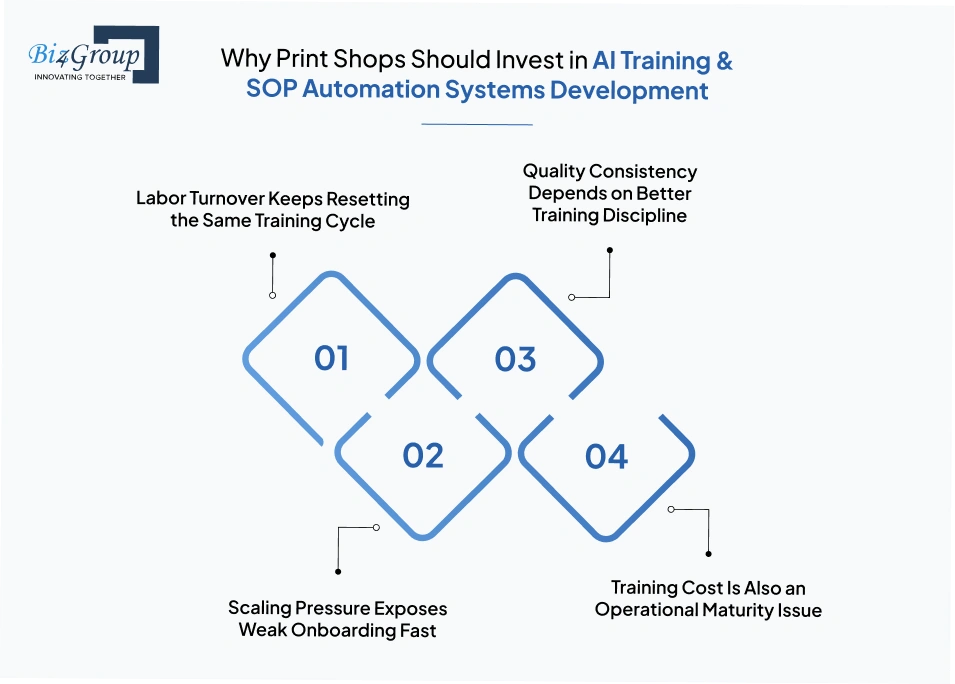
1. Labor Turnover Keeps Resetting the Same Training Cycle
Every exit sends the shop back to the start. The next hire inherits unfinished knowledge, and the trainer often changes from shift to shift. That is why onboarding feels uneven and why experienced staff keep repeating the same instructions.
That pressure usually creates challenges such as:
- New employees learn from whoever is available
- The same task gets taught in different ways
- Missing SOPs turn daily work into guesswork
2. Scaling Pressure Exposes Weak Onboarding Fast
Growth puts pressure on every weak spot. More jobs, more machines, and more shifts demand people who can get productive quickly.
That pressure usually creates challenges such as:
- Larger workloads need faster ramp-up
- New shifts need the same process every time
- Added equipment increases training strain
With AI in printing industry, two-third of organizations have already brought AI onboarding into daily processes, and 62% report better new hire experiences.
3. Quality Consistency Depends on Better Training Discipline
Training gaps show up as production errors. When employees are not taught the same steps in the same order, mistakes appear in setup, color handling, and finishing.
That challenge becomes more visible through:
- Repetition draining time from skilled operators
- Inconsistent steps raise the chance of avoidable errors
- Clearer guidance helps work move with less friction
Now, this can be solved by implementing AI solutions as they can automate 60–70% of current workload tasks, which reduces repetitive training pressure on senior staff. Even over 70% of employees also say automation tools accelerate workflow.
4. Training Cost Is Also an Operational Maturity Issue
Training cost is more than payroll. It also shows up in lost production time, repeated supervision, and constant retraining. That is one reason 52.7% of HR leaders want more AI features in onboarding technology. Mature shops are looking for tighter control.
- Senior staff stay focused on production
- Training becomes easier to repeat
- Daily operations become more stable
That is why development of AI training & SOP automation system for print shops is gaining attention now. The goal is simpler onboarding, steadier teams, and less operational drag on the people who keep the press running.
How AI Training & SOP Automation Systems Reduce Onboarding Time from Months to Weeks
Print businesses struggling with frequent mistakes during onboarding want to understand how AI training platforms can improve operational consistency and reduce training costs.
The speed gain comes from one simple shift: new hires stop depending on scattered explanations and start working from structured guidance that stays available during real shop activity.
1. Employees Access SOPs Instantly During Work
New hires do not need to wait for supervisors to explain every production step manually. SOPs stay available during live tasks, which helps employees learn while working instead of stopping production repeatedly for clarification.
- Press setup instructions stay accessible beside the machine workflow
- Employees can revisit procedures without interrupting senior operators
- Shift-level instructions remain consistent across departments
2. Structured Guidance Reduces Trial-And-Error Learning
Many onboarding delays happen because employees learn through observation alone. Guided task instructions reduce confusion during machine handling, substrate setup, and finishing procedures.
- Employees follow one approved workflow instead of mixed instructions
- Repetitive corrections from trainers become less frequent
- Tasks are completed in the correct sequence from the beginning
AI cuts onboarding duration by 53%, while new hires become productive 40% sooner because learning stays connected to real operational tasks.
3. Role-Based Training Keeps Learning Focused
New employees often receive too much information during their first few weeks. Structured role-based learning prevents overload by assigning only the SOPs related to the employee’s actual responsibilities.
- Press operators focus on machine setup and print quality procedures
- Bindery staff receive finishing and handling instructions separately
- Prepress teams train on file preparation and color verification workflows
This focused learning structure helps employees retain instructions more effectively during day-to-day production work.
4. Senior Staff Spend Less Time Repeating Training
Experienced operators often lose productive hours answering the same questions for every new hire. AI automation tools reduce that dependency by keeping instructions continuously available during production activities.
- Supervisors spend less time restarting basic training explanations
- Employees progress through operational tasks more independently
- Production teams maintain steadier workflow continuity while integrating AI in printing workflow environments
65% of HR professionals say AI onboarding tools improve retention because employees receive clearer and more structured training support.
That is why many print businesses are prioritizing print shop onboarding automation system development to shorten learning curves without slowing daily production operations.
Months Of Training Still Normal?
Shorten onboarding cycles before repeated mistakes start slowing production schedules again
Reduce Ramp-Up TimeEmployee Roles That Benefit Most From AI-Driven SOP Training
Every department inside a print shop handles different operational responsibilities. That is why training cannot stay generic across the production floor. Many print businesses building AI-based onboarding system for print shop workforce training and efficiency focus on role-level consistency which is harder to maintain as operations scale. Roles that benefit most are:
1. Press Operators
Press operators benefit from structured guidance around machine setup, calibration routines, substrate handling, and production checks. Clear SOP training helps them follow approved production procedures without depending entirely on verbal instructions from senior operators during live jobs.
2. Prepress Teams
Prepress employees work with file preparation, layout validation, and color settings that require precision. Standardized SOP guidance helps teams follow the same preparation process across shifts and production schedules.
Also Read: AI Prepress Automation Software Development for Printing Companies
3. Finishing and Bindery Staff
Finishing departments manage cutting, folding, binding, packaging, and delivery preparation. Role-specific training keeps handling procedures more consistent while reducing confusion during high-volume production runs.
4. Quality Assurance Teams
QA teams rely on standardized inspection procedures to maintain print consistency. SOP-driven training helps quality teams follow the same review process for color accuracy, alignment checks, finishing quality, and production approvals.
5. Maintenance Teams
Maintenance staff require clear operational guidance for machine inspections, servicing routines, and troubleshooting steps. Structured SOP access helps reduce missed maintenance procedures during busy production periods.
6. Supervisors and Production Managers
Supervisors gain better visibility into training readiness across departments. This helps them manage onboarding more consistently without restarting instructions for every shift or production cycle.
7. New Hires
New employees benefit from clearer learning paths that reduce confusion during their first weeks on the production floor. Training becomes easier to follow because instructions stay tied to their actual role responsibilities.
Print shops handling multiple departments, shifts, and machine workflows often need training systems that support role-specific instruction instead of one generalized onboarding process. This is where developing smart onboarding platform for print shop employees using AI technology becomes operationally relevant for long-term workforce consistency.
Real Operational Use Cases of AI SOP Automation in Print Shops
Production issues inside print facilities usually happen during repetitive operational moments where instructions are missed, rushed, or communicated differently across shifts.
Many print businesses evaluating automated employee training platform development for print shops are focusing on production scenarios where standardized guidance can reduce avoidable operational disruption.
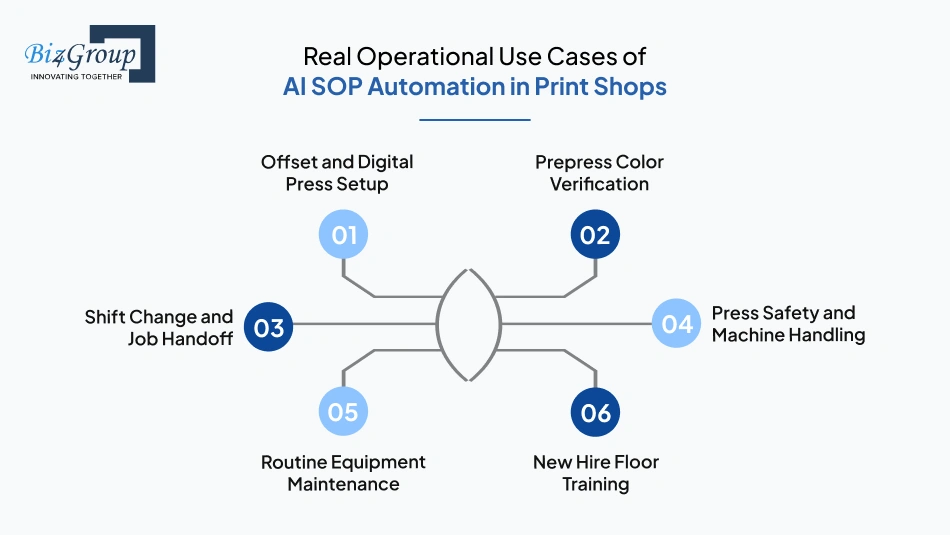
1. Offset and Digital Press Setup
- A newly assigned operator receives guided makeready instructions before starting a high-volume production run
- Machine startup procedures stay visible during plate alignment, substrate loading, and calibration checks
- Operators verify setup steps before the press moves into active production
- Teams handling multiple presses follow the same approved preparation process across shifts
2. Prepress Color Verification
- Prepress employees follow structured checks before approving files for production
- Color profile validation steps remain accessible during proofing and print preparation
- Teams handling repeat client jobs follow the same color review sequence every time
- Operators reduce missed adjustments during fast-turnaround print schedules
3. Shift Change and Job Handoff
- An outgoing press operator records active job status before ending the shift
- Incoming teams review pending instructions before restarting production
- Bindery teams receive updated finishing notes without relying only on verbal communication
- Production continuity stays clearer during overnight and weekend shift transitions
4. Press Safety and Machine Handling
- New employees review machine safety instructions before operating production equipment
- Lockout procedures remain accessible during maintenance preparation
- Chemical handling instructions stay standardized across departments
- Supervisors confirm required operational precautions before machine usage begins
5. Routine Equipment Maintenance
- Maintenance teams follow documented inspection steps during scheduled servicing
- Operators log recurring machine issues during production downtime
- Cleaning and lubrication routines stay consistent across different equipment lines
- Maintenance procedures remain accessible during urgent troubleshooting situations
6. New Hire Floor Training
- A new bindery employee follows guided handling instructions during live production work
- Press trainees review operational procedures before handling client jobs independently
- Employees revisit production steps during their first few weeks without interrupting supervisors repeatedly
- Training stays aligned with actual production responsibilities instead of generic onboarding material
These production-level scenarios reflect why many print businesses are investing in SOP automation software development for printing industry environments. Operational consistency directly affects workflow stability, production accuracy, and employee readiness.
Also Read: Real-World AI Use Cases in the Printing Industry
Core Features to Include in AI Training & SOP Automation Software for Print Shops
Training workflows become harder to manage when production instructions, employee guidance, and compliance procedures stay disconnected across departments. Print businesses building automated learning systems for print shop operational training and compliance should prioritize software features that simplify training management without adding extra coordination pressure.
1. AI-Based Training and SOP Features
|
Feature |
Purpose |
|---|---|
|
AI SOP Generation |
Converts operational instructions into structured training content |
|
Smart Training Recommendations |
Assigns relevant SOPs based on employee role and responsibilities |
|
Automated Knowledge Capture |
Stores production knowledge from experienced operators |
|
AI-Powered Search |
Helps employees find machine-specific instructions quickly |
|
Auto-Generated Assessments |
Creates training validations linked to operational procedures |
2. Employee Training Management Features
|
Feature |
Purpose |
|---|---|
|
Role-Based Training Paths |
Delivers training according to department and machine responsibilities |
|
Guided Task Instructions |
Supports employees during live production activities |
|
Progress Tracking Dashboard |
Tracks assigned training completion across teams |
|
Certification Management |
Maintains records of completed operational training |
|
Mobile Training Access |
Allows employees to access SOPs directly on the production floor |
3. SOP and Compliance Management Features
|
Feature |
Purpose |
|---|---|
|
SOP Version Control |
Keeps updated procedures aligned across departments |
|
Safety Compliance Tracking |
Monitors completion of required safety instructions |
|
Shift Handoff Documentation |
Maintains production continuity between shifts |
|
Maintenance SOP Management |
Organizes servicing and inspection procedures |
|
Audit Trail Logging |
Tracks changes made to operational documentation |
4. Operational Reporting and Administration Features
|
Feature |
Purpose |
|---|---|
|
Training Analytics |
Provides visibility into workforce training activity |
|
Supervisor Notifications |
Alerts managers about pending or incomplete training |
|
Department-Level Access Control |
Restricts SOP visibility based on employee responsibilities |
|
Workflow Approval Management |
Maintains approval structure for operational changes |
|
Multi-Location SOP Distribution |
Supports standardized training across different print facilities |
These capabilities often become central requirements during AI training & SOP automation system development for print shops where operational consistency, workforce readiness, and process standardization directly affect production stability.
Your Training Stack Missing Something?
Get feature planning aligned with real production workflows instead of generic software assumptions
Plan My Feature StackWhat is the Step-by-Step Process to Develop AI Training & SOP Automation System for Print Shops?
For leaders asking how to develop AI training and SOP automation system for print shops to reduce onboarding time, the process should start with the shop floor, not the software stack. The right build follows how your teams work, where mistakes happen, and what new hires must learn first.
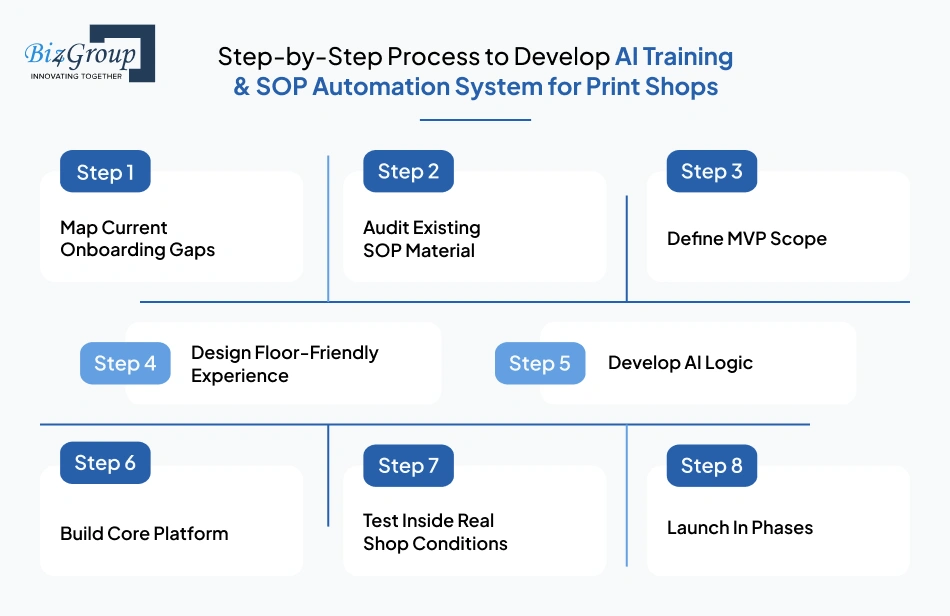
1. Map Current Onboarding Gaps
The first step is to study how new hires are trained today. Look at who teaches them, where confusion starts, and which tasks get repeated the most. The goal is to understand the real friction points before any software plan begins.
- Review how onboarding works across press, prepress, bindery, QA, and maintenance teams.
- Note where training depends too much on one senior employee.
- Track which tasks new hires struggle with during their first weeks.
- Identify where SOPs are missing, outdated, or hard to find.
2. Audit Existing SOP Material
After the gaps are clear, the next step is to collect every active SOP source. Most print shops have a mix of printed binders, old files, shared folders, and informal notes. All of it needs to be reviewed before the build moves forward.
- Gather machine instructions, safety steps, setup notes, and handoff documents.
- Remove duplicate or outdated procedures.
- Separate content by role, machine, and department.
- Flag any SOPs that need a rewrite before digitization.
3. Define MVP Scope
A full system should not be built in one jump. The early version needs a narrow, practical scope. A team offering MVP development services helps shape the first release around the most important onboarding flow, so the shop can test value before expanding.
- Pick one department or one role for the first version.
- Limit the first build to the highest-impact training steps.
- Keep the initial scope focused on one clear operational result.
- Avoid adding advanced features before the core workflow is stable.
Also Read: Top MVP Development Companies in USA
4. Design Floor-Friendly Experience
The platform must stay simple for shop-floor use. A UI/UX design company usually helps shape the navigation, screen flow, and layout so employees can find instructions quickly during live production. Clarity matters more than decoration here.
- Keep screens easy to read during active work.
- Make SOP access fast enough for press and floor use.
- Reduce unnecessary clicks and menu layers.
- Organize the layout so non-technical users can move through it without help.
Also Read: Top UI/UX Design Companies in USA
5. Develop AI Logic
Once the structure is set, the AI layer can be planned. AI model development helps the system understand how to sort SOPs, match content to job roles, and surface the right guidance at the right time.
- Define what the AI should recognize inside print operations.
- Train AI models on the language used in your shop.
- Set rules for how SOPs should be grouped and recommended.
- Keep the AI logic practical and tied to training tasks.
Also Read: How to Select the Best AI Model for Your Use Case?
6. Build Core Platform
At this stage, the product starts taking shape as a working system. Employee dashboards, manager controls, training paths, and SOP modules all come together here. Integration of AI models also happens here so the intelligence works inside the software, not beside it.
- Build the training workspace for employees.
- Add admin controls for managers and supervisors.
- Connect the SOP content area with the AI layer.
- Set up access rules for different roles and departments.
7. Test Inside Real Shop Conditions
Testing should happen in the same environment where the system will be used. That means real operators, real supervisors, and real tasks. Many print businesses work with software testing companies at this stage to catch usability issues before launch.
- Test the system with a small group from the production floor.
- Check whether employees can find SOPs without confusion.
- Validate that training paths appear in the correct order.
- Fix any content, navigation, or access issues before rollout.
Also Read: Top AI Software Development Companies in USA
8. Launch In Phases
A staged launch reduces disruption. A single department or role can go live first, which gives the team space to adjust training content and system flow. Reliable AI automation services often support this phase by helping stabilize rollout and refine the platform after early use.
- Start with one team or one workflow.
- Collect feedback from actual users during the first rollout.
- Adjust SOP structure or screen flow where needed.
- Expand the system only after the pilot feels stable.
The right build process keeps the system close to real production needs. AI training & SOP automation system development for print shops works best when the rollout starts with real onboarding gaps, moves through a focused MVP, and ends with tested deployment that fits the floor.
Technology Stack Required for AI Training & SOP Automation System Development
A training platform used inside print operations must stay stable during production hours and handle AI-driven training workflows without slowing daily activities. AI training & SOP automation system development for print shops works best when every architecture layer supports operational usability, training consistency, and long-term scalability.
|
Architecture Layer |
Recommended Stack |
Purpose |
|---|---|---|
|
Frontend Layer |
Next.js, React, Tailwind CSS |
Handles employee dashboards, SOP access screens, training interfaces, and supervisor panels |
|
Backend Layer |
Node.js, NestJS |
Manages training workflows, user actions, permissions, notifications, and business logic |
|
AI Processing Layer |
Python, FastAPI |
Handles SOP intelligence, workflow recommendations, content processing, and AI-driven training assistance |
|
AI Model Layer |
OpenAI API, LangChain, Vector Database |
Supports AI model development for SOP retrieval, contextual search, and operational guidance |
|
AI Training Layer |
Custom datasets, embeddings, training pipelines |
Supports AI model training using print-specific workflows, production instructions, and SOP content |
|
Database Layer |
PostgreSQL, MongoDB |
Stores employee records, SOP documents, progress tracking data, and operational logs |
|
File Storage Layer |
AWS S3, Azure Blob Storage |
Stores videos, SOP manuals, machine instructions, safety documents, and training media |
|
Integration Layer |
REST APIs, webhooks, |
API development connects the platform with MIS software, ERP, HR, payroll, and scheduling systems |
|
Authentication Layer |
Auth0, JWT, Role-Based Access Control |
Secures employee access, admin permissions, and department-level visibility |
|
Deployment Layer |
Docker, Kubernetes, AWS |
Supports cloud hosting, scalability, monitoring, and production deployment |
|
Testing Layer |
Playwright, Selenium, Jest |
Validates workflow stability, SOP accessibility, user journeys, and operational usability |
|
DevOps Layer |
GitHub Actions, CI/CD pipelines |
Automates deployment updates, rollback management, and release workflows |
A practical stack keeps training fast, SOP access simple, and integrations stable across the shop floor. When AI-based training software development for manufacturing print operations is planned well, full stack development stays aligned with real production needs.
Also Read: Why to Choose the Full Stack Development for Modern Business
How Much Does It Cost to Develop AI Training & SOP Automation System for Print Shops?
Cost usually depends on one practical question: how much operational complexity does your print shop want the platform to handle from the beginning? AI training & SOP automation system development for print shops can range from basic onboarding systems to enterprise-level platforms managing multiple departments, locations, workflows, and compliance requirements.
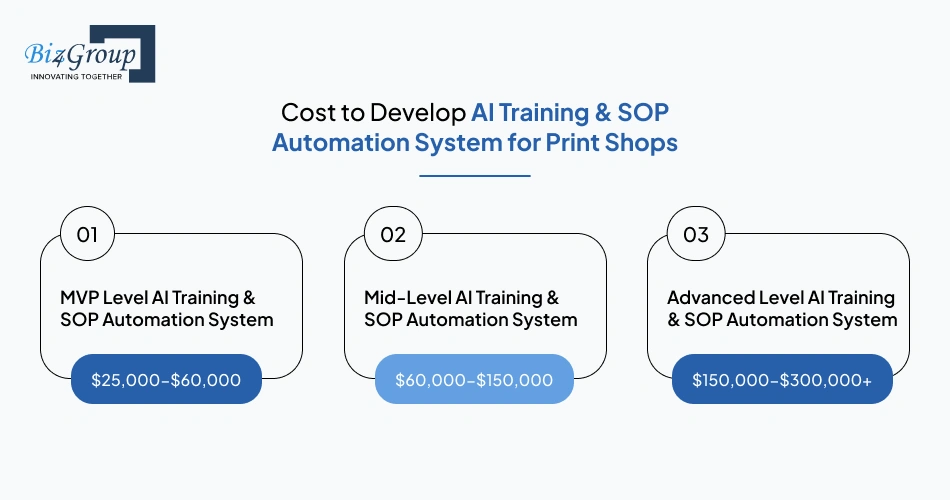
Most print businesses invest between $25,000-$300,000+ depending on platform scope, AI functionality, integrations, training depth, and deployment scale.
|
Development Level |
Estimated Cost Range |
Scope |
|---|---|---|
|
MVP Level AI Training & SOP Automation System |
$25,000-$60,000 |
Basic onboarding workflows, SOP management, employee login, limited training modules, simple reporting |
|
Mid-Level AI Training & SOP Automation System |
$60,000-$150,000 |
Role-based training, AI-powered SOP search, supervisor dashboards, assessments, workflow tracking, integrations |
|
Advanced Level AI Training & SOP Automation System |
$150,000-$300,000+ |
Multi-location support, advanced AI workflows, analytics, compliance management, automation engines, enterprise integrations |
Key Factors That Influence Development Cost of AI Training & SOP Automation System
1. Number of Employee Roles
Training complexity increases when different departments require separate onboarding workflows.
- Press operators, QA teams, bindery staff, and maintenance teams all need different SOP structures
- Multi-role onboarding systems require more workflow planning and testing
Estimated Cost Impact: $8,000-$40,000+
- SOP Volume and Content Complexity
The amount of training material directly affects development effort.
- Video SOPs, machine instructions, quizzes, and multilingual content increase implementation work
- Shops with outdated documentation often require additional content restructuring
Estimated Cost Impact: $10,000-$50,000+
3. AI Functionality Requirements
AI features significantly affect platform scope and technical complexity.
- AI-powered SOP retrieval, smart recommendations, and contextual guidance require additional AI workflows
- Custom operational intelligence increases training and integration effort
Estimated Cost Impact: $15,000-$80,000+
4. System Integrations
Many print businesses want the platform connected with existing operational tools.
- MIS, HR systems, print production scheduling tools, and payroll integrations require additional backend work
- Third-party connectivity increases testing and deployment complexity
Estimated Cost Impact: $5,000-$35,000+
- Multi-Location Deployment
Enterprise print businesses often need centralized training management across facilities.
- Different locations may require separate workflows, permissions, and reporting structures
- Multi-site deployment increases infrastructure and admin complexity
Estimated Cost Impact: $20,000-$70,000+
- Testing and Production Readiness
Production-level systems require extensive testing before full rollout.
- Floor-level usability testing, workflow validation, and SOP verification increase QA effort
- More departments and workflows create longer testing cycles
Estimated Cost Impact: $7,000-$30,000+
The final budget usually reflects how deeply the system connects with daily production workflows instead of software size alone. Print businesses evaluating AI solutions for reducing employee training time in printing production facilities often start with focused onboarding workflows before expanding into larger operational training ecosystems.
Also Read: How Much Does It Cost to Integrate AI in Printing Business
Budget Guesswork Slowing the Project?
Estimate realistic development scope before overspending on unnecessary workflow complexity
Calculate My Build CostWhat Challenges Arise in Developing AI Training & SOP Automation Systems for Print Shops
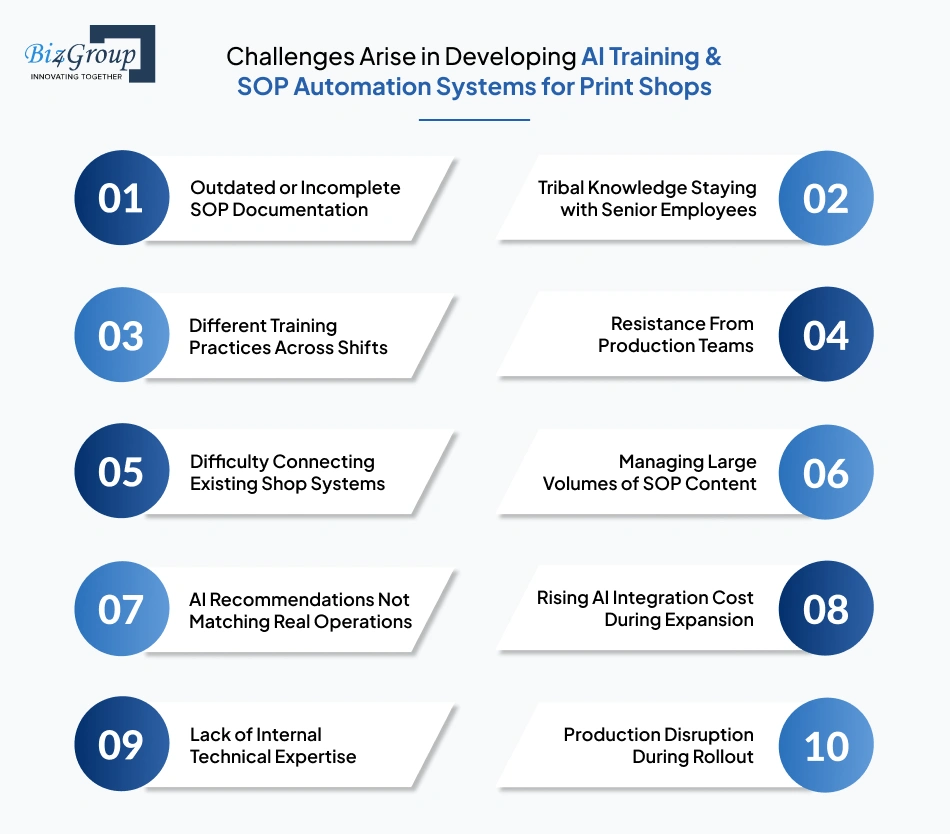
Many print businesses are exploring systems that can convert traditional print shop SOPs into interactive AI-based training workflows for faster employee adoption and fewer production errors. The challenge usually is not the idea itself.
The difficulty comes from organizing operational knowledge, aligning departments, and deploying the system without disrupting production workflows.
|
Challenge |
How to Solve Them |
|---|---|
|
Outdated or Incomplete SOP Documentation |
Review all operational documents before development begins. Remove outdated instructions and standardize workflows across departments before digitizing SOPs. |
|
Tribal Knowledge Staying with Senior Employees |
Record experienced operators performing production tasks and convert that knowledge into structured training content early in the project. |
|
Different Training Practices Across Shifts |
Create one approved workflow for each operational process so employees receive the same instructions regardless of shift or supervisor. |
|
Resistance From Production Teams |
Keep the interface simple and introduce the platform gradually through pilot rollouts instead of full deployment at once. |
|
Difficulty Connecting Existing Shop Systems |
Plan integrations early with MIS, HR, scheduling, and ERP systems to reduce deployment issues later. Reliable AI integration service providers usually help stabilize this process. |
|
Managing Large Volumes of SOP Content |
Organize SOPs by department, machine, and employee role before uploading content into the platform. |
|
AI Recommendations Not Matching Real Operations |
Train the AI layer using actual print workflows, production instructions, and shop-specific terminology instead of generic manufacturing data. |
|
Rising AI Integration Cost During Expansion |
Start with a focused onboarding workflow first and expand features gradually after validating operational impact. This helps control overall AI integration cost during scaling phases. |
|
Lack of Internal Technical Expertise |
Print businesses should work with an experienced AI development company or hire AI developers who understand workflow automation and operational software deployment. |
|
Production Disruption During Rollout |
Launch the platform in phases, beginning with one department or one onboarding workflow before expanding across the facility. |
Also Read: Cost to Hire an AI Software Developer in 2026
Most implementation challenges become easier to manage when the rollout stays aligned with actual production workflows instead of generic software deployment assumptions. Practical planning continues to play a major role in AI training & SOP automation system development for print shops where operational consistency directly affects adoption success.
Why You Should Choose Biz4Group LLC for AI Training & SOP Automation System Development
Print businesses already understand the operational need for structured onboarding and SOP automation. The next challenge is finding a technology partner that can translate real production workflows into usable software without turning the project into a generic enterprise platform.
For businesses asking “we are running a print shop and want to implement AI training and SOP automation systems, so we are looking for US-based companies that can provide end-to-end solutions for employee onboarding and workflow standardization.” You need a partner that understands both operational execution and AI workflow planning. Biz4Group LLC fits that requirement through a practical development-focused approach.
1. Experience in Custom Operational Platforms
Print businesses often require workflows that match their own production environment instead of fixed templates. As a custom AI software development company, we focus on platforms tailored around operational processes, user roles, onboarding structures, and workflow-specific training requirements.
2. Understanding of Workflow-Driven AI Systems
AI onboarding systems only work well when the software reflects actual production behavior. We develop AI printing software solutions that align operational guidance, SOP delivery, workflow visibility, and training management with day-to-day business processes.
3. Strong Focus on Scalable System Architecture
Training systems often expand after the first rollout. Shops may later add more departments, facilities, integrations, or operational workflows. We focus on a development approach that supports long-term scalability without forcing businesses to rebuild the platform later.
4. Practical AI Consulting for Workflow Automation
Many print businesses need guidance before development begins. AI consulting services provided by us help organizations identify onboarding gaps, prioritize workflows, define rollout scope, and align automation planning with operational goals.
5. End-to-End Execution Support
Projects involving onboarding automation usually require planning, interface design, AI workflow implementation, testing, deployment, and post-launch refinement. We support the complete execution cycle instead of limiting involvement to isolated development tasks.
Operational onboarding systems require more than software delivery alone. They need workflow understanding, scalable execution, and practical rollout planning tied to production realities. Thus, Biz4Group LLC becomes the right execution partner for AI training & SOP automation system development for print shops focused on workforce consistency and operational standardization.
Need Execution Beyond Software Delivery?
Work with teams that understand onboarding workflows, production operations, and rollout planning
Discuss My Print WorkflowConclusion
Training delays, inconsistent SOP execution, and repeated onboarding cycles continue affecting print shop productivity more than many businesses realize. Structured onboarding systems help reduce that operational pressure by keeping training guidance consistent across departments, shifts, and production workflows.
That is why more print businesses are evaluating AI product development services to build AI employee onboarding system for printing industry operations without increasing dependency on manual supervision.
For teams looking at US based companies that develop AI training and SOP automation systems for print industry operations, Biz4Group LLC fits the execution side of the work. The focus stays on practical rollout, clear training flow, and shop-specific alignment instead of generic software.
Ready to discuss your onboarding workflows and automation goals? Talk to us
FAQ’s
1. How do AI training systems handle machine-specific onboarding inside print shops?
AI onboarding systems can assign different SOP workflows based on machine type, employee role, and production responsibility. This helps press operators, bindery teams, and prepress staff receive training that matches the exact equipment and workflows they handle daily instead of generic onboarding instructions.
2. Can AI employee training system development for print shops support multilingual production teams?
Yes. Many print facilities operate with multilingual teams across shifts and departments. AI training platforms can deliver SOP instructions, safety procedures, and onboarding guidance in multiple languages to reduce communication gaps during production work.
3. What is the average timeline to build AI employee onboarding system for printing industry operations?
Most projects take between 4–16+ weeks depending on platform complexity. A focused onboarding MVP with basic SOP management may take 4–8 weeks, while enterprise systems with AI workflows, integrations, analytics, and multi-location support usually require 8–16+ weeks.
4. How does SOP automation software development for printing industry environments help during employee turnover?
The system keeps operational knowledge documented and accessible even when experienced employees leave the organization. New hires can follow approved production workflows without depending entirely on verbal guidance from senior operators.
5. What is the typical cost range for AI-based training software development for manufacturing print operations?
The development cost usually ranges between $25,000-$300,000+ depending on onboarding scope, AI functionality, integrations, number of departments, compliance workflows, and deployment scale across facilities.
6. How does AI improve employee training and SOP compliance in print shops with multiple production shifts?
AI-driven training platforms help standardize operational instructions across morning, evening, and weekend shifts. Employees receive the same approved SOP guidance regardless of who supervises the shift, which helps reduce inconsistency during production activities.
