Location :
Orlando, FL, USA
Location :
Orlando, FL, USA +1 (407) 714-1616
 info@biz4group.com

- AI medical charting software development captures provider conversations and converts them into structured SOAP notes with minimal manual editing effort.
- Systems that align with real workflows reduce after-visit charting time, improve diagnosis specificity, and speed up billing-ready documentation output.
- Strong platforms combine transcription, clinical structuring, validation checks, and provider review to produce accurate EHR-ready records consistently.
- Development follows a clear path from workflow discovery to AI model setup, then EHR integration, validation, and phased clinical rollout.
- The cost to develop AI medical charting software ranges from $30,000 to $300,000+, based on specialty coverage, integration depth, and enterprise deployment requirements.
- Teams like Biz4Group LLC build healthcare systems that handle structured data, provider workflows, and real clinical documentation environments effectively.
What does it really cost a provider when a patient conversation ends, but the chart still waits hours to be completed?
For many healthcare teams, the real burden begins after the consultation. Providers often spend valuable clinical time catching up on notes, updating problem lists, and fixing missed details from rushed manual charting. That delay does more than slow workflows. It affects coding quality, reimbursement timing, and care continuity.
Industry data now shows that 26% of patients have at least 1 HCC left unaddressed on the problem list, while 37% of all problem list diagnoses remain unspecified, creating direct downstream risk for revenue capture and treatment accuracy. When this pattern repeats across departments, even small documentation gaps turn into larger operational loss. In fact, correcting documentation and coding inaccuracies has shown the potential to unlock $1.58B in additional revenue uplift, making documentation quality a financial priority as much as a clinical one.
That is exactly where AI medical charting software development becomes a practical investment. If your organization is asking, we are a healthcare organization and want to develop AI medical charting software to reduce documentation workload for doctors, the path starts by aligning chart automation with how providers actually document during real encounters.
A strong development roadmap typically focuses on:
- reducing post-visit note completion time for doctors
- improving note consistency across specialties
- capturing diagnosis specificity earlier in workflows
- accelerating EHR-ready documentation output
If your next question, is I want to reduce time spent on patient documentation using AI medical charting tools, how can I build this?
Well, this is exactly what the rest of the guide walks you through.
What Is AI Medical Charting Software?
AI medical charting software is a clinical documentation system that helps healthcare providers create, organize, and maintain structured patient records in a digital format. It captures the essential details of every encounter, such as symptoms, history, assessments, diagnoses, medications, and treatment plans. It then converts them into standardized notes that are ready for provider review and electronic health record entry.
At its core, medical charting software replaces fragmented manual notetaking with a consistent documentation layer that keeps patient records complete, searchable, and easier to use across care teams. When AI is added to this foundation, the software moves beyond simple record creation and typically strengthens the platform through capabilities such as:
- automatic clinical note drafting from provider conversations or typed inputs
- extraction of diagnoses, medications, symptoms, and procedures
- structured SOAP, HPI, and assessment-plan note formatting
- detection of incomplete or unspecified chart entries
- coding-support suggestions for better documentation precision
- provider review and approval before final EHR submission
Now let us look at how AI medical charting software differs from traditional systems
AI Medical Charting Software Vs Voice Dictation Software
|
Comparison Factor |
AI Medical Charting Software |
Voice Dictation Software |
|---|---|---|
|
Core Purpose |
Functions like an AI medical scribe by converting provider conversations into structured clinical notes instead of simple text capture. |
Primarily relies on speech recognition to convert spoken words into plain text for later manual editing. |
|
Output Quality |
The output is formatted into SOAP notes, assessments, plans, diagnoses, and other clinical sections with better context awareness. |
The output is usually a verbatim transcript or paragraph-style text without clinical structure. |
|
Clinical Understanding |
Recognizes symptoms, medications, diagnoses, procedures, and care plans in a medically relevant context. |
Focuses on speech-to-text accuracy and does not reliably understand clinical meaning. |
|
Documentation Effort |
Significantly reduces editing time by generating near-complete drafts with structured sections. |
It still requires substantial provider effort for formatting, summarizing, and cleanup. |
|
Coding Readiness |
It can improve note specificity and support coding-friendly documentation accuracy. |
It provides raw text that still needs manual refinement before coding use. |
|
Missing Data Detection |
It can flag incomplete fields, vague diagnoses, and missing chart elements before finalization. |
It does not actively identify chart gaps or documentation risks. |
|
Best Use Case |
Best for healthcare providers looking to reduce documentation workload and improve chart quality. |
Best for providers who only need faster speech capture instead of intelligent chart creation. |
The comparison makes the decision point much clearer. For healthcare organizations planning to build AI software around provider productivity and documentation accuracy, this difference directly influences long-term ROI across healthcare specialties.
What System Architecture Supports the Working of AI Medical Charting Software Inside a Real Clinical Workflow?
Clinical documentation pressure often rises after the consultation, when teams still need to convert scattered encounter details into usable records. If your organization is facing a high administrative burden due to manual medical charting and wondering how AI can solve this?
Then here’s your answer: an architecture that supports every stage from capture to final chart accuracy. Take a look
1. Clinical Input Capture AI Layer
The architecture starts where the consultation actually happens. This layer captures the raw clinical interaction from room devices, mobile apps, telehealth sessions, or provider-entered notes. Its purpose is to make sure every spoken and typed detail enters the system with the right patient, provider, and encounter context already attached.
This layer typically manages:
- room and device audio capture
- telehealth audio streams
- typed consultation notes
- encounter ID tagging
- patient-session mapping
- time-stamped source storage
2. Speech Processing Layer
Once the encounter data is captured, it moves into the speech processing layer. Here, the system converts provider-patient conversations into medically usable text. The focus is not only medical transcription accuracy but also clean separation of speakers and preservation of specialty terminology.
This layer usually supports:
- speaker separation
- medical vocabulary recognition
- punctuation cleanup
- timestamp mapping
- transcript normalization
- specialty phrase recognition
Also Read: How to Develop HIPAA-Compliant AI Medical Transcription Software?
3. Clinical Structuring Layer
This is where the transcript starts becoming a real chart. The system reads the consultation context and organizes extracted medical information into structured documentation sections that providers already use in daily practice. This layer is the foundation for AI medical charting software development because it converts conversation data into clinically meaningful documentation instead of plain text.
The structured output generally includes:
- SOAP notes
- HPI sections
- assessment summaries
- treatment plans
- medications
- symptoms
- follow-up instructions
Also Read: AI SOAP Notes Software Development for Healthcare
4. Documentation Quality Layer
Before the note is routed forward, the architecture needs a layer that checks documentation quality. This is where the system identifies vague diagnoses, incomplete medication details, missing care plans, and chart fields that may later affect coding or reimbursement.
This layer typically checks for:
- incomplete diagnosis specificity
- missing dosage values
- absent follow-up steps
- vague problem list entries
- incomplete procedure details
5. Provider Validation Layer
Clinical ownership must stay with the provider. This layer presents the drafted note for physician or care-team review before it becomes part of the official patient record. The goal is to reduce documentation effort without removing clinician control.
At this stage, providers can:
- edit note summaries
- approve diagnoses
- refine terminology
- add missed observations
- reject weak sections
- finalize chart content
6. EHR Integration Layer
After validation, the approved note moves into the EHR environment. This layer connects the charting platform with hospital and clinic systems, so the documentation becomes part of the encounter history, coding flow, and downstream billing operations.
The integration layer usually handles:
- patient record sync
- encounter history updates
- billing workflow handoff
- coding queue updates
- HL7 and FHIR connections
- metadata field mapping
7. Analytics Feedback Layer
A realistic architecture also needs a continuous improvement layer. This tracks how providers edit notes, which specialties need more correction, and where documentation quality still drops. These signals help teams build AI medical charting system for healthcare environments that improve with real clinical usage.
This layer usually measures:
- provider correction frequency
- note completion time
- specialty-specific accuracy
- recurring missing fields
- chart acceptance rate
When these layers work together, the platform supports real clinical documentation flow instead of acting like isolated transcription software.
Is Your Architecture Ready for Clinical Reality?
Most systems fail at workflow level not at AI level fix that early
Talk to Our AI ExpertsWhy Should Healthcare Providers Invest in AI Medical Charting Software?
Rising documentation costs are no longer just a provider-efficiency issue; they now directly shape reimbursement speed, staffing overhead, and clinic capacity. For healthcare providers asking, “we want to improve doctor efficiency by automating clinical notes, how can investing in AI medical charting software development help?”
Well, the strongest reason to invest is that it converts saved clinical time into measurable financial and operational return.
1. Revenue Recovery Through Faster Documentation
Delayed and incomplete notes often slow claims, coding, and collections. That impact is already visible across the industry, where U.S. hospitals alone spend $43 Billion trying to collect payments for care already delivered. AI charting improves same day note completion and cleaner coding inputs, which helps organizations recover revenue faster and reduce avoidable denial rework.
This investment typically improves revenue through:
- faster charge capture
- fewer claim corrections
- better diagnosis specificity
- quicker billing handoff
- improved reimbursement timing
2. Provider Capacity Expansion
The most immediate ROI often comes from turning documentation time into additional patient slots. When AI charting reduces documentation time by 60–75%, providers can either reclaim personal time or expand clinic schedules. Real-world usage also shows 0.49 additional patient visits per week, translating into $167.37 added monthly revenue per clinician.
This recovered capacity usually supports:
- higher daily throughput
- better provider utilization
- specialty visit expansion
- reduced appointment backlogs
3. Administrative Cost Reduction
For many healthcare providers, the strongest reason to invest is direct cost relief across documentation support operations. AI charting reduces the number of manual touchpoints required after each encounter, which lowers overtime dependency, back-office correction effort, and the long-term need for dedicated documentation support staff. This is one reason ambient documentation tools continue to show strong returns within a digital health tech market that now exceeds $300 Billion.
The clearest cost savings typically come from:
- eliminating or reducing scribe expenses of $40K–$50K annually
- lowering provider overtime linked to after-hours charting
- reducing manual chart correction effort
- minimizing denial follow-up labor
- cutting back-office documentation rework
4. Enterprise-Scale ROI Performance
For healthcare providers operating across multiple specialties or facilities, the investment case strengthens because the returns extend beyond individual clinicians into system-wide efficiency. Standardized documentation quality, faster rollout across departments, and lower dependency on manual support teams help the organization realize value faster. This is why 79% of healthcare organizations are already investing in AI, with many achieving payback within 14 months and generating $3.20 for every $1 invested.
At the enterprise level, the ROI usually compounds through:
- faster cross-site adoption
- standardized documentation quality
- lower implementation cost per facility
- reduced governance overhead
- stronger reporting consistency across departments
Overall, the investment becomes worthwhile when AI medical charting improves revenue, reduces documentation costs, and increases provider capacity with returns that scale across the organization.
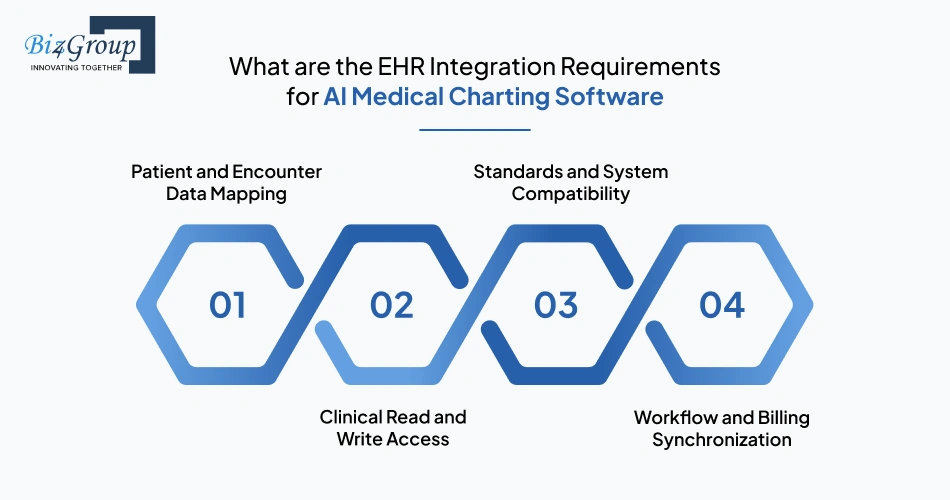
What are the EHR Integration Requirements for AI Medical Charting Software
AI-generated documentation only becomes clinically useful when it lands in the right patient chart, the right encounter, and the right downstream workflow without adding manual correction work. If your team is building an AI medical charting software with EHR integration, the real requirement starts with defining how patient data, note outputs, approvals, and billing touchpoints stay connected in one flow.
1. Patient and Encounter Data Mapping
The first integration requirement is accurate context mapping. The charting platform must pull the right patient profile, visit metadata, provider identity, and encounter timestamp before note generation begins. Without this, even a strong note can land in the wrong clinical context.
This integration layer typically requires:
- patient demographics sync
- encounter ID mapping
- provider attribution
- appointment metadata pull
- specialty template routing
- visit timestamp alignment
2. Clinical Read and Write Access
The system must securely read existing chart history and write finalized documentation back into the same record. This is what makes AI EHR/EMR software usable inside live provider workflows instead of creating disconnected notes.
The access requirement usually includes:
- previous note retrieval
- medication history access
- allergy pulls
- problem list sync
- finalized note write-back
- diagnosis updates
Also Read: How to Integrate AI with EHR/EMR Systems to Transform Healthcare Operations?
3. Standards and System Compatibility
A practical deployment depends on compatibility with the hospital’s current EHR environment. The integration must support common interoperability standards and vendor-specific workflows used across enterprise care settings.
This usually requires:
- HL7 interfaces for legacy hospital message exchange
- FHIR APIs for real-time patient and encounter data access
- SMART on FHIR support for in-workflow provider access inside the EHR screen
- Epic compatibility for note write back and chart context mapping
- Cerner connectivity for encounter-level documentation sync
- custom middleware support for proprietary hospital EMR logic
Also Read: Your Guide on AI EHR App Development for Hospitals and Clinics
4. Workflow and Billing Synchronization
The note should not stop at chart storage. It must continue moving into coding, charge capture, follow-up planning, and referral workflows, so documentation directly supports operations.
This sync layer usually covers:
- diagnosis-to-coding field mapping for billing review
- CPT and procedure detail handoff for charge capture
- order entry updates linked to the encounter note
- follow-up care plan synchronization
- referral note routing to specialist workflows
- discharge documentation mapped to episode closure
Also Read: AI Healthcare Workflow Automation Software Development
When these requirements are clearly defined, AI medical charting software development moves from isolated note generation to true clinical interoperability that supports provider adoption, billing continuity, and documentation reliability across real healthcare environments.
Will Your Notes Actually Reach the EHR?
Integration gaps break workflows faster than bad AI models ever will
Discuss Your Integration PlanWhat are the Must-Have Features in AI-Powered Clinical Charting Software Development
The difference between usable documentation software and real clinical productivity often comes down to feature depth. For Healthcare providers creating an AI-powered clinical charting software with automation features; the priority is not adding more modules, but identifying the capabilities that directly improve note quality, provider control, and chart readiness.
|
Must-Have Feature |
What Each Feature Does in the Software |
|---|---|
|
Ambient Voice Capture |
Continuously captures provider-patient conversations during in-person and virtual encounters, so the documentation process begins without manual notetaking. |
|
Medical Speech Transcription |
Converts captured conversations into medically accurate text with speaker separation, specialty terminology recognition, and timestamp continuity. |
|
Clinical Note Structuring |
Organizes extracted encounter details into SOAP, HPI, assessment, plan, medication, and follow-up sections, so the note is ready for provider review. |
|
Medical Entity Extraction |
Detects symptoms, diagnoses, medications, allergies, procedures, and vitals from the consultation and maps them into structured clinical fields. |
|
Documentation Gap Detection |
Identifies vague diagnoses, missing dosage values, incomplete care plans, and unspecified chart entries before the note reaches final sign-off. |
|
Clinical Coding Assistance |
Aligns documented diagnoses, procedures, and provider observations with coding-support workflows to improve reimbursement-ready note precision. |
|
Provider Review Workspace |
Gives clinicians a secure editing space to review, refine, approve, or reject AI-generated chart sections before EHR submission. |
|
EHR Write-Back Integration |
Pushes the approved chart into the correct patient encounter while preserving provider attribution, timestamps, and section-level note structure. |
|
Specialty Template Engine |
Applies specialty-specific note logic, diagnosis fields, and workflow templates for areas like cardiology, orthopedics, pediatrics, and behavioral health. |
|
Predictive and Sentiment Intelligence |
Uses predictive analysis to surface likely follow-up risks, missing next-step actions, or care escalation needs, while sentiment analysis helps detect tone shifts in patient-provider conversations that may influence documentation context. |
|
Audit Trail and Provider Feedback Learning Module |
Maintains full edit history, approval checkpoints, and version traceability while learning from provider corrections to improve future chart accuracy and reduce repeated note issues. |
Once these features are clearly defined, AI medical charting software development starts becoming a structured clinical platform that supports provider adoption, better documentation accuracy, and long-term scalability across specialties.
Also Read: AI Predictive Diagnosis and Disease Forecasting Software Development
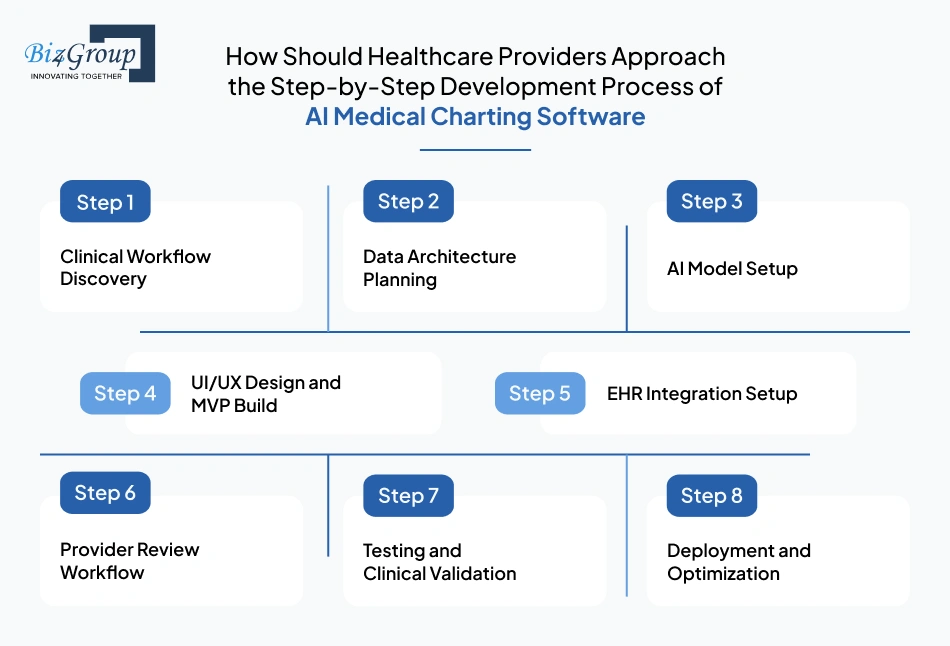
How Should Healthcare Providers Approach the Step-by-Step Development Process of AI Medical Charting Software?
Clinical documentation products succeed when the build process follows the way providers actually work, not the way software teams assume they work. If you’re also someone wondering how to develop AI medical charting software step by step, then the process must begin with clinical behavior first and move into the data structure later.
Step 1: Clinical Workflow Discovery
This step defines how documentation really happens across consultations, specialties, and care settings before product decisions begin.
- Provider Charting Behavior: Map how doctors currently capture symptoms, assessments, medications, and follow-up instructions during or after visits.
- Specialty Documentation Logic: Identify how note formats differ across primary care, orthopedics, behavioral health, and telehealth workflows.
- Administrative Burden Points: Track where providers lose time in manual note completion, chart corrections, or delayed EHR updates.
- Workflow Dependency Mapping: Capture how charting connects with coding, referrals, billing, and patient journey automation workflows.
Step 2: Data Architecture Planning
Once the workflow is clear, the next step is defining the data foundation that the AI charting platform will rely on.
- Encounter Data Sources: Define audio streams, typed provider notes, visit metadata, and EHR context inputs.
- Clinical Note Schema: Structure SOAP, HPI, assessments, medications, diagnoses, and plan sections into reusable data models.
- Annotation Logic: Prepare labeled datasets required to train AI models for transcription, summarization, and entity extraction.
- Dataset Readiness Rules: Define data quality thresholds, labeling consistency, specialty coverage, and transcript validation logic before model training begins.
Also Read: AI Readiness Assessment for Startups and Small Businesses
Step 3: AI Model Setup
This step focuses on turning annotated clinical data into note-generation intelligence that can support real provider workflows.
- Speech Intelligence Setup: Configure medical transcription, speaker separation, specialty terminology recognition, and timestamp continuity for encounter-level accuracy.
- Clinical Extraction Logic: Set up detection rules for symptoms, diagnoses, medications, allergies, vitals, and follow-up actions.
- Structured Note Engine: Convert extracted clinical context into SOAP, HPI, assessment, and treatment-plan formats.
- Inference Connection Layer: Define how to integrate AI model outputs into provider review screens, validation checkpoints, and chart-ready formatting.
Step 4: UI/UX Design and MVP Build
Once the intelligence layer is stable, the first usable provider-facing version of the software takes shape.
- Provider Review Screens: Design note validation views, correction controls, sign-off actions, and encounter-specific editing flows with the support from a UI/UX design company.
- Specialty Workflow Templates: Build role-specific interfaces for primary care, behavioral health, urgent care, and telehealth documentation.
- First Release Scope: Prioritize the highest-value workflows for the first product version, with MVP development services focused on faster validation cycles, provider feedback, and early clinical usability
- Initial Clinical Release: Package the first AI EHR MVP around real note review, edit approval, and EHR write-back usability.
Also Read: Top MVP Development Companies in USA
Step 5: EHR Integration Setup
This step ensures every approved chart lands in the right patient record and continues flowing into the correct clinical workflows.
- Patient Context Mapping: Connect patient demographics, encounter IDs, provider identity, and visit timestamps before note write-back begins.
- Clinical Record Sync: Push approved SOAP notes, diagnoses, medications, and follow-up instructions into the correct EHR sections.
- Interoperability Standards: Configure HL7, FHIR, SMART on FHIR, and vendor-specific hospital connectors.
- Downstream Workflow Sync: Route approved documentation into coding, billing, referrals, order updates, and discharge workflows without duplicate entry.
Step 6: Provider Review Workflow
Once the note is integrated, the system must preserve clinician ownership before it becomes part of the legal patient’s record.
- Draft Validation Rules: Route every generated chart through provider review before final submission.
- Edit Control Logic: Support diagnosis refinement, terminology corrections, section edits, and note rejection where needed.
- Approval Checkpoints: Add provider sign-off before the note moves into billing and encounter closure workflows.
- Correction Intelligence: Capture edit patterns so repeated documentation weaknesses can be improved in later optimization cycles.
Step 7: Testing and Clinical Validation
This step verifies that the software performs accurately across specialties, provider habits, and live documentation scenarios before broader rollout.
- Functional Workflow Testing: Validate note capture, transcription flow, structuring logic, edit controls, and EHR write-back behavior with support from experienced software testing companies.
- Clinical Accuracy Checks: Review diagnosis extraction, medication recognition, SOAP formatting, and follow-up mapping against real encounter samples.
- Provider UAT: Let physicians and care teams test note quality, correction effort, and workflow usability in controlled pilot environments.
- Edge Case Validation: Test noisy environments, specialty jargon, speaker overlap, short visits, and incomplete conversations.
Step 8: Deployment and Optimization
Once validation is complete, the software moves into phased production rollout and long-term refinement.
- Phased Clinical Rollout: Start with one specialty, provider group, or clinic before expanding hospital wide.
- Adoption Performance Tracking: Monitor note acceptance, edit frequency, completion speed, and provider usage trends.
- Model Improvement Loop: Use provider corrections and specialty-specific failures to refine chart quality after deployment.
- Scalability Expansion: Extend workflows into additional specialties, facilities, telehealth, and multi-location healthcare networks.
When each development step aligns with real provider workflows, AI medical charting software development becomes easier to scale, adopt, and far more reliable across specialties, EHR systems, and long-term documentation improvement cycles.
Are You Building What Doctors Will Use?
Miss the workflow once and adoption drops no matter how strong AI is
Validate Your Product ApproachWhich Technology Stack Works Best for AI Medical Charting Software Development?
The strength of an AI charting platform often depends on how well each technology layer supports the clinical note lifecycle from capture to EHR write-back. When you plan medical charting software development integrating AI, the stack should be selected around transcription accuracy, note structuring speed and healthcare interoperability.
|
Architecture Layer |
Recommended Tools |
Purpose |
|---|---|---|
|
Frontend Application Layer |
Creates provider-facing note review screens, edit controls, sign-off actions, and specialty workflow dashboards. |
|
|
Backend API Layer |
Python FastAPI, Node.js |
Python development handles request routing, note processing APIs, provider actions, and secure data movement across services. |
|
Clinical Database Layer |
PostgreSQL |
Stores patient encounter metadata, structured notes, provider edits, workflow states, and audit-ready records. |
|
Audio Streaming Layer |
WebRTC, Twilio, Agora |
Captures room audio, telehealth conversations, and live provider speech streams for documentation input. |
|
API Orchestration Layer |
REST APIs, GraphQL, FastAPI Gateway, API Gateway |
API development connects frontend workflows, transcription services, NLP pipelines, note generation, provider actions, and EHR sync into a unified request flow. |
|
Medical Speech Transcription Layer |
OpenAI Whisper, Deepgram Medical, AWS Transcribe Medical |
Converts healthcare provider-patient conversations into medically accurate transcripts with speaker separation. |
|
Clinical NLP Layer |
spaCy, MedSpaCy, BioClinicalBERT |
Extracts symptoms, diagnoses, medications, procedures, vitals, and follow-up actions from transcripts. |
|
LLM Note Generation Layer |
GPT-4.1, Claude, fine-tuned medical LLMs |
Converts extracted context into SOAP notes, HPI summaries, assessment drafts, and structured plans. |
|
Validation Rules Layer |
Python rule engine, Pydantic, custom validators |
Detects missing dosage values, vague diagnoses, incomplete care plans, and charting gaps before provider review. |
|
EHR Integration Layer |
HL7, FHIR APIs, SMART on FHIR, Mirth Connect |
Syncs approved notes into patient charts, encounter records, coding queues, and billing workflows. |
|
Cloud and DevOps Layer |
AWS, Azure Health Data Services, Docker, Kubernetes |
Supports secure deployment, autoscaling, specialty expansion, backup control, and multi-facility rollout. |
When these stack layers are selected around real provider workflows, developing an AI medical charting software for healthcare providers becomes far more practical, scalable, and clinically reliable across specialties, EHR ecosystems, and enterprise healthcare environments.
Also Read: A Complete Guide to OpenAI API Integration for AI Applications
Security, Compliance and Regulatory Requirements Healthcare Providers Must Address in AI Medical Charting Software Development
Clinical documentation software only becomes usable in real care environments when providers can trust how patient data is stored, reviewed, accessed, and audited. In AI medical charting software development, security and compliance must be treated as operational requirements from the start, because every generated note ultimately becomes part of the legal medical record.
1. Patient Data Privacy Controls
The first requirement is protecting every patient conversation, transcript, and generated note from unauthorized exposure. Access should be limited by role, specialty, and clinical responsibility, so only the right users can view or edit documentation.
This includes encrypted data storage, secure transmission, session timeout controls, device-level protection, and strict PHI access boundaries required for HIPAA compliant AI software environments.
Also Read: HIPAA Compliant AI App Development for Healthcare Providers
2. Provider Access and Approval Governance
Since AI-generated notes affect diagnoses, treatment continuity, and reimbursement, the system must preserve provider ownership before anything reaches the legal chart. Every note should pass through physician review, approval checkpoints, and version-controlled edit history. This ensures the final documentation remains clinically accountable and legally traceable.
3. Audit Trail and Legal Traceability
Every action inside the software must leave a clear record. That includes transcript creation, AI-generated note drafts, provider edits, approvals, rejections, and EHR sync events. A strong audit trail helps organizations respond to legal reviews, compliance audits, payer disputes, and internal documentation investigations without reconstructing events manually.
4. Data Retention and Record Lifecycle Rules
Healthcare providers must define how long encounter audio, transcripts, structured notes, edit history, and approval logs are stored. Retention periods should align with state medical record laws, payer review windows, and internal governance policies. The deletion process must also preserve legal hold exceptions where patient records cannot be removed.
5. Regulatory Alignment for AI Documentation Use
The software should align with HIPAA, HITECH, organizational data governance, and provider consent requirements. This becomes especially important when audio capture, telehealth visits, or ambient room listening are involved. Consent workflows, provider notification controls, and patient awareness policies must be clearly built into documentation operations.
When these controls are clearly defined, the development of AI medical charting software becomes safer, legally reliable, and far easier for healthcare organizations to deploy across real provider environments.
Is Your Software Audit Ready from Day One?
Fixing compliance later costs more than building it right initially
Get Compliance ClarityWhat Key Challenges are Faced by Healthcare Provider in AI Medical Charting Software Development and How to Overcome Them
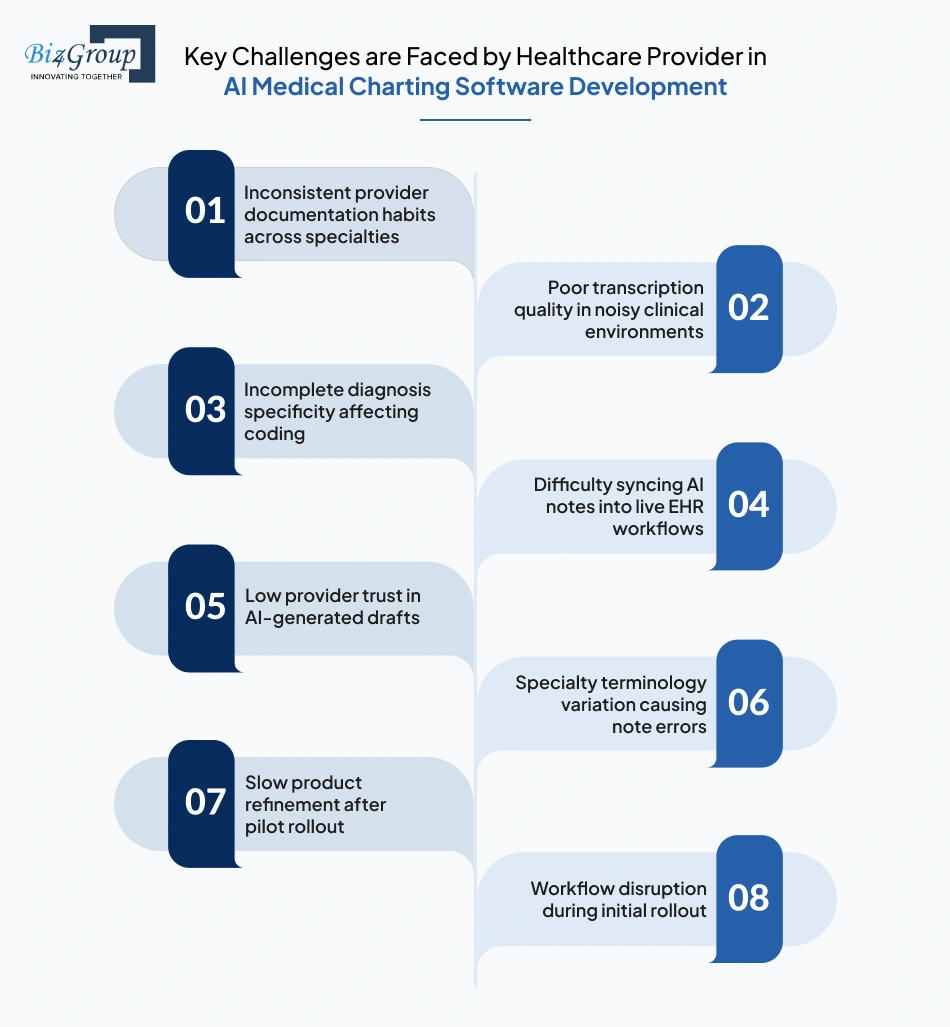
The hardest part of AI medical charting software development is rarely note generation alone; it is making the software reliable across provider habits, specialties, EHR workflows, and legal documentation standards. The real advantage comes from identifying these friction points early and pairing each one with a practical product-level fix.
|
Key Challenge |
Practical Solution |
|---|---|
|
Inconsistent provider documentation habits across specialties |
Standardize note logic through specialty templates, provider-specific correction rules, and adaptive review workflows that learn from edit behavior over time. |
|
Poor transcription quality in noisy clinical environments |
Use room-level audio optimization, speaker separation, specialty vocabulary tuning, and controlled encounter capture settings to improve transcript quality. |
|
Incomplete diagnosis specificity affecting coding |
Add documentation gap detection, provider prompts, and structured diagnosis validation before sign-off, so vague chart entries are reduced. |
|
Difficulty syncing AI notes into live EHR workflows |
Use HL7, FHIR, patient-context mapping, and encounter-level write-back rules so every approved note lands in the right chart. |
|
Low provider trust in AI-generated drafts |
Keep clinician ownership through mandatory review screens, edit checkpoints, version history, and visible correction controls. |
|
Specialty terminology variation causing note errors |
Fine-tune transcription and extraction logic using specialty-specific encounter datasets with the support of an experienced AI development company. |
|
Slow product refinement after pilot rollout |
Capture providers edit signals, specialty weak points, and note rejection trends to improve future releases faster when teams hire AI developers with healthcare workflow expertise. |
|
Workflow disruption during initial rollout |
Start with limited departments, pilot specialties, and phased provider groups before wider expansion into enterprise environments. |
Once these challenge-response patterns are defined early, building AI-powered clinical documentation products becomes far more predictable, safer for providers, and easier to scale across real healthcare documentation environments.
What is the Cost of Developing AI Medical Charting Software for Healthcare Providers?
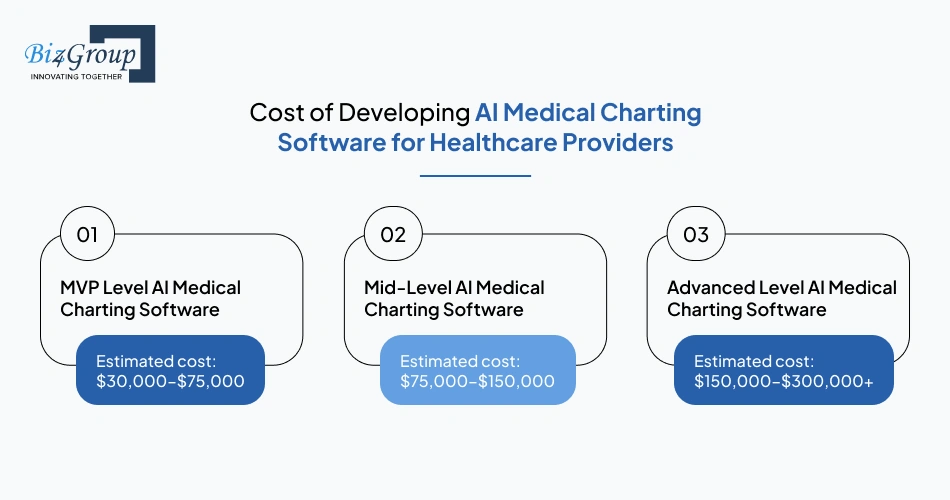
The investment in AI medical charting software development depends on how much clinical intelligence, specialty depth, workflow automation, and EHR connectivity your organization needs from day one. For most healthcare providers, the overall range typically falls between $30,000–$300,000+, with cost increasing as the platform moves from pilot documentation support to enterprise-grade clinical automation.
|
Development Level |
Estimated Cost Range |
Scope |
|---|---|---|
|
MVP Level AI Medical Charting Software |
$30,000–$75,000 |
Core transcription, SOAP note generation, provider review, limited specialty templates, basic EHR write-back, pilot deployment. |
|
Mid-Level AI Medical Charting Software |
$75,000–$150,000 |
Multi-specialty note logic, stronger validation rules, broader interoperability, analytics dashboards, phased clinic rollout. |
|
Advanced Level AI Medical Charting Software |
$150,000–$300,000+ |
Enterprise workflows, multi-facility scale, advanced note intelligence, compliance controls, optimization loops, large-scale EHR ecosystem support. |
Key Cost Drivers AI Medical Charting Software Development
- Clinical transcription, NLP, and note-generation logic usually account for $12,000–$60,000, where the AI integration cost increases with specialty-specific accuracy requirements.
- EHR interoperability, patient-context mapping, billing sync, and vendor connectors can add $8,000–$40,000, which is a major part of the cost of implementing AI in healthcare.
- Provider-facing workflows, review screens, specialty templates, and approval journeys often place UI/UX design cost in the $5,000–$25,000
- Specialty dataset preparation, note schema design, and clinical validation workflows may add $6,000–$30,000 depending on specialty breadth.
- Testing, pilot rollout, and provider correction learning can contribute another $4,000–$20,000 during release
Hidden Costs AI Medical Charting Software Development
|
Hidden Costs |
Estimated Cost Impact |
|---|---|
|
Clinical data annotation and transcript cleanup |
$5,000–$25,000 |
|
Provider pilot training and workflow onboarding |
$3,000–$12,000 |
|
EHR vendor-side certification or connector approvals |
$5,000–$20,000 |
|
Post-launch model tuning from provider edits |
$4,000–$18,000 |
|
Specialty expansion after first rollout |
$8,000–$35,000 |
Strategies to Optimize Development Cost AI Medical Charting Software
- Start with MVP software development focused on 1–2 specialties first, which can reduce initial cost by 25–35%.
- Limit the first release to core SOAP workflows and provider review, reducing scope cost by 20–30%.
- Reuse existing hospital APIs and AI integration services where possible to lower integration effort by 15–25%.
- Roll out by department instead of hospital-wide launch to reduce testing and onboarding cost by 10–20%.
- Use provider correction data to improve future releases instead of rebuilding workflows, reducing optimization cost by 12–18%.
When cost planning stays aligned with rollout scope, specialty priorities, and EHR depth, teams can develop AI medical charting software with stronger budget control, faster ROI visibility, and safer long-term scalability across healthcare environments.
Also Read: Cost to Hire an AI Software Developer in 2026 | Full Guide
Are You Investing or Just Spending on AI?
Right scope decisions can cut costs without compromising product usability
Estimate Your Build CostCustom AI Medical Charting Software Development Vs Third-Party Clinical Documentation Platforms: What Should You Go for
As documentation needs grow, the decision often shifts from simple note automation to long-term control over workflows, data, and scalability. In AI medical charting software development, the real question is how much flexibility your organization needs beyond standard platform capabilities.
The table below breaks down where each approach fits in real clinical scenarios.
|
Evaluation Factor |
Custom AI Medical Charting Software |
Third-Party Clinical Documentation Platforms |
|---|---|---|
|
Clinical Workflow Fit |
Adapts to existing provider workflows, specialty variations, and internal documentation habits. |
Forces providers to adjust workflows based on predefined templates and system limitations. |
|
AI Model Control |
Allows full ownership over AI model development, enabling customization based on specialty data and provider behavior. |
Uses vendor-controlled models with limited visibility into training logic or customization options. |
|
EHR Integration Depth |
Supports deep integration with internal EHR workflows, encounter mapping, and billing systems. |
Offers standard integrations that may not fully align with hospital-specific workflows. |
|
Documentation Accuracy Improvement |
Improves over time using provider correction data and internal feedback loops. |
Improvement depends on vendor updates and may not reflect your organization’s documentation patterns. |
|
Data Ownership and Governance |
Keeps patient data, transcripts, and clinical logic within the organization’s control. |
Data handling depends on vendor policies, which may limit flexibility in governance decisions. |
|
Deployment Flexibility |
Enables phased rollout across departments, specialties, and facilities with internal control. |
Deployment depends on vendor roadmap, feature availability, and subscription constraints. |
|
Cost Structure |
Higher upfront investment with long-term cost control and scalability benefits. |
Lower initial cost but recurring subscription fees increase over time with usage expansion. |
|
Custom Automation Capability |
Supports advanced workflows through AI automation services tailored to documentation, coding, and care coordination. |
Limited automation based on vendor feature availability and predefined use cases. |
|
Enterprise Scalability |
Designed for multi-location healthcare systems with complex documentation requirements supporting AI solutions for enterprises. |
May face limitations when scaling across diverse specialties and large healthcare networks. |
When documentation workflows, data ownership, and long-term scalability matter, the decision becomes more strategic than technical. The right approach depends on how much control your organization needs over automation, integration depth, and future expansion across evolving clinical environments.
Why Should Healthcare Providers Choose Biz4Group for AI Medical Charting Software Development?
When healthcare leaders start evaluating partners, they are stuck upon, “we want to build an AI-powered medical charting system for our hospital, which companies can develop in a way that fits real provider workflows, not just product demos. That is where execution experience begins to matter more than feature lists, making Biz4Group LLC a reliable development partner.
As an AI healthcare software development company, our focus remains on building systems that align with how documentation moves across consultations, reviews, coding, and EHR systems without disrupting provider routines. Across our healthcare portfolio we have worked on products that deal with structured patient data, guided workflows, and continuous engagement. Here take a look:
1. Dr. Ara- AI-Powered Athletic Health Solution
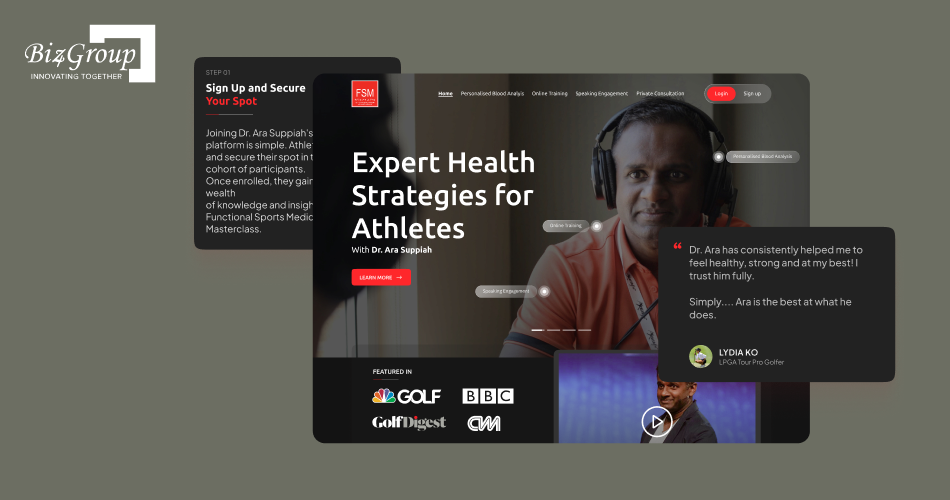
Dr. Ara analyzes uploaded blood reports and translates them into clear health insights. It identifies patterns in clinical data and provides guidance around sleep, hydration, nutrition, and performance. This AI athletic health solution also supports follow-up consultations and tracks progress, making it useful for users who need ongoing monitoring rather than one-time analysis.
2. Select Balance- AI Chatbot for Personalized Supplement Recommendations
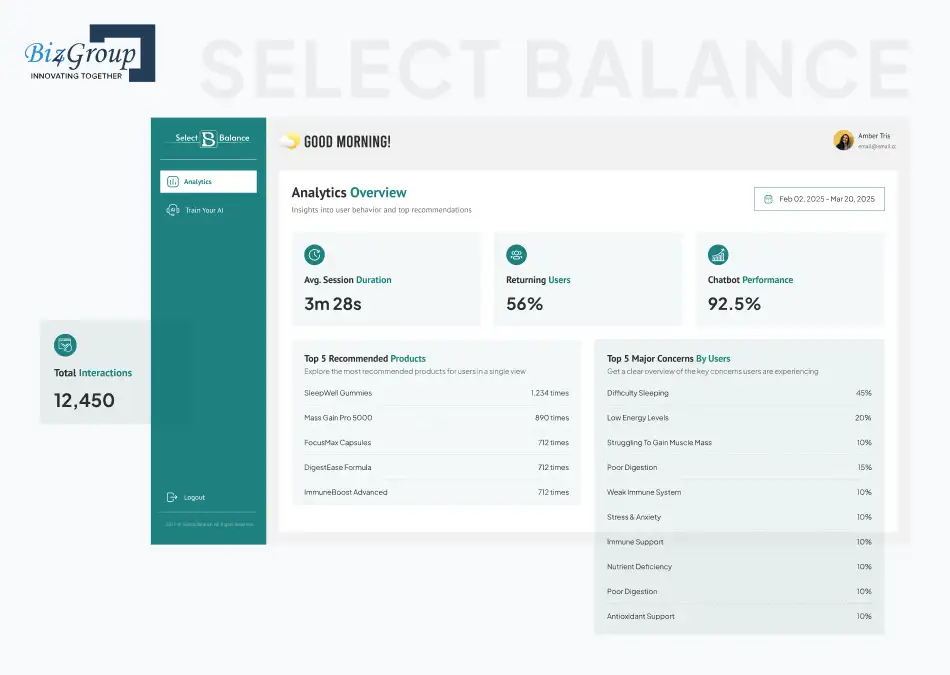
Select Balance is an AI-driven wellness platform that helps users move from symptoms to supplement recommendations. It collects structured inputs and processes them into relevant suggestions using predefined logic. Instead of open-ended inputs, it uses controlled logic to guide users step by step. This ensures that the final suggestions are consistent, explainable, and aligned with the initial symptoms shared by the user.
3. Semuto- Fitness App for Personal Growth

Semuto works as a structured fitnessplatform where users are guided through decision flows instead of searching randomly. It collects user preferences, maps them against predefined logic, and presents relevant health pathways. This innovative AI fitness app maintains continuity by keeping user inputs connected across sessions, ensuring decisions are not reset every time the user returns.
4. CogniHelp- AI Solution for Dementia Patients
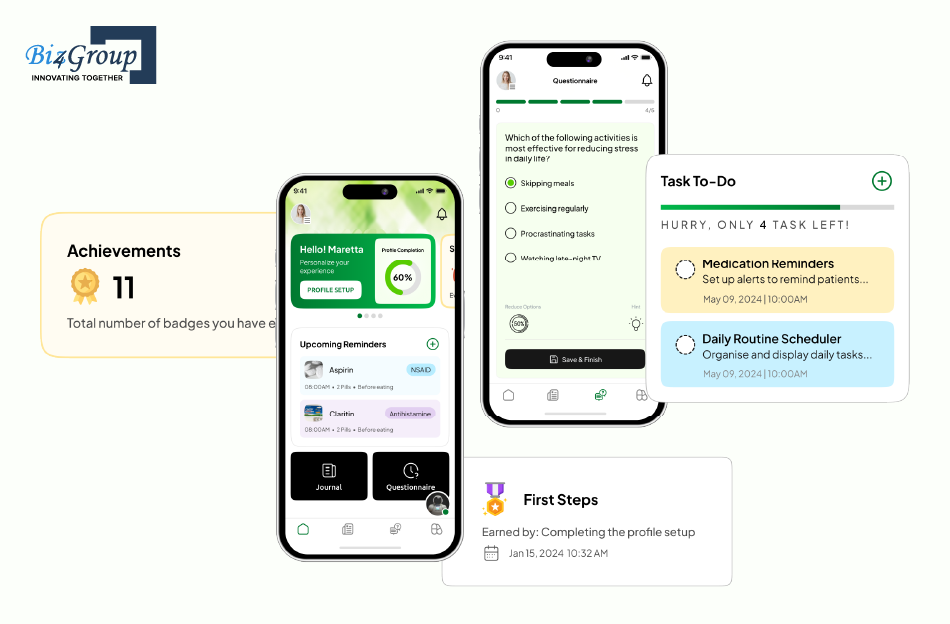
CogniHelp is designed for patients dealing with cognitive conditions and their caregivers. This AI driven app for dementia patients provides structured assistance based on different cognitive stages and supports ongoing care through guided prompts. The system focuses on improving continuity in care routines while simplifying interactions for both patients and caregivers through easy-to-follow digital support.
Our experience with these real-world implementations reflects how structured inputs, controlled workflows, and consistent output logic function in practical healthcare environments. We follow the same execution approach when delivering AI healthcare charting software development services, where documentation needs to stay accurate, structured, and usable within clinical systems.
When the fundamentals are handled correctly, AI medical charting software development becomes easier to adopt, simple to scale across specialties, and more reliable within everyday clinical workflows.
Ready to Build Something Providers Actually Use?
Execution matters more than features when clinical workflows are involved
Schedule a Strategy CallWhat Future Trends Will Shape AI Medical Charting Software for Healthcare Providers?
Clinical documentation is already shifting manual effort to assisted workflows, but the next phase will go beyond support and move toward decision-aware systems. For teams evaluating companies that develop AI medical charting software in USA, the real question is how these systems will evolve as clinical expectations grow.
- Clinical documentation will begin to connect directly with AI medical diagnosis workflows, where charting systems will not just record encounters but also surface early clinical insights based on structured patient data and historical patterns.
- Systems will move toward agentic AI in healthcare, where charting platforms can take guided actions such as suggesting follow-ups, triggering care pathways, or initiating documentation updates without waiting for manual input.
- Real-time documentation will shift from post-visit processing to in-visit completion, where notes are structured and validated during the consultation itself, reducing dependency on after-hours charting completely.
- AI charting platforms will start aligning more closely with healthcare analytics software, where documentation data will directly feed operational dashboards, risk indicators, and performance tracking across departments.
- Multi-specialty adaptability will improve, allowing a single platform to adjust documentation logic dynamically based on specialty workflows instead of relying on static templates.
- Continuous learning models will evolve to adapt at the provider level, where individual documentation styles, correction patterns, and preferences will influence how future notes are generated.
- Voice and interaction models will move beyond transcription into contextual understanding, where tone, pauses, and conversation flow help shape more accurate and meaningful clinical documentation.
As these shifts take shape, AI medical charting software development will move closer to becoming a decision-aware clinical layer rather than just a documentation tool, helping providers reduce effort while improving accuracy, continuity, and long-term care outcomes.
Final Thoughts on AI Medical Charting Software Development for Healthcare Providers
Clinical documentation now directly shapes how providers work, how quickly revenue flows, and how consistently care is delivered. As organizations move toward building an AI medical charting software with EHR integration, the real focus should stay on how well the system fits into everyday clinical workflows.
The impact becomes clear during daily use. When documentation aligns with how providers think and work, effort reduces and output improves. When it does not, adoption slows down. This is why AI medical charting software development works best when it is designed around real documentation behavior, review patterns, and EHR dependencies.
Working with teams that understand these workflows can make this transition smoother. Biz4Group LLC brings that experience through practical AI product development services built around real healthcare use cases. If you are evaluating this direction, a short discussion call can help clarify how this approach would fit within your current systems and workflows.
FAQ's
1. How can AI medical charting software reduce documentation errors across multiple providers?
AI medical charting systems standardize how clinical data is captured and structured during each encounter. By extracting key details directly from conversations and mapping them into predefined formats, the system reduces variation between providers and minimizes inconsistencies that often occur with manual entry.
2. What level of customization is possible when you develop AI medical charting software for different specialties?
Customization can go beyond templates. Systems can be tailored to specialty-specific workflows, diagnosis patterns, and documentation styles. This allows cardiology, behavioral health, or primary care teams to use the same platform while maintaining their own documentation logic.
3. How long does it typically take to build AI medical charting software for healthcare providers?
The timeline usually depends on scope and integration depth. A focused MVP can take around 3–5 weeks, while a multi-specialty system with EHR integration and validation workflows may take 6–12 weeks or more for full deployment.
4. What is the typical cost range to develop AI medical charting software for hospitals or clinics?
The cost generally ranges from $30,000 to $300,000+, depending on features, AI capabilities, integration complexity, and scale. Smaller pilot systems stay on the lower end, while enterprise-grade platforms with advanced workflows fall on the higher side.
5. How can healthcare organizations ensure adoption when they build AI medical charting systems for doctors?
Adoption depends on how well the system fits into existing workflows. Solutions that allow provider review, minimal manual correction, and seamless EHR interaction tend to see faster acceptance compared to tools that require behavioral change.
6. What should healthcare providers look for when evaluating companies that develop AI medical charting software in USA?
The focus should be on real healthcare experience rather than generic AI capability. Providers should evaluate whether the team understands clinical workflows, documentation patterns, EHR environments, and how to build systems that remain usable in daily practice.
Meet Author